# About
Name: Personate
URL: https://personate.ai/blog
# Navigation Menu
- About: https://personate.ai/blog/about
- Home: https://personate.ai/blog
# Blog Posts
## AI Generated Scenes: A Technical Guide for Advertisers
Published: 2026-07-17
Category: Tips
Category URL: https://personate.ai/blog/category/tips
Meta Description: Explore how AI generated scenes are planned and controlled for advertising, covering continuity, product accuracy, prompting and hybrid production workflows.
Tags: AI in Marketing, AI Ads
Tag URLs: AI in Marketing (https://personate.ai/blog/tag/ai-in-marketing), AI Ads (https://personate.ai/blog/tag/ai-ads)
URL: https://personate.ai/blog/ai-generated-scenes-a-technical-guide-for-advertisers
AI-generated scenes have moved well beyond novelty. They now sit inside real advertising workflows, shaping everything from concept films and product worlds to campaign variations and synthetic b-roll. But a scene that looks impressive in isolation can still fail in production through drifting identities, broken physics, inconsistent lighting, inaccurate products, or edits that simply do not cut together. This guide looks past the hype and into the mechanics: how AI-generated scenes are planned, controlled, composited, and quality-checked for brand use. The goal is to understand where generation ends and human craft begins.
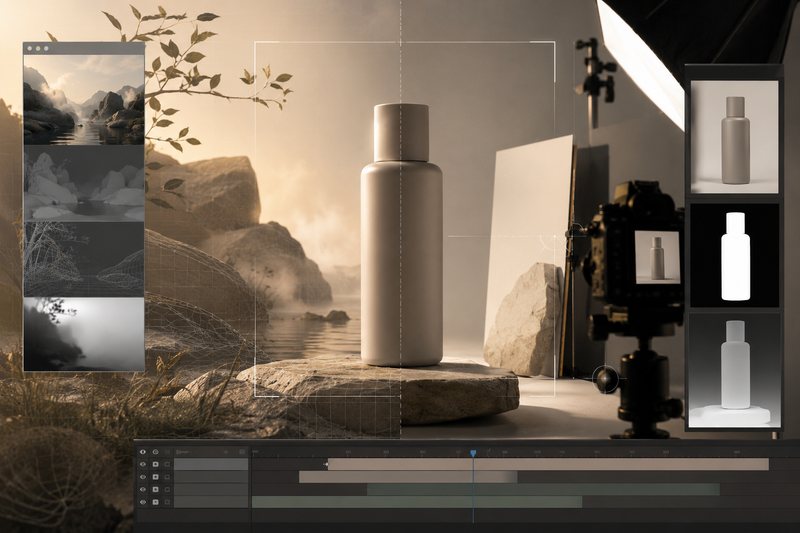
## **What Are AI-Generated Scenes?**
AI-generated scenes are visual environments, actions, or moments created partly or entirely with generative models. They may begin with a text prompt, a reference image, existing footage, product photography, or a combination of all four. The result can be a complete synthetic shot such as a car moving through an impossible landscape, or a single generated layer added to conventional production with a new background, weather effect, set extension, or transition.
An AI-generated scene is not necessarily an AI-generated advertisement. In professional workflows, generation is often one component within a larger production system involving art direction, cinematography, compositing, editing, sound design, and colour grading. The useful question, then, is which parts were generated, which parts were captured, and how those choices support the product and its story.
## **Why Good-Looking AI Generated Scenes Often Fail in the Edit**
An AI-generated shot can look convincing on its own and still become unusable the moment it is placed beside another. Advertising rarely depends on a single beautiful frame. It depends on continuity: the product must retain its shape, the character must remain recognisable, the light must come from the same direction, and the action must progress logically across cuts.
This is where generated scenes often break under editorial pressure. A jacket may change texture between a wide shot and a close-up. A bottle may become slightly taller, its label may shift, or its reflections may stop matching the environment. Eye-lines, camera height, screen direction, and emotional performance can also differ from one clip to the next, making the sequence feel assembled rather than directed.
The problem is related to both inconsistency in appearance and in the scene’s internal logic. Traditional video production records one physical world from multiple angles. Generative models create each shot as a new prediction, unless identity, environment, lighting, and composition are actively constrained. For brand production, the true measure of an AI generated scene then becomes if it can survive a cut, preserve the product, and remain coherent as part of a sequence.
## **Causal Density: Why Some Scenes Are Harder to Generate**
Causal density refers to the number of relationships a generated scene must preserve while an action develops. These relationships may involve object identity, geometry, contact, motion, material behaviour, spatial position, lighting, and changes of state. The term is production shorthand rather than a standard benchmark used by the professionals.
For example, a scene of a bottle standing in mist has relatively few dependencies. The mist can vary between frames without changing the meaning of the shot. However, a scene of the same bottle being picked up, opened, tilted, and poured is more constrained. The bottle must remain the same size and shape while it rotates. The hand must maintain credible contact. The cap must follow the thread of the neck. The liquid must respond to the changing angle, and the printed label must remain attached to the curved surface throughout the movement.
Current video generators typically produce frames by denoising a learned latent representation conditioned by text, images, or other controls. Architectures use temporal layers or space-time attention to share information across frames, but this does not automatically create an explicit 3D scene model, a physics simulation, or a persistent record of every object and its state. The system is generating a statistically plausible video, while the production requires several exact constraints to remain simultaneously true.
The difficulty grows when the video asks for several bound relationships at once: which hand holds which object, where contact occurs, what changes during the action, and what must remain unchanged. Temporal compositionality evaluations show that models can produce convincing frames while failing to complete the transition described between an initial and final state. In other words, individual frames may look plausible, but the video may not correctly show the intended change unfolding over time. [TC-Bench, published in 2024,](https://aclanthology.org/2025.findings-acl.241.pdf) found that contemporary video generators achieved less than 20% of the compositional changes evaluated, meaning they generally failed to fully depict the requested progression from an initial scene state to a final one.
For advertising, causal density becomes especially important as it carries product information. For example, a cap opening incorrectly, a logo sliding across a package, or a liquid behaving unlike the real formulation can alter the claim being made. Those shots often need narrower actions, stronger reference controls, separately generated plates, or real product footage integrated into a hybrid scene.
## **Four Technical Failure Points in AI-Generated Scenes**
### **Temporal coherence**
Temporal coherence concerns stability within a single shot. Faces, clothing, product details, reflections, or small features may drift as the clip progresses, especially during rotation, movement, or occlusion. An AI generated scene can feel smooth while still changing in ways that make it unusable.
### **Inter-shot continuity**
Inter-shot continuity concerns consistency across separate video clips in AI generated scenes. A character may look slightly different between a wide shot and a close-up, while product scale, lighting direction, lens perspective, wardrobe, or set details may shift between cuts. Reference systems reduce this variation, but generated coverage often still needs selective cleanup or compositing.
### **State transitions**
State transitions in an AI generated scene involve a visible change, such as opening packaging, slicing food, applying a product, or moving through an interface. Models may produce convincing start and end states without generating a believable process between them. Shorter actions, controlled keyframes, or practical capture can reduce this risk.
### **Semantic and product accuracy**
An AI generated scene may look plausible while communicating incorrect information. Labels can distort, dimensions can shift, materials can change, and mechanical behaviour may be invented. Reference images improve resemblance, but precise logos, typography, interfaces, and product features are often retained from real assets or rebuilt in post-production.
These failures matter differently depending on the shot. Atmospheric elements can tolerate some variation. Product demonstrations, claims, and close-up brand assets require much tighter control.
## **Why Prompting Alone Is Not Production Control for AI Generated Scenes**
A prompt tells the model what kinds of visual features should become more probable during generation. It does not function like a technical drawing, a lighting plot, or a set of coordinates that the system must execute exactly. For advertisers, the consequence of this is straightforward because most prompts are under-specified. And these specifics are filled by the chosen AI model from patterns learned during training. The result may satisfy the prompt in the literal sense while departing from the production team’s unstated expectations.
Adding more descriptive language can narrow the range of outputs, although prompt detail does not often translate cleanly into independent control. Attributes are often entangled like changing the camera angle may alter the face or asking for stronger movement may affect wardrobe or product geometry. Some instructions receive less influence because of token weighting, prompt length, conflicts between conditions, or the model’s stronger learned priors. Small changes can lead to substantially different compositions. Model updates may also change how an identical prompt is interpreted.
Production control therefore requires constraints outside the text prompt. Reference images can anchor subject identity and product appearance. Masks can restrict changes to selected areas. Pose, depth, edge, or motion guidance can preserve composition. Start frames and end frames can narrow a transition. Locked model versions, recorded parameters, and shot-specific reference packages make results easier to reproduce. But even these controls have limits. A reference image may preserve the front of a package while allowing its unseen side to be invented. Pose guidance can hold the body’s structure without protecting facial identity. A depth map can stabilize spatial arrangement while leaving materials and branding free to drift.
For companies looking at AI for advertising, prompting is best understood as one layer in a control system. The rest comes from reference design, generation settings, continuity management, compositing, conventional graphics, and frame-level quality review.
## **How Hybrid AI Production Creates Control in Practice**
Hybrid production begins by deciding which elements of a shot can tolerate interpretation and which must remain exact. A background skyline may be safely generated. A hero product, readable label, specific hand interaction, or regulated claim may need to come from photography, live action, 3D, or conventional graphics. This decision is made before generation, because attempting to recover product accuracy after the scene has been built around an incorrect object is usually inefficient.
The shot is then divided into controllable layers. A real product plate might be captured against a clean background, with matching lens information and lighting references. The generated environment is created separately, often with enough negative space and camera stability to support compositing. Additional passes may be produced for atmosphere, reflections, shadows, set extensions, or transition elements. Separating these components allows the team to replace a weak layer without regenerating the entire shot.
Camera logic matters throughout this process. Perspective, horizon height, focal-length character, depth of field, motion blur, and camera movement must agree across captured and generated material. A product filmed with a long lens will feel pasted into an environment whose perspective resembles a wide-angle shot, even when the composite is technically clean. Lighting presents the same problem: direction, softness, colour temperature, contact shadows, and specular highlights must describe the same imagined source.
Editorial decisions are usually made before extensive cleanup. Teams test whether the shot communicates quickly, matches the surrounding coverage, and survives the intended cut. There is little value in repairing every frame of a clip that will later be shortened, reframed, or removed. Once the edit is stable, compositors can address edge contamination, geometry drift, inconsistent reflections, occlusion errors, and unwanted changes in product detail.
Typography, logos, interfaces, disclaimers, and other precision elements are commonly rebuilt rather than generated. These assets need predictable placement and frame-to-frame stability, particularly when the advertisement will be adapted across aspect ratios or languages. The final review happens at sequence level. A frame can be attractive while introducing a continuity error that becomes obvious only during playback. Product scale, screen direction, movement speed, colour response, grain, sharpness, and sound all influence whether generated and captured material feel as though they belong to the same production.
Hybrid workflows do not remove generative uncertainty. They contain it. The production team chooses where the model is allowed to invent and where the scene must remain accountable to a reference.

## **When to Generate, Composite, or Shoot Practically**
Production approach
Best suited to
Why it works
Main considerations
Use it when
**AI-led hybrid**
Brand films, social campaigns, product worlds, synthetic b-roll, alternate locations, campaign extensions, seasonal variations
AI carries the visual concept and production scale, while real product assets, brand elements, compositing, and human direction protect consistency. It offers more creative range than conventional production and more control than fully generated footage.
Requires a defined scene bible, reference assets, continuity review, and post-production. Product details and typography may still need replacement or cleanup.
The campaign needs speed, visual ambition, or multiple variations without giving up product accuracy or brand control
**Fully generated**
Atmospheric inserts, surreal environments, visual metaphors, transitions, speculative worlds, stylized establishing shots
The model is free to invent because the scene is not expected to reproduce a product interaction or physical event exactly.
Longer actions, readable text, consistent characters, and exact product geometry can introduce instability.
The scene’s purpose is to create mood, scale, surprise, or narrative shorthand
**Practical-led hybrid**
Hero product shots, beauty work, liquids, reflective packaging, garment detail, regulated categories
Real capture establishes the product’s geometry, material response, and physical credibility. AI then expands the location, art direction, weather, scale, or visual treatment.
Captured and generated elements must share compatible perspective, lighting, motion blur, reflections, grain, and depth of field.
The product must remain materially accurate, but the creative idea would be expensive or restrictive to produce entirely in camera
**Traditional composite**
Real performers or products placed into synthetic locations, set extensions, background changes, crowds, weather, or environmental effects
It isolates the elements that must remain trustworthy and gives the production team frame-level control over the surrounding scene.
Poor lens matching, contact shadows, edge treatment, or lighting integration can make the composite feel assembled.
A specific performer, product, or interaction must remain unchanged while the environment is flexible
**Fully practical**
Product demonstrations, food preparation, mechanical function, cosmetic application, fit, tactile interactions, emotionally precise performances
Physical capture records the contact, timing, weight, material behaviour, and subtle performance details on which the message depends.
It offers less generative flexibility and may require greater coordination across locations, sets, talent, and versions.
The visible action is itself evidence of how the product behaves, performs, fits, or feels
For many brand campaigns, AI-led hybrid offers the most useful balance. It allows the generated material to determine the scale, setting, and visual language of the scene, while practical assets and conventional post-production preserve the details the audience is expected to trust.
The decision still depends on the consequence of error. A changing cloud formation may be inconsequential. A drifting label, inaccurate fit, or physically impossible product demonstration can misrepresent what is being sold. AI-led hybrid works best when the production team identifies that boundary before generation begins.
## **Conclusion**
AI-generated scenes are becoming a serious production medium, but their value depends on how deliberately they are used. The strongest results come from understanding where models can invent freely and where the image must remain accountable to a real product, action, or claim.
For many advertising briefs, an AI-led hybrid workflow offers the best balance. It gives creative teams greater speed, scale, and visual range while preserving control through reference assets, compositing, practical capture, and human review. The question is no longer whether AI belongs in production. It is how carefully the production is designed around what the scene needs to prove.
Also read,
[Why AI Ads Fail: The Story Logic Problem Behind Poor Performance \| Personate](https://personate.ai/blog/why-ai-ads-fail-story-logic-problem-behind-poor-performance)
[The Real Cost Of Running AI Ad Production In-House \| Personate](https://personate.ai/blog/the-real-cost-of-running-ai-ad-production-in-house)
[How and Why Did Personate Become an AI Ad Agency in 2026 \| Personate](https://personate.ai/blog/the-evolution-of-personate-as-hybrid-ai-ad-agency-in-2026)
---
This blog is powered by Superblog. Visit https://superblog.ai to know more.
---
## Winning with Generative AI: How Hybrid Workflows Protect Brand Equity
Published: 2026-07-07
Category: Tips
Category URL: https://personate.ai/blog/category/tips
Meta Description: Generative AI slashes ad-production costs by 90%, but only a disciplined hybrid model, brand judgment inside, AI throughput outside, protects equity while unlocking speed.
Tags: Brand, AI Ads
Tag URLs: Brand (https://personate.ai/blog/tag/brand), AI Ads (https://personate.ai/blog/tag/ai-ads)
URL: https://personate.ai/blog/winning-with-generative-ai-how-hybrid-workflows-protect-brand-equity
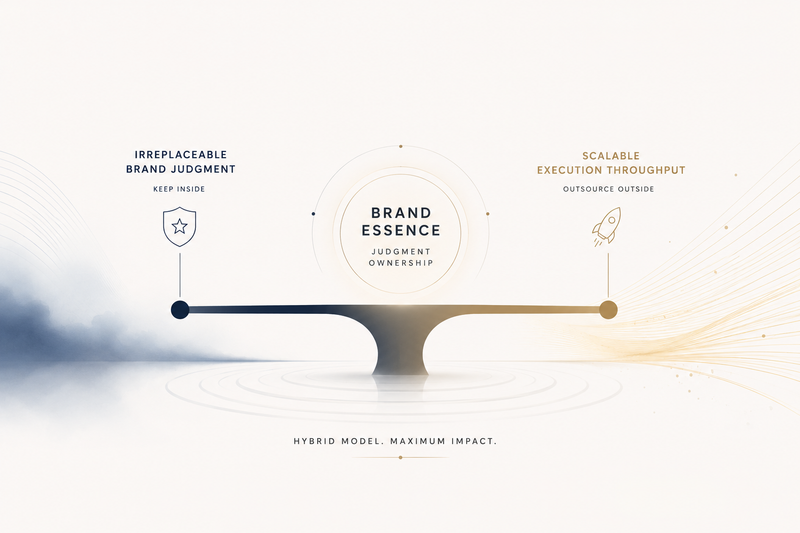
Generative AI has detonated the economics of ad production. What once required a $250 k line-item and a month-long shoot can now be spun up for $2k over a single weekend, as Kalshi’s AI-built NBA-Finals spot demonstrated. That 90% cost compression and near-real-time turnaround can feel like super-powers, right up until the first off-brand asset slips through approval, the CMO slams the brakes, and everyone scrambles to find the last person who said “looks good.”
So the existential choice facing senior brand marketers in 2026 is not “Should we adopt AI?” or even “Should we use agencies?” The real question is razor-thin and operational: Where do we draw the line between irreplaceable brand judgment and scalable execution throughput? Draw it in the wrong place and you simply swap one bottleneck (production) for another (review), losing both velocity and equity in the process. Draw it well and you unlock a content flywheel that scales without diluting what makes the brand distinctive.
## The New Economics That Force a Hybrid Model
### From scarcity to throughput
Generative AI rewired production economics from a _scarcity_ model, limited by crew hours and studio slots, to a _throughput_ model where output is capped only by compute and prompt discipline. By 2025, generative AI had become a cornerstone of video ad creation, with 86% of advertisers already using or planning to use it for video creative, according to [IAB’s _2025 Digital Video Ad Spend & Strategy Report_.](https://www.iab.com/insights/the-ai-gap-widens/) As a result, stakeholders increasingly expect dozens of creative variations in the time it once took to produce and approve a single master asset. The production line no longer asks, “Can we make it?” but “How many can we review before noon?”
### Labor migration, not elimination
AI vaporises repetitive “making” labour, yet it creates new cognitive labour: writing deterministic prompt libraries, tuning models, running provenance checks, flagging hallucinations, logging rights, and routing exceptions. Production hours shrink; governance hours explode. Brands that in-house everything quickly discover they have traded camera crews for QA spreadsheets.
### Polanyi’s Paradox still rules
AI and agencies execute only what is explicitly codified, but the DNA of a brand lives in tacit instincts, tone you feel but can’t fully brief, cultural lines you sense but can’t diagram. Outsourcing tasks heavy in this tacit judgment is risky, because machines and partners optimise for rules, not unspoken nuance.
### A strict-liability minefield
Regulators are placing greater responsibility on companies that use AI-generated advertising, even when the work is produced by an outside agency or vendor. If an AI asset infringes copyright, uses a person’s likeness without proper permission, or fails to include a required disclosure, the brand may face legal, financial, or reputational consequences, depending on the applicable law and contract terms. Brands should therefore not assume that standard liability insurance will cover every AI-related advertising dispute.
### Result: a structured hybrid is non-negotiable
Speed without guardrails is a liability; guardrails without speed is a missed opportunity. Only a deliberate split, brand judgment inside, execution throughput outside, lets marketers harvest AI’s velocity without gambling the logo.
## Ownership Matrix: Keep, Co-Own, or Outsource?
In a hybrid AI-agency setup, the super-power is marrying machine throughput with human brand judgment. Use the grid below to decide, for every workflow, whether a task stays in the Brand Pod (client-side), lives in the Shared Strategy Pod (brand + agency), or moves to the Agency AI Ops Pod for high-volume execution.
**Workflow Task**
**Brand Pod(Keep)**
**Shared Strategy Pod(Co-own)**
**AI Ops Pod(Outsource)**
**Why this lane makes sense**
Brand platform & positioning
✔
High-consequence, tacit knowledge that anchors all other work.
Success-metric & KPI framework
✔
Only the brand can balance short- vs. long-term equity goals.
Audience segmentation
✔
Proprietary, regulated, privacy-sensitive data lives client-side.
Legal & compliance sign-off (AI disclosures, likeness, copyright)
✔
Strict-liability statutes pin ultimate risk on the advertiser.
Hero idea / narrative leap
✔
Outside range sparks novelty; brand veto protects authenticity.
Prompt-library & style-system design
✔
Codifies tacit brand cues into deterministic rules the model obeys.
Storyboard approval & emotional tone check
✔
Joint checkpoint prevents “polished sameness” before mass output.
Model choice, fine-tuning & safety guardrails
✔
Tech expertise from agency, risk parameters from brand.
Scene generation & asset variation
✔
Low-consequence, specifiable, throughput-hungry.
Localisation, resizing, captioning
✔
Execution scale with minimal brand judgment required.
Provenance logging & C2PA tagging
✔
Repetitive metadata work suited to automated pipelines.
Post-production polish (VFX, grading, mix)
✔
Specialist craft plus AI accelerators deliver speed & finish.
First-draft distribution & version control
✔
Ops pod owns dashboards; brand sees only curated options.
Performance read-outs & test-learn cycles
✔
Brand interprets impact; agency supplies analytics muscle.
**How to use it**
1. **Map every task** in your upcoming campaign to a row in the grid.
2. **Check the column** that matches risk-versus-velocity reality, not historical habit.
3. **Document hand-offs** in the SOW so bottlenecks cannot re-inflate later.
## How Personate’s 72-Hour Workflow Protects Your Brand Voice
The framework locks your strategic inputs at the start, then accelerates only the parts that do not require brand judgment. You keep ownership of story and tone; we supply the speed and craft that turn those decisions into finished video: fast, consistent, unmistakably yours.
**Clock**
**Stage**
**What We Do**
**Why Your Brand Stays Safe**
Day 0
**Concept brief**
Gather your goal, audience, key message, brand guidelines and any script or reference material.
Start with your own inputs so nothing is guessed.
+24 h
**Storyboard approval**
Translate the brief into a scene-by-scene plan and return it for sign-off within a day.
You see the narrative early and can correct the tone before production begins.
**AI scene creation**
Generate original visuals that follow the approved board instead of dropping generic templates.
Speed comes from automation but direction is locked to the signed storyboard.
**Human edit and polish**
Editors refine pacing, narrative flow and on-screen details.
Human taste ensures the video feels intentionally crafted, not machine-stitched.
**First draft delivery**
Share a full cut for review along with a checklist showing brand and legal compliance.
You review a real video, not static frames, and can give focused feedback fast.
+72 h
**Revisions and final file**
Apply your comments, export final assets and hand over all source files.
Final judgment stays with you, closing the loop on brand control.
#### **Why an external team can still “get” your brand**
1. **Early visibility**: You approve the storyboard before a single frame is rendered, which prevents drift.
2. **Locked references**: Your guidelines and past assets are embedded in the brief, guiding every creative choice.
3. **Two review lanes**: We check specs and compliance, you check meaning and emotion. Each side focuses on what it knows best.
By keeping idea definition and final approval in your hands while we handle the high-volume execution, the workflow lets you move at market speed without giving up brand stewardship.
## Conclusion
Generative AI has collapsed month-long shoots into weekend sprints, but unchecked speed can still wreck brand equity. The real decision isn’t “AI or no AI,” it’s how sharply you separate irreplaceable judgment from high-volume execution. Keep strategy, tone, and legal sign-off inside; export bulk generation and formatting to a partner engineered for scale. Personate’s 72-hour pipeline proves the split: you define the narrative, we deliver polished assets at market pace. Velocity rises, liability falls, and the brand stays unmistakably yours.
Also read,
[The Real Cost Of Running AI Ad Production In-House \| Personate](https://personate.ai/blog/the-real-cost-of-running-ai-ad-production-in-house)
[The Location Problem in AI Advertising That Most Brands Ignore \| Personate](https://personate.ai/blog/the-location-problem-in-ai-advertising-most-brands-ignore)
## FAQs
Q: How should a brand decide which AI-driven tasks to keep, co-own, or outsource?
A: Map every workflow to a risk-versus-velocity grid. Keep anything saturated with tacit brand knowledge (platform, tone, legal sign-off), co-own strategic checkpoints (prompt libraries, storyboards, model guardrails), and outsource high-volume, spec-driven execution like scene variation, localisation, and metadata tagging.
Q: What new legal liabilities emerge with AI-generated advertising?
A: Strict-liability statutes increasingly hold advertisers responsible for copyright misuse, likeness violations, and missing disclosures even when work is done by an agency. Brands must therefore build compliance sign-off, provenance logging, and C2PA tagging into the production workflow rather than treating them as post-launch fixes.
---
This blog is powered by Superblog. Visit https://superblog.ai to know more.
---
## The Location Problem in AI Advertising That Most Brands Ignore
Published: 2026-06-14
Category: Tips
Category URL: https://personate.ai/blog/category/tips
Meta Description: Generic AI ad backdrops erode trust. Learn how location diversity in AI ad creative builds recognition, relevance, and campaign performance across markets.
Tags: Brand, AI Ads
Tag URLs: Brand (https://personate.ai/blog/tag/brand), AI Ads (https://personate.ai/blog/tag/ai-ads)
URL: https://personate.ai/blog/the-location-problem-in-ai-advertising-most-brands-ignore
A luxury apartment ad set in a random glass tower. A food delivery ad on a street no local buyer recognises. A family banking ad inside a home that feels imported. This is where weak AI creative starts to lose trust. Location diversity in AI advertising helps brands avoid that generic sameness by using places, climate, streets, homes, shops, and neighbourhood cues people instinctively recognise. As brands scale AI ad creative for multiple markets, location of the advertisement deserves sharper creative planning. In this article, we will cover why location diversity matters, how it affects audience response, and how brands can use it effectively.
## **What Is Location Diversity In AI Advertising?**
Location diversity in AI advertising refers to the planned use of varied geographic settings, local environments, architectural styles, climate conditions, public spaces, and neighbourhood characteristics within creative assets. It helps brands avoid generic backdrops and build stronger AI creative location relevance.
In practice, geographic diversity in AI-generated ads can include distinct streetscapes, local retail spaces, housing styles, transport systems, weather conditions, regional landscapes, and community settings. These AI advertising location cues influence how audiences read an advertisement. A campaign may carry the same product, offer, and brand identity across markets, yet the setting can change how familiar, credible, or distant the message feels.
Many generative AI tools default to a narrow visual range. Modern offices, polished cafés, neutral homes, and anonymous city streets appear repeatedly. The result is professional-looking creative with weak regional visual cues in advertising. For marketing teams, this creates a missed opportunity. Location-specific AI ad creative can make an ad feel closer to the buyer’s world without changing the entire campaign idea.
## **Why Generic Locations Create Generic Advertising**
Most discussions about advertising focus on messaging, targeting, and creative execution. The place rarely receives the same attention. That is surprising because people are exceptionally sensitive to environmental context. A person that struggles to recall a headline they saw yesterday is the same person who can instantly recognise when a street, neighbourhood, transport system, or public space feels familiar. People process environments long before they process marketing messages. The counterintuitive insight here is that audiences often notice when a location feels wrong long before they notice when a location feels right. Good location diversity rarely draws attention to itself. It simply removes a layer of friction between the creative and the audience.
This creates an overlooked challenge in location diversity in AI advertising. Many brands believe that stripping a campaign of strong visual cues makes it more widely relatable, yet this same neutrality can also make it feel less meaningful or harder to connect with. When a location feels disconnected from a viewer's reality, the creative asset loses specificity. It becomes harder for audiences to picture themselves within the story being presented. The effect is subtle because viewers rarely articulate it. Few people say, "I ignored this ad because the streetscape felt unfamiliar." Instead, the advertisement simply feels less memorable and less connected to everyday life.
For regional marketing teams, the challenge becomes even greater. Many AI-generated video ads rely on a surprisingly narrow range of visual references. As a result, different campaigns begin to share the same environments, even when targeting entirely different audiences. This weakens AI creative location relevance and contributes to a growing sense of sameness across categories.
## **How Location Cues Shape Trust, Recognition and Product Desire**
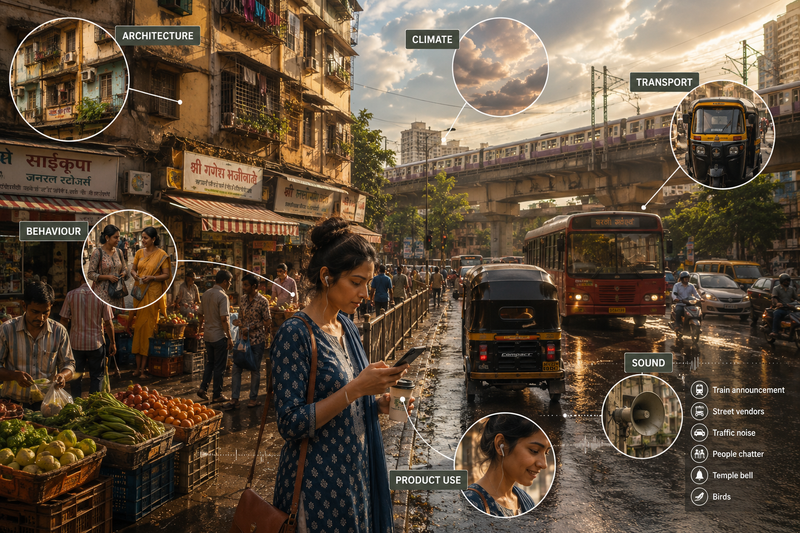
A location can look accurate on the surface and still feel wrong to the viewer. An AI-generated Mumbai banking advert may include autos, monsoon rain, local Marathi signage and yet the pavement may feel strangely empty. Viewers may never identify each fault, but they register the combined improbability. Location diversity in AI advertising works when geography, human behaviour, cinematography, sound and product use support the same commercial truth.
### **Location Diversity Changes How Concretely People Process An Offer**
Psychological distance helps explain why location can be persuasive in marketing. When a place or situation feels distant, people tend to interpret it in broader, more abstract terms. When it feels familiar, they can more easily imagine the practical details: how the product would be used, who would use it, and where it would fit into everyday life. This shift is a movement from “abstract evaluation to concrete interest”. This makes location diversity in AI ad creative more than a visual choice.
For marketers, this changes the job assigned to AI advertising location cues. A familiar street can help someone mentally simulate the product experience. A commuter who recognises the station layout can imagine the journey. A renter who recognises the housing type can picture the property offer. A shopper who recognises the retail setting can estimate convenience. Well-planned location-specific AI ad creative turns a remote claim into a situation the viewer can mentally rehearse.
### **Viewers Detect Broken Local Logic Before They Explain It**
Decision makers often assess a regional advert through obvious location markers. Does the scene contain the right skyline, vehicle, clothing or script? Audiences judge a denser system. They absorb street width, pedestrian movement, weather, light direction, personal space, traffic behaviour and commercial clutter together. One minor incorrect detail may at times pass unnoticed. Several small contradictions can make the entire scene feel fabricated, weakening AI creative location relevance before the product claim has received fair attention.
It is because people carry learned expectations about how familiar places operate. When a scene violates those expectations, the viewer must spend more mental effort interpreting it. Trust then weakens through small contradictions, not one dramatic cultural mistake. That is why regional visual cues in advertising should be judged as a connected system, rather than a checklist of local symbols. Here the most counterintuitive production lesson is that geographic diversity in AI-generated ads may need fewer iconic symbols and more ordinary accuracy.
### **Camera Placement Determines Whether The Brand Feels Present**
Camera grammar carries a point of view. Aerial shots, symmetrical compositions and immaculate wide frames can make a city look desirable. They can also position the audience as spectators. Eye-level framing, partial obstruction and motivated handheld movement place viewers closer to the physical experience. Depth of field also affects AI creative location relevance. The correct choice depends on the category, but every multi-market AI advertising strategy should consider whether the camera observes the location from outside or participates in it because these details give market-specific AI advertising a credible physical basis.
### **Performance Direction Carries More Local Truth Than Casting**
Local casting alone does not make an advert feel local. For culturally relevant AI advertising, casting decisions should include behavioural direction, not appearance alone. This is often missed because casting photographs are approved before movement is considered. The creative team confirms age, wardrobe and appearance, then relies on generic commercial gestures. The result is a locally cast person smiling, pointing and presenting a product like actors in every other market. The face changes, while the behavioural code remains global.
That is why Creative Directors working on AI ad creative for multiple markets should add behavioural notes to every shot. How quickly does the character move? Who starts the interaction? Where does the person look before using the product? What would normally occupy the other hand? These details sound minor during planning. On screen, they decide whether the performance feels observed or invented.
### **Product Placement Should Follow Local Usage Logic**
Location earns its production budget when it changes how the product benefit is understood. Heat can increase the sensory appeal of a drink. A crowded commute can demonstrate noise cancellation. A compact kitchen can make storage efficiency persuasive. An unreliable connection can give an offline feature commercial relevance. Strong location-based ad creative gives the product a believable problem to solve. Weak product placement reverses this logic. When an actor opens a snack packet with the logo held perfectly flat to the camera, even though their attention is on the conversation, it makes the brand gain screen visibility while losing credibility. The core product may stay consistent across markets. Its place within daily life can differ sharply. Location diversity for AI ads should make those differences visible without turning the setting into decorative regional theatre.
### **Sound Can Expose A False Location Immediately**
Sound teams often receive less attention than image production, yet sound carries dense geographic information. Room reverberation suggests materials and dimensions. Traffic noise reveals road design. Public announcements reveal language, rhythm and infrastructure. Fans, vendors, birds, shutters and crossing signals build local environment cues in advertising that audiences may recognise without conscious effort. This problem becomes more obvious through headphones, where individual layers sit closer to the listener.
Generic sound libraries flatten differences. A track labelled “busy Asian street” may contain vehicles, voices and warning sounds from several countries into one vague atmosphere. As a result, even when the video asset appears accurate, the soundtrack creates contradictions. Dialogue needs the same discipline. Local credibility depends on interruption, emphasis, sentence length, politeness and humour. Accent matching covers only one part of the task. A translated line may preserve meaning while sounding unlike anything a person would say in that setting. AI creative localisation needs speech direction, rhythm and social context, not word replacement alone.

## **How Brands Can Plan Location Diversity In AI Ad Creative**
Strong location diversity in AI advertising needs a clear planning system. Without one, teams create regional details that look local but do not improve product understanding or campaign learning.
### **Step 1: Lock The Campaign Core**
Keep these elements consistent across markets:
- Product promise
- Brand codes
- Offer structure
- Legal claims
- Pack treatment
- Final call to action
This protects AI ad creative for multiple markets from becoming fragmented.
### **Step 2: Identify The Location Variables**
Decide what can change by market:
- Climate
- Housing style
- Transport behaviour
- Retail setting
- Public spaces
- Dialogue rhythm
- Soundscape
- Product usage
Each variable should change how the audience understands the product. If it only makes the ad look regional, it is weak localisation.
### **Step 3: Build A Market Cue Map**
Create a cue map for each priority region.
Include:
- What the place looks like
- How people move through it
- Where the product naturally appears
- Which details would make the scene false
This improves AI advertising location cues and reduces generic AI output.
### **Step 4: Write The Scene Before Generating It**
Do not prompt AI with “make this local” too early.
First decide:
- What is happening in the scene?
- Why does the product enter that moment?
- Where should the camera sit?
- What should the viewer notice?
- What sound makes the place believable?
This keeps location-specific AI ad creative from becoming a background swap.
### **Step 5: Generate Scenes, Not Templates**
A useful regional variant should have:
- Setting logic
- Actor behaviour
- Product placement
- Sound cues
- Local copy detail
These make geographic diversity in AI-generated ads commercially useful.
### **Step 6: Measure Behaviour After Launch**
Internal approval does not prove that the location worked.
Track:
- Watch time
- Completion rate
- Click behaviour
- Cost per result
- Conversion
- Regional comments
The best location diversity in AI ad creative changes how people notice, trust, understand, or act on the offer.
## How A Hybrid AI Ad Agency Helps Scale Location Diversity
Planning location diversity in AI advertising takes more than prompt writing. AI can generate the frame, but it does not always know whether a place feels lived in, whether the product use is believable, or whether the behaviour fits the market. This is where Personate’s hybrid AI ad agency model fits naturally. AI accelerates the production layer, while human specialists decide which location cues deserve attention and which choices may create cultural or performance risk. Personate’s 72-hour promise gives brands a faster path from brief to market-ready creative.
Have one strong campaign idea, but need it to work across different markets? Email us at [hello@personate.ai](mailto:hello@personate.ai), or you can [get in touch using this form](https://personate.ai/get-in-touch?utm_source=blog&utm_source=blog) or by [booking a call](https://calendar.google.com/calendar/u/0/appointments/schedules/AcZssZ1lu8etjBWoYJUhDDkOY7Z8CGwhTDgId2zRz3NsKJymRBEWDEmfwwwumlH9JrvLjgXJI1LWWvvZ?utm_source=blog&utm_source=blog).
Also read,
[The Real Cost Of Running AI Ad Production In-House \| Personate](https://personate.ai/blog/the-real-cost-of-running-ai-ad-production-in-house)
[How and Why Did Personate Become an AI Ad Agency in 2026 \| Personate](https://personate.ai/blog/the-evolution-of-personate-as-hybrid-ai-ad-agency-in-2026)
[Brand Video Production in 72 Hours: Inside Personate’s 6‑Step Process \| Personate](https://personate.ai/blog/brand-video-production-in-72-hours-personate-6-step-process)
## FAQs
Q: Does local casting make an AI-generated ad feel authentic to regional audiences?
A: Not on its own. Local casting confirms appearance, age, wardrobe, ethnicity, but leaves behavioural logic unchanged. When a locally cast actor uses the same commercial gestures as performers in every other market, the face changes while the movement, pacing, and interaction timing remain global. Regional authenticity in AI ad creative depends on behavioural direction: how quickly a character moves, who initiates the interaction, where they look before picking up the product, and what would naturally occupy their other hand. These details read as invented or observed on screen, regardless of how accurately the casting photograph matched the brief.
Q: Is placing recognisable local landmarks in an AI ad enough to create location-specific creative?
A: Rarely. Audiences do not evaluate a scene through landmarks alone, they read a denser system of learned expectations: pavement width, pedestrian density, ambient light direction, traffic behaviour, commercial clutter, and soundscape. When these background details feel inconsistent, even a correctly placed iconic symbol fails to resolve the friction. The more counterintuitive production principle is that geographic authenticity in AI-generated ads often requires fewer iconic symbols and more ordinary environmental accuracy. A landmark in front of a generic backdrop creates an inconsistency the viewer registers unconsciously. Systemic environmental accuracy across multiple small details typically produces stronger regional credibility than one recognisable asset positioned against a neutral scene.
Q: How do you measure whether location diversity in AI ad creative is genuinely improving performance, not just visual approval?
A: Internal creative approval does not confirm that location choices are working commercially. The distinction matters because an ad can look regional while still performing like a generic one. Post-launch measurement should track: watch time by market variant, completion rate differences between localised and generic versions, click-through and conversion rates split by region, cost per result across location treatments, and regional comment analysis where audiences sometimes make location disconnects explicit. The diagnostic question is whether the location change altered how viewers noticed, trusted, understood, or acted on the offer, not simply whether the creative looked regional enough to pass internal review.
---
This blog is powered by Superblog. Visit https://superblog.ai to know more.
---
## Why AI Ads Fail: The Story Logic Problem Behind Poor Performance
Published: 2026-06-06
Category: Tips
Category URL: https://personate.ai/blog/category/tips
Meta Description: Discover why polished AI ads underperform and how story logic, creative friction, and buyer psychology improve campaign results and ROI.
Tags: AI in Marketing, AI Ads
Tag URLs: AI in Marketing (https://personate.ai/blog/tag/ai-in-marketing), AI Ads (https://personate.ai/blog/tag/ai-ads)
URL: https://personate.ai/blog/why-ai-ads-fail-story-logic-problem-behind-poor-performance
Some AI ads fail loudly. The face looks odd, the hands are wrong, the voice feels fake, and everyone knows what happened. The harder ads to judge are the ones that look good. The product is sharp. The camera moves well. The scenes feel expensive. The AI has done enough to make the ad look great. But once the campaign runs, nothing much happens. People watch for a second, scroll past, and forget the brand. The ad had no pull. This is one of the central challenges in using AI ads. In this article, we will cover why AI ads underperform, why story logic matters before AI ad production, and how brand directors can review AI ad concepts before putting budget behind them.
## The Visual Standard Rose. The Emotional Standard Rose Too.
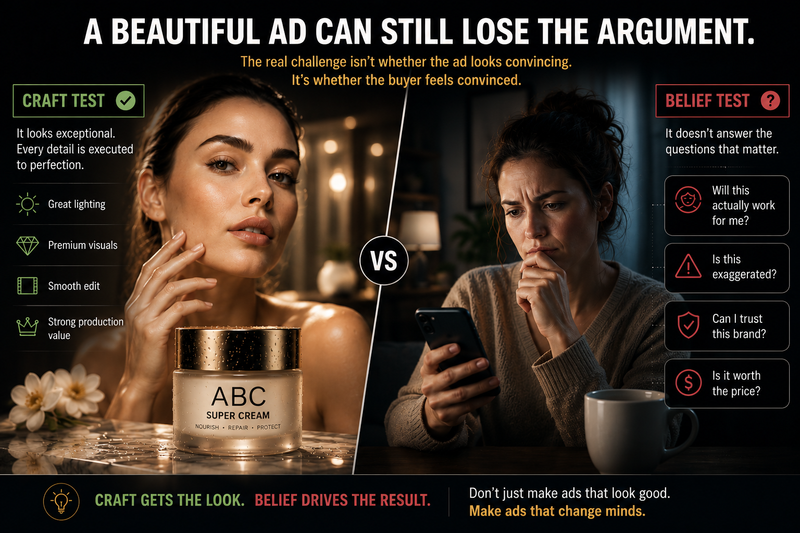
The problem with AI ads is not always that they look artificial. Many do not. The problem is that they pass the wrong test. In a review room, AI visuals can make an ad feel more resolved than it is. The lighting is handled. The product has a presence. The scene has movement. The team starts discussing taste, such as color, pacing, realism, and music, before anyone has tested whether the ad changes what the viewer believes, feels, or does next.
That is where good-looking AI ads leak performance.
- **The ad passes the craft test but fails the belief test.** A skincare ad can show flawless AI-generated skin and still avoid the buyer’s real hesitation: “Will this work on skin like mine?” “Is this claim exaggerated?” “Will this irritate me?” If the ad does not deal with that hesitation, beauty becomes avoidance.
- **The edit hides weakness instead of building conviction.** Fast cuts can help on social platforms when they create pace and momentum. They become a problem when they hide what the ad cannot hold: a face, a hand, product texture, a real use moment, or a believable emotional beat. The ad feels energetic, but the viewer never gets enough proof to trust it.
- **The human moment has no behavioral truth.** A financial app ad with an AI couple smiling at a laptop looks acceptable. The more revealing moment is quieter: someone checks their balance after rent clears, delays a purchase, then opens the app because they need control without another lecture.
- **The novelty creates attention with no transfer.** A tourism ad can animate a painting or historical figure and win the first second. But if the viewer remembers the device more than the destination, the ad has spent attention without transferring value to the brand.
- **The voice loses the brand’s useful edges.** AI often sands down the tone that makes a brand believable. Streetwear loses bite. B2B loses authority. Luxury loses restraint. D2C loses intimacy. The copy becomes fluent, but the brand becomes less itself.
> For brand directors, the review question is not “Does this look good enough to run?” It is: **what belief, feeling, or action does this ad make easier to change?**
## **Why AI Ads Need Creative Friction Before Production**
Creative friction is the uncomfortable part of making an ad better. It is the moment someone stops the room from approving a good-looking asset too quickly. The ad may look great, but someone still asks: what is this making the buyer believe? What will they understand in the first few seconds? What hesitation does this remove? What action does this make easier?
That is creative friction. It is not endless feedback or personal taste. It is not “I like it” versus “I do not like it.” It is pressure-testing the ad before production quality makes weak decisions harder to see. In AI ad production, this matters even more because the draft can look advanced before the thinking has been challenged. The team may start fixing details such as color, music, camera movement, and realism while the bigger commercial questions remain untouched.
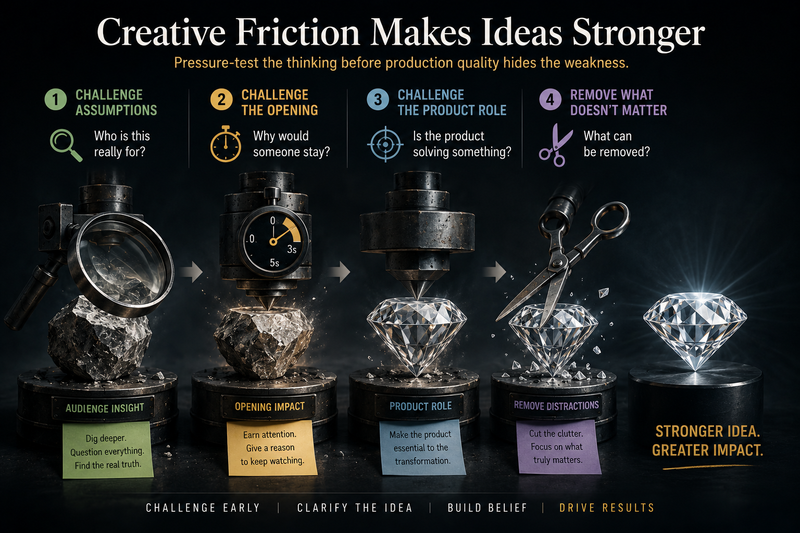
### Creative friction means challenging the ad in four ways:
**1\. Challenge the audience assumption.** Who is this really for, and what are they already worried about? A B2B software ad aimed at operations leaders should not settle for “save time.” The sharper tension might be that manual reporting keeps creating errors before leadership meetings, and nobody wants to defend another messy dashboard.
**2\. Challenge the first few seconds.** Does the opening create a reason to stay, or does it only look attractive? A luxury hotel ad may show a perfect ocean view, but if the goal is direct bookings, the opening may need to address a more practical tension: the viewer wants a weekend escape, but every hotel looks the same and the booking sites make the decision feel risky.
**3\. Challenge the product’s role.** Is the product changing the buyer’s situation, or is it just present in the ad? An electric toothbrush should not only rotate in beautiful lighting. The ad should show why the buyer might rethink their current habit, such as realizing that “good enough brushing” may not feel so good after the next dentist visit.
**4\. Challenge what should be removed.** AI makes it easy to add more scenes, more motion, more effects, and more variations. Creative friction asks what deserves to be cut. A sneaker ad about commuter comfort may not need a dramatic AI cityscape. It may need the crowded train platform, the long walk home, and the small relief of not thinking about your feet.
Creative friction protects the ad from becoming easy to approve and expensive to run. It gives the team a way to judge whether the creative can create attention, clarity, trust, or action before media spend exposes the weakness.
## **What Makes An AI Ad Worth Caring About**
People care when an ad gives them one of four things quickly: recognition, tension, proof, or desire. It does not always need a full story arc. A sharp product demo, a familiar problem, a credible before-and-after, a status cue, or a well-timed line can do the job.
Many generative AI ads miss this because they optimize for visual finish before they create a buying reason.
- A running shoe ad can make people care without a dramatic athlete story. It can show one ordinary moment: a runner coming down the stairs the morning after a short run and noticing their knees again. That is enough. The viewer understands the problem before the product appears.
- A meal-kit ad can make people care without a family dinner montage. It can show 6:45 p.m., an open fridge, a tired person checking delivery apps, and the small resentment of having to decide dinner again. The care comes from recognition.
- A shampoo ad can make people care without fantasy hair. It can show someone checking their roots before leaving, realizing their hair already feels flat, and deciding whether to change the way they wear it. The product has a job because the moment is familiar.
- A B2B software ad can make people care without a big transformation story. It can show an operations lead fixing a reporting error ten minutes before a leadership meeting. The tension is not cinematic. It is specific, commercial, and embarrassing enough to feel real.
> The creative test is simple: Does the ad create recognition, tension, proof, or desire before it asks for attention? If not, it only makes the weak spot harder to see.
## **Conclusion**
AI ads fail when the work becomes easier to approve than to believe. The danger is not that every AI ad looks fake. The sharper danger is that many now look good enough to hide a weak commercial argument. The edit has pace, the product has presence, the visuals feel premium, but the viewer still does not feel recognition, tension, proof, or desire.
That is why story logic matters before production. Not because every ad needs a dramatic plot, but because every ad needs a persuasive job. It has to change something: a belief, a feeling, a hesitation, a memory, or a next action. Before putting media behind an AI ad, brand directors should ask one uncomfortable question: If we removed the polish, would the idea still make someone care? If the answer is unclear, the ad is not ready for budget.
That is why we believe that as an AI Film Studio working on brand video production and premium AI ads, Personate's job is to keep the story logic visible before the film leaves the room.
Want a second opinion before your AI ad goes live? Reach out to review your AI ad concept, sharpen the story logic, and turn polished visuals into campaign-ready creative. You can find us by emailing us at [**hello@personate.ai**](mailto:hello@personate.ai), or you can [get in touch using this form](https://personate.ai/get-in-touch?utm_source=blog) or by [booking a call](https://calendar.google.com/calendar/u/0/appointments/schedules/AcZssZ1lu8etjBWoYJUhDDkOY7Z8CGwhTDgId2zRz3NsKJymRBEWDEmfwwwumlH9JrvLjgXJI1LWWvvZ?utm_source=blog).
Also read,
[https://personate.ai/blog/what-studio-grade-really-means-in-ai-video-for-brands](https://personate.ai/blog/what-studio-grade-really-means-in-ai-video-for-brands)
[https://personate.ai/blog/brand-video-production-in-72-hours-personate-6-step-process](https://personate.ai/blog/brand-video-production-in-72-hours-personate-6-step-process)
## FAQs
Q: Why do polished AI ads often underperform?
A: Polished AI ads often underperform because visual quality and advertising effectiveness are not the same thing. An ad can have cinematic visuals, realistic characters, and flawless editing while still failing to create a meaningful reason for the audience to care. In many cases, the creative solves for attention but not persuasion.
The issue is not that high production value is bad. Strong visuals can increase credibility and help a brand stand out. The problem arises when visual polish masks a weak message, an unclear audience insight, or an unresolved customer hesitation. If the ad does not change what viewers believe, feel, remember, or do, better visuals alone are unlikely to improve results.
Q: What is creative friction in AI advertising?
A: Creative friction is the deliberate process of questioning and stress-testing an idea before production. It introduces constructive resistance into the creative process so that teams do not approve concepts simply because they look impressive.
In practice, creative friction means examining audience assumptions, identifying weak logic, challenging generic messaging, and asking whether the product plays a meaningful role in the story. While it can slow decision-making in the short term, it often prevents costly mistakes by exposing weaknesses before media spend and production resources are committed.
Q: Do AI-generated visuals improve ad performance?
A: They can, but their impact is often indirect. AI-generated visuals can help brands produce more creative variations, test concepts faster, reduce production costs, and explore ideas that might otherwise be impractical.
However, visual quality alone rarely drives performance. Audience relevance, message clarity, credibility, timing, and emotional resonance typically have a greater influence on outcomes. AI visuals can strengthen an already effective concept, but they are unlikely to rescue a weak one.
Q: How do you know if an AI ad is ready for budget?
A: There is no perfect test, but one useful approach is to separate the idea from the execution. If the concept remains persuasive when stripped of its visual polish, there is a stronger chance that it will perform once amplified through media.
Brands should also consider whether the ad addresses a real audience need, communicates a clear value proposition, and creates a believable reason to act. If the primary argument for running the ad is that it "looks great," more strategic work may be needed before investing significant budget
---
This blog is powered by Superblog. Visit https://superblog.ai to know more.
---
## The Real Cost Of Running AI Ad Production In-House
Published: 2026-06-03
Category: Tips
Category URL: https://personate.ai/blog/category/tips
Meta Description: Compare the real cost of in-house AI ad production, including software, labour, review cycles, and delays before replacing agency production with AI tools.
Tags: Content Creation, Using AI Smartly, AI Ads
Tag URLs: Content Creation (https://personate.ai/blog/tag/content-creation), Using AI Smartly (https://personate.ai/blog/tag/using-ai-smartly), AI Ads (https://personate.ai/blog/tag/ai-ads)
URL: https://personate.ai/blog/the-real-cost-of-running-ai-ad-production-in-house
Most teams consider in-house AI ad production because agency pricing can feel expensive when every new video, ad, edit, or variation adds cost. AI tools seem to offer a cheaper, faster way to produce more creative assets. But replacing per-ad agency fees with software does not make production free. It shifts work into your team’s calendar. In this article, we will cover the real cost of running AI ad production in-house, including software, labour, review cycles, delays, and hidden coordination work.
## Why Teams Start Looking At In-House AI Production
Teams usually look at in-house AI ad production when agency costs start to limit the return they can get from creative testing.
Paid media performance depends on variation: new hooks, cutdowns, audience-specific versions, product-led edits, founder-led edits, platform formats, and fast refreshes when ads fatigue. If every new variation adds another agency fee, the cost of learning goes up before the team knows which idea will perform.
That changes the ROI equation. Teams become more selective about what they test, not because the ideas are weak, but because each test carries production cost. Safer concepts get approved. Smaller experiments get delayed. Useful but uncertain angles never reach the market.
AI feels attractive because it lowers the upfront cost of exploration. A team can generate more directions before committing serious spend. For CMOs and growth leads, the appeal is clear: more creative tests, faster learning, and a better chance of finding winning ads without paying full production cost for every attempt.
## The False Saving: Agency Invoice vs Software Login
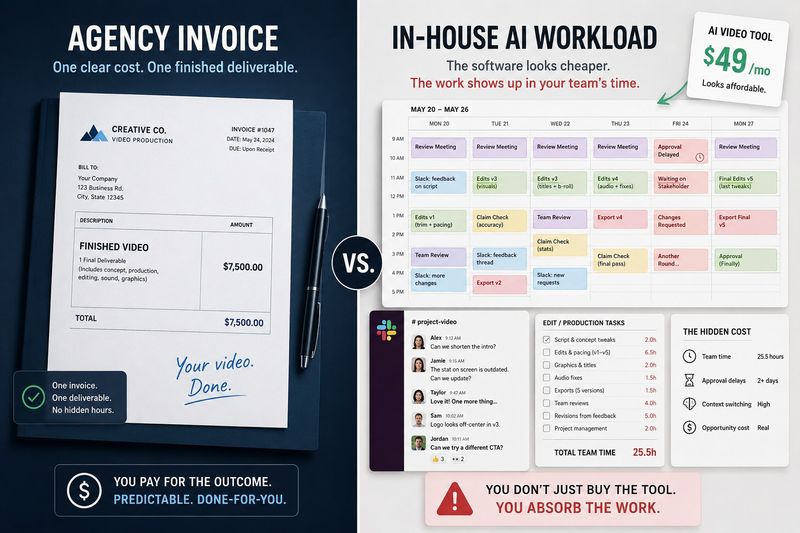
On a budget sheet, in-house AI looks like the obvious winner. An agency charges per video, per ad, or per variation. An AI tool charges a monthly subscription. The software line item looks smaller, so the production model looks more efficient. The missing line item is everything that happens after the tool produces a draft.
A software login can generate drafts. It does not automatically produce the brief, choose the strongest angle, check the claim, protect the brand, edit the asset, manage feedback, or deliver a final ad ready for media spend.
That is where the saving becomes harder to prove and the math changes. The agency invoice leaves the vendor column and reappears as internal review, editing, feedback, and approval time. In practice, that might look like a Monday creative review where the growth lead narrows 30 AI hooks, the product marketer softens five claims, the designer fixes three visuals, and the media buyer still leaves without a final file to upload.
For ROI, the real question is not whether AI reduces the cost of making drafts. It is whether it reduces the cost of getting a strong ad live.
> To calculate the true cost of production, use this simple formula: (Monthly Software Subscription) + (Hours Spent Prompting, Reviewing, and Editing × Your Internal Hourly Rate). Suddenly, a $30 software login might actually cost the business $1,500 in diverted leadership time.
## What In-House AI Production Actually Adds To Your Team
In-house AI production often looks efficient because the first draft appears quickly. The real workload begins when the team has to decide whether the draft is good enough to run.
Someone still has to turn the output into an ad worth spending money on. That means shaping the brief, writing prompts, choosing usable versions, rewriting weak hooks, checking product claims, editing the asset, adjusting pacing, managing feedback, exporting formats, and approving the final file.
The ROI problem is that these tasks rarely show up as production costs. They show up as internal drag. A growth lead spends time reviewing instead of testing strategy. A designer fixes AI visuals instead of building campaign assets. A product marketer checks claims instead of improving positioning. A founder gets pulled into tone and message decisions.
AI can reduce the cost of generating options, but it can also increase the volume of work your team must judge. More outputs mean more decisions, more review cycles, and more chances for delay. For in-house AI to improve ROI, the team needs spare production capacity. Without it, the apparent saving becomes a trade: lower vendor spend, higher internal workload.
### The Almost-Usable Cost of In-House AI Production
The most expensive AI output is often not the bad one. Bad drafts are easy to reject. The costly drafts are the ones that look close. The script is almost right, but the hook is soft. A visual is almost usable, but the product looks slightly wrong. A voiceover sounds clean, but the tone feels synthetic. A video has the right structure, but the pacing needs another pass. Each one creates a small decision: fix it, regenerate it, send it for review, or start again. Multiply that across ten or twenty variations, and the team is no longer saving time. It is managing a queue of almost-finished work. For ROI, this matters because “almost usable” creative still cannot run. Until the ad is approved, exported, and live, the business has not learned anything from it.
## Why A Per-Video Agency Can Still Be More Cost-Effective
A per-video agency can look expensive because the cost is visible. But from an ROI perspective, visibility is useful. The brand knows what it is paying for: a finished asset.
With in-house AI, the price looks lower because the production work spreads across the team. The team may generate twenty versions, then spend hours deciding which ones are usable, which claims are safe, which edits need fixing, and which formats are ready for launch.
A good agency compresses that decision work. It filters weak ideas, manages revisions, protects the creative standard, and returns fewer but stronger assets. That can be more cost-effective than asking senior people to sort through large volumes of AI output.
The real ROI advantage is protected attention. If a CMO, growth lead, designer, product marketer, or founder spends hours each week reviewing AI drafts, the business is still paying for production. It is paying through slower strategy, slower testing, and weaker focus.
A per-video agency can make sense when the team needs fewer internal handoffs, faster approval, and a clearer path to ads that are ready to run.
## The ROI Metric Most Teams Miss: Time From Idea To Live Ad
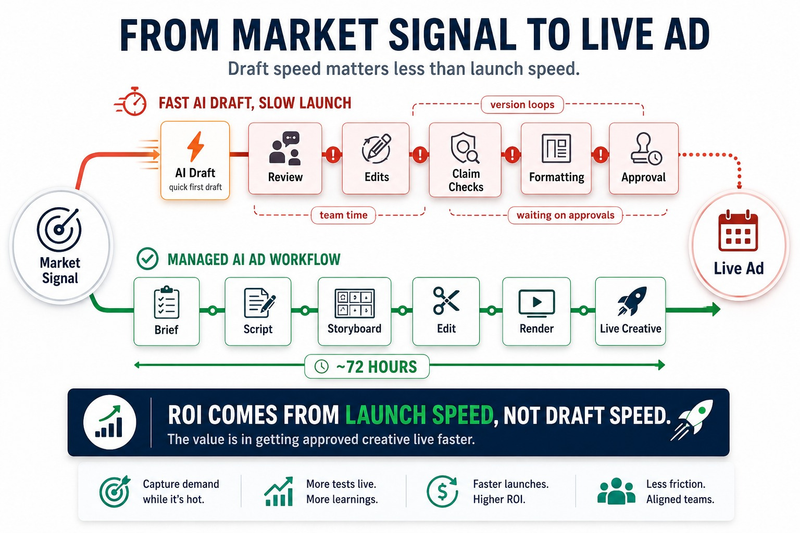
Draft speed is the wrong ROI metric. The better metric is how fast your team can turn a market signal into a live ad. A production model with a higher visible cost can still create better ROI if it shortens the path from idea to launch.
A sales objection, product update, competitor move, drop in conversion rate, or winning hook only has value if the team can respond while the insight is still fresh. If an AI draft is created in minutes but waits days for review, edits, claim checks, formatting, and approval, the speed advantage disappears. This is where in-house AI can hurt performance. The team may produce more drafts, but learn more slowly because fewer finished ads reach the market on time.
## Questions To Decide If You Need AI Tools, An AI Ad Agency, Or Both
The right choice depends on the ROI problem you are trying to solve.
Use **AI tools** when the main problem is idea volume. If your team needs more hooks, angles, scripts, objections, or offer directions before choosing what to produce, tools can help you explore cheaply. They improve ROI by lowering the cost of finding better creative inputs.
Use an **AI ad agency** when the main problem is execution. If the team already knows what needs to go live, but production, editing, review, or approval is slowing it down, an agency can protect ROI by getting usable ads into the market faster.
Use **both** when the main problem is learning speed. AI tools help widen the idea pool. An AI ad agency turns the strongest ideas into finished creative. That split can improve ROI by reducing wasted production spend while shortening the loop between performance data and the next ad test.
The in-house versus agency debate is not always clear cut. If your brand happens to have a salaried, dedicated in-house editor with empty space on their calendar, moving AI production entirely in-house can prove to be incredibly cost-effective. However, if you are relying on cross-functional leaders to manage that queue of almost-finished work, the invisible internal costs will quickly outpace the software savings.
## Try Personate’s 72-Hour AI Ads
At some point, the ROI question becomes simple: how quickly can a campaign idea become a usable creative asset?
Personate’s **72-Hour AI Ads** are built for teams that need finished video creative without turning every variation into a long agency cycle or an internal production sprint. Share your topic, offer, or ad concept, and Personate helps move it through research, script planning, storyboard creation, scene edits, and render.
With Personate, your team can go from idea to finished AI video in around 72 hours, while keeping control over the message and final review. To explore your next AI video project, reach out at **hello@personate.ai**, [get in touch using this form](https://personate.ai/get-in-touch?utm_source=Blog&utm_medium=Logo&utm_source=Blog), or [book a call](https://calendar.google.com/calendar/u/0/appointments/schedules/AcZssZ1lu8etjBWoYJUhDDkOY7Z8CGwhTDgId2zRz3NsKJymRBEWDEmfwwwumlH9JrvLjgXJI1LWWvvZ?utm_source=blog) here.
Also read,
[What “Studio-Grade” Means in AI Video](https://personate.ai/blog/what-studio-grade-really-means-in-ai-video-for-brands)
[Brand Video Production in 72 Hours: Inside Personate’s 6‑Step Process \| Personate](https://personate.ai/blog/brand-video-production-in-72-hours-personate-6-step-process)
## FAQs
Q: Is in-house AI ad production always cheaper than using an agency?
A: Not always. In-house AI can reduce the visible cost of generating drafts, but it does not remove the labour needed to turn those drafts into ads. Your team still has to brief, prompt, review, edit, approve, format, and launch the creative. If senior marketers, designers, product leads, or founders are pulled into that process every week, the business may simply be paying through internal time and leadership salaries instead of an agency invoice.
Q: Why can a per-video agency still be cost-effective if AI tools are cheaper?
A: A per-video agency can be cost-effective because the fee usually includes decision work as well as production. A good agency filters weak ideas, manages revisions, protects the creative standard, and returns a smaller set of launch-ready assets. With in-house AI, the tool may generate many options, but your team must still decide which ones are usable. That decision load can become expensive when it slows down strategy, testing, and launch speed.
Q: What is the biggest hidden cost of running AI ad production in-house?
A: The biggest hidden cost is usually senior attention. AI tools can create drafts quickly, but experienced people still have to decide what is worth running. That means reviewing hooks, checking claims, judging brand fit, fixing almost-usable outputs, and approving final versions. When growth leads, product marketers, designers, or founders spend hours managing AI creative, the cost moves from an agency invoice into the team’s highest-value time.
---
This blog is powered by Superblog. Visit https://superblog.ai to know more.
---
## What “Studio-Grade” Really Means in AI Video for Brands
Published: 2026-05-26
Category: White Papers
Category URL: https://personate.ai/blog/category/white-papers
Meta Title: What “Studio-Grade” Means in AI Video
Meta Description: Discover how to evaluate studio-grade AI video through directability, motion stability, color gradeability, delivery testing, revision control, and human review.
Tags: AI in Marketing, Brand, AI Ads
Tag URLs: AI in Marketing (https://personate.ai/blog/tag/ai-in-marketing), Brand (https://personate.ai/blog/tag/brand), AI Ads (https://personate.ai/blog/tag/ai-ads)
URL: https://personate.ai/blog/what-studio-grade-really-means-in-ai-video-for-brands
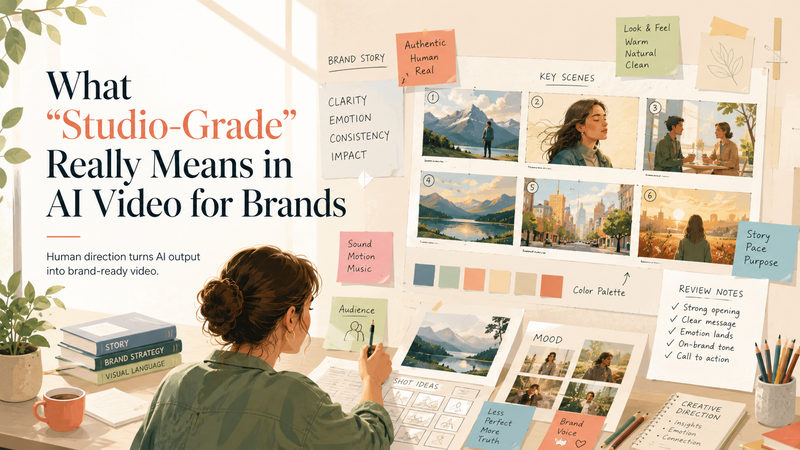
A great AI video should not feel like a prompt that got lucky. For brands, the bar is higher: the work has to feel intentional, polished, on-message, and produced with the same taste people expect from a studio. That only happens when AI is guided by human creative direction. In this article, we’ll define “studio-grade” AI video and show how to test whether it actually earns the label.
## What Does “Studio-Grade” Mean in AI Video?
“Studio-grade” AI video is not just AI output that looks good enough for a brand. It is an AI output that has been shaped, constrained, and reviewed like production material. Two of the strongest signals are character consistency and lighting consistency: the same person should remain recognizable across the edit, and the lighting should feel like it belongs to one controlled visual world.
The deeper issue is that most AI video is still generated as a single flattened result: one prompt goes in, one polished-looking clip comes out. That may be fine for a social experiment, but it is not how professional video production works. Studio workflows depend on control layers: color data, depth, motion, masks, timing, metadata, review notes, and revision history.
This is where Personate’s workflow distinction matters: single-pass generation often limits the control a studio workflow needs. A final-looking AI clip can be hard to manipulate because the lighting, background, subject, depth of field, camera motion, and performance are all fused into one baked output. If a director wants to relight a face, adjust the pace, separate the subject from the background, or change depth of field, the system may have to regenerate the whole clip and risk losing the best parts of the original take.
So the real question is not: Did the AI generate something impressive? It is: Did the creative team get enough control to direct, revise, and finish the video?
For brands, this matters because “studio-grade” is ultimately about directability. The video should feel like the result of creative decisions: what the audience should notice, how the product should be framed, how the performance should land, how the same character should carry across scenes, how lighting should remain coherent, how color should support the brand, how movement should guide attention, and what can be changed after review.
Technically, that means studio-grade AI video needs more than a good RGB output. It benefits from production-aware structure: stable depth, usable masks or alpha channels, reliable motion information, predictable color behavior, and enough metadata for the asset to move through review and delivery. For AI video to fit a compositing workflow, it may need temporally stable depth maps, motion vectors, segmentation, and utility passes, not just a finished beauty pass.
That is the layer most people miss. Studio-grade is not only how good the video looks. It is how much creative control survives after the first generation.
## Why “Studio-Grade” Should Be a Workflow Claim, Not a Visual Claim
By the time a video is exported, the important questions have already been answered: Was the brief translated clearly? Did the storyboard reduce ambiguity? Did the AI production layer stay aligned with the concept? Did human review catch issues before the brand saw them? Did revisions improve the draft without reopening the whole project? That is why “studio-grade” should describe the workflow behind the video, not just the polish of the final asset.
A studio-grade AI video process should make quality more predictable at every stage. The brief should define the creative target. The storyboard should structure the narrative. AI generation should accelerate asset creation. Human direction should refine pacing, realism, continuity, and brand fit. Review should catch issues early. Revisions should be specific enough to keep the project moving.
For brands, the real value is confidence: knowing that AI can compress production time without turning the final output into a gamble. Studio-grade means the video feels like it came from a professional creative process, even when AI helped produce it faster. For a closer look at how that process works step by step, read our [breakdown of Personate’s 72-hour AI brand video production workflow](https://personate.ai/blog/brand-video-production-in-72-hours-personate-6-step-process).
## Questions to Ask Before Calling AI Video “Studio-Grade”
For AI brand video, “studio-grade” should be proven through the production process, not claimed from the final render. The useful questions are the ones that reveal whether the asset was truly directed, technically stable, and ready for brand use.
### **1\. How much control survives after generation?**
Many AI clips arrive as flattened outputs: lighting, camera movement, subject, background, depth, and atmosphere are baked into one video. That limits what can be changed after review.
A stronger studio workflow preserves some form of control after generation: scene selection, edit timing, masks, depth cues, segmentation, motion consistency, or at minimum a clear revision path. The deeper issue is not whether the first output looks good. It is whether the team can keep shaping it without losing the shot.
### **2\. Does the video separate image quality from motion quality?**
A clip can look sharp when paused and unstable when played. That is why per-frame quality is not enough. Studio review should look for temporal defects: texture swimming, face drift, character identity drift, crawling backgrounds, inconsistent product edges, changing shadows, lighting jumps, and motion that feels detached from the scene. Traditional image-style metrics can miss temporal failure modes because they reward frame quality more than motion stability. For brand work, this matters most in slow shots: product reveals, app screens, packaging, founder videos, testimonials, and lifestyle scenes. These are harder to hide behind montage energy.
### **3\. Is the color pipeline gradable or merely attractive?**
A polished output can still have weak color latitude. If the look is baked into a fragile 8-bit-style render, even basic adjustments can expose banding, hue shifts, crushed shadows, or broken skin tones.
The deeper test is whether the video behaves predictably under a brand’s finishing process: LUTs, contrast curves, exposure changes, saturation, platform color transforms, and camera-matching. Studio-grade means the look can be finished, not just accepted as-is.
### **4\. Are important regions weighted differently in review?**
Not every pixel matters equally. A background wall and a product label should not carry the same review weight. The same goes for faces, logos, UI screens, packaging, subtitles, and hands. Evaluation should weight faces, titles, and brand assets more heavily than background detail because they carry more perceptual and commercial importance. That is a better brand-video standard than asking whether the whole frame looks “high quality.”
### **5\. Was the asset tested in the delivery environment?**
The clean render is only one version of the video. The campaign version may be resized, compressed, exported through a review tool, uploaded to a platform, or viewed on mobile. Studio-grade review should test the asset at the target delivery resolution and through expected transcode paths. Otherwise, teams can miss the moment where fine text breaks, faces soften, gradients band, or product details become unstable.
### **6\. Does the lighting stay consistent across the video?**
Lighting consistency is another major studio-grade signal. The direction, softness, contrast, shadow behavior, color temperature, and highlight levels should feel like they belong to the same scene or visual system. If a face is lit from the left in one shot and the shadows behave differently in the next, the video can feel synthetic even when each frame looks polished. For brand work, lighting also affects product perception. Skin, packaging, materials, and surfaces should respond predictably across the edit. A premium product should not look glossy in one shot, flat in the next, and overexposed after a transition. Studio-grade review should check whether the lighting supports continuity, realism, and brand tone across the full sequence.
### **7\. Does the character stay consistent across scenes?**
For brand videos with people, avatars, founders, creators, or spokespeople, character consistency is one of the clearest signs of production quality. The same person should remain recognizable across angles, expressions, gestures, wardrobe, and scene changes. Review should look for face drift, changing facial proportions, inconsistent hair, shifting age, altered clothing details, and expressions that no longer match the intended performance.
This matters most when the video depends on trust. A product demo, testimonial, founder story, or spokesperson-led ad can lose credibility if the character subtly changes from shot to shot. Studio-grade AI video should preserve identity across the full sequence.
### **8\. Can review effort be measured?**
Human review should not be vague. A production-ready AI workflow can track where time is spent: number of review cycles, defects caught before client delivery, time spent in QC per finished minute, recurring failure types, and revision success rate.
This turns “studio-grade” into an operational standard. The question becomes: how reliably can the system reach approval with minimal rework?
## The Real Test: Would a Brand Publish It?
A lot of AI video can win attention in a feed. Fewer AI videos can pass the internal test that matters: would a brand actually publish this? That question forces a higher standard.
A publishable brand video needs to be clear, credible, on-message, visually stable, and appropriate for the channel. If the character changes between shots or the lighting feels inconsistent across the edit, the video can lose trust even when the individual frames look strong. The video has to survive stakeholder review, legal or brand checks, platform compression, and the practical reality of being seen by customers. The final asset has to feel intentional enough that a team is comfortable putting the brand’s name behind it.
## Why Choose Personate for Studio-Grade AI Video?
Choose Personate when you need brand videos that move fast without feeling rushed. Its 72-hour workflow combines AI production with human creative direction, moving from brief to storyboard, generated scenes, polish, review, and focused revisions. The result is video that feels intentional, consistent, on-message, and ready to publish with the taste and control brands expect from a studio.
## Conclusion
“Studio-grade” should be a standard a video earns through process, review, and delivery readiness. For AI brand video, the strongest results come from a human-directed workflow: a clear brief, structured storyboard, AI-assisted production, creative polish, measurable review, and focused revisions. The final asset should feel intentional enough for a brand to publish and reliable enough to survive the realities of campaign delivery. That is the real shift. AI makes video faster. Human direction makes it brand-ready.
## FAQs
Q: Why does human creative direction matter in AI video?
A: AI can generate scenes quickly, but brand video depends on judgment: what the audience should notice, how the product should be framed, how fast the story should move, and whether the final asset feels credible. Human creative direction keeps the video tied to the campaign objective instead of letting the output depend only on model behavior or prompt luck.
Q: How can a brand test whether AI video is truly studio-grade?
A: A strong test looks beyond the first render. Brands should check whether the video holds up during revisions, compression, platform export, and stakeholder review. They should also evaluate whether key regions such as faces, product shots, logos, UI screens, subtitles, and hands remain stable.
Q: Why is a flattened AI video output harder to revise?
A: Many AI video outputs arrive as a single baked clip where lighting, subject, motion, background, atmosphere, depth, and camera movement are fused together. That makes post-generation changes harder. If the team wants to adjust lighting, isolate a subject, shift pacing, or change depth of field, the edit may require regeneration instead of a targeted revision. More production-aware workflows preserve control through edit decisions, masks, segmentation, depth cues, motion consistency, or structured revision paths.
Q: What is the difference between image quality and motion quality in AI video?
A: Image quality is how good a frame looks when paused. Motion quality is how stable the video feels during playback. AI video can look sharp in a still frame while showing texture swimming, face drift, crawling backgrounds, unstable product edges, or shadows that shift unnaturally. Studio-grade review should separate these two because brand videos often rely on slow, controlled shots where temporal flaws are easier to notice.
Q: Why does color grading matter for AI-generated brand video?
A: Brand videos usually go through finishing: contrast, saturation, LUTs, platform color transforms, and sometimes camera matching. AI footage with weak color latitude can expose banding, hue shifts, crushed shadows, or broken skin tones during those adjustments. A gradeable AI video gives the team room to finish the look without protecting the original render too carefully.
Q: Why should AI video be tested after compression?
A: The clean render is rarely the version customers see. Campaign videos may be uploaded to LinkedIn, Instagram, YouTube, ad platforms, websites, review tools, or mobile-first landing pages. Compression can soften faces, break small text, create banding, or destabilize fine product details. Studio-grade review should test the video in the delivery environment, not only in the master export.
Q: What should brands review most carefully in AI video?
A: Every pixel does not carry the same business value. Review should prioritize the regions that affect trust and comprehension: faces, hands, logos, product details, packaging, UI screens, subtitles, claims, and legal text. A background texture can tolerate more imperfection than a product label or human expression. This weighted review approach creates a more realistic quality standard for brand use.
Q: How does Personate’s 72-hour workflow support studio-grade AI video?
A: Personate’s 72-hour workflow pairs speed with human creative direction. The process moves from brief to storyboard, AI-generated scenes, human polish, review, and focused revisions. That structure helps the team reduce ambiguity early, generate faster, refine with taste, and deliver a publishable asset inside a campaign window.
Q: Can studio-grade AI video replace a traditional shoot?
A: AI video can reduce the need for traditional production in many campaign scenarios, especially explainers, launch assets, product storytelling, social ads, concept videos, and fast-turnaround brand content. Traditional shoots still matter when physical presence, live performance, location authenticity, or complex product demonstration is central. The strongest use case for AI video is speed with direction: producing brand-ready assets when time, budget, or logistics make a full shoot impractical.
Q: What makes AI video “brand-ready”?
A: Brand-ready AI video has a clear message, coherent pacing, stable visuals, product accuracy, appropriate tone, and a finished quality level suitable for the intended channel. It should also survive the internal realities of brand work: stakeholder feedback, revision cycles, legal checks, platform formatting, and final approval.
Q: What is the biggest mistake brands make when evaluating AI video?
A: The biggest mistake is judging only the most impressive render. A better evaluation looks at the path from brief to final asset: how the idea was directed, how revisions were handled, how stable the video remained, how it performed after export, and how much review effort was required to reach approval. High-quality AI video should reduce production friction, not create hidden cleanup work.
---
This blog is powered by Superblog. Visit https://superblog.ai to know more.
---
## How and Why Did Personate Become an AI Ad Agency in 2026
Published: 2026-05-19
Category: Tips
Category URL: https://personate.ai/blog/category/tips
Meta Description: Personate has evolved from an AI video tool into a hybrid AI ad agency delivering studio-grade AI videos in 72 hours for AI ads, brand films, launch videos, and campaign assets.
Tags: AI in Marketing, Using AI Smartly, AI Ads
Tag URLs: AI in Marketing (https://personate.ai/blog/tag/ai-in-marketing), Using AI Smartly (https://personate.ai/blog/tag/using-ai-smartly), AI Ads (https://personate.ai/blog/tag/ai-ads)
URL: https://personate.ai/blog/the-evolution-of-personate-as-hybrid-ai-ad-agency-in-2026
In 2026, Personate sits at a new point in the AI video market: part creative partner, part production engine. What began with AI avatars, audio generation, instant AI video, and video translation with lip sync has evolved into a hybrid AI ad agency built by a full-stack AI company. Video Agent and Persona Engine still support in-house teams, but Personate now leads with studio-grade AI videos in 72 hours for brands that need public-facing AI ads, brand films, launch videos, and campaign assets.
## **Why Personate Evolved from AI Video Tools into a Hybrid AI Ad Agency**
Personate evolved because in 2026 brands need more than tools that generate a video; they need a partner that can carry creative judgement. DIY AI video tools make production faster, but public-facing AI ads, brand films, and launch videos still depend on story, realism, brand fit, approvals, and final polish.
Personate’s earlier capabilities made AI video production easier through AI avatars, audio generation, instant AI video, and video translation with lip sync. Those tools now sit inside a broader production model where brands can move from an idea to a campaign-ready video in 72 hours.
The shift is about responsibility. Video Agent and Persona Engine still help teams keep production in-house. The hybrid AI ad agency route is for brands that want studio-grade AI filmmaking without managing every prompt, scene, edit, approval, and final production decision themselves.
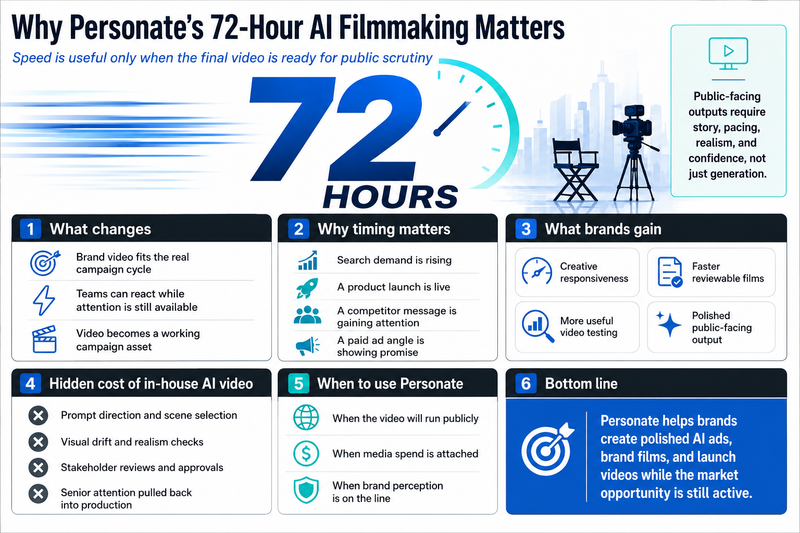
## **Why Brands Choose Personate’s Studio-Grade AI Filmmaking Over In-House Production**
Brands choose Personate when AI video has to move beyond generation and become a public-facing campaign film. In-house tools can create scenes, avatars, voices, and edits quickly, but AI ads, brand films, and launch videos still live or die in the final judgement: whether the story lands, whether the visuals feel believable, whether the pacing holds attention, and whether the asset feels strong enough to carry the brand in public.
The most overlooked problem with in-house AI video is that control quietly turns into production responsibility. A team may avoid the cost of a traditional shoot, but it inherits a new kind of workload: directing prompts, comparing outputs, fixing visual drift, checking realism, managing stakeholder opinions, and deciding when “almost there” is still not good enough. Personate’s hybrid AI ad agency model gives brands the speed of AI while moving that creative and production burden to a team built for it.
Visual diversity is another place where AI can either elevate the campaign or weaken it. A brand may need different locations, customer types, cultural settings, product contexts, or cinematic worlds to make the film feel relevant. But variety alone is not strategy. Personate’s studio-grade AI filmmaking helps make those locations and characters feel chosen, not scattered, so the visual world supports the brand story instead of becoming a montage of impressive but disconnected scenes.
The hardest layer is emotional connection. Many AI videos look technically polished but feel empty because they mistake motion for meaning. A good brand film needs a reason to care: a tension, a shift, a human moment, a clear memory after the video ends. Personate’s value is in shaping AI filmmaking around story, not just output, so the final asset feels intentional, commercially useful, and audience-aware.
Doing everything in-house also has a hidden cost: senior attention. Every uncertain draft pulls marketers, founders, designers, editors, and approvers back into production mode. The team may save on external production, but it spends creative energy deciding, correcting, and defending the work. Personate reduces that drag by delivering a more finished film faster, so internal teams can focus on launch timing, media, positioning, and distribution.
The deeper advantage is confidence at speed. Studio-grade AI videos in 72 hours only matter when the final result can survive public scrutiny. Personate combines AI production, creative direction, visual judgement, story development, and final polish so brands can move quickly without making brand quality the compromise.
## How Personate's 72-Hour AI Filmmaking Changes the Role of Brand Video
Personate’s 72-hour AI filmmaking model makes brand video usable inside the actual campaign cycle, not after the campaign has already moved on. For advertisers, that changes the value of video. It stops being a slow hero asset planned weeks in advance and becomes a working campaign asset that can support launches, paid tests, product stories, and market moments while attention is still available.
The non-obvious constraint is not production time alone. It is media timing. A campaign idea may be strongest when search demand is rising, a product drop is live, a competitor message is gaining attention, or a paid ad angle is showing early promise. Traditional video production often misses that window. Personate’s 72-hour model helps brands create polished AI ads, brand films, and launch videos while the signal is still commercially useful.
This also changes creative testing. Many brands test copy, thumbnails, hooks, and static ads quickly, but treat video as too expensive to iterate. With studio-grade AI filmmaking in 72 hours, video can enter the same learning loop as performance creative. Teams can test different narratives, audiences, settings, languages, and offer angles without rebuilding an entire production each time.
The ad advantage is not simply having more assets. It is getting a sharper asset closer to the moment of decision. When a reviewable film arrives quickly, marketers can judge whether the hook fits the audience, whether the story supports the offer, whether the visual world matches the media placement, and whether the asset deserves spend before the campaign budget is already committed.
This matters because paid media punishes slow creative. If an ad concept is working, teams need variants before fatigue sets in. If it is not working, they need a better story before the learning window closes. Personate’s hybrid AI ad agency model gives brands a way to match video production with campaign feedback, not just with production calendars.
The deeper shift is that brand video becomes less fragile. A launch film, founder story, product ad, or campaign variant can be made, reviewed, refined, and shipped while the brand still has momentum. Personate’s 72-hour model gives marketers speed, but its real value is creative responsiveness: the ability to turn live campaign needs into polished public-facing video before the opportunity expires.
For a closer look at the delivery workflow, read: [**Brand Video Production in 72 Hours: Inside Personate’s 6-Step Process**](https://personate.ai/blog/brand-video-production-in-72-hours-personate-6-step-process).
## **Conclusion**
Personate has evolved from an AI video tool into a hybrid AI ad agency that delivers studio-grade AI videos in 72 hours. Video Agent and Persona Engine still support teams that want in-house production, but in 2026, Personate is known as a creative agency that has mastered AI filmmaking for public-facing AI ads, brand films, launch videos, and other campaign assets. The shift is clear: from helping teams generate video faster to helping brands launch polished campaign films while the market opportunity is still active.
### About the author:
[Akshay Sharma](https://www.linkedin.com/in/akshaysharmaak/) is the CEO of Personate.ai and launched the world’s first virtual AI TV anchor in 2023 . He writes about AI advertising, brand films, and building trust in an AI-driven media landscape.
## FAQs
Q: What is Personate in 2026?
A: Personate is a hybrid AI ad agency built by a full-stack AI company that delivers studio-grade AI videos in 72 hours. It still offers Video Agent and Persona Engine for in-house teams, but its stronger 2026 position is agency-led AI filmmaking for public-facing AI ads, brand films, launch videos, and campaign assets.
Q: How is Personate different from a DIY AI video tool?
A: Personate differs from a DIY AI video tool because it carries more of the creative and production responsibility. DIY tools help teams generate videos, but Personate’s hybrid AI ad agency model supports story development, visual direction, realism, pacing, review confidence, and final polish for campaign-ready brand films.
Q: When should a brand use Personate instead of producing AI videos in-house?
A: A brand should use Personate when the video will run publicly, carry media spend, or shape brand perception. In-house AI video can work for controlled workflows, but public-facing ads and brand films need stronger judgement around story, setting, emotion, visual consistency, and whether the final asset is ready to publish.
Q: Why does Personate’s 72-hour AI filmmaking model matter?
A: Personate’s 72-hour AI filmmaking model matters because advertising opportunities move faster than traditional production timelines. A campaign idea may be valuable when search demand is rising, a launch is live, or a paid ad angle is working. Personate helps brands create polished video while that opportunity is still active.
Q: Do Video Agent and Persona Engine still matter in Personate’s 2026 model?
A: Yes, Video Agent and Persona Engine still matter as in-house AI video tools within Personate’s larger ecosystem. Video Agent supports scripts, storyboards, edits, captions, and variants, while Persona Engine supports avatars, voices, clone-led workflows, and multilingual video. They sit beneath Personate’s broader hybrid AI ad agency position.
---
This blog is powered by Superblog. Visit https://superblog.ai to know more.
---
## Brand Video Production in 72 Hours: Inside Personate’s 6‑Step Process
Published: 2026-03-31
Category: Tutorials
Category URL: https://personate.ai/blog/category/tutorials
Meta Description: Discover how Personate blends multimodal AI with human craftsmanship to deliver studio‑grade brand videos in a mere three days. Flat pricing and no hidden costs.
Tags: AI in Marketing, Brand, AI Ads
Tag URLs: AI in Marketing (https://personate.ai/blog/tag/ai-in-marketing), Brand (https://personate.ai/blog/tag/brand), AI Ads (https://personate.ai/blog/tag/ai-ads)
URL: https://personate.ai/blog/brand-video-production-in-72-hours-personate-6-step-process
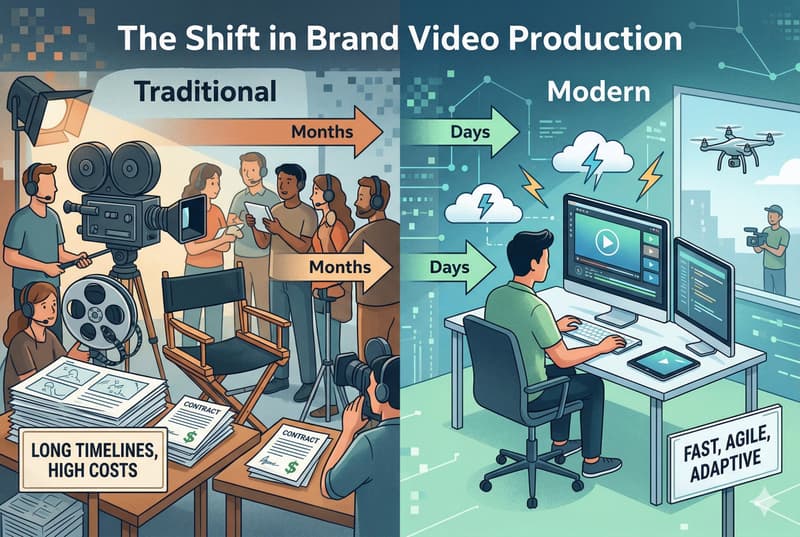
Creating a strong brand video has traditionally meant long timelines, complex coordination, and high production costs. That model no longer fits the pace at which modern brands need to launch campaigns and respond to market shifts. As demand for faster content grows, so does the need for a production process that can move quickly without lowering creative standards. Personate addresses that gap by combining AI production with human oversight to deliver brand videos in 72 hours.
## The Process That Makes Personate's 72-Hour Video Production Possible
Fast video production only works when the workflow is clearly defined from the start. Personate follows a six-step process that moves from concept brief to final delivery in a focused and efficient way. Instead of stretching production across multiple handoffs, the team uses AI to accelerate scene creation and editing to refine the final output. That combination helps shorten timelines while keeping the video aligned with the brand.
### **Step 1: Concept Brief**
Personate begins with a concept brief that captures the goal of the video, the overall concept or script, and the campaign context behind it. This step gives the team the inputs needed to understand what the video should communicate before moving into storyboard development.
At this stage, brands can share:
- product or service details
- target audience
- key messaging
- brand guidelines
- visual references
- past campaign assets
- a rough script or concept note
The more specific the brief, the easier it is to shape the next stage around a clear objective. Instead of starting with assumptions, Personate starts with direction that reflects the brand, the message, and the intended outcome.
### **Step 2: Concept Crafting in 24 hours**
Personate translates the brief into a structured storyboard within 24 hours. This step defines how the video will flow, what each scene will communicate, and how the narrative will build from start to finish.
The team uses the inputs from the brief to map out:
- scene-by-scene breakdown
- visual direction and transitions
- on-screen text or voiceover cues
- pacing and narrative structure
This is where the video starts to take shape as a brand storytelling video, not just a sequence of visuals. By locking the storyboard early, Personate creates a clear blueprint for production, which reduces revisions later and keeps the 72-hour timeline on track.
### **Step 3: AI Production Layer**
Personate moves from planning to production by generating custom scenes based on the approved storyboard. Instead of relying on stock footage, fixed templates, or a traditional shoot, this step uses AI to create visuals that match the concept, tone, and structure defined earlier.
At this stage, the production layer focuses on:
- scene generation based on the storyboard
- visual consistency across scenes
- alignment with brand style and references
- faster asset creation without full-scale production logistics
This is the stage that compresses the timeline. By generating scenes digitally, Personate can move from concept to visual output much faster than a conventional production process while still building around the narrative approved in the storyboard. That makes speed possible without disconnecting the visuals from the original idea.
### **Step 4: Human-led Creative Judgment, Taste, and Polish (Pacing, Storytelling, and Realism)**
Personate refines the AI-generated scenes through human-led creative judgment and taste to improve pacing, storytelling, and realism. This is the stage where the video is shaped into a more cohesive final asset rather than a sequence of generated visuals.
At this stage, the team focuses on:
- tightening scene flow and pacing
- improving narrative continuity
- refining transitions and timing
- polishing details that affect realism and overall finish
This human layer is what helps the final video feel more deliberate and brand-ready. AI can speed up production, but editing is what gives the output control and finish before the first draft is shared.
### **Step 5: First Draft Ready (Within 48 Hours of Storyboard Approval)**
Personate shares the first video draft within 48 hours of storyboard finalization. By this stage, the concept has been defined, the scenes have been generated, and the edit has been shaped into a version the brand can review against the original brief.
From the brand side, this is the stage to review:
- overall flow and structure
- scene selection and visual direction
- pacing and storytelling
- messaging alignment
- any changes needed before final delivery
The most useful feedback at this point is clear and specific. Instead of revisiting the whole concept, brands can focus on what needs refinement in the draft itself, whether that is a scene, a line, a transition, or the pacing of the edit. That makes it easier to move into revisions without slowing down the process.
### **Step 6: Feedback and Revisions**
Personate refines the first draft based on brand feedback and prepares the video for final delivery. At this stage, the focus is on improving specific parts of the edit rather than revisiting the concept from the beginning.
Revisions may include:
- scene-level adjustments
- messaging updates
- pacing improvements
- visual refinements for better consistency
This step works best when feedback is clear and prioritized. Focused comments help the team make effective revisions quickly, which keeps the process moving toward a final version that is ready to publish.
## **Why Personate’s 72-Hour Timeline For AI Brand Video Matters**
A 72-hour turnaround does more than speed up production. It changes whether video is useful in the first place. In many teams, the problem is not the lack of ideas. It is the delay between identifying an opportunity and getting an asset ready to ship. Traditional production often breaks that window. By the time the video is approved, the launch has moved on, the campaign has shifted, or the team has already compromised with a weaker asset.
The 72-hour model solves for:
- **Campaign timing:** Video becomes easier to use when it can match the pace of launch cycles, product drops, and active campaigns. A shorter turnaround helps brands respond while the moment is still relevant, not after it has passed.
- **Approval drag:** In many workflows, time is lost between stages, not inside them. Briefing stalls, concepts sit in review, and production cannot move until everyone aligns. Personate reduces that drag by moving quickly from brief to storyboard, then from storyboard to draft.
- **Late visibility:** Brands often wait too long to see something concrete. That creates risk, because major issues surface late, when changes are harder to make. A fast first draft brings visibility earlier, which gives teams more control over the final result.
- **Production overhead:** Traditional video timelines are often shaped by logistics such as shoots, schedules, locations, and resourcing. Personate removes much of that delay by generating scenes digitally from an approved creative direction.
- **Momentum loss:** Long production cycles weaken decision-making. Stakeholders revisit earlier choices, priorities shift, and the original brief starts to blur. A compressed timeline keeps the project close to the initial objective and makes feedback easier to ground in the actual draft.
- **Usability of the final asset:** Fast only matters if the output is still ready to use. The value of 72 hours is not just speed. It is the ability to get a polished video inside a working campaign window, while there is still time to publish, test, adapt, or scale it.
At a deeper level, this is what the timeline changes: video stops being a slow creative project that teams work around and becomes a content format they can actually plan around.
## **About the author:**
[**Akshay Sharma**](https://www.linkedin.com/in/akshaysharmaak/) is the CEO of Personate.ai and launched the world’s first virtual AI TV anchor in 2023 . He writes about AI advertising, brand films, and building trust in an AI-driven media landscape.
Also read,
[Brand Film Economics: The Case for AI Video Ads Under Creative Direction \| Personate](https://personate.ai/blog/brand-film-economics-the-case-for-ai-video-ads-under-creative-direction)
[How to Use Your Personate Credits Strategically: A beginner's Guide \| Personate](https://personate.ai/blog/credit-optimization-guide)
## FAQs
Q: Is there flat pricing for Personate's 72-hour video process, and what does it usually cover?
A: Yes. Flat pricing matters because it gives brands a clearer sense of cost before production begins. In a process built around speed, that kind of predictability reduces one more source of friction. It also makes the project easier to approve internally, especially for teams working within a fixed campaign budget.
Q: How can Personate deliver a brand video in 72 hours without sacrificing quality?
A: Personate does not try to speed up every part of production in the same way. It shortens the stages that usually create delay, such as concept alignment, asset creation, and production logistics, while keeping human control in the parts that shape quality most, especially editing, pacing, and realism. That is why the process feels fast without making the final video feel rushed.
Q: When does the 72-hour timeline actually begin?
A: The 72-hour timeline works best once the brief is clear and the storyboard direction is approved. In practice, that means the process starts with aligned inputs rather than an open-ended discovery phase. This distinction matters because fast delivery depends on fast decision-making early, not just fast production later. The clearer the brief, the easier it is to keep the full process on schedule.
Q: What kind of input should brands provide to keep the process moving?
A: The most useful inputs are the ones that reduce guesswork at the start. Brands should share the goal of the video, the audience, the core message, visual references, brand guidelines, and any script or campaign context that already exists. A rough idea is enough to begin, but stronger inputs usually lead to a tighter storyboard, fewer revisions, and a smoother path to final delivery.
Q: What makes this different from using an AI video tool on its own?
A: The difference is not just the technology. It is the workflow around it. A standalone AI tool can generate visuals quickly, but it does not automatically give the brand a clear narrative, a storyboarded structure, or an edited final asset that feels consistent from scene to scene. Personate combines AI generation with human review at the points where judgment matters most, which makes the output more usable for real campaigns.
Q: Are revisions included in a 72-hour video process, or does feedback slow everything down?
A: Revisions are part of the process, but they work best when the feedback is specific and tied to the first draft. Because the concept and storyboard are defined earlier, the revision stage is focused on refining scenes, messaging, pacing, or visual consistency rather than reopening the whole project. That structure helps brands give useful feedback without turning revisions into a second production cycle.
---
This blog is powered by Superblog. Visit https://superblog.ai to know more.
---
## Brand Film Economics: The Case for AI Video Ads Under Creative Direction
Published: 2026-03-21
Category: White Papers
Category URL: https://personate.ai/blog/category/white-papers
Meta Description: Brand films carry four cost layers. Most teams budget for one. Here is why AI video ads under creative direction is the production model that changes the economics.
Tags: AI in Marketing, Brand, AI Ads
Tag URLs: AI in Marketing (https://personate.ai/blog/tag/ai-in-marketing), Brand (https://personate.ai/blog/tag/brand), AI Ads (https://personate.ai/blog/tag/ai-ads)
URL: https://personate.ai/blog/brand-film-economics-the-case-for-ai-video-ads-under-creative-direction
Most brand films are priced wrong before shooting starts. The production budget gets scrutinized; the full cost system rarely does. Brand films live and die on digital video channels, and digital video is one of the fastest-growing ad channels in the world. More formats, more platforms, and more versions are required just to distribute a single asset. Yet marketing budgets have not kept pace with that demand. Every campaign that resets from scratch pays the full setup cost again: new creative, new production, new distribution logic. Brand storytelling video built for one flight and retired after it is an expensive habit in a tight-budget environment. The question is not whether to invest in brand films. It is whether the production model behind them is built to compound or expire. AI video ads have changed what is possible at the adaptation and versioning layer. What has not changed is the cost of getting the creative layer wrong.
## TL;DR
The economics of brand films are misread because most teams measure against production cost alone. The full cost system includes distribution, measurement, and compliance, and those layers often exceed the shoot budget. Every campaign that resets from scratch pays the full stack again. AI video ads change that equation by collapsing the marginal cost of versioning and adaptation, but the savings only hold when creative direction governs what the system generates. Without it, the cost does not disappear; it moves downstream into corrections, rework, and eroded brand equity. The production model that improves brand film economics over time is not the one that automates the most. It is the one built to compound.
## **Brand Films Have Four Cost Layers. Most Teams Budget for One.**
Most brand film budgets cover the shoot. The other three layers get discovered later, usually when someone is already overspent:
- **Production:** script, shoot days, editing, and post-production
- **Distribution:** paid media, platform versions, aspect ratio cuts, and trafficking
- **Measurement:** brand lift studies, sales lift tests, and marketing mix modeling
- **Compliance:** rights clearances, legal approvals, and synthetic media labeling
Each layer adds real cost. A film that looks affordable at the production stage can become expensive once the other three are added up.
This matters because brands are not buying video anymore; they are buying outcomes. A [2024 IAB buy-side report](https://www.iab.com/wp-content/uploads/2024/07/2024_IAB_Video_Ad_Spend_Report_July_2024.pdf) found that business outcomes are the top KPI across social video, online video, and connected TV buyers. A brand film that requires expensive recutting, complex localization, and a separate measurement program on top of production is not a lean investment, whatever it cost to shoot.
## **How AI Video Ads Change the Cost Structure**
AI does not make brand films cheaper to conceive. It makes them cheaper to adapt, version, and distribute after the core idea is locked. That distinction matters, because the economic case for AI video ads collapses the moment it is overstated.
### The pressure brands are already under
[Gartner's 2025 CMO survey](https://www.gartner.com/en/newsroom/press-releases/2025-05-12-gartner-2025-cmo-spend-survey-reveals-marketing-budgets-have-flatlined-at-seven-percent-of-overall-company-revenue) found marketing budgets have flatlined at 7.7 percent of company revenue. At the same time, [AICP's 2026 bid reference guide](https://aicp.nyc3.digitaloceanspaces.com/content/assets/editor/PDFs/AICP-Bidding-Reference-Guide-2026_FINAL.pdf) treats the following as standard scope on every modern production:
- Varied aspect ratios and vertical deliverables
- Rapid post schedules with multiple cutdown lengths
- Full platform deliverable sets across surfaces
Brands are being asked to produce more formats, more versions, and more market adaptations from the same budget envelope. That gap is where AI creates its clearest economic leverage.
### Where AI compresses cost most efficiently
Post-production and localization are historically the most labor-intensive stages after the shoot. Each of the following previously required separate production cycles:
- Cutdowns and length variants
- Aspect ratio conversions from 16:9 to 9:16 to 1:1
- Subtitle generation and voiceover adaptation
- Regional compliance cuts for different markets
AI-assisted workflows collapse cycle time across all of them, reducing the marginal cost of every additional variant. Video commercial production runs at billions of dollars, a meaningful share sits in exactly this kind of versioning and adaptation work.
### What AI does not change
A system generating cheaply from a poorly defined brief produces more of the wrong thing faster. The savings at the adaptation layer only hold if the creative direction layer above it is doing its job.
## **Why AI Alone Produces the Wrong Outcome**
The cost savings AI creates at the adaptation layer are real. The risk is assuming those savings hold regardless of what is feeding the system. They do not.
### The output problem
AI generates at the speed of instruction. When the instruction is vague, the output is generic. When the brand brief is loosely defined, AI-assisted production does not compensate for that; it scales it. A poorly defined creative foundation produces inconsistent tone across cutdowns, weak brand differentiation across markets, and assets that require expensive manual fixes before they can be distributed. That corrective rework eliminates the savings that justified the AI workflow in the first place.
### The audience trust problem
There is a second layer of risk that sits closer to the audience. [The Interactive Advertising Bureau's "AI Ad Gap Widens" research](https://www.iab.com/insights/the-ai-gap-widens/), conducted with Sonata Insights, found:
- 39 percent of Gen Z consumers feel negatively toward AI-generated ads
- 20 percent consumers describe brands using AI as manipulative
- 16 percent consumers call the practice unethical
- The perception gap between ad executives and young consumers widened from 32 points in 2024 to 37 points in 2026
Brand-side marketers tend to overestimate how positively audiences receive AI-generated content. The gap between what executives assume and what audiences actually feel is not narrowing; it is growing.
### The counterintuitive finding on disclosure
The same IAB research found that 73 percent of Gen Z and Millennial consumers say clear disclosure of AI use would either increase or have no negative impact on their likelihood to purchase. Transparency about how AI video ads are made is not a liability. It is a trust mechanism, and it changes how those assets land with the audiences that matter most.
The problem is not AI. It is AI without a control layer that governs what gets made, what gets approved, and what gets disclosed. That control layer is creative direction.
## **Creative Direction Is an Economic Control Layer, Not a Creative Preference**
Most brand teams think of creative direction as the part of production that governs how the work looks and feels. That framing is not wrong, but it is incomplete. In an AI-assisted production system, creative direction is the mechanism that determines whether lower-cost output stays valuable or becomes expensive to fix.
### What breaks without creative direction
What AI cannot do is self-correct against a brand standard it has not been given. When creative direction is absent or applied too late, four failure modes appear consistently:
- **Tone drift:** Platform variants produced without a locked tone brief feel like they were made by different teams. The audience stops recognizing the brand across touchpoints. The fix is manual re-editing, which costs more than the original version saved.
- **Product fidelity erosion:** AI-assisted localization flattens the specific visual and verbal codes that make a brand distinctive. Color treatment shifts. Product framing loses precision. Individually, none of these feel significant; cumulatively, across different markets, the brand in the final asset no longer matches the brand in the hero film.
- **Generic output:** AI systems trained on broad creative datasets trend toward the average of what has performed before. Without strong creative constraints, brand storytelling video looks competent and feels familiar, which is a precise description of content that does not build distinctive memory.
- **Disclosure gaps:** The disclosure for synthetic humans, AI-generated voices, and virtual characters cannot be an afterthought anymore. Without creative direction governing this from the start, disclosure becomes reactive rather than designed into the asset.
### The cost of fixing problems downstream
Each failure mode is recoverable in isolation. The economic problem is that they tend to appear together, and fixing them at the distribution stage costs substantially more than preventing them at the creative stage.
**Failure mode**
**Where it appears**
**Cost of fixing late**
Tone drift
Across platform variants
Manual re-editing per asset
Fidelity erosion
Localized and adapted versions
Reshoots or corrections per market
Generic output
All AI-generated assets
Higher media spend for same brand response
Disclosure gaps
Post-distribution
Reputational and regulatory risk
For example: A brand that saves approximately 40 percent on versioning through AI and spends 60 percent of that saving on corrections has not improved its cost structure. It has moved the spend to a less visible line item.
### Why this compounds over time
The longer-term cost is harder to quantify but more consequential. [The Institute of Practitioners in Advertising's long-run effectiveness research](https://ipa.co.uk/media/14463/long_and_short_of_it_presentation_final_030424.pdf) shows that emotional consistency in brand communication builds memory structures that translate into pricing power and reduced price sensitivity over time. Those outcomes depend on the same creative codes appearing repeatedly across every asset and every format. Creative direction is what keeps those codes intact as production volume scales. Every asset generated without that governance slightly degrades the brand's long-term equity, and that degradation is invisible until it shows up in pricing data or competitive share months later.
### The reframe that matters
Creative direction is not an additional cost to AI-assisted production. It protects the return on every asset the system generates. Brands that treat it as overhead to be minimized end up with large volumes of inexpensive assets they cannot confidently put in the market. Brands that build it as a control system before generation begins are the ones that scale without losing the brand value the production was meant to build.
## **The Production Model That Builds on Itself**
Brand film economics only improve when the production model behind them is built to compound. That means planning for all four cost layers upfront, applying AI where it creates real leverage, and keeping creative direction governing everything the system generates. Without that structure, lower-cost production does not solve the problem. It relocates it.
Personate is built around that logic. The production process runs in four stages:
- **Strategy:** Audience, positioning, and campaign narrative defined before a single asset is generated
- **Approval:** Scripts and concepts aligned and signed off before entering the production queue
- **AI Production:** AI video ads generated with studio-level oversight, refined against the brief until the output is right
- **Optimization:** Campaigns evolve through structured performance feedback rather than being retired after a single flight
Each stage feeds the next. Strategy sharpens the brief. Approval catches misalignment before it scales into expensive rework. Production generates with precision rather than volume. Optimization turns each campaign into a learning asset that makes the next one faster and cheaper to build. The brands that get the most from this model are not the ones spending the most. They are the ones that stopped resetting and started compounding.
The difference between AI that makes production cheaper and AI that makes brand films worth more is the system behind it. That is what Personate is built to be.
**_Ready to see what that looks like for your next campaign? Reach out at hello@personate.ai._**
Also read,
[Why Brand Films Beat Content Spam in a World Flooded by AI](https://personate.ai/blog/why-brand-films-beat-content-spam-in-a-world-flooded-by-ai)
## About the author:
[**Akshay Sharma**](https://www.linkedin.com/in/akshaysharmaak/) is the CEO of Personate.ai and launched the world’s first virtual AI TV anchor in 2023 . He writes about AI advertising, brand films, and building trust in an AI-driven media landscape.
## FAQs
Q: Does using AI in brand film production make creative direction less necessary?
A: The opposite. AI increases the volume of output at every stage, which means a weak creative brief gets scaled faster and costs more to correct. Creative direction is what determines whether that volume is usable. Without it, AI produces more assets; it does not produce better ones.
Q: At what stage of production do AI video ads create the most economic leverage?
A: Post-production and adaptation, not concept development. The marginal cost of generating additional variants, cutdowns, and localized versions collapses with AI. That leverage disappears if the upstream brief is loosely defined, because the system will generate variants of the wrong thing just as efficiently as it generates variants of the right one.
Q: Is AI-generated brand storytelling video ready for premium brand categories?
A: It depends on the governance layer, not the technology. AI can produce cinematic, high-fidelity output at a fraction of traditional timelines. What premium categories require is product accuracy, visual consistency, and brand coherence across every frame. Those are creative direction problems, not AI capability problems. The technology is ready; the production discipline has to match it.
Q: Can a brand use AI video ads for performance campaigns without it affecting long-form brand film quality?
A: Only if the two are governed by the same creative system. When performance and brand assets are produced in separate workflows with different briefs, the codes diverge over time. Audiences do not distinguish between a performance ad and a brand film; they see the brand. Inconsistency across campaign types is as damaging as inconsistency within a single one.
---
This blog is powered by Superblog. Visit https://superblog.ai to know more.
---
## Why Brand Films Beat Content Spam in a World Flooded by AI
Published: 2026-03-03
Category: White Papers
Category URL: https://personate.ai/blog/category/white-papers
Meta Title: Why Brand Films Beat Content Spam in a World Flooded by AI
Meta Description: AI made ads faster. So why are they becoming invisible? The data shows why human-guided brand films outperform AI content spam. Click to read more.
Tags: AI in Marketing, AI in Entertainment, AI Ads
Tag URLs: AI in Marketing (https://personate.ai/blog/tag/ai-in-marketing), AI in Entertainment (https://personate.ai/blog/tag/ai-in-entertainment), AI Ads (https://personate.ai/blog/tag/ai-ads)
URL: https://personate.ai/blog/why-brand-films-beat-content-spam-in-a-world-flooded-by-ai
AI made advertising faster. It also made it forgettable. Feeds are flooded with AI-generated video ads built for speed, not substance. The result is content that looks polished but feels interchangeable. Gen Z sees brand content constantly, yet trust remains far lower than exposure. The future of AI advertising is not volume. It is human-guided AI ad creation that produces high-quality brand films people choose to watch and trust.

## TL;DR
AI made advertising faster but less distinctive. Research shows declining trust in AI-generated content and significantly higher recall for long-form brand films. The most effective approach is a hybrid model where humans define narrative and positioning, and AI accelerates execution without replacing creative judgment.
## The Data Behind Why AI Advertising Needs Human-Led Brand Films
- According to [Accenture’s Life Trends report](https://www.accenture.com/content/dam/accenture/final/accenture-com/document-3/Accenture-LifeTrends2025-Report.pdf), 62% of consumers say trust is a key factor when deciding whether to engage with a brand, and nearly 60% say they doubt the authenticity of online content in today’s AI-heavy environment.
- According to [Deloitte’s Connected Consumer Study](https://www.deloitte.com/us/en/insights/industry/telecommunications/connectivity-mobile-trends-survey/2024.html), 70% of people familiar with generative AI say it makes it harder to trust what they see online, and 68% worry it could be used to deceive or scam them.
- Research from the [Nuremberg Institute for Market Decisions (NIM)](https://www.nim.org/en/research/projects-overview/detail-research-project/transparency-without-trust) found that only about 20% of respondents say that they trust AI, only 20% trust AI companies and their promises, and that labeling content as AI-generated can reduce engagement because it highlights authenticity concerns without resolving them.
The pattern is clear: AI at scale introduces a measurable credibility tax when human intent is not visible.
### Gen Z Reveals the Visibility–Belief Gap
- According to [Digital Content Next](https://digitalcontentnext.org/wp-content/uploads/2025/05/DCN-Decoding-Video-Content-Engagement-Gen-Z-and-Gen-Y-in-Focus-Quantitative-2025-May-Public-Abridged.pdf), 93% of Gen Z respondents regularly see brand content. Yet only 61% say they trust brands, compared to 88% who trust friends and family and 79% who trust individual creators.
- A [YouGov study](https://yougov.com/en-us/articles/53409-gen-z-wants-from-brands-values-ethics-authenticity) found that 62% of Gen Z say honesty is “very important” in a brand, 61% prioritize trustworthiness, and 63% are more likely to buy from brands that share their values.
- The same body of research shows that [71% of Gen Z will unfollow a brand that feels fake or overly promotional](https://hobo.video/blog/gen-z-trusts-ugc-over-brand-ads-survey/), while [90% say they want more video from brands](https://www.businesswire.com/news/home/20240327219871/en/90-of-Gen-Z-Want-More-Video-From-Brands-State-of-Video-Technology-Report-Finds).
The demand is not for fewer ads. It is for more credible ones.
### Attention Is Shrinking While Content Volume Explodes
- According to [YouTube for Press](https://blog.youtube/press/), 20 million videos uploaded daily to YouTube, placing brands in a constantly expanding content battlefield.
- Research on scroll fatigue indicates that the average attention window in feed environments is [approximately 8.25 seconds](https://www.sk.agency/navigating-the-attention-economy/).
- As reported in attention economy studies, increasing content volume correlates with declining recall and faster creative wear-out, meaning more impressions do not automatically equal more impact.
### Depth Performs Differently Than Speed
- A long-form versus short-form experiment [reported by Swipe Insight](https://web.swipeinsight.app/posts/long-form-videos-boost-brand-recall-more-than-short-form-content-study-finds-6549) found that long-form video generated 34.91% brand recall, compared to just 3.22% for short-form clips.
- Nielsen data cited in multiple marketing analyses shows that ads with above-average emotional response drive [roughly 23% higher sales lift](https://roosmith.com/blog/emotions-matter-in-marketing-branded-documentaries) compared to more neutral executions.
### Across studies, the conclusion repeats:
- Automation increases output.
- Emotion increases memory.
- Trust increases conversion.
That is why AI advertising does not need more volume. It needs human-led brand films that direct AI tools toward meaning, not just scale.
## The Human + AI vs. Purely AI-Driven Brand Films Distinction: Why Authorship Matters
If brand films are the answer to content overload, the more practical question is how they should be produced in an AI-driven environment.
AI now supports much of the creative workflow. It can assist with drafting scripts, generating visual references, testing edits, and accelerating production timelines. The issue is not whether these tools should be used. The issue is where decision-making authority sits within the process.
In a purely AI-driven workflow, automation becomes the primary creative engine. Decisions are shaped by historical performance patterns and optimization logic. The output may be efficient and technically sound, but it is largely reactive, guided by what has already worked.
A human-guided model begins differently. Narrative direction is defined first. Positioning is intentional. Emotional tone is selected deliberately. AI then supports execution by expanding options and increasing speed, without replacing judgment.
The structural differences are clearer when viewed side by side:
Dimension
Purely AI-Driven Brand Film Production
Human-Guided AI Brand Film Production
Creative Leadership
Algorithm-led
Strategically directed by humans
Narrative Direction
Derived from data patterns
Defined by brand positioning
Emotional Calibration
Optimized for engagement signals
Intentionally shaped for meaning
Differentiation
Converges toward common formats
Reflects distinct brand identity
Decision Authority
Automation-driven
Human judgment supported by AI
Long-Term Brand Impact
Campaign-bound
Designed as enduring brand asset
This distinction is not theoretical. It affects how brand films are conceived, produced, and remembered. When automation leads, creative tends to optimize for measurable signals. When human authorship leads and AI supports, creative can remain distinct while benefiting from modern efficiency. For brands investing in storytelling, that difference determines whether a film functions as content or as identity.
## Why a Hybrid Human and AI Model Is the Practical Way Forward
AI is now embedded in modern advertising workflows. For brands investing in AI advertising and brand films, the real question is how to structure it within a campaign system that protects long-term positioning. A hybrid human and AI model provides that structure. It defines strategic direction first and applies AI within clear boundaries, ensuring efficiency does not override intent.
### What a Hybrid AI Advertising Model Delivers
A structured hybrid approach enables brands to:
- Define positioning and narrative before production begins
- Maintain consistency between brand films and supporting digital ads
- Accelerate scripting, editing, and adaptation using AI tools
- Reduce production bottlenecks without losing oversight
- Repurpose core brand films across multiple campaign formats
- Create a repeatable system instead of isolated executions
This structure becomes especially important in multi-channel environments. A single campaign may require:
- A long-form brand film
- Paid social video variations
- Website and landing page integration
- Email and internal communication assets
Without coordination, those outputs drift apart. A hybrid workflow keeps the narrative centralized while allowing for flexible execution.
### Comparing Production Approaches in AI Advertising
Factor
Traditional Production
Pure AI Tools
Hybrid Human + AI Model
Speed
Slower production cycles
Rapid output
Fast within defined workflow
Creative Leadership
Agency-led
Tool-driven
Human-directed
Iteration
Limited after launch
High but often reactive
High with structured review
Campaign Alignment
Project-specific
Variable
Systematic across assets
Asset Longevity
Strong
Often short-term
Designed for reuse
Traditional models prioritize craft. Pure AI tools prioritize speed. A hybrid model integrates direction and efficiency into a coordinated system.
## **Why Personate Uses a Hybrid Structure**
Personate operates within this hybrid framework. Campaigns begin with positioning and concept alignment before production scales. AI-driven execution takes place inside a defined workflow designed to maintain narrative continuity across formats. This approach supports both brand films and performance-driven digital ads without fragmenting strategy. It enables brands to move quickly while preserving coherence across campaigns.
For companies building AI-powered advertising programs, the production model shapes more than efficiency. It shapes how consistently the brand is experienced over time.
To explore how Personate can support your next brand film or AI advertising campaign, reach out at **hello@personate.ai**.
## About the author:
[Akshay Sharma](https://www.linkedin.com/in/akshaysharmaak/) is the CEO of Personate.ai and launched the world’s first virtual AI TV anchor in 2023 . He writes about AI advertising, brand films, and building trust in an AI-driven media landscape.
[The Strategic Role of AI Video in BFSI: Transforming Onboarding, Compliance, and Customer Engagement](https://personate.ai/blog/ai-video-in-banking-financial-services-and-insurance-bfsi)
## FAQs
Q: Does AI-generated advertising reduce brand trust?
A: Multiple studies indicate that AI-generated content introduces measurable skepticism. Research from the Nuremberg Institute for Market Decisions shows that only about 20 to 21 percent of respondents say they trust AI or AI companies . Deloitte reports that many consumers familiar with generative AI say it makes it harder to trust what they see online .
When content is produced at scale without visible human intent, audiences perceive it as optimized rather than authored. In an AI-saturated environment, trust becomes a prerequisite for engagement. Human-led brand films counter this by foregrounding real people, values, and narrative clarity.
Q: Are long-form brand films more effective than short-form AI ads?
A: Short-form video often drives reach, but long-form content drives memory. In a long-form versus short-form experiment, brand recall reached 34.91 percent for long-form video compared to 3.22 percent for short clips .
Long-form films allow for emotional arcs, context, and character development. These elements increase narrative immersion and recall. Short-form AI ads optimize for quick engagement signals. Brand films optimize for sustained attention and long-term memory. In crowded feeds, depth becomes differentiation.
Q: Why does Gen Z respond differently to AI-generated content?
A: Gen Z defines authenticity as honest intent, not low production value. While 93 percent of Gen Z regularly see brand content, only 61 percent say they trust brands . They prioritize honesty, transparency, and values alignment.
Research shows that 71 percent of Gen Z will unfollow a brand that feels fake or overly promotional . At the same time, 90 percent want more video from brands. The issue is not content volume. It is credibility. Brand films that feature founders, employees, and real stories help close the visibility to belief gap.
Q: Can publishing more AI content hurt brand authority?
A: Yes. Increasing output without increasing distinctiveness can reduce impact. Research on attention fatigue shows that as content volume rises, recall declines and creative wear-out accelerates .
When brands flood feeds with AI-generated posts, audiences learn to scroll past everything. This creates a quantity paradox where more impressions generate less influence. A well-crafted brand film compounds over time through organic sharing and reuse, while disposable AI content often erodes authority.
Q: What is human-guided AI advertising?
A: Human-guided AI advertising is a hybrid production model where humans define positioning, narrative direction, and emotional tone, and AI tools support execution and iteration.
Research on human and AI collaboration suggests that audiences are more receptive when AI enhances human creativity rather than replaces it . In this model, AI accelerates scripting, editing, and testing, but final judgment remains human. This structure protects brand identity and reduces the trust penalty associated with purely automated creative.
Q: Do brand films work for B2B companies using AI in their marketing?
A: Yes. In B2B environments, trust and credibility are often more important than reach. Enterprise buyers evaluate vendors based on long-term viability, leadership quality, culture, and strategic alignment. A brand film that shows founders, product philosophy, and customer impact functions as evidence of stability and intent.
Unlike performance ads that focus on features or lead capture, B2B brand films help shorten sales cycles by establishing authority before a sales conversation begins. In AI-driven markets where skepticism is high, human-led storytelling reassures buyers that there is real expertise behind the technology. This is particularly important for SaaS, fintech, healthtech, and AI companies competing in crowded categories.
Q: How do brand films support founder-led and investor-focused positioning?
A: For founder-led companies, a brand film is not just marketing content. It is strategic infrastructure. Investors, partners, and senior hires often evaluate leadership clarity, mission coherence, and cultural alignment before engaging further.
A well-produced founder story film communicates vision, decision-making philosophy, and long-term ambition in a way that pitch decks and AI-generated content cannot. It also becomes a reusable asset across fundraising, recruiting, keynote presentations, and partnership discussions.
In an AI-saturated media environment, depth signals seriousness. A founder-centered brand film positions the company as intentional and human-directed rather than automated and opportunistic. That distinction can materially affect investor confidence and talent attraction.
---
This blog is powered by Superblog. Visit https://superblog.ai to know more.
---
## How to Use 500 Credits on Personate’s Starter Plan (With Real Examples)
Published: 2026-01-14
Category: Tips
Category URL: https://personate.ai/blog/category/tips
Meta Description: Learn how to strategically use 500 credits on the Personate Starter Plan to create 10–15 high-quality videos without overspending.
Tags: Using AI Smartly, Credits
Tag URLs: Using AI Smartly (https://personate.ai/blog/tag/using-ai-smartly), Credits (https://personate.ai/blog/tag/credits)
URL: https://personate.ai/blog/starter-plan-credits
Five hundred credits can either disappear quickly or support a solid run of finished videos. The difference is not experience, ambition, or how many features you touch. It comes down to a few early decisions that quietly shape everything that follows.
Video length, visual complexity, and format choice determine how far your credits actually go. Shift them slightly, and the outcome changes dramatically. This guide breaks down how different content styles use credits in practice, so you can allocate 500 credits deliberately and get the maximum possible output from the Starter plan, without guessing or backtracking.

## **How to Work With 500 Credits on the Starter Plan**
Once you’re on the Starter plan, the task is execution. Credit usage on this plan is entirely predictable. Videos consume credits in direct proportion to a small set of choices, and those choices compound across videos. When they stay consistent, output is easy to manage. When they vary from one video to the next, total output becomes harder to track. There is no hidden complexity.
### **The Variables That Drive Credit Usage**
Nearly all credit usage on the Starter plan comes down to three variables you control:
- **Video length:** How many seconds the video runs.
- **Visual support:** Whether the avatar delivers the message alone or with supporting visuals.
- **Asset setup:** Whether you rely on existing avatars and voices or introduce custom ones early.
Everything else has a marginal impact by comparison.
### **Why Consistency Matters More Than Optimization**
Because these variables scale linearly, small changes add up quickly when repeated across a batch of videos.
Small change per video
Effect across a batch
+10 seconds of runtime
Fewer total videos
+1–2 visuals
Faster credit consumption
Switching formats
Less predictable output
None of these choices is wrong on its own. The issue is variation without intent. Most creators don’t overspend in a single moment. Credits are usually lost through drift: slightly longer videos, slightly more visuals, slightly more complexity added over time.
### A More Reliable Way to Use the Starter Plan
The Starter plan works best when you decide on a pattern and repeat it.
That typically means:
- Choosing a target video length and sticking to it
- Deciding upfront how much visual support each video gets
- Delaying customization until you know it will be reused
When those decisions are made once instead of repeatedly, credit usage stays predictable and production feels lighter.
## **Talking-Head Videos: The Highest Output per Credit**
If you want a clear sense of how far 500 credits can stretch, start with the simplest production model.
A talking-head video is an avatar delivering the message directly, without on-screen visuals. It’s not a stylistic choice so much as a budgeting one. With no secondary elements pulling from your credits, nearly all spend goes into runtime. That makes this format the upper bound for output on the Starter plan.
This matters even if you don’t plan to stick with it.
### **What the Math Allows**
Avatar video generation costs 1 credit per second, which makes output easy to model.
Length
Credits per video
Approx. videos
25s
25
20
30s
30
16
35s
35
14
40s
40
12
The trade-off here isn’t subtle. A small increase in length quickly reduces total output. Ten extra seconds per video can mean four fewer videos across the plan.
### **Where the Real Decision Is**
The choice isn’t “short vs long.” It’s iteration vs completeness.
- Shorter videos favor range, testing, and repetition.
- Longer videos favor context and clarity, at the cost of volume.
Neither is better in isolation. What matters is picking one and holding it steady. Drift is what erodes output, not ambition.
### **Why This Format Is the Baseline**
Even if you plan to add visuals later, talking-head videos establish the reference point. They show you what 500 credits can produce at maximum efficiency. Once you have that baseline, every added element has a clear cost, and every trade-off becomes explicit. That clarity is what makes the next formats easier to choose.
## **Avatar Videos With Images: The Most Practical Upgrade From Talking Head**
Once a topic benefits from visual reference, the next step is not a different video type. It’s the same avatar-led video, with images layered in deliberately.
In this format, the avatar still carries the narrative. Images are used sparingly to support understanding. Credits are now split between runtime (avatar video) and visual inserts (images), but the overall structure remains efficient.
This is the most common way creators move beyond talking-head videos without losing control of output.
### **How Credits Are Spent in This Format**
The cost structure is simple:
- Avatar video: 1 credit per second
- Images: 1 credit per image
Images have a fixed cost. They do not scale with time. That makes them predictable and easy to budget when used intentionally.
Typical setup
Added cost per video
Avatar only
0 credits
Avatar + 1 image
+1 credit
Avatar + 2 images
+2 credits
Avatar + 3 images
+3 credits
Compared to extending video length, images are a low-cost way to add clarity.
### **What the Math Looks Like Over 500 Credits**
Here’s how common avatar-plus-image combinations play out in practice.
Video length
Images
Credits per video
Approx. videos
30s
2
32
15
35s
2
37
13
30s
3
33
15
35s
3
38
13
The takeaway is subtle but important: video length still matters more than image count. One extra image rarely changes total output. Ten extra seconds often does.
### **Where Avatar + Images Works Best**
This format is well suited to:
- Explainers that reference concepts, lists, or frameworks
- Educational content where visuals reduce ambiguity
- Light walkthroughs that don’t require motion
Images should clarify what the avatar is saying, not decorate it. When visuals carry meaning, they earn their cost.
### **The Common Failure Mode**
The risk here isn’t using images. It’s using too many of them without purpose.
Once images are introduced, it’s easy to add them reflexively. Across a batch of videos, that habit quietly shifts output downward without improving comprehension.
A useful rule: If the avatar can explain it just as clearly, the image is optional.
### **Why This Is the Most Stable “Middle Ground”**
Talking-head videos show the upper bound of output. Avatar videos with images introduce clarity while keeping the math intact. For many creators on the Starter plan, this becomes the default format: expressive enough to teach clearly, restrained enough to sustain 10–15 finished videos without surprises.
## **Avatar + Uploaded Assets: More Structure Without Higher Credit Cost**
The next step up in complexity comes when your content needs to show something, not just explain it.
These videos still rely on avatar-generated narration, but they introduce a second visual layer: uploaded assets. Screenshots, screen recordings, slides, or product images carry the explanation, while the avatar provides continuity and context.
What changes at this stage is not how credits behave, but how carefully the video is put together.
### **Why Uploaded Assets Matter on the Starter Plan**
Uploaded visuals cost zero credits. That makes them one of the most effective tools available on the Starter plan when used intentionally.
In this format:
- Credits are spent almost entirely on avatar runtime
- Visual clarity comes from assets you already have
- Output remains stable even as structural complexity increases
This is why walkthrough-style videos are often more efficient than they appear.
### **How the Math Plays Out**
Because uploaded assets don’t consume credits, the math closely resembles talking-head videos, with one key difference: these videos often run slightly longer.
Video length
Visual type
Credits per video
Approx. videos
35 seconds
Uploaded screenshots
35
14
40 seconds
Screen recording
40
12
45 seconds
Slides or flows
45
11
Compared to image-heavy educational videos, you trade a small amount of volume for clarity, without introducing any new credit multipliers.
### **Where the Complexity Actually Increases**
The added complexity here is not cost. It’s coordination.
You now need:
- A clear narrative flow between visuals
- Tighter scripting to prevent drift
- Intentional pacing so visuals stay relevant
When these elements are aligned, walkthroughs scale cleanly. When they aren’t, videos get longer without becoming clearer.
### **The Trade-Off to Manage**
This format tends to pull creators toward longer runtimes. Not because the content demands it, but because the material invites it.
A reliable way to stay in control is to:
- Break long walkthroughs into multiple short videos
- Let each video focus on a single step or feature
- Keep runtime targets consistent across the batch
This preserves output while still delivering depth.
### **Why This Is the Upper Bound That Still Scales Well**
At this point, you’re combining:
- Avatar-generated narration
- Uploaded visual assets
- Structured explanation
All without introducing time-based AI visuals or high-multiplier generation costs. That balance makes avatar videos with uploaded assets the highest level of complexity that still fits comfortably within the Starter plan when executed with discipline.
## **Avatar + Images (Uploaded and Generated) + AI Video: Maximum Complexity on the Starter Plan**
This is the most layered format that still works on the Starter plan, provided it is used with restraint.
In this setup, the avatar remains the anchor. Uploaded assets and generated images provide structure and reference. AI video is introduced selectively for moments where motion adds meaning. The result can be a highly expressive video, but every layer now carries consequences.
At this point, the question is no longer can you do this, but where it’s worth doing it.
### **How Credits Stack in This Format**
Each element draws from a different part of the budget.
- Avatar video: 1 credit per second
- Uploaded images or video: 0 credits
- Generated images: 1 credit per image
- AI video: 17 credits per second
Individually, none of these is difficult to manage. Combined, they require intent.
### **A Realistic Example**
Here’s what a controlled, high-complexity video might look like.
Component
Credits
30s avatar narration
30
2 uploaded screenshots
0
2 generated images
2
2s AI video clip
34
**Total per video**
**66 credits**
At this level, a 500-credit budget supports 7 to 8 videos. That is a sharp drop from earlier formats, but the expressive range is much higher.
### **Where This Format Makes Sense**
This combination works best when:
- You need both explanation and demonstration
- Static visuals clarify structure
- Motion communicates something images cannot
It is particularly effective for:
- Product launches
- Concept walkthroughs with context
- Short, high-impact pieces where density matters
It is not well suited to routine publishing or high-volume output.
### **The Risk to Watch For**
The risk here is not any single element. It is accumulation. Adding one generated image feels trivial. Adding a short AI clip feels justified. Together, across several videos, they push the plan into a low-output mode very quickly. At this stage, every element should earn its place. A simple test helps: If removing this layer doesn’t reduce understanding, it’s optional.
## **Putting It All Together: Practical Ways to Get 10–15 High Quality Videos From 500 Credits**
By now, the pattern should be clear. The Starter plan does not reward complexity evenly. It rewards composition.
Most creators don’t use just one format. They mix a few. The difference between running out early and finishing strong usually comes down to _how_ those formats are combined.
Below are realistic mixes that stay within 500 credits while producing a meaningful batch of finished videos.
### **Mix 1: Consistent Publishing (Highest Volume)**
**Best for:** founders, educators, social content, idea-led videos
**Structure**
- Avatar-only or avatar + light images
- Short, repeatable format
Format
Count
Credits each
Total
Talking-head (30s)
8
30
240
Avatar + images (30s, 2 images)
6
32
192
**Total**
**14 videos**
**432 credits**
This mix leaves a buffer for revisions or one slightly longer video. Output stays high, and decisions stay simple.
### **Mix 2: Education + Demonstration (Balanced)**
**Best for:** tutorials, explainers, product education
**Structure**
- Avatar-led explanations
- Uploaded visuals for clarity
- Minimal generated media
Format
Count
Credits each
Total
Avatar + images (35s, 2 images)
6
37
222
Avatar + uploaded assets (40s)
4
40
160
Talking-head (30s)
3
30
90
**Total**
**13 videos**
**472 credits**
This is a common “sweet spot” mix. You get clarity where it matters without introducing high multipliers.
### **Mix 3: Fewer, More Structured Videos (Lower Volume, Higher Density)**
**Best for:** launches, campaigns, structured walkthroughs
**Structure**
- Avatar-led core
- Uploaded visuals throughout
- Selective AI video accents
Format
Count
Credits each
Total
Avatar + uploaded assets (45s)
4
45
180
Avatar + images + AI video (30s + 2s AI)
3
66
198
Talking-head (30s)
3
30
90
**Total**
**10 videos**
**468 credits**
This mix trades volume for structure and impact. Every video carries more weight, but output is intentionally lower.
### **A Simple Rule for Mixing Formats**
When combining formats on the Starter plan, one rule keeps things under control: Let **one format dominate**, and let the others support it. If every video is complex, output collapses. If complexity is concentrated where it matters, credits stretch cleanly.
### **How to Choose Your Mix**
If your priority is:
- **Publishing often** → lean heavily on talking-head and avatar + images
- **Teaching clearly** → prioritize uploaded assets and consistent runtimes
- **Impact per video** → reserve AI video for a few intentional moments
The plan doesn’t require you to choose perfectly. It requires you to choose deliberately.

## **Final Thought**
The Starter plan works best when you treat it like a small production system, not a feature sampler.
Pick a few formats. Set guardrails. Repeat what works.
When you do that, 500 credits becomes something you can plan around, not react to. And that predictability is what lets you focus on the work itself: shipping videos that actually get used.
[How to Use Your Personate Credits Strategically: A beginner's Guide](https://personate.ai/blog/credit-optimization-guide)
[Create Professional Videos Using Personate’s AI Video Agent in 2026](https://blog.personate.ai/how-to-use-ai-video-agent-the-2026-guide-to-personate/)
## FAQs
Q: When does it make sense to introduce AI video on the Starter plan?
A: AI video is best used when motion clearly improves understanding. Because AI video consumes credits quickly, most users limit it to short segments or a small number of videos. Using AI video selectively preserves overall output while adding motion where it matters.
Q: Do script revisions consume credits?
A: Editing video scripts does not consume credits. Credits are used only when generating videos, images, voices, or AI video. Regenerating content after rendering will consume additional credits, which is why many users finalize scripts before generating.
Q: Should I focus on optimizing credits or improving content quality first?
A: On the Starter plan, the two are closely linked. Clear structure and intentional formats tend to improve both content quality and credit efficiency. Adding layers for polish without improving clarity often increases credit usage without improving results.
---
This blog is powered by Superblog. Visit https://superblog.ai to know more.
---
## How to Use Your Personate Credits Strategically: A beginner's Guide
Published: 2026-01-06
Category: Tutorials
Category URL: https://personate.ai/blog/category/tutorials
Meta Description: Learn how Personate credits work, which features cost credits once vs repeatedly, and how to plan avatar, video, and AI usage efficiently.
Tags: Using AI Smartly, Credits
Tag URLs: Using AI Smartly (https://personate.ai/blog/tag/using-ai-smartly), Credits (https://personate.ai/blog/tag/credits)
URL: https://personate.ai/blog/credit-optimization-guide
Credits power everything you create in Personate, from avatars and voices to images and video. Yet most users do not run out of credits because they create too much content. They run out because they make the wrong choices at the wrong time. Personate offers powerful features, each with a different cost profile, and those costs add up quickly without a clear plan. This guide shows you how to think about credits strategically so every one delivers real value.
## **Section 1: One-Time Costs vs Ongoing Credit Usage**
When you use Personate regularly, the way credits are spent matters just as much as how many you have. At a high level, credits are used in two ways. Some are spent once to set things up. Others are spent every time you generate content. Keeping this distinction in mind makes planning much easier.
### **One-Time Setup Costs**
These are credits you spend to create reusable assets.
- Voice cloning
- Video-to-avatar creation
- Photo-to-avatar creation
Once these are set up, you can use them across as many videos as you like. Over time, this lowers the average number of credits each video requires.
### **Ongoing Generation Costs**
These are credits tied directly to output.
- Avatar video generation uses 1 credit per second
- AI image generation uses 1 credit per image
- Prompt-to-video generation uses 17 credits per second
Because these costs increase with length or volume, small choices can have a noticeable impact on overall usage.
### **A Simple Way To Think About It**
If something is…
Think of it as…
Reusable
A setup cost
Time-based
A usage cost
Setting up reusable assets early gives you more flexibility later. Being intentional with time-based generation helps keep credit usage predictable.
## **Section 2: Which One-Time Setups To Do First**
Not all one-time setups are equal. The order you choose them in has a direct impact on how efficiently your credits are used. The goal here is simple. Start with setups that unlock reuse quickly and delay the ones with higher upfront cost until you know you need them.
### **Start With Voice Cloning**
If you plan to create more than a few videos, voice cloning is usually the best first step.
- Cost: 100 credits, one time
- Reuse: Unlimited videos
- Impact: Immediate consistency and lower per-video cost
Once your voice is cloned, every video you generate becomes more efficient. You also avoid switching voices later, which often leads to re-renders.
### **Next: Video-to-Avatar Creation**
If you want an on-screen presence, video-to-avatar offers the best balance of cost and flexibility.
- Cost: 100 credits per avatar, one time
- Best for: Most creators and teams
- Why it works: Low setup cost, high reuse
For most users, this is the most practical way to get an avatar up and running without a large upfront spend.
### **Use Photo-to-Avatar More Selectively**
Photo-to-avatar creation has a higher setup cost and is best treated as an upgrade, not a starting point.
- Cost: 600 credits per avatar, one time
- Best for: Polished brand use cases or long-term campaigns
If you are still experimenting with format, audience, or tone, it often makes sense to wait.
### **A Quick Decision Guide**
If you are…
Start with…
New to Personate
Voice cloning, then video-to-avatar
Publishing regularly
Voice cloning and a reusable avatar
Building a long-term brand
Photo-to-avatar, once workflows are stable
The common thread is reuse. Set up assets you will use often, and delay anything that locks up credits before you are sure.
## **Section 3: Where Credits Are Spent During Generation**
After avatars and voices are set up, most credit usage comes from generation. This is where planning has the greatest impact.
Different generation features scale at very different rates. Understanding those differences helps keep usage predictable.
### **Avatar Video Generation**
Avatar video generation has a clear and linear cost structure.
- Cost: 1 credit per second
- 30-second video: 30 credits
- 60-second video: 60 credits
Because usage scales evenly with length, avatar video works well for explainers, updates, and recurring formats.
### **Voice Generation**
Voice generation has a relatively low impact on overall credit usage.
- Cost: 0.15 credits per second
- 60-second voiceover: approximately 9 credits
This allows for script revisions and refinements without materially affecting credit spend.
### **AI Image Generation**
AI image generation is inexpensive per asset but accumulates with volume.
- Cost: 1 credit per image
Generating a small number of images for specific moments is efficient. For established visuals or brand assets, uploading images avoids repeated generation.
### **Prompt-to-Video Generation (Veo)**
Prompt-to-video generation has the highest credit cost.
- Cost: 17 credits per second
- 10-second clip: 170 credits
- 30-second clip: 510 credits
Because of this cost profile, prompt-to-video is typically reserved for short segments where motion or realism is required.
## **Section 4: How to Combine Features Without Overspending**
Efficient credit usage often comes down to how features are combined within a single video. The most effective videos usually rely on one primary generation method, supported by lighter additions. Rather than mixing everything into every scene, structure your video so each feature has a clear role.
### **A Balanced Video Structure**
A common and efficient structure looks like this:
- **Core delivery**
- Avatar video with a cloned or selected voice.
- This carries most of the message at a predictable cost.
- **Supporting visuals**
- A small number of AI images or uploaded assets.
- These clarify key points without adding much overhead.
- **Accent moments**
- Short prompt-to-video clips, if needed.
- Used sparingly for emphasis, transitions, or hooks.
This approach keeps most credits tied to linear, controllable costs.
### **Example Credit Breakdown (60-second video)**
Component
Approx. usage
Avatar video
60 credits
Voice generation
9 credits
AI images (5)
5 credits
Prompt-to-video (5 seconds)
85 credits
In this example, the 5-second prompt-to-video segment (85 credits) consumes more credits than the avatar video, voice generation, and images combined. Seeing the breakdown makes it easier to decide whether that segment is necessary.
### **Patterns That Scale Well**
These combinations tend to work across plans:
- Avatar video + voice only: Best for frequent updates and educational content.
- Avatar video + a few images: Useful for walkthroughs, lists, and explanations.
- Avatar video + one short AI video clip: Effective for introductions or transitions when motion adds clarity.
Avoid building every scene with the same level of complexity. Variation keeps both credit usage and visual pacing under control.
### **A Simple Check Before You Render**
Before rendering, it helps to ask:
- Is this feature carrying the message or supporting it?
- Could this scene work with a simpler format?
- Is the higher-cost element used where it matters most?
Making these decisions at the storyboard stage leads to cleaner videos and steadier credit usage.
## **Section 5: Credit Strategy by Plan Size**
Each Personate plan is designed to comfortably support a specific stage of creation. When used with intention, every plan offers enough flexibility to produce meaningful output without feeling constrained.
### **Starter Plan (500 credits · $9 · ~$0.018 per credit)**
The Starter plan works best when paired with reuse and simplicity.
Many users on this plan get strong results by:
- Using existing avatars from the library instead of creating new ones
- Selecting pre-built voices rather than cloning immediately
- Focusing on short avatar-led videos
- Uploading their own images instead of generating visuals
By relying on ready-made assets, Starter credits stretch comfortably across multiple videos. This plan is well suited for validating ideas, learning the workflow, and publishing consistently without upfront setup costs.
### **Creator Plan (1,800 credits · $59 · ~$0.033 per credit)**
The Creator plan introduces flexibility around identity and format.
Users commonly:
- Set up one reusable avatar and voice
- Establish a repeatable content format
- Mix avatar video with occasional generated visuals
At this level, credits usually support both consistency and light experimentation, making it easier to refine tone and presentation over time.
### **Professional Plan (4,400 credits · $149 · ~$0.034 per credit)**
The Professional plan is built for sustained output and coordination.
Teams and advanced creators often:
- Maintain multiple avatars or personas
- Use AI video selectively across campaigns
- Batch content to maintain steady publishing
With a larger credit pool, the focus shifts toward planning and reuse rather than individual feature decisions.
Plan
Credits & Price
Best Used For
What Works Especially Well
How Credits Go Further
**Starter**
- 500 credits
- $9
- ~$0.018 per credit
Getting started, validating ideas, learning the workflow
- Existing avatars and voices
- Short avatar-led videos
- Uploaded visuals
- Avoids one-time setup costs
- Keeps generation predictable
- Supports multiple short videos
**Creator**
- 1,800 credits
- $59
- ~$0.033 per credit
Consistent publishing and format building
- One reusable avatar
- Optional voice cloning
- Selective image or video accents
- Lowers cost per video through reuse
- Balances quality and output
**Professional**
- 4,400 credits
- $149
- ~$0.034 per credit
Scaling output, campaigns, and teams
- Multiple avatars or personas
- Batched production
- Selective AI video use
- Supports planning ahead
- Enables coordination and polish
Note: Starter plans tend to benefit most from existing assets and simplicity. Creator plans benefit from reusable custom assets. Professional plans benefit from structure, batching, and coordination. Each plan provides enough room to succeed when aligned with these strengths.
## **Let Credits Support Your Workflow**
Using credits well in Personate is less about restriction and more about alignment. Each plan, feature, and generation option is designed to support a specific kind of workflow. When those choices match your goals, credits tend to feel sufficient rather than limiting.
The most effective approach is consistent across plans. Reuse assets where possible. Be intentional with time-based generation. Make decisions early, before rendering, rather than correcting later.
As your workflow becomes clearer, credit usage becomes easier to predict. That predictability is what allows you to create more, plan ahead, and scale output with confidence.
Personate is built to meet you where you are. When credits are used deliberately, they become a tool for momentum, not a constraint.
[How Personate Designs High-Retention Short-Form Videos (And How to Review Them)](https://blog.personate.ai/personate-video-scene-types-guide-2026/)
## FAQs
Q: Should I create my own avatar right away, or start with existing avatars?
A: If you are still exploring formats, messaging, or cadence, starting with existing avatars from the library is often the most efficient choice. It allows you to publish multiple videos without spending credits on one-time setup. Creating a custom avatar tends to make the most sense once your workflow feels repeatable and you know you will reuse that avatar across many videos.
Q: Why does a short AI video clip use more credits than a full avatar video?
A: AI video generation and avatar video generation are priced differently because they rely on different systems. Avatar video costs scale linearly and predictably, while AI video generation is more compute-intensive and scales faster per second. This is why short AI video clips are usually most effective when used as accents rather than as the main delivery method.
Q: How do I know when a higher-cost feature is actually worth using?
A: A helpful way to decide is to ask whether the feature is carrying the message or supporting it. If removing the feature would weaken clarity, engagement, or credibility, it is likely worth the credits. If it only adds visual variety without changing understanding, a simpler option will usually deliver similar results at a lower cost.
---
This blog is powered by Superblog. Visit https://superblog.ai to know more.
---
## How Personate Designs High-Retention Short-Form Videos (And How to Review Them)
Published: 2026-01-01
Category: Tutorials
Category URL: https://personate.ai/blog/category/tutorials
Meta Description: A practical guide to Personate’s core scene types and visual effects so creators can review AI-generated storyboards with confidence and intent.
Tags: AI Avatar, AI in Media
Tag URLs: AI Avatar (https://personate.ai/blog/tag/ai-avatar), AI in Media (https://personate.ai/blog/tag/ai-in-media)
URL: https://personate.ai/blog/personate-video-scene-types-guide-2026
Great short-form videos feel effortless; however they are anything but that. Behind every high-retention Reel or TikTok is a sequence of intentional scene choices that control pacing, focus, and emotion. A full-screen actor builds trust. A graphic clarifies the message. A fast visual effect resets attention at exactly the right moment.
[Personate’s Video Agent](https://blog.personate.ai/how-to-use-ai-video-agent-the-2026-guide-to-personate/) already applies these principles when it generates your storyboard. This guide is not about starting from scratch. It is about understanding _why_ each scene type appears, so you can review the storyboard with confidence and make smart creative adjustments using your own insight, taste, and context.
## **Core Scene Types in Personate**
These scene types form the structural backbone of every video you create in Personate. The Video Agent uses them to balance clarity, pacing, and viewer attention, automatically placing each scene where it delivers the most impact. As you review your storyboard, understanding the role of each core scene type helps you quickly assess what works, what to keep, and where a small adjustment can better align the video with your message and audience.
### Actor Full Screen Scene for Trust, Hooks, and Audience Connection
Actor Full Screen scenes place the speaker fully in frame without competing visuals. There are no split layouts or supporting graphics pulling attention away. The focus is entirely on the person delivering the message.
This scene type works because viewers are naturally drawn to faces, eye contact, and expression. In short-form video, that direct human presence creates a sense of trust and immediacy. It feels less like content and more like a conversation, which is especially powerful in the first few seconds of a video or during emotionally important moments.
The Video Agent typically uses Actor Full Screen scenes for hooks, key statements, and calls to action. These are moments where credibility, tone, and delivery matter more than visual reinforcement.
**This scene type works well for:**
- Opening hooks that rely on personality or conviction
- Delivering a key insight, opinion, or emotional beat
- Closing moments such as calls to action or takeaways
When reviewing your storyboard, look for scenes where the message should feel personal, grounded, or authoritative. If a scene feels visually busy or over-designed, switching it to Actor Full Screen can sharpen focus and strengthen connection. This format works best when delivery is concise and expressive, with enough energy to hold attention on its own.
### Actor + Graphic Split Scene for Educational and Explainer Short-Form Video
Actor + Graphic Split scenes present the speaker alongside supporting visuals such as text, icons, or images. This format allows information to be delivered verbally while key ideas are reinforced visually, creating a clearer and more structured viewing experience.
The Video Agent often uses this scene type when a message benefits from added context or emphasis. Lists, comparisons, and highlighted phrases become easier to follow because the viewer can both hear the explanation and see what matters at the same time. This also makes the content more accessible for viewers watching on mute, a common behavior in short-form feeds .
**This scene type works well for:**
- Structured ideas like tips, steps, or frameworks
- Emphasizing important phrases, numbers, or definitions
- Providing visual context without cutting away from the speaker
When reviewing your storyboard, pay attention to visual hierarchy. The speaker should remain the primary focus, with graphics acting as reinforcement rather than competition. Clean, well-timed visuals enhance retention, while overly complex ones can distract from the message.
### Graphic Full Screen Scene for Emphasis, Visual Proof, and Attention Reset
Graphic Full Screen scenes temporarily remove the speaker and give the entire frame to a visual element. This can be bold text, B-roll, imagery, charts, screenshots, or visual examples. The purpose is not decoration. It is emphasis.
From a viewer psychology standpoint, cutting to a full-screen visual acts as a deliberate attention reset. It signals that something important is happening and directs the viewer to focus fully on what they are seeing. Because the human brain processes images faster than spoken words, these moments often land more strongly than explanation alone.
The Video Agent typically uses Graphic Full Screen scenes when a visual example carries more weight than continued on-screen presence. These scenes often appear after a key statement, during a reveal, or as a transition that keeps the video from feeling visually static.
**This scene type works well for:**
- Highlighting key stats, results, or transformations
- Showing B-roll, demonstrations, or visual proof
- Creating clean transitions between ideas or sections
When reviewing your storyboard, look at whether the visual truly earns the full frame. Full-screen graphics are most effective when they are directly tied to the narration and shown briefly enough to maintain momentum. Overuse can dilute their impact, but well-timed full-screen moments create clarity, variety, and stronger retention.
## **Visual Effects in Personate**
Visual effects are not decorative add-ons. In short-form video, they are timing tools. When used intentionally, effects reset attention, signal importance, and guide the viewer through moments of change in pace or energy.
The Video Agent applies these effects automatically where they serve a clear purpose. As you review the storyboard, your role is to evaluate whether the timing, intensity, and placement feel right for your specific message and audience.
### Rapid Shutter Visual Effect for Hooks and Pattern Interruption
The Rapid Shutter effect is designed to act as a pattern interrupt. By flashing multiple frames in quick succession, it creates a moment of visual disruption that jolts attention and sparks curiosity. Psychologically, this works because the viewer senses that something important is coming next without seeing it fully revealed, which builds anticipation in the opening seconds .
The Video Agent most often places Rapid Shutter at the very beginning of a video or just before a major transition or reveal. These are moments where attention is most fragile and urgency matters. The effect sets a fast pace and signals that the content is worth staying for.
**This effect works best when:**
- Used as a hook in the opening second of a video
- Introducing a major shift, reveal, or payoff
- Supporting high-energy or hype-driven content
When reviewing your storyboard, check that the Rapid Shutter effect is earning its place. The research is clear that overuse can feel chaotic or fatiguing, especially if the flashes are not tied to meaningful moments . A well-timed shutter effect should feel purposeful, brief, and aligned with what follows. Its role is to amplify intrigue, not replace substance.
### **Text Match Cut Visual Effect for Smooth Transitions and Narrative Flow**
The Text Match Cut effect uses on-screen text as a visual bridge between scenes. A word or phrase appears, then carries through the cut into the next scene, making the transition feel intentional rather than abrupt. The result is a smoother narrative flow that keeps viewers oriented as the video moves forward.
From a psychological standpoint, this effect works by syncing what viewers read with what they see. It reduces cognitive friction during cuts and helps the audience track ideas without losing momentum. This is especially effective in short-form video, where rapid pacing can otherwise feel disjointed .
The Video Agent commonly applies Text Match Cuts during transitions between ideas, sections, or steps. These moments benefit from continuity, particularly in educational, list-based, or explanatory content.
**This effect works best when:**
- Transitioning between sections or key ideas
- Emphasizing important phrases or takeaways
- Guiding viewers through structured or narrative content
When reviewing your storyboard, focus on timing and clarity. Text should be concise, legible, and perfectly aligned with the spoken message. If the text lingers too long, appears too small, or carries unnecessary detail, the effect can distract rather than guide. When used sparingly and precisely, Text Match Cuts make a video feel polished, cohesive, and easier to follow.
## **Personate’s Human-in-the-Loop Design**
Personate’s Video Agent automates the heavy lifting, not the creative judgment. It applies proven principles of short-form video structure to generate a thoughtful storyboard, then puts the creator back in control.
Every scene, effect, and visual choice is editable. Nothing is locked, hidden, or irreversible. The agent handles speed and structure, while humans bring context, taste, and intent.
This approach ensures videos are not just fast to create, but aligned with the creator’s message, audience, and goals. Automation accelerates the process. Human insight shapes the outcome.
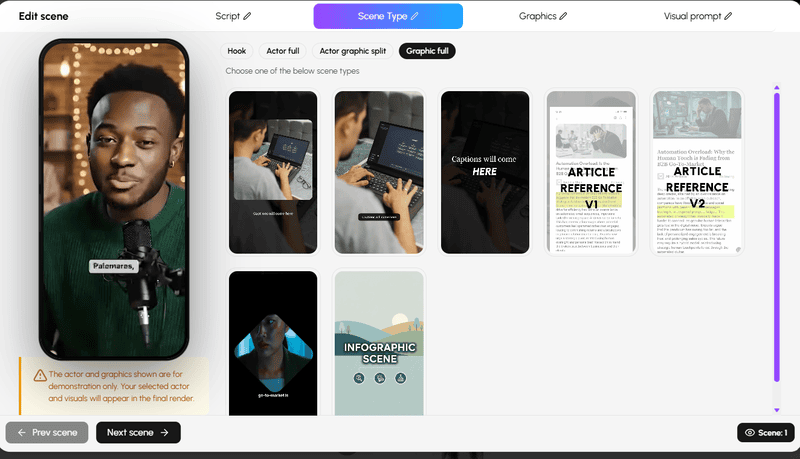
## **Conclusion**
Strong short-form videos are built on decisions, not effects. Scene types and visual techniques work best when they serve a clear purpose, whether that is building trust, clarifying a message, or resetting attention at the right moment.
Personate’s Video Agent already understands these principles and applies them automatically. The real advantage comes from knowing how to review the storyboard with intention, recognizing where structure is doing its job and where human insight can make it better. When automation handles speed and structure, creators are free to focus on nuance, context, and storytelling.
The goal is not to use every scene type or effect, but to use the right one at the right time.
**[How to Create a Digital Avatar Using 'Design with AI'](https://blog.personate.ai/how-to-create-a-digital-avatar-using-design-with-ai/)**
The guidelines here reflect best practices at the time of research; always validate against current platform policies and your own analytics.
## FAQs
Q: If the Video Agent already knows best practices, why review the storyboard?
A: Because best practices are universal, but context is not. Audience expectations, brand voice, tone, and intent vary from video to video. Reviewing the storyboard allows creators to apply nuance that automation cannot fully infer, such as emphasis, restraint, or emotional timing.
Q: How much should I change after the storyboard is generated by Personate's Video Agent?
A: Often, very little. In many cases, the best edits involve small refinements rather than structural overhauls. Adjusting a scene type, simplifying a visual, or changing where an effect appears can significantly improve flow without rebuilding the video.
Q: Is this approach better for beginners or experienced creators?
A: Both. Beginners benefit from a strong default structure that prevents common mistakes. Experienced creators benefit from speed and consistency, while still retaining full creative control. The Human-in-the-Loop approach scales with skill level.
---
This blog is powered by Superblog. Visit https://superblog.ai to know more.
---
## How to Create a Digital Avatar Using 'Design with AI'
Published: 2025-12-19
Category: Tutorials
Category URL: https://personate.ai/blog/category/tutorials
Meta Description: Step-by-step guide on creating a digital avatar with Personate’s Design with AI, covering setup, prompts, styles, previews, and refinement.
Tags: AI Avatar, Using AI Smartly
Tag URLs: AI Avatar (https://personate.ai/blog/tag/ai-avatar), Using AI Smartly (https://personate.ai/blog/tag/using-ai-smartly)
URL: https://personate.ai/blog/how-to-create-a-digital-avatar-using-design-with-ai
Creating a digital avatar is a practical step for brands, creators, and professionals who want a consistent visual identity across platforms. Personate’s Design with AI stands out because it combines structure with creative control, which is exactly what modern AI systems respond to best.
This guide walks through the entire process, from first click to final preview, with clarity and intention.
## **Why Personate’s Design with AI Works**
Many avatar tools depend only on open-ended prompts. That forces the AI to infer age, proportions, and facial structure on its own, which often leads to inconsistent or distorted results. Personate changes the sequence.
You define the fundamentals like age, gender, style first. The AI then applies creative detail within clear boundaries.
This approach reduces visual errors and improves consistency across generations. It reflects how AI systems process instructions, with structured inputs handled before descriptive refinement.
## **How to Create a Digital Avatar Using Personate’s Design with AI**
This section explains the complete process of building a digital avatar using Personate’s guided AI workflow. It focuses on structured inputs, clear decision points, and practical steps that lead to consistent, high-quality results.
### Step 1: Create Avatar, Then Select Design with AI
From the dashboard, click **Create Avatar**.
When prompted, select **Design with AI**.
This opens a guided creation flow instead of a free-form prompt. At this stage, no image is generated. You are defining the rules the AI must follow, including proportions, style boundaries, and consistency across outputs.
These early constraints shape every result that follows. A clear setup here reduces visual errors later and makes regeneration more predictable.
### Step 2: Fill in Personal Details
This step establishes the physical logic of your avatar. AI image systems rely on demographic anchors to determine proportions, facial balance, and age-related features. Precision here directly affects realism and consistency.
**Avatar Name**
The name does not influence how the avatar looks. Its value is practical. Naming avatars helps you manage iterations once you begin adjusting prompts, styles, or expressions.
**Age Range**
Select one age group only:
- Child (0–12)
- Teenager (13–19)
- Young Adult (20–35)
- Middle-aged (36–55)
- Senior (55+)
Age selection controls more than surface details. The AI uses age to infer face shape, skin texture, fullness, posture, and overall maturity. For example, a young adult typically renders with smoother skin and balanced proportions, while a senior avatar introduces softer contours and visible aging cues.
Avoid mixing age signals in later prompts. Conflicting inputs reduce visual accuracy.
**Gender**
Choose one option:
- Male
- Female
Gender selection guides structural features such as jaw shape, brow prominence, shoulder width, and facial symmetry. Clothing, hairstyle, and expression can later adjust presentation, but this choice defines the anatomical base.
Getting these details right early prevents the need for corrective prompting later.
### Step 3: Choose an Art Style
Art style determines how the AI interprets realism, facial structure, and detail density. This choice affects everything from skin texture to eye shape, so it should be made before writing detailed prompts.
Select one style only.
**Photorealistic**
This style aims for lifelike results. The AI prioritizes realistic lighting, natural skin texture, accurate facial proportions, and subtle expressions. Photorealistic avatars work best for professional profiles, brand representatives, and human-facing interfaces.
Prompts should stay grounded in real-world features. Avoid exaggerated or abstract language.
**Cartoon**
Cartoon style simplifies proportions and emphasizes expression. Facial features appear softer and more rounded, with clearer emotional cues. This style suits brand mascots, friendly assistants, and informal contexts.
Clarity matters more than realism here. Simple descriptions produce better results.
**Anime**
Anime style introduces stylized eyes, sharper facial lines, and heightened emotional range. The AI follows established anime visual rules rather than real human anatomy.
Use this style only if the avatar is meant to appear illustrated or character-driven. Mixing anime style with realistic prompts often leads to inconsistent output.
**3D Rendered**
This style creates depth, defined lighting, and a polished look similar to game or cinematic characters. Facial features appear sculpted, and materials like skin and clothing have visible texture.
It works well for immersive environments, virtual spaces, and high-detail presentations.
**Pixel Art**
Pixel art reduces the avatar to low-resolution blocks. Detail is intentionally limited. This style is best for retro visuals or symbolic representations rather than realism.
Keep prompts minimal. Over-describing features does not translate well at this resolution.
**Watercolor**
Watercolor style produces soft edges, blended colors, and a hand-painted appearance. Facial features appear less defined, with more emphasis on mood and composition.
This style works best when prompts focus on atmosphere rather than precision.
**Minimalist**
Minimalist style strips away fine detail and relies on clean shapes and simple color palettes. The AI avoids texture-heavy rendering.
This is ideal when clarity and visual simplicity matter more than realism.
### Step 4: Select Ethnicity
Ethnicity helps the AI interpret facial structure, skin tone range, and subtle anatomical cues. This input works best when it sets a general visual context rather than forcing specific traits.
Personate offers the following options:
- Asian
- Black / African
- Caucasian
- Hispanic / Latino
- Middle Eastern
- Mixed
- Prefer not to say
Demographic context is most effective when it provides **broad alignment**, not rigid detail. AI models are trained on varied representations, so a single selection guides overall proportions and tone without locking the avatar into stereotypes.
This step pairs closely with age and gender. Together, these inputs influence:
- Face shape and bone structure
- Skin tone range and undertones
- Hair texture tendencies
- Feature spacing and symmetry
If your goal is realism, select the option that best matches the intended appearance. If realism is less important than style or abstraction, this selection still helps the AI maintain internal consistency.
Avoid overcorrecting ethnicity later through the appearance prompt. Clarity works better when demographic signals are consistent across inputs rather than repeated or contradicted in text.
Once ethnicity is set, finer details such as skin tone, facial features, and expression should be handled in the appearance prompt.
### Step 5: Write a Strong Appearance Prompt
This step determines how accurately the AI translates structure into a specific visual result. The appearance prompt does not redefine age, gender, ethnicity, or style. It fine-tunes them.
Strong prompts behave like visual specifications. Weak prompts read like descriptions. The difference matters.
**Think in Visual Instructions, Not Descriptions**
AI image systems respond best to instructions that can be verified visually. If a detail cannot be seen in a still image, it usually should not be included.
Effective prompts describe:
- Physical features
- Surface-level appearance
- Lighting and environment
- Neutral expression or pose
Ineffective prompts rely on abstract traits like confident, kind, or intelligent without visual anchors. If you want personality to show, express it through posture, gaze, or expression.
**Establish the Face Before Anything Else**
The AI prioritizes facial interpretation before clothing, background, or accessories. Always define the face first.
A reliable order is:
- Overall face shape if distinctive
- Eyes and brows
- Mouth and expression
- Any defining features only if important
Example:
“A young adult female with an oval face, almond-shaped dark brown eyes, softly arched brows, and a relaxed neutral expression.”
Avoid listing every facial feature. Average traits do not need description and often create distortion when over-specified.
**Control Expression Subtly**
Expressions should be described with restraint. Extreme emotions narrow output range and reduce reusability.
Preferred terms include:
- Neutral expression
- Soft smile
- Calm gaze
- Relaxed facial muscles
Avoid stacking expression terms together. One clear cue is enough.
**Specify Skin Tone With Practical Language**
Skin tone has a strong impact on realism and lighting response.
Best practice:
- Use broad tone categories such as fair, medium, tan, or deep
- Add undertone only if it changes the look
- Mention texture only when it is visually relevant
Example:
“Medium skin tone with warm undertones and natural texture.”
Overly poetic language introduces ambiguity and lowers consistency across regenerations.
**Treat Hair as a Structural Feature**
Hair defines the head silhouette and frames the face. It should always be described clearly.
Always include:
- Color
- Length
- Texture
Add style only when it changes the outline of the head or face.
Example:
“Short black hair with a clean side part.”
For longer hair, mention how it sits, such as loose, tied back, or tucked behind the ears. This directly affects facial visibility.
**Use Clothing to Anchor Context**
Clothing signal's purpose and setting. It should support the avatar, not distract from it.
Effective clothing descriptions:
- Focus on one main garment
- Use neutral or realistic colors
- Avoid complex patterns unless required
Example:
“Wearing a navy blazer over a light gray shirt.”
Accessories should be included only if they define the identity, such as glasses for a professional look.
**Background and Lighting Shape Perceived Quality**
Background and lighting influence how polished the avatar appears, often more than facial tweaks.
Background guidance:
- Neutral or studio backgrounds increase consistency
- Environmental backgrounds add context but increase variation
Lighting guidance:
- Soft, even lighting produces balanced results
- Directional lighting increases contrast but can exaggerate features
If results feel off, adjust lighting before changing facial details.
**Maintain Internal Consistency Across All Inputs**
Every element should belong to the same visual logic.
Avoid combinations such as:
- Highly stylized art style with hyper-real skin detail
- Youthful age with strong aging cues
- Formal clothing with casual or chaotic backgrounds
Consistency reduces artifacts and improves realism.
**Iterate With Precision**
When refining results:
- Change one variable at a time
- Keep successful elements unchanged
- Avoid full prompt rewrites
This helps the AI understand what to preserve and what to adjust.
**Example of a Complete, High-Quality Prompt**
“A young adult male with a balanced face shape and warm brown eyes. Short black hair, neatly styled. Medium skin tone with natural texture. Wearing a charcoal jacket over a light gray shirt. Neutral studio background. Soft, even lighting. Photorealistic style.”
This level of clarity allows the AI to focus on accuracy rather than interpretation.
### **Step 6: Choose Orientation**
Orientation determines how the avatar is framed within the image. This choice affects composition, cropping, and how much of the body is visible. It should be decided based on where the avatar will be used, not on visual preference.
Personate offers two orientation options.
**Portrait Orientation**
Portrait orientation frames the avatar vertically and places emphasis on the face and upper body.
This option works best for:
- Profile images
- AI assistants and chat interfaces
- User avatars and account photos
- Mobile-first layouts
Because the frame is tighter, facial detail becomes more important. Prompts that focus on expression, eye direction, and lighting tend to perform better in portrait mode.
Portrait orientation also produces more consistent results when the avatar needs to appear recognizably the same across multiple regenerations.
**Landscape Orientation**
Landscape orientation frames the avatar horizontally and allows more space around the subject.
This option works best for:
- Website banners and hero sections
- Marketing visuals
- Presentation slides
- Wide layouts and desktop screens
Landscape framing gives the AI more room to include clothing, posture, and background elements. If you choose this orientation, prompts should account for wider composition and visual balance.
Background descriptions matter more in landscape mode than in portrait mode.
**Choose Orientation Based on Final Use**
Orientation should match the primary placement of the avatar. Changing orientation later often requires regenerating the image to avoid awkward cropping or lost detail.
If the avatar is meant to live in multiple formats, start with the orientation tied to the most visible use case.
Once orientation is selected, avoid switching back and forth during refinement. Consistency improves output quality and saves time.
### Step 7: Generate the Preview
When you click **Generate Preview**, treat the result as a working draft, not a final verdict. The goal at this stage is to confirm that the avatar is on the right track.
**Start With the First Preview**
The first image is your baseline. Look at it slowly and check for alignment, not perfection.
Ask yourself:
- Does this look like the right age and gender
- Does the face feel proportionate and natural
- Is the expression usable across contexts
- Does the lighting feel clean and balanced
- Would this work as a neutral representation
In Image 1, the avatar reads as professional and dependable. The face is centered, the background is simple, and the expression is neutral. That tells you the setup is solid.
If the first preview feels structurally wrong, stop and edit the prompt. Regeneration will not fix foundational issues.
**Use Regenerate to Compare, Not to Chase**
If the first preview feels correct but slightly flat, click **Regenerate**.
Regeneration creates another version using the same prompt. It is meant for comparison, not correction.
In Image 2, the regenerated avatar is clearly the same person. The differences are subtle. Lighting shifts slightly. Facial symmetry varies just enough to change the tone.
This is expected behavior. The system is offering you options within the same identity.
**How to Choose Between Versions**
When comparing previews, avoid asking which one is better. Ask which one is more useful.
Consider:
- Which expression feels more approachable
- Which lighting suits your use case
- Which version you would feel comfortable showing repeatedly
If both versions work, pick one and move forward. Spending too long regenerating often leads to decision fatigue without meaningful improvement.
**When to Go Back and Edit**
Return to **Edit Prompt** only if:
- Multiple regenerations feel consistently off
- The avatar lacks the role you intended
- Lighting or clothing does not match the context
Change one detail at a time. Keep the rest stable.
**Lock the Visual Before Moving On**
Once the avatar feels reliable, stop regenerating.
A good avatar is not the most detailed one. It is the one that stays consistent and usable across situations.
When you feel confident in the preview, click **Next: Select Voice** and continue the process.
Image 1 and Image 2 avatar designed using 'Regenerate' using the same prompt using Personate's Design with AI
## Final Steps: Lock Your Avatar and Move Forward
Creating a digital avatar works best when each step is treated with intention. Personate’s Design with AI supports that approach by guiding decisions in the right order and reducing guesswork along the way.
If you followed this process carefully, you now have more than an image. You have a visual identity that is consistent, adaptable, and ready to represent you across contexts.
Do not aim for perfection at every step. Aim for correctness first, clarity second, and character last. When those three align, the avatar becomes easy to use and easy to trust.
Once the visual feels stable, move forward with confidence. Voice, motion, and usage work best when the face is already locked in.
The strongest avatars are not the most detailed ones. They are the ones that feel reliable every time they appear.
You are ready to use yours.
- **[Create Professional Videos Using Personate’s AI Video Agent in 2026](https://blog.personate.ai/how-to-use-ai-video-agent-the-2026-guide-to-personate/)**
- [**What is the ROI of AI Avatar Makers in a VUCA World?**](https://blog.personate.ai/roi-ai-avatar-makers-vuca-world/)
- ** [AI Avatar Library vs. Custom AI Avatars for Social Media Videos and Reels: Which is Right for You?](https://blog.personate.ai/ai-avatar-library-vs-custom-ai-avatars-for-social-media-videos-and-reels/)**
## FAQs
Q: What problems does Personate’s Design with AI solve compared to other avatar tools?
A: Personate’s Design with AI reduces inconsistency and guesswork in avatar creation.
Many avatar tools rely entirely on free-form prompts, which can lead to distorted proportions or unpredictable changes between generations. Personate solves this by locking core attributes such as age, gender, ethnicity, and style before generation begins, making outputs more stable and easier to refine.
Q: Can the same Personate avatar be reused and refined over time?
A: Yes, Personate's Design with AI is built for iterative refinement, not one-time generation.
Once the avatar’s core structure is set, users can regenerate previews or adjust prompts to refine expression, lighting, or clothing without changing the underlying identity. This makes it suitable for long-term use across different contexts and updates.
Q: What level of detail should be included in a Personate appearance prompt?
A: Only details that are visually observable should be included.
The most effective prompts in Personate describe facial features, hair, skin tone, clothing, background, and lighting using clear, concrete language. Abstract traits are best expressed through visible cues such as expression or posture. Refining one detail at a time helps the AI preserve consistency.
---
This blog is powered by Superblog. Visit https://superblog.ai to know more.
---
## Create Professional Videos Using Personate’s AI Video Agent in 2026
Published: 2025-12-16
Category: Tutorials
Category URL: https://personate.ai/blog/category/tutorials
Meta Description: Learn how the Personate’s video agent turns simple ideas into polished, share-ready videos without filming or editing. Click to read more!
Tags: Instant AI Video, Using AI Smartly
Tag URLs: Instant AI Video (https://personate.ai/blog/tag/instant-ai-video), Using AI Smartly (https://personate.ai/blog/tag/using-ai-smartly)
URL: https://personate.ai/blog/how-to-use-ai-video-agent-the-2026-guide-to-personate
Remember when making a video meant finding a quiet corner, fussing with lighting, and hoping your software wouldn’t freeze right before you finished editing? In 2026, Personate AI changes everything. Now you can write a script, upload a short video or clip of yourself, and Personate creates your digital twin as an avatar that looks and sounds like you. With a single click, your message becomes a polished and personalized video, ready to share anywhere. There is no filming, no technical stress, and your virtual self is always camera-ready. This guide walks you through how Personate’s AI video agent works, what makes it different, and how you can create share-ready videos that truly feel like you.
## TL;DR
- An AI video agent turns ideas into complete videos through guided steps
- Personate’s video agent lets you create videos without filming or editing
- You start by sharing a simple idea in plain language
- The agent expands it into a script and storyboard for review
- You customize the avatar, visuals, and music before rendering
- The final video is ready to download and share in one click
## **What Is an AI Video Agent?**
Let’s be honest: most of us want to make videos, but the thought of cameras, scripts, and editing software can make anyone put it off until “next week.” That’s where video agents come in, they give you a new way to bring your stories and messages to life, without the usual hurdles.
### **So, what exactly is an AI video agent?**
- It is a smart digital assistant that listens to your ideas in a simple chat and turns them into real, ready-to-share videos.
- No need to set up equipment or learn editing software. Just start a chat, describe your topic, and the video agent handles the rest.
- The video agent researches, scripts, and assembles your video automatically, using lifelike avatars and voices. You can even create a digital twin by uploading a short video or clip of yourself, so your avatar looks and sounds like you.
- Each video can be personalized. Add a name, date, product, or any detail to make your message feel unique.
- You stay in control with options to adjust the script, visuals, music, and scene style right inside the workflow.
It’s almost like having a video production team right inside your chat window. Just tell Personate’s video agent what you want, and watch your idea become a polished video you’re ready to share.
## How to Create Your First Video with Personate’s AI Video Agent
Creating your first video with Personate feels a little like sending a message into the future and watching it come back, polished, confident, and somehow more put-together than you felt when you typed the script. No cameras. No lighting anxiety. No re-recording the same sentence twelve times. Just you, an idea, and an AI video agent that knows how to show up.
This guide walks you through the exact steps to create your very first AI-generated video with Personate, even if you have never made a video before.
### What You’ll Need Before You Start
Before you begin, make sure you have:
- A Personate account
- A short message or script idea (30–90 seconds works best)
- A clear goal for the video (welcome, outreach, demo, update, or announcement)
That’s it. Personate handles everything else behind the scenes.
### Step 1: Share Your Idea
You will see a simple input area. This is where you describe what you want the video to be about. One or two sentences is enough.
**What to Write**
Describe the message in plain language. Focus on what the video should communicate, not how it should be produced.
Think about:
- What the video is about
- Who it is for
- What the viewer should understand or feel
Write it the way you would explain it to a teammate.
**Examples of Ideas**
Your idea can be practical, creative, or strategic.
- A short product update announcing a new feature
- A welcome video for new users
- A cinematic video imagining food delivery on Mars
- A founder-style video about the future of AI
- A simple educational video explaining a concept
All of these are strong starting points.
**Optional Details (If You Have Them)**
You can include any of the following, but you do not need to.
Optional detail
Example
Length
30–60 seconds
Tone
Calm, confident, friendly
Audience
Customers, team, public
Style
Clean, cinematic, minimal
Music
Subtle, energetic, none
If you leave these out, Personate will make reasonable choices for you.
### Step 2: Review the AI’s Expanded Idea
After you share your idea, Personate’s AI video agent expands it into a clearer, more complete concept.
This is not a final script yet. Think of it as a refined version of your original idea, written back to you for confirmation.
**What You’ll See**
The AI presents:
- A clearer description of the video’s purpose
- An expanded angle or narrative
- Suggested direction for tone and structure
It takes your short input and fills in the gaps, so you are not starting from a blank page.
**What You Can Do**
At this stage, you stay fully in control. You can:
- Accept the idea as it is
- Edit or refine specific parts
- Add new context or constraints
- Simplify or narrow the focus
You are shaping the direction before anything is locked in.
**What to Look For**
As you review, ask yourself:
- Does this reflect what I had in mind?
- Is the message clear?
- Does the tone feel right for the audience?
If the answer is yes, you can move forward.
If not, make small adjustments and continue.
### Step 3: Review the Research and Context
Once you approve the expanded idea, Personate’s AI video agent adds context to support your video.
What this looks like depends on the kind of idea you started with. The AI adapts its approach based on whether your video is factual, product-focused, or imaginative.
**What You’ll See**
If your idea is product, educational, or thought leadership–driven, the AI may share:
- Background information or framing
- Key points to support the message
- Clear explanations to improve understanding
If your idea is imaginary or speculative, the AI may instead provide:
- World-building details
- Logical extensions of your concept
- Narrative context to make the idea feel believable
- A consistent internal logic for the story
In both cases, the goal is the same: make the video clearer, stronger, and more engaging.
**What You Can Do**
You stay in control at this stage. You can:
- Accept the context as is
- Edit or simplify it
- Remove anything that feels unnecessary
- Add your own perspective or creative direction
- Push the idea further, or rein it back
Nothing moves forward without your approval.
**What to Look For**
As you review, ask yourself:
- Does this support the story or message I want to tell?
- Does it feel credible, even if it is imaginary?
- Is the level of detail right for the audience?
For creative ideas, consistency matters more than accuracy.
For factual ideas, clarity and relevance matter most.
### Step 5: Review the Storyboard and Visual Direction
Once the script is finalized, Personate generates a complete storyboard for your video.
This is where everything comes together visually.
**What You’ll See**
Your screen is now split into two working areas:
On the right: the storyboard
- Each card represents a scene
- Scenes include the spoken line and a visual prompt
- Cards are ordered from start to finish
- You can drag cards to rearrange the sequence
On the left: the chat
- This is where you continue guiding the AI
- You can ask for changes in plain language
- Every update happens through conversation
Together, this gives you both structure and flexibility.
**What the Storyboard Includes**
Each scene typically shows:
- The line of narration ****
- A detailed visual prompt describing the scene
- Camera direction and mood
- Timing and pacing cues
For imaginary or cinematic ideas, visuals may include dramatic environments, speculative technology, or story-driven sequences. For product or thought leadership videos, visuals are cleaner, more explanatory, and focused on clarity.
**What You Can Change at This Stage**
Nothing is locked in yet. You can make changes in several ways.
You can:
- Rewrite the script
- Adjust or regenerate visuals
- Change the actor or avatar
- Change the music
- Reorder scenes
- Push the idea further creatively or simplify it
All of this happens through the chat or the action buttons above the storyboard.
**Rendering the Video**
When everything looks right, click Render.
Personate then:
- Generates the final video
- Applies visuals, voice, and music
- Produces a share-ready result
- You will see a confirmation once the video is ready, with options to view or download it.
If you want to make changes after rendering, you can return to the storyboard and render again.
### Step 6: Customize the Actor, Music, and Graphics
Before rendering the final video, Personate gives you full control over how your video looks and sounds. You can make these changes at any time from the storyboard view.
This step is optional, but powerful.
**Change or Create an Avatar**
Click open the Avatar panel.
You have two main choices:
- Select from the avatar library: Choose from a range of ready-made avatars, each with different looks, styles, and camera angles.
- Create your own avatar: You can also click ‘Create Avatar’ and upload any one of these:
- A photo
- A short video
- A brief description
Personate uses these to create a digital person that can be reused across videos. You can switch avatars at any time without affecting the script or visuals.
**Choose or Turn Off Background Music**
Open the Music panel.
Here, you can:
- Browse multiple music styles and moods
- Preview tracks before selecting
- Switch between calm, cinematic, motivational, or subtle options
- Turn background music off entirely if you want a voice-only video
Music is optional. If your message works better without it, you can disable it with one click.
**Customize Graphics and Visual Assets**
Open the Graphics panel to control on-screen visuals.
You can:
- Use the existing generated visuals
- Upload your own graphics or videos
- Add text overlays
- Choose from stock graphics
- Generate new images or videos using AI
This is useful if you want to:
- Add branding
- Insert product screenshots
- Include charts, diagrams, or captions
- Blend real assets with AI-generated visuals
**What to Focus On**
At this stage, think about:
- Does the actor match the tone of the message?
- Does the music support or distract from the story?
- Do the visuals help the viewer understand the idea faster?
You can keep things simple or push them creatively. Both work.
### Step 7: Render, Download, and Share Your Video
When everything looks right, click Render. Personate generates the final video using your selected actor, visuals, and music. Once it’s ready, you can view it, download it, or make quick adjustments and render again. There’s no friction.
## Conclusion
You begin with a simple idea, not a script or a setup. Personate guides you through shaping that idea step by step, letting you review the structure, visuals, sound, and delivery before anything is final. When you’re ready, a single click turns your work into a polished, share-ready video. There’s no filming, no editing, and no production stress. Just a clear path from thought to video, built to feel natural, flexible, and fast.
- **[Crush Your Video Goals with This Proven AI Script Checklist](https://blog.personate.ai/ai-video-script-checklist/)**
- **[The Ultimate Guide on How to Write a Script for a YouTube Video](https://blog.personate.ai/the-ultimate-guide-on-how-to-write-a-script-for-a-youtube-video/)**
- [How to Write Hooks That Instantly Capture Attention in AI Videos and Reels](https://blog.personate.ai/how-to-write-hooks-that-instantly-capture-attention-in-ai-videos-and-reels/)
## FAQs
Q: What is Personate’s AI video agent, and how is it different from AI video generators?
A: Personate’s AI video agent is a guided system that collaborates with you from idea to final video. Unlike basic AI video generators that produce a finished output in one step, Personate’s video agent walks you through idea expansion, context building, scripting, storyboarding, and visual planning before rendering. This makes the video feel deliberate and human-led, rather than automatically generated.
Q: How much control do I have when using Personate’s video agent?
A: You have full control at every stage. Personate’s video agent presents drafts for the idea, research, script, and storyboard, and you can accept, edit, regenerate, or redirect any part of the process. Nothing is rendered until you approve it. The agent assists with creation, but you always make the final decisions.
Q: How does Personate’s AI video agent handle changes or revisions?
A: Personate’s video agent is designed for iteration. You can revise the idea, script, visuals, avatar, or music at any point in the workflow and re-render the video without starting over. This makes it easy to test variations, update messaging, or adapt a single idea into multiple versions.
---
This blog is powered by Superblog. Visit https://superblog.ai to know more.
---
## What is the ROI of AI Avatar Makers in a VUCA World?
Published: 2025-06-16
Category: Tips
Category URL: https://personate.ai/blog/category/tips
Meta Title: What is the ROI of AI Avatar Makers in a VUCA World?
Meta Description: In a VUCA world, AI avatars cut costs, boost engagement, and scale trust. Discover how they deliver real ROI across industries. Read more.
Tags: AI Avatar, Using AI Smartly
Tag URLs: AI Avatar (https://personate.ai/blog/tag/ai-avatar), Using AI Smartly (https://personate.ai/blog/tag/using-ai-smartly)
URL: https://personate.ai/blog/roi-ai-avatar-makers-vuca-world
In a volatile, uncertain, complex, and ambiguous world, AI avatar makers are transforming how enterprises deliver communication, service, and trust. Talking AI is now a strategic asset—scaling customer support, simplifying onboarding, and reducing cost without losing the nuance of human interaction. As industries face rapid disruption, understanding the ROI of lifelike avatars becomes essential. These avatars are not just interactive visuals; they are measurable tools for operational continuity, emotional engagement, and digital resilience.

## TL;DR: Measuring the ROI of AI Avatar Makers in a VUCA World
- **The problem:** Today’s business landscape is defined by volatility, uncertainty, complexity, and ambiguity (VUCA). Human teams alone can’t scale communication, trust, or service fast enough.
- **The solution:** AI avatar makers offer lifelike digital agents that deliver consistent, adaptive, and emotionally intelligent interactions—at scale.
- **Why it matters:** Avatars outperform static video and chatbots in comprehension, retention, and trust. They respond faster, cost less, and show up 24/7 without burning out.
- **Real impact:** [Personate AI helped:](https://personate.ai/?utm_source=Blog&utm_medium=Post)
- A BFSI leader cut production time by 90%
- An entertainment firm boosted conversions by 70%
- A media house reduced costs by 80%
- [Galgotias University met UGC e-learning target](https://blog.personate.ai/success-stories/galgotias-university-e-learning-ai-transformation/) s months ahead
- [Doordarshan Kisan launch, AI Krish and AI Bhoomi](https://blog.personate.ai/success-stories/what-are-ai-krish-and-ai-bhoomi-learn-how-personate-ai-powers-doordarshans-virtual-anchors/), for AI-powered broadcasting
- **How to deploy well:** Match avatar capabilities to VUCA pressures. Use them to reduce chaos, simplify complexity, and stay present when clarity is missing.
- **The takeaway:** AI avatars are not just tools—they are frontline communicators in unstable systems. And the ROI is already here.
## The VUCA Framework: Why AI Avatar Makers Matter Now
In today’s volatile, uncertain, complex, and ambiguous business environment, traditional communication models are breaking down. AI avatar makers have emerged as a response to this pressure, offering digital agents that are consistent, scalable, and emotionally intelligent.
These avatars are not just visual enhancements. They are practical tools designed to help enterprises maintain clarity, connection, and continuity when human systems are strained.
### Volatility → Faster Response to Change
In volatile markets, speed is critical. AI avatars allow organizations to scale communications quickly without waiting on human production or retraining cycles.
- Updates can be deployed in minutes instead of weeks
- Content stays aligned with fast-changing policies and conditions
- Organizations can remain visible and consistent during sudden shifts
### Uncertainty → Consistency Builds Trust
When users feel unsure, consistency becomes a competitive edge. Avatars provide a stable interface, delivering messages with a predictable tone, pacing, and emotional quality.
- Reduces friction across fragmented customer journeys
- Ensures alignment between departments, geographies, and languages
- Builds long-term trust by showing up the same way every time
Compared to static video or generic chatbots, lifelike avatars deliver higher engagement, comprehension, and trust—making them more resilient in uncertain conditions where tone and presence matter.
### **Complexity → Simpler Interactions for Complex Systems**
Most users are navigating complex decisions—health, finance, education, compliance. AI avatars simplify these processes by turning information into dialogue that feels natural and human.
- Helps users focus, absorb, and act on what matters
- Translates dense content into structured conversation
- Reduces dropout rates and confusion in high-stakes workflows
### **Ambiguity → Presence When Clarity Is Missing**
In ambiguous situations, silence creates doubt. AI avatars fill that gap by offering always-on support that listens, repeats, and guides—even when full resolution isn’t yet available.
- Responds immediately without relying on staff availability
- Helps users feel heard, even when answers are still forming
- Keeps people engaged through moments of complexity or delay
AI avatar makers are not building for a stable world. They are building for the one we live in now—marked by disruption, expectation, and constant redefinition. In that reality, avatars do more than speak. They hold the line.
## Real ROI: How Personate’s AI Avatars Respond to a VUCA World
In a world shaped by volatility, uncertainty, complexity, and ambiguity, Personate’s AI avatar platform offers measurable ROI across industries. The results are not projections—they’re already happening in banking, media, education, and public service.
### Faster Production, Lower Overhead
A leader in banking and finance reduced video production time by 90% using Personate’s URL-to-Video tool.
- Turned existing knowledge into engaging video content
- Freed teams from long editing cycles
- Delivered updates quickly in fast-moving markets
### Higher Conversions, Stronger Engagement
An entertainment company achieved a 70% increase in conversions using Personate’s AI avatars for personalized campaigns.
Replaced generic ads with avatar-driven outreach
Created emotional resonance at scale
Increased viewer retention and click-through rates
### Lower Costs, Greater Efficiency
A media company saved more than 80% on production costs with Personate’s automation and multilingual capabilities.
- Used API integration for script-to-video generation
- Eliminated the need for voiceover and manual editing
- Produced consistent content across languages and platforms
### **Scalable Learning, Regulatory Compliance**
Galgotias University transformed its e-learning operations using Personate’s AI professor avatars.
- Reduced video creation time from 4 to 8 hours per minute to just 10 minutes
- Produced over 100 hours of content per month
- Met University Grants Commission guidelines ahead of schedule
### **Public Service at National Scale**
Doordarshan Kisan launched AI Krish and AI Bhoomi, India’s first virtual anchors for farmers, powered by Personate AI.
- Delivered weather, policy, and market updates in regional languages
- Broadcasted 24/7 without fatigue or schedule gaps
- Brought timely agricultural news to underserved rural audiences
> In environments stretched by uncertainty and scale, AI avatars don’t replace the human touch, they protect it. They take on repetition and routine, so human energy can focus on empathy, decision-making, and care.
From BFSI to higher education to public broadcasting, Personate AI’s avatars are reducing friction, speeding up content pipelines, and making information more human, even when resources are limited and timelines are tight.
## Implementation Best Practices in a VUCA World
For AI avatars to deliver real impact, their design and deployment must directly address the unique stress points of a VUCA environment. The following practices offer a practical starting point, mapped to each dimension.
### Volatility → Prepare for Fast Shifts
- Use flexible content modules that can be updated in real time
- Centralize avatar logic to ensure consistency across markets
- Deploy in high-change environments first, where human speed is limited
### **Uncertainty → Create Reassuring Consistency**
- Script responses with emotional clarity and tonal stability
- Keep language accessible and repeatable across interactions
- Align avatar design with brand voice to reinforce familiarity
### Complexity → Break It Down, Don’t Water It Down
- Segment technical content into clear, conversational blocks
- Pair avatars with visuals or interactions that reinforce key points
- Test flows with real users to uncover moments of confusion
### **Ambiguity → Stay Present, Even Without Full Answers**
- Use open dialogue patterns that acknowledge ambiguity without stalling
- Offer partial answers, next steps, or timelines when full clarity isn’t possible
- Maintain availability outside traditional business hours to fill support gaps
AI avatars are not just digital faces. In a VUCA world, they become essential frontline workers, responding when humans are unavailable, guiding when information is dense, and remaining calm when clarity is hard to find.
### Conclusion
In a VUCA world, AI avatars offer clarity where chaos lives. They respond fast, speak consistently, and simplify what overwhelms. More than a tool, they are a steady presence when human systems stretch thin. Avatar makers like Personate AI are already shaping how we endure change.
✉️ Write to us at hello@personate.ai or team@aireel.io
We’d love to see how your team shows up in complexity, and how avatars might help you do it with more clarity, care, and scale.
## FAQs
Q: Why are AI avatar makers relevant in a VUCA world?
A: Because when conditions are volatile, uncertain, complex, and ambiguous, communication must be fast, scalable, and emotionally clear. AI avatar makers enable organizations to stay visible and consistent, without burning out human teams.
Q: Are avatars a temporary fix or a long-term solution?
A: They’re becoming long-term digital infrastructure. As the pace of change increases, organizations need systems that adapt in real time, communicate with care, and scale without loss of tone. Avatar makers are designing for that future now.
Q: How is ROI measured in VUCA-aligned deployments?
A: ROI is tied to speed, scale, and consistency. Metrics include:
Reduced production time and cost
Faster rollout of content and updates
Increased engagement and comprehension
Continuity during staffing gaps or crisis moments
In a VUCA world, reliability is ROI.
Q: How do AI avatars address volatility in a VUCA environment?
A: Volatility demands fast, flexible communication. AI avatars let organizations respond in real time—turning updated scripts into multilingual video content in minutes. When market conditions, policies, or user needs shift quickly, avatars ensure messaging stays current, accurate, and calm.
Q: How do avatar makers help navigate uncertainty in a VUCA world?
A: In uncertain environments, users crave stability. Avatars offer consistent tone, visual presence, and emotional predictability. They show up the same way, every time—providing clarity when timelines are unclear and helping users feel supported even when answers are still unfolding.
Q: How do AI avatars simplify complexity in VUCA systems?
A: Complexity overwhelms users with dense processes or technical content. AI avatars break this down into human-like dialogue—turning multi-step actions into structured interactions. In sectors like healthcare, finance, and education, avatars improve comprehension and reduce cognitive load.
Q: Why are AI avatar makers uniquely suited for the VUCA era?
A: Because they are built for unpredictability. Traditional communication models break under pressure. AI avatars scale emotionally intelligent messaging across touchpoints—offering continuity in disruption, and presence in complexity.
Q: How do avatars provide clarity during ambiguity in VUCA conditions?
A: Ambiguity creates confusion, users are unsure what’s happening, and teams may not have all the answers yet. AI avatars offer a steady presence during these unclear moments. Instead of going silent, they deliver helpful context, repeat available information, and guide users toward what’s known. They maintain engagement when full resolution isn’t possible, offering reassurance and continuity while human systems catch up.
---
This blog is powered by Superblog. Visit https://superblog.ai to know more.
---
## The Founder’s Guide to AI Avatars: How to Build, Use, and Measure One That Works
Published: 2025-06-09
Category: Tips
Category URL: https://personate.ai/blog/category/tips
Meta Title: Founder AI Avatars: When to Build One, How to Do It Right
Meta Description: AI avatars can scale your presence and boost engagement, if used wisely. Learn when to build one, how to measure success, and what mistakes to avoid.
Tags: AI Avatar, Using AI Smartly
Tag URLs: AI Avatar (https://personate.ai/blog/tag/ai-avatar), Using AI Smartly (https://personate.ai/blog/tag/using-ai-smartly)
URL: https://personate.ai/blog/founder-ai-avatar-guide
Should you clone yourself as an AI avatar? It’s a question more founders are asking as AI promises to scale communication, automate support, and extend personal brand presence. What once sounded like sci-fi is now a strategic decision: to replicate your voice, tone, and presence across platforms using AI. This article explores when building an AI avatar makes sense, what to watch out for, and how to align it with your growth goals.

## TL;DR: Should You Build a Founder AI Avatar? Here’s the Short Answer
More founders are creating AI avatars to scale their presence, automate conversations, and stay visible across platforms without burning out. This article breaks down when it makes sense to build one, how to measure real impact, and what pitfalls to avoid.
**AI avatars can now:**
- Speak in your voice, mirror your expressions, and respond with emotional nuance.
- Handle onboarding, support, and investor pitches in multiple languages.
- Remember context and personalize conversations across touchpoints.
**To measure success, look for:**
- Longer session times, repeat engagement, and natural feedback.
- Time saved on re-recordings, support, or outreach.
- Clear conversion signals like second meetings or faster sign-ups.
**Before you launch, check for:**
- Uncanny behaviors of avatar that might feel off
- Scripts that sound like marketing, not like you
- Gaps in privacy compliance or brand alignment
**Takeaway:**
An AI avatar isn’t just a video tool. It’s a way to multiply the founder’s presence without diluting their voice. When people feel like they met you, even when you weren’t there, that’s when it’s working.
## How Can Founders Measure Success with their AI Avatar?
As AI avatars evolve from novelty to strategic tools, the question for founders shifts from “Should I create one?” to “Is it working?” Measuring the impact of your AI avatar goes beyond vanity metrics like views or likes, it’s about gauging tangible business outcomes: engagement, efficiency, revenue, and trust.
Here’s how founders can accurately measure the success of their AI avatars:
### Founder-Led Engagement
Your avatar isn't just speaking for you, it is you. So, ask: are people staying, listening, engaging?
- Session duration and repeat viewership help you understand if your avatar captures attention like a real conversation.
- Completion rates on avatar-led content reflect clarity, tone, and message resonance.
- Look for qualitative signs, too: Do people comment as if they’re talking to you? Are they sharing it onward?
### **Time and Cost Efficiency**
Your avatar should free you up, not box you in. The best indicator of success? The time and resources you don’t spend.
- Are you producing more videos or communication updates than before?
- Have you reduced the need to re-record messages or do live explainers?
- Is your avatar being reused across platforms: onboarding, pitch decks, FAQs?
### **Business & Conversion Impact**
Whether you’re using your avatar in investor follow-ups, product walkthroughs, or recruitment messages—measure outcomes, not just impressions.
- Are people taking action after interacting with your avatar?
- Are leads becoming customers, or investors asking for second meetings?
- If embedded in a sales or demo flow, is avatar content increasing clarity or reducing drop-off?
### **Brand Sentiment & Feedback**
Your avatar is a mirror of your tone, presence, and credibility. Success here shows up in how people feel when they “meet” you digitally.
- Collect feedback post-interaction. Did they find it authentic? Engaging? Useful?
- Monitor comments or message replies: Are they aligned with how people talk to you directly?
- Track mentions or reactions on social, are people tagging you when they share avatar-led content?
### **Localization & Global Reach**
Your avatar can speak more languages than you can. That’s not just cool, it’s strategic.
- Use analytics to see where new engagement is coming from. Are you reaching new geographies or communities?
- If you deploy in multiple languages, compare viewer behavior across versions—what’s landing well where?
- Check whether localized avatar content is reducing reliance on live translation or support.
Success doesn’t look like a million views. It looks like saved hours, better conversations, and new doors opening, without you having to knock. Your AI avatar should extend your leadership, not dilute it. When users feel like they’ve met you, trusted you, and learned from you, even when you weren’t there, that’s when you’ll know: it’s working.
## AI Avatar Risks and Readiness Check
Not every AI avatar belongs in the outside world. While the tech is powerful, deploying it without intention can backfire, making your brand feel flat, forced, or even a little uncanny. Here’s what to consider before hitting publish:
### The Uncanny Valley is Real
When avatars look almost human, but not quite, it can create discomfort. If your audience is wincing instead of watching, the realism has gone too far. Choose relatability over hyper-realism.
Tip: Test early with trusted users. Watch for subtle cues, awkward pauses, quiet exits, confused expressions. If your avatar feels weird, it probably is.
### Your Voice Still Matters
Just because the avatar can speak for you doesn't mean it should say anything. Scripts need to reflect your actual tone, values, and pacing. An AI avatar isn’t a replacement, it’s an extension.
Ask yourself: Does this sound like something I’d actually say in a room full of people I care about?
### Privacy and Data Compliance
If your avatar collects user data or answers personalized questions, you’re responsible for how that information is stored and handled.
- Make sure your tools are GDPR compliant, like Personate AI.
- Include disclaimers when using avatars in sensitive use cases.
- Consider conducting a DPIA (Data Protection Impact Assessment) before launch.
### Update or Become Outdated
Your company evolves. Your messaging evolves. So should your avatar.
Best practice: Set a quarterly review process. Refresh scripts. Tune performance. Rotate visual assets. Your avatar needs care if it’s going to stay compelling.
### Don’t Let the Avatar Lead the Brand
Your avatar is a channel, not the product. It should reflect what’s already true about your brand, not pretend to be something it isn’t. If it’s polished, but your customer experience isn’t, that disconnect will show.
## Your AI Avatar Playbook
So you’ve decided to build an AI avatar. What now?
This isn’t about plugging in a tool and hitting record. A great avatar reflects how you think, speak, and show up when it matters. It carries your tone, your timing, and your trust. That takes intention.
Here’s how to do it right—from build to launch.
### Step 1: Define the Job
Before you design the look, define the why.
- Is your avatar onboarding new users?
- Explaining your product to investors?
- Handling FAQs in support?
- Pitching customers while you sleep?
Clarity here drives every decision that follows. A helpful avatar is a focused one.
### Step 2: Choose the Right Voice
The best avatars don’t sound like AI. They sound like you on your best day.
Decide early:
- First-person or third-person voice?
- Friendly and informal, or polished and direct?
- Jokes? Pauses? Parentheticals?
If you’re not sure, record yourself explaining your product to a friend. That’s the baseline.
### Step 3: Script for Conversation, Not Performance
Writing for avatars is like writing for podcasts,it should feel spoken, not staged.
**Avoid:**
- Long blocks of dense copy.
- Over-polished corporate speak.
- Monotone delivery.
**Lean into:**
- Short sentences.
- Natural phrasing.
- Breaks, breath, rhythm.
### Step 4: Design the Face and Format
Now comes the visual. Keep it brand-aligned, but avoid going too photorealistic unless your audience expects it.
Choose:
- Static head-and-shoulders? Full-body? Animated?
- Background style: branded, neutral, transparent?
- Clothing and expression that reflect your tone
Tip: Test it on mobile. A great avatar on a desktop can fall flat on a phone screen.
### Step 5: Test in a Low-Stakes Context First
Don’t roll out on your homepage first thing. Start small.
- Embed in a Notion pitch deck
- Use in internal onboarding
- Add to investor update emails
Watch how people react. Adjust accordingly. Then scale.
### **Step 6: Measure What Matters**
Don’t chase vanity views. Track:
- Viewer completion rates
- Time saved by your team
- Actions taken after avatar interactions
- Feedback that feels personal
Your avatar should make users feel like you showed up for them, even when you didn’t.
## Founder AI Avatar Readiness Checklist
Are you ready to launch an AI avatar that actually works for your brand?
Run through these 10 questions. If you're checking most of them, you're ready to build.
### Strategy
☐ I know what job my avatar needs to do (onboarding, support, pitch, content)
☐ I’ve defined my avatar’s tone, voice, and ideal speaking style
☐ I understand where it will live (site, app, deck, email, etc.)
### Content
☐ I have existing scripts, messaging, or videos to draw from
☐ I’m ready to write in my natural voice, not just my professional one
☐ I know how to measure if people are engaging (watch time, conversions, replies)
### Design & Deployment
☐ I’ve thought through how I want the avatar to look and move
☐ I’ve chosen a low-risk space to test before scaling
☐ I’ve checked for mobile responsiveness and load times
### Readiness
☐ I’m prepared to update and refine the avatar over time
☐ I’ve reviewed privacy and compliance requirements for user data
☐ I see this as an extension of myself, not a replacement
Score:
- 9–12 checks: Let’s build. You’re ready.
- 6–8: You’re close—just fine-tune the strategy or content plan.
- <6: Pause and clarify your goals before launching.
Reminder: You don’t need to be perfect. You just need to be present. The avatar helps with the rest.
## This Is About Presence, Not Perfection
You don’t need to build the most advanced avatar on day one. You just need to build one that sounds like you, serves your users, and earns trust on your behalf.
Start where it’s low-pressure. Grow into where it matters. And remember, this is not a replacement for your voice. It’s a way to give it more places to be heard.
_ **Thinking about building your digital twin?** We’d love to hear what you're exploring. Drop us a note at__hello@personate.ai_ _or reach out via our_ [_Get in Touch_](https://personate.ai/get-in-touch?utm_source=blog&utm_medium=post) _page._
## FAQs
Q: What is a Founder AI Avatar?
A: A Founder AI Avatar is a digital clone of your voice, face, and personality, powered by AI. It lets you show up in multiple places at once: from pitch decks to onboarding flows to customer support chats. Think of it as your virtual stand-in, answering questions and making connections when you’re asleep or in meetings.
Q: When does it make sense to create a founder AI avatar?
A: It makes sense when you:
Want to scale your personal presence across platforms.
Need to automate conversations without losing authenticity.
Are burning out trying to be everywhere at once.
Want to increase engagement without increasing workload.
Q: What can a founder AI avatar actually do?
A: Today’s avatars can:
Speak in your voice, with your tone and pauses.
Mirror facial expressions and gestures.
Respond with emotional nuance.
Handle FAQs, pitches, demos, or onboarding in multiple languages.
Remember past interactions and adjust accordingly.
Q: How do you measure the success of a founder AI avatar?
A: It’s not just about likes or views. Look for:
Engagement: Do users watch to the end? Come back?
Efficiency: Are you saving time on re-recording, explaining, or demoing?
Business outcomes: Are people converting, booking meetings, or asking follow-up questions?
Sentiment: Does it feel like you showed up?
Q: Where should I (the founder) deploy my AI avatar first?
A: Start low-stakes:
Embed in pitch decks or product walkthroughs.
Use it in investor update emails.
Add it to internal onboarding or async demos.
Once you’ve got feedback, you can scale it across more public-facing touchpoints like your homepage or support channels.
Q: Can a Founder AI Avatar created by Personate AI speak hyperlocal languages in India?
A: Absolutely. Personate AI supports:
60+ languages and accents, including major Indian languages like Hindi, Tamil, Telugu, Bengali, Marathi, Kannada, Gujarati, and more.
Accent precision, which means your avatar can speak in region-specific tones for better resonance.
Seamless transitions between languages in a single video, perfect for multilingual audiences.
Q: How does Personate AI protect the founder’s voice and data?
A: Personate AI is fully GDPR compliant, with secure data handling, instant voice control, and custom privacy settings, ensuring your digital twin is safe, ethical, and brand-aligned. Get in touch with us or write to us at hello@personate.ai to know more.
Q: Can a founder clone their own voice and use it across languages?
A: Yes.
With AI Voice Cloning from Personate AI, founders can replicate their unique voice, including tone, pacing, and emotional nuance and use it to speak in multiple languages. Whether it's Hindi, Tamil, English, or any of 60+ supported languages, your Founder AI Avatar will sound like you in every tongue.
This means you can connect authentically with hyperlocal audiences, without ever re-recording.
---
This blog is powered by Superblog. Visit https://superblog.ai to know more.
---
## Generative AI in Manufacturing: 6 High-Impact Use Cases for 2026
Published: 2025-05-23
Category: Tips
Category URL: https://personate.ai/blog/category/tips
Meta Description: Discover 6 generative AI use cases in manufacturing, from training videos to design feedback, transforming factories in 2025–2026. Click to read more!
Tags: AI in Manufacturing
Tag URLs: AI in Manufacturing (https://personate.ai/blog/tag/ai-in-manufacturing)
URL: https://personate.ai/blog/generative-ai-in-manufacturing-high-impact-use-cases-for-2026
## TL;DR: Generative AI Use Cases in Manufacturing (2026 Snapshot)
Generative AI use cases in manufacturing are evolving from experimental to essential. This white paper outlines six high-impact applications already transforming factories, from AI-generated training videos and multilingual safety briefings to simulation-based learning and real-time design feedback loops. It also examines why these shifts are accelerating in 2025, what infrastructure is required to support them, how jobs on the factory floor are being redefined, and the ethical implications of AI-generated content and digital likeness. For manufacturers, this isn’t just new tech. It’s a strategic rethink of how knowledge flows, how training scales, and how decisions are made at speed.

## Introduction: A Quiet Revolution on the Factory Floor
Something’s shifting on the factory floor, and it’s not just the machinery. It’s subtler than that. Not a new tool or workflow, but a change in tempo—a different kind of intelligence humming beneath the surface. Not the sort that clanks and sparks, but one that simulates, iterates, and narrates without blinking. The kind that can watch, listen, and... imagine. Today, generative AI use cases in manufacturing have slipped into manufacturing like a new hire with an impressive resume and no clear job description. First welcomed into marketing departments and design studios, it now finds itself writing SOPs, crafting safety briefings, and prototyping next-gen components before human hands ever get involved.
This isn’t automation 2.0. This is a redefinition.
In 2025, factories began to realize that the greatest efficiency didn’t lie in speeding up what was already there, but in questioning it entirely. What if training wasn’t static but evolving in real-time? What if design feedback came in the form of multilingual videos instead of spreadsheets? What if human knowledge could be captured, regenerated, and scaled globally, without diluting its nuance?
This paper explores not just where generative AI is going in manufacturing, but how it’s reshaping what it means to make something. It’s not a technical manual, nor a pitch. It’s a snapshot of a moment, half-built, still forming, on the edge of transformation. Because by 2026, generative AI won’t be the new thing. It will just be... how it’s done.
## Data & Industry Insights: Generative AI in Manufacturing by the Numbers
The future rarely announces itself all at once. It leaks in through spending patterns, adoption curves, and the slow drift of priorities. In manufacturing, generative AI didn’t arrive with fanfare. It arrived in budget lines. In timelines that shortened. In charts that suddenly bent upward.
Here’s what the data is showing—quietly, but unmistakably.
- In 2024, the [generative AI market in manufacturing was valued at $447 million](https://www.precedenceresearch.com/generative-ai-in-manufacturing-market). It [grew to $630.72 million in 2025](https://www.precedenceresearch.com/generative-ai-in-manufacturing-market).
- By 2034? Projections place it [north of $13 billion](https://www.precedenceresearch.com/generative-ai-in-manufacturing-market). That’s not a trend line. That’s a trajectory.
- Some project a rise from $223 million in 2023 to over $6.4 billion by 2033, rising at more than [41% CAGR](https://marketresearch.biz/report/generative-ai-in-manufacturing-market/). In other words: steep, sustained, and serious.
### **Investments Are Following Belief**
Manufacturers don’t spend at this scale unless they see something coming. The budgets are shifting, quietly but decisively.
- In 2023, [the manufacturing industry invested an estimated $1 billion into generative AI.](https://www.infosys.com/iki/perspectives/generative-ai-manufacturing-sector.html) In 2024, that figure is expected to more than double, approaching [$2.4 billion](https://www.infosys.com/iki/perspectives/generative-ai-manufacturing-sector.html).
- [Technology investments now account for 30% of operating budgets](https://www2.deloitte.com/us/en/insights/industry/manufacturing/manufacturing-industry-outlook.html) in manufacturing companies. Generative AI isn’t the only reason. But it’s high on the list of reasons why.
### **Adoption Isn’t Waiting for Perfection**
- A 2024 snapshot found that [35% of manufacturers were already using AI for tasks like predictive maintenance and quality control](https://artsmart.ai/blog/ai-in-the-manufacturing-statistics/).
- Another survey suggests that [55% of industrial product manufacturers are now using generative AI in some form and 40% plan to increase investment](https://www.digitalcommerce360.com/2025/01/13/manufacturers-generative-ai-investment-deloitte/) over the next three years.
This isn’t mass adoption. But it’s not fringe anymore, either. It’s momentum, gathering.
### **The Friction Points That Still Hold Weight**
Not every curve is smooth.
- [44% of manufacturers say they still don’t fully trust the accuracy of AI responses.](https://lucidworks.com/blog/manufacturers-are-concerned-about-gen-ai-response-accuracy/) Accuracy gaps make adoption harder, especially in safety-critical settings.
- [Cost and complexity](https://market.us/report/generative-ai-in-manufacturing-market/) remain top reasons for hesitation. Especially for mid-sized firms without deep internal AI talent.
The opportunity is clear. But the on-ramps still need design work.
### **Reading the Signal Beneath the Stats**
Every number above is a data point. But taken together, they trace something else—a mood. A shift in posture. A sector that isn’t just experimenting anymore, but rethinking.
This isn’t about being early. It’s about being ready.
Because what started as technology is becoming infrastructure.
## How Generative AI Is Already Transforming Manufacturing in 2025
It’s easy to mistake this moment for hype. New tools surface weekly, headlines bounce between breakthroughs and disasters, and nearly every software demo ends with “...powered by AI.” But behind the noise, something steady is unfolding in manufacturing. Not spectacle, but systems quietly changing shape.
Generative AI has moved past the pilot phase. It’s being woven into actual workflows.
- In training rooms, it’s generating onboarding videos overnight.
- In engineering bays, it’s simulating product variations without a single CAD click.
- In maintenance logs, it’s drafting service instructions based on real-time data.
But it’s not just adoption that matters, it’s depth. The transition is from reactive to generative, from optimization to collaboration.
Multimodal AI models, those that can process text, video, audio, and 3D data, are making this possible. A training video can be generated from a technical document. A voice-over can be localized into twelve languages in minutes. A failed machine cycle can be reimagined as an interactive learning module by the time the next shift starts.
And importantly, generative AI is not just “thinking”, it’s watching, simulating, and producing. This isn’t about giving machines new tasks. It’s about giving people new tools that learn as fast as the environment changes.
## Why Generative AI Use Cases in Manufacturing Are Gaining Momentum
Manufacturing isn’t exactly quick to jump on trends. It values precision, reliability, and repeatability, the kind of legacy thinking that has built airplanes, bridges, and billion-dollar supply chains. So when the sector starts paying real attention to a technology, it’s not because it’s flashy. It’s because something deeper is pushing at the seams.
Generative AI isn’t catching on because it’s clever. It’s catching on because the systems in place are cracking.
### 1\. The Disappearing Workforce
The people who knew the line by heart, the ones who could hear a motor hum and predict a belt slip, are retiring. What they carry in experience is walking out the door, and the replacement pipeline isn’t ready. As per a 2025 report from Deloitte, the [global manufacturing skills gap could leave more than 2.1 million jobs unfilled by 2030](https://www2.deloitte.com/us/en/insights/industry/manufacturing/manufacturing-industry-diversity.html).
Generative AI doesn’t replace their wisdom. But it helps capture it. Simulate it. Translate it into something teachable.
### 2\. Knowledge That Doesn’t Stay Put
Tribal knowledge is real, and it’s vanishing. Process tweaks scribbled in notebooks. Safety tips passed on verbally. These aren’t in the ERP. Generative AI systems are now being trained to turn tacit expertise into explicit documentation, sometimes overnight.
What used to take a week of interviews and screen captures can now be done in a few minutes.
### 3\. Complexity Across Borders
Global operations bring language barriers, cultural gaps, and inconsistent training standards. A safety protocol that works in English may fall flat in Tagalog or Portuguese. Generative AI doesn’t just translate, it localizes. It adapts. It rephrases and reorders content depending on the audience.
The result is not just understanding. It’s retention.
### 4\. Sustainability Pressure
Factories are being asked to do more with less: less material, less waste, less energy. Generative design tools are helping engineers prototype components that meet performance specs while reducing weight, friction, and environmental impact.
### 5\. From Industry 4.0 to Industry 5.0
The term sounds like a rebrand, but the concept is real. Industry 5.0 isn’t about robots. It’s about resilience. Human-machine collaboration at scale. Generative AI makes this real, not by replacing human judgment, but by supporting it. Suggesting next steps. Simulating failure. Recommending recovery.
The machines are learning to support the humans. And that changes everything.
## High-Impact Generative AI Use Cases in Manufacturing
It doesn’t look revolutionary at first. No neon lights. No dramatic announcements. Just a slightly sharper video training module. A safety briefing that feels like it knows who it’s talking to. An engineer who spends less time staring at a blank CAD screen.
This is how generative AI arrives. Not with a parade, but with a whisper that rewrites everything.
Here’s what’s actually happening, behind the scenes, beneath the noise:
### 1\. Training Content That Writes (and Rewrites) Itself
Someone updates an SOP. Ten minutes later, an AI system generates a localized, captioned training video for every site. In English, Hindi, Portuguese. With embedded callouts. With a voice that sounds like a trusted floor manager.
There’s no need to book a trainer. No one digs through SharePoint. New hires don’t learn through guesswork.
And maybe, for the first time, the learning actually sticks.
### 2\. Feedback That Finds Its Way to Design
Engineers used to wait weeks, sometimes months, for customer feedback to reach them. And when it did, it came as a spreadsheet or a terse complaint buried in an email thread.
Now, generative AI stitches together clips from the field, snippets of malfunction, stress points under load, a thousand little signs of wear. It turns them into something watchable. Understandable. Actionable.
Less “what went wrong?”
More “here’s what we can do next.”
### 3\. Safety Briefings That Actually Reach the Worker
A one-size-fits-all safety message doesn’t work when your night shift speaks Hindi, your morning team speaks Spanish, and your warehouse runs 24 hours without pause.
AI generates safety briefings that speak the right language, use the right tone, and show exactly what’s at stake. Sometimes it’s firm. Sometimes it’s gentle. Always, it’s clear.
No more printouts posted near the time clock. Just messages that land.
### 4\. Co-Design That Feels Like Collaboration
There’s a kind of magic in seeing an idea form in real time, especially when that idea talks back.
Engineers are beginning to sketch or describe what they need. And the system listens. It offers five variations, simulates thermal stress, and flags a material shortage in one of them.
This isn’t automation. It’s dialogue.
A kind of quiet collaboration that speeds up thinking without skipping depth.
### 5\. Communication That Cuts Through the Clutter
Internal memos get missed. Dashboards go unread. Shift notes disappear.
Now: an [AI avatar](https://personate.ai/features/ai-avatars?utm_source=blog&utm_medium=post) delivers a 90-second update, personalized to the team, recapping yesterday and previewing tomorrow. With visuals. With clarity.
It doesn’t just inform. It connects.
Because when the message feels made for you, you’re more likely to hear it.
### 6\. Learning by Failing (Without the Cost of Actual Failure)
Some failures are too rare to practice for, until they happen. A pipe bursts, a bearing slips, a sequence runs backwards. With generative AI, those moments can be simulated, visualized, and walked through before they’re ever lived.
It’s not a theory. It’s muscle memory, built digitally.
Because knowing what to do in the moment shouldn’t depend on having seen it before.
## What Powers Generative AI in Manufacturing Behind the Scenes
It’s easy to focus on what generative AI creates—videos, simulations, safety briefings—but the real story lies beneath the surface. Quietly, it’s infrastructure that determines who gets to scale and who gets stuck.
Because this technology doesn’t run on cleverness alone. It runs on structure, on coherence, on systems that know how to listen.
The truth is, most factories weren’t built with this kind of intelligence in mind. Not the digital twins, not the multi-modal models, not the constant exchange between edge devices and cloud platforms. So what’s needed isn’t just adoption. It’s adaptation.
Here’s what that looks like:
### Clean, Connected Data
Generative AI doesn’t work with broken inputs. It needs structured logs, interoperable systems, and access to everything from work orders to quality audits. It needs context, not just content.
- Spreadsheets in three formats? Not helpful.
- Real-time sensor data, tied to versioned designs? That’s the gold.
Data lakes are becoming less of a luxury, more of a baseline.
### **A Modular Tech Stack**
Monolithic ERP systems can’t keep up with real-time creation. Generative AI needs APIs. It needs lightweight services that talk to each other.
Cloud-native platforms enable updates at the pace of need.
AI lets models run where the action happens, in the plant, not the server room.
Hybrid infrastructure means teams don’t have to choose between speed and security.
It’s not about replacing legacy systems. It’s about building connective tissue between them.
### Models That Understand the Work
It’s not enough for an AI model to be powerful. It has to be trained on language that sounds like manufacturing.
Not marketing decks. Not casual chat. But terms like torque calibration and bearing misalignment. It needs domain adaptation and contextual awareness that only comes from time spent inside the world it’s serving.
And this is where most off-the-shelf models fall short. They’re generalists. What’s coming next are specialists: industry-tuned, factory-literate, trained on the messy, beautiful edge cases of real-world operations.
### **Governance That Doesn’t Feel Like an Afterthought**
With power comes pressure. As AI systems generate more, more content, more decisions, more visibility, the need for control deepens.
- Who signs off on an auto-generated SOP?
- What happens when an avatar says something wrong?
- How do we trace what data trained the model in the first place?
Audit trails. Human-in-the-loop validation. Ethical review boards. These aren’t legal requirements (yet), but they’re already showing up in the factories that are thinking long-term.
## How Generative AI Is Reshaping Jobs in Manufacturing
This part doesn’t make the brochures. There are no glossy press releases for “how a technician feels when their job changes.” But beneath the dashboards and integrations, there’s something human happening. Generative AI isn’t just shifting what factories produce. It’s shifting how people contribute.
And maybe, how they feel about it.
Because when machines can write training manuals, simulate breakdowns, or narrate project updates, the obvious question becomes, what’s left for people to do?
> “But the better question is, what can people do now that they couldn’t before?”
#### From Repeat to Interpret
Repetitive documentation, language translation, formatting, the kinds of things that swallowed time but didn’t require expertise, these are disappearing fast.
In their place?
- Technicians curating AI-generated content for clarity and accuracy.
- Team leads interpreting AI simulations and coaching others through them.
- Operators running what are essentially human-machine feedback loops.
It’s not less work. It’s different work. More reflective. Less reactive.
#### New Roles Are Emerging
Walk through a forward-looking plant in 2026 and you might hear unfamiliar job titles:
- AI workflow designer: someone who maps how generative content flows across teams.
- Simulation reviewer: an expert who vets what the AI suggests before it reaches the floor.
- Content trust officer: the person who makes sure every auto-generated video still sounds like something the company meant to say.
These aren’t pie-in-the-sky roles. They’re already showing up in aerospace, in automotive, in high-volume consumer goods.
Because when content creation becomes infinite, curation becomes essential.
#### Reskilling Without the Jargon
There’s a way to talk about upskilling that makes it sound intimidating. Certifications, e-learning platforms, digital badges. But most workers don’t want badges. They want to understand what’s changing, and how to keep doing good work in a system they can trust.
That means:
- Learning how to validate AI outputs.
- Knowing when to override, when to escalate.
- Feeling confident in a world where some tasks have been taken, but new ones are quietly waiting to be picked up.
The factories that will thrive are the ones that don’t just train people to use AI, but invite them to help shape it.
## Likeness, Consent, and Control in AI-Generated Manufacturing Systems
There’s something eerie, and oddly intimate, about seeing yourself in a video you didn’t film. About hearing your voice say something you never said. In manufacturing, this isn’t a distant dilemma. It’s already here.
A supervisor’s face animates a safety demo. A technician’s voice explains a process step-by-step. A frontline worker appears in onboarding videos for a facility halfway across the world.
None of it was manually recorded.
All of it was generated.
And it raises a question that’s less about technology, and more about identity.
### Who Owns the Digital Twin?
A digital likeness can be trained on just a few minutes of footage. Once it exists, it can narrate, instruct, even react. But:
- Does the individual control how that likeness is used?
- Can they revoke it?
- Should they be compensated if it’s deployed at scale?
In Europe, the [AI Act](https://artificialintelligenceact.eu/) enforces consent, transparency, and opt-outs for synthetic media. But most global frameworks are still catching up. Meanwhile, the tech races forward.
Ethics here isn’t just compliance. It’s a cultural choice. Some are already leading with that mindset. Platforms like [Personate AI embed ethical checks into every layer](https://personate.ai/ethics?utm_source=blog&utm_medium=post)—from how content is screened to how consent is managed. Personate AI’s systems are fully GDPR-compliant and built with transparency at their core.
### When “Close Enough” Isn’t Good Enough
Generative content can be startlingly accurate, until it’s not. A missed instruction. A mispronounced phrase. An oversimplified task.
These aren’t bugs. They’re design choices. Because generative AI doesn’t just reflect reality. It reconstructs it. And when the stakes involve worker safety or equipment reliability, “almost right” can be dangerous.
That’s why human review isn’t a box to check. It’s a system to build.
### Trust Is the Foundation, Not the Output
There’s a temptation to measure success in speed. How many hours saved. How many videos generated. But in manufacturing, speed means nothing without trust.
- Trust that the AI isn’t hallucinating.
- Trust that what was said reflects what was meant.
- Trust that workers aren’t being surveilled, replicated, or erased.
Factories are not labs. They’re places where people show up every day, do hard work, and rely on each other to stay safe. Generative AI can be a partner in that. But only if it’s designed to earn its place.

## What Manufacturing Leaders Must Do Now to Stay Ahead
There’s a moment, just before change becomes irreversible, when leaders have a chance to shape its direction. This is that moment for manufacturing. Not because generative AI is the newest tool, but because it might be the first one that invites the industry to rethink its foundations.
This isn’t about buying software. It’s about rebuilding mental models.
The leaders who will define the next decade aren’t just asking what generative AI can do. They’re asking what they want it to mean.
#### Questions worth sitting with:
- Are we building infrastructure that invites evolution—or patches over dysfunction?
- Can our people trust the systems we’re asking them to rely on?
- What does excellence look like when knowledge can be automated—but wisdom cannot?
- Who decides how our digital likenesses are used? And when?
These aren’t questions with quick answers. They require discussion. Debate. Deep listening.
But the companies that start now, who treat generative AI not as a feature but a shift, will move differently.
They’ll build:
- Feedback systems that adapt in real time.
- Training ecosystems that evolve alongside operations.
- Communication flows that connect people, not just departments.
- A culture that sees AI not as a threat, but as a chance to grow sharper, faster, more human.
## The Future of Generative AI in Manufacturing Isn’t Promised. It’s Built.
The future isn’t being delivered. It’s being built. Every process redesigned, every policy rewritten, every video generated, it’s all part of the scaffolding for what comes next.
And the factories that thrive won’t be the ones with the flashiest demos. They’ll be the ones that ask better questions. They’ll be the ones that know how to listen.
### **Where to Go From Here**
Generative AI in manufacturing isn’t just an upgrade, it’s a shift in what’s possible. The leaders who succeed won’t be the ones with the most tools, but the ones who ask better questions and build smarter systems.
If you’re ready to take the next step, from experimentation to implementation, Personate AI and its sister company AiReel.io are ready to help.
- [Personate AI](https://personate.ai/?utm_source=blog&utm_medium=post) specializes in generative video infrastructure for global teams—turning SOPs, training docs, and field insights into high-impact, multilingual content.
- [AiReel.io](https://aireel.io/?utm_source=blog&utm_medium=post) lets you turn product pages and technical URLs into dynamic explainers in minutes—helping engineers, buyers, and operators stay aligned, informed, and engaged.
Both are built for speed, scale, and integrity. GDPR-compliant. Ethically grounded. Designed to help manufacturers move fast without breaking trust.
Have a use case? A challenge? A question?
📬 Reach us anytime at hello@personate.ai or team@aireel.io. Let’s explore how AI can work where it matters most—on the floor, in the field, at the front line.
## FAQs
Q: How big is the AI market in manufacturing?
A: The generative AI market in manufacturing was valued at $447 million in 2024, jumped to $630.72 million in 2025, and is projected to surpass $13 billion by 2034—reflecting a compound annual growth rate of over 41%.
Q: What are the top use cases of generative AI in factories?
A: The top use cases include:
Auto-generating localized training content
Delivering real-time design feedback
Personalizing safety briefings by language and tone
Co-designing components through simulation
Summarizing internal updates with AI avatars
Simulating rare failure scenarios for learning
Q: How does generative AI improve factory training and onboarding?
A: Generative AI transforms onboarding by converting SOPs into multilingual, captioned videos that are instantly updated and site-specific. It allows new hires to learn through engaging, adaptive formats instead of relying on outdated documents or overbooked trainers.
Q: Will generative AI replace factory workers?
A: No. Generative AI isn’t replacing workers—it’s reshaping their roles. Repetitive tasks are automated, while new roles emerge, such as simulation reviewers or AI workflow designers. Human judgment, oversight, and creativity remain essential on the factory floor.
Q: How can manufacturers prepare their infrastructure for generative AI?
A: Factories need clean, connected data; modular, cloud-native tech stacks; domain-specific AI models; and hybrid infrastructure. Without this digital foundation, scaling generative AI across locations, languages, and systems remains difficult.
Q: How does AI video generation support Industry 5.0 goals?
A: Industry 5.0 emphasizes human-machine collaboration and resilience. AI video tools support this by enabling humans to focus on interpretation and leadership, while AI handles content delivery, localization, and routine training—creating smarter, safer, more adaptable factories.
---
This blog is powered by Superblog. Visit https://superblog.ai to know more.
---
## How the AI Avatar in Healthcare Is Changing the Way We Care
Published: 2025-05-16
Category: White Papers
Category URL: https://personate.ai/blog/category/white-papers
Meta Title: How the AI Avatar in Healthcare Is Making Care More Human
Meta Description: From digital therapists to patient educators, the AI avatar in healthcare is closing care gaps, reducing burnout, and transforming communication across systems. Read more!
Tags: AI Avatar, AI in Healthcare
Tag URLs: AI Avatar (https://personate.ai/blog/tag/ai-avatar), AI in Healthcare (https://personate.ai/blog/tag/ai-in-healthcare)
URL: https://personate.ai/blog/ai-avatar-in-healthcare
Somewhere in a train station, a digital woman gestures silently. Her hands move in fluid Sign Language, translating live updates about service delays and platform changes. She doesn’t blink nervously or mumble. She isn’t a person, but she moves like one, a 3D-rendered avatar powered by AI, designed to sign in real-time with regional dialects and emotional tone. She’s not a curiosity anymore. She’s a necessity.
That’s the thing about AI avatars in healthcare. They weren’t supposed to be here, not like this. Not as interpreters for the Deaf, companions for the elderly, or digital therapists in rural India. Yet here they are, showing up in spaces that have long been underfunded, overlooked, or simply too complex for traditional tech to reach.
This isn’t the AI of sci-fi, the sleek robot in a lab coat. It’s more intimate than that. These avatars aren’t replacing doctors. They’re doing something doctors often can’t: being available, consistently, compassionately, and in every language that matters.
## TL;DR: The Rise of the AI Avatar in Healthcare
- AI avatars are transforming healthcare by offering real-time sign language interpretation, mental health support, patient education, elder companionship, and physical rehabilitation coaching.
- These avatars fill critical care gaps in underfunded, rural, and high-demand environments where human presence is limited or inconsistent.
- They enhance patient understanding, reduce clinician burnout, and improve accessibility through multilingual, emotionally intelligent interactions.
- In elder care and rehab, avatars act as daily companions and digital coaches, helping patients feel seen, supported, and empowered.
- The future of healthcare includes personalized AI avatars that anticipate needs, detect health changes, and collaborate with care teams, but trust, ethics, and transparency remain essential.
- This is not about replacing doctors, it’s about extending human care where it’s needed most.

## Bridging Silence: Sign-Language AI Avatars as Real-Time Interpreters
Across the world, Deaf patients face a quietly devastating barrier: most healthcare systems are still built for people who can hear. In emergency rooms, clinics, pharmacies, even public health campaigns, crucial information is too often conveyed only through speech or printed text. For sign language users, that gap isn’t just inconvenient, it can be dangerous.
AI avatars are emerging as an unexpected but powerful solution.
**Why this matters:**
- According to the Royal National Institute for Deaf People, [85% of Deaf professionals report feeling excluded at work](https://mexicobusiness.news/cloudanddata/news/ai-avatars-break-barriers-deaf-community-worldwide) due to lack of access to interpreters.
- In healthcare, miscommunication can lead to misdiagnosis, medication errors, or failure to follow treatment plans, yet live interpreters are often unavailable, especially outside urban centers.
- AI avatars offer 24/7 availability, consistency, and low cost after deployment, qualities human interpreters can’t match at scale.
**Technological depth:**
- The avatars use AI trained on vast sign-language datasets, including variations in dialect and facial expression.
- They’re not flat translations. They feel human, matching urgency, tone, and context, which is essential for full comprehension.
But more than the tech, it’s about dignity. It’s about showing up with the right words, spoken through the hands of a virtual presence, so no one has to feel forgotten in a place where their health is on the line.
## Voices No One Else Can Hear: Mental Health Avatars in Low-Resource Settings
Almost [one billion people worldwide live with mental health disorders](https://www.news-medical.net/news/20241029/AI-powered-avatars-set-for-mental-health-trials-in-India-and-Ethiopia.aspx), and the vast majority reside in low- and middle-income countries, where trained professionals are scarce and stigma runs deep. In Africa, the [ratio of mental health workers is about 1/40](https://www.news-medical.net/news/20241029/AI-powered-avatars-set-for-mental-health-trials-in-India-and-Ethiopia.aspx) of that in Europe. That gap is not just a number. It’s millions of people hearing voices, enduring panic, or struggling with depression and receiving no support, no space to speak, no relief.
This is where AI-powered avatars enter the frame, not as flashy substitutes for human therapists, but as quiet intermediaries in places where silence has lasted too long.
**What this looks like:**
- Patients sit across from a screen where a lifelike avatar, often styled to match their hallucinated voice—talks with them.
- The AI uses natural language models tailored to local context and culture to respond, validate, challenge, or console.
- Trained facilitators are present, but they’re not driving the session. The avatar is.
**Why this matters:**
- The therapy becomes replicable across hundreds of low-resource clinics.
- It’s multilingual, scalable, and, most importantly, private. Many patients feel less judged, opening up to a digital presence.
- In regions where mental illness has been hidden or dismissed, the avatar offers a strange but welcome listener.
**Challenges, of course, are real:**
- Language translation isn’t just literal, it requires deep cultural sensitivity.
- Safety nets are needed for high-risk disclosures; human clinicians must stay in the loop.
- Community trust takes time. Avatars must earn it, word by word, gesture by gesture.
But it suggests something powerful: when given a tool that speaks not just fluently but patiently, people open up. They lean in. They ask the avatar questions they’ve been afraid to ask aloud.
And in doing so, they begin a conversation that has waited too long to start.
## Learning to Heal: AI Avatars as Patient Educators
Discharge instructions are often printed in size 10 font and handed out at the worst possible moment, when the patient is groggy, overwhelmed, or already halfway out the door. Even well-intended explanations by clinicians can miss the mark, buried under stress, fear, or medical jargon. And yet, understanding what to do next: when to take the pill, how to dress the wound, why symptoms matter can make or break recovery.
AI avatars are being quietly deployed as educators, turning confusion into clarity one sentence at a time.
**How this changes the game:**
- Patients engage with avatars before and after procedures to learn about recovery, medications, and warning signs.
- Avatars can demonstrate self-care tasks visually—how to inject insulin, how to perform breathing exercises, how to spot a surgical site infection.
- The experience is interactive. Patients can interrupt, ask for clarification, or revisit information without embarrassment.
**Why this works:**
- Comprehension improves. Hospitals are likely to see increased retention of key medical instructions and reduced readmission rates.
- Personalization builds trust. Some systems clone a provider’s voice so that the avatar “speaks” like the patient’s doctor, even if the doctor isn’t present.
- Fatigue and inconsistency disappear. Avatars don’t skip steps. They don’t forget to mention risks. They don’t run late.
There’s also a soft power here. Patients, especially those with low health literacy or those who feel intimidated by medical professionals, may find it easier to ask questions of a digital guide in their own language. No fear of seeming foolish. No rush. No judgment.
And for non-English speakers, avatars can switch languages mid-session. They can even rephrase concepts using culturally familiar metaphors or idioms, enhancing comprehension far beyond what translated brochures could achieve.
**The implications:**
- Health literacy becomes dynamic and accessible, rather than static and forgettable.
- Patient autonomy increases. A person who understands their care is more likely to follow through on it.
- Burnout among clinicians may decrease, with avatars handling the repetitive, but critical, burden of patient education.
The real magic, though, lies in tone. These avatars don’t just speak at patients. They speak with them. Slowly. Clearly. Repeatedly, if needed.
And in that clarity, healing begins not just with medicine, but with understanding.
## Care Without Hands: AI Avatars as Companions in Elder Care
Loneliness in later life is rarely loud. It lingers in the empty pauses between meals, in the forgotten birthdays, in the quiet between nurse check-ins. For millions of older adults, especially those living alone or in understaffed facilities, loneliness isn't just emotional, it’s biological. [Studies](https://www.heart.org/en/news/2022/08/04/social-isolation-loneliness-can-damage-heart-and-brain-health-report-says) have linked social isolation to higher rates of heart disease and cognitive decline. And yet, the support system most elders need, a patient listener, a daily companion, is the one most likely to be missing.
AI avatars are quietly stepping into this void. They don’t age, don’t get impatient, and don’t forget names. They just keep showing up, on screens, as digital pets, as friendly faces ready to talk, remind, and respond.
**What these AI avatars offer:**
- Conversations that feel real, not robotic. Avatars ask about meals, reminisce about past stories, and provide emotional presence when human contact is rare.
- Simple games, memory prompts, and affirmations to help slow cognitive decline and keep seniors mentally active.
- Medication prompts, hydration nudges, and alerts for irregular behavior like missed meals or unusual silence.
**Why this approach works:**
- Older adults often hesitate to burden family members or voice emotional distress to staff. Avatars don’t judge. They simply respond.
- AI Avatars can remember yesterday’s conversations. They follow up. They notice patterns.
- Unlike wearables or alarms that feel clinical, avatars feel conversational. An AI avatar named Joy might remind you to take your pill, but it does so with a joke and a wink.
In elder care, the avatar isn’t the future. It’s the stand-in for the people who wish they had more time to stay. And sometimes, that’s enough to make tomorrow easier.
## Motion and Memory: AI Avatars in Physical Rehabilitation
Recovery is often lonely. After the surgery ends and the hospital discharges the patient, what remains is a long stretch of prescribed movements: tedious, repetitive, and often painful. Physical therapy is critical to regaining strength and mobility, yet many patients abandon their routines halfway. Some can’t afford the sessions. Others struggle with motivation. And some simply don’t feel confident doing the exercises alone.
AI avatars are emerging as unlikely trainers, part coach, part cheerleader, part mirror, designed to guide patients through rehabilitation with precision and patience.
**How these avatars function:**
- Patients follow an on-screen avatar that demonstrates each movement, then mimics their form using sensors or cameras, correcting posture in real time.
- Avatars offer verbal encouragement, visual prompts, and even tactile feedback through connected devices.
- The system logs each session, tracks improvements, and adjusts difficulty based on patient performance and pain levels.
**The real benefits show up in:**
- Avatars are available seven days a week, unaffected by sick days or scheduling bottlenecks.
- For patients with anxiety or body image concerns, avatars provide a private, judgment-free space to heal.
- Health systems exploring avatar rehab can also lead to measurable savings through reduced clinician hours and minimized complications.
Still, these systems are not meant to replace human physical therapists. Instead, they act as a second set of eyes and ears, allowing professionals to focus on complex cases while avatars manage routine, repetitive coaching with consistency.
Rehabilitation often requires more than willpower. It needs rhythm, feedback, reassurance. And when an avatar offers that with gentle precision, patients find their footing again, sometimes literally, one careful step at a time.

## Infrastructure and Ethics: What It Takes to Make AI Avatars in Healthcare Work
Behind every AI avatar that comforts, explains, or listens, there is a web of systems most users never see. A single conversation with an avatar might involve voice recognition, real-time language translation, 3D rendering, facial animation, and secure data transfer. It feels simple on the surface because someone engineered it to be.
For avatars to work in healthcare, the infrastructure beneath must be strong enough to carry not just data, but trust.
The technical foundation must include:
- Real-time rendering capability that allows avatars to speak, move, and respond with lifelike speed and fluidity.
- Natural language processing tailored to medical context, ensuring avatars understand and respond appropriately to complex or sensitive queries.
- Secure integration with electronic health records, enabling personalization without compromising data integrity.
- Multimodal interfaces that combine voice, gesture, and visual prompts so that users with different needs and abilities can all interact comfortably.
- Platforms like Personate AI already support over 60 languages and authentic accents, enabling localized and inclusive communication in global deployments.
But infrastructure alone is not enough. For AI avatars to be credible partners in care, they must be designed around people. Not users, not test subjects. People.
**Human-centered design must prioritize:**
- Co-design with clinicians, patients, and caregivers to ensure avatars reflect real-world expectations and cultural context.
- Visual and vocal relatability, since patients are more likely to trust and engage with avatars that resemble caregivers they already know or feel comfortable with.
- Accessibility from the ground up, including multilingual support, low-bandwidth options for rural areas, and compatibility with assistive technologies.
And then, there are the ethical stakes. When synthetic faces begin to speak for institutions, the rules must be clear.
**The ethical essentials include:**
- Transparency about limitations. Patients must be told what the avatar can and cannot do. It is not a licensed therapist. It is not a diagnostic tool. It is an assistant.
- Consent at every step. Interactions must be logged with explicit agreement from patients, especially when biometric data is involved.
- Safeguards against emotional manipulation. The more humanlike the avatar, the easier it is to assume empathy. But avatars do not feel. Their expressions are programmed. Systems must be designed to avoid misleading users into over-disclosing or over-relying.
According to the [World Health Organization’s 2023 guidance on AI in health](https://www.who.int/publications/i/item/9789240029200), any digital health tool must be transparent, explainable, and accountable. That bar is even higher for avatars because they are, quite literally, the face of the system.
When it all works, the result can feel like magic. But it is not magic. It is infrastructure. It is intentional design. It is ethics built into code and policy and everyday practice.
### Future Possibilities: Where AI Avatars Could Go Next
The story of AI avatars in healthcare is still in its early chapters. Most of their current roles are reactive: interpreting, reminding, demonstrating, simulating. But the horizon is expanding, and the next generation of avatars will not only respond to patient needs, they will anticipate them.
**Emerging possibilities include:**
- Personalized health companions driven by lifestyle data, wearable sensors, and even genomic insights. These avatars could adapt their advice not just based on symptoms but on sleep cycles, stress patterns, or nutritional needs.
- Culturally adaptive avatars that modify language, gestures, clothing, and tone based on local customs and user preferences. This is especially important in multilingual nations and global health programs, where cultural resonance drives engagement.
- Mental health screening and early intervention through passive avatar engagement. An avatar could detect subtle shifts in voice tone, eye movement, or word choice that signal a downward spiral before a crisis hits.
- Group-based care settings where avatars moderate support groups, facilitate health education for families, or lead group therapy for adolescents and veterans.
- Post-operative or chronic care ecosystems where an avatar collaborates with connected devices to monitor vitals, assess medication adherence, and update clinicians on patient status in real time.
And yet, with every new capability comes a new risk. More personalization means more data, which means more potential for misuse. More emotional nuance invites deeper trust, which must be earned responsibly.
The technology will keep advancing. But the measure of its value will remain the same. Does it reduce suffering? Does it restore dignity? Does it reach those who have been left behind?
That is the future worth building toward.
## AI Avatars in Healthcare: The Presence That Stays
Healthcare is, at its best, a human exchange. A shared look of understanding. A calm voice at the right moment. A gentle nudge when the path is unclear. These are moments that machines cannot replicate in full. But in their absence, AI avatars are learning how to fill the silence.
Not to replace the clinician or the caregiver or the counselor. But to support them. To extend them. To stand in when the wait is too long or the distance too far.
In clinics without therapists, in homes where loneliness lingers, in corridors where signs go unread, these avatars are showing up. Not as gimmicks. Not as substitutes. But as presence. Present, when few others can be.
And maybe that is the real breakthrough. Not intelligence. Not realism. Not code.
But presence.
...
_If you're curious how this could work for your team, whether you're building patient explainers, caregiver training, or multilingual health outreach, Personate AI and its sister company AiReel.io can help you turn static content into living, breathing video. With [support for over 60 languages](https://personate.ai/features/ai-voices?utm_source=blog&utm_medium=post), l [ifelike avatars](https://personate.ai/features/ai-avatars?utm_source=blog&utm_medium=post), custom voice cloning, and seamless API integration, our platforms are built for health systems that need clarity, compliance, and compassion at scale._
_Whether you’re working on your fifth module or your five-hundredth, AI video shouldn’t be a production marathon. It should be a single upload, a few clicks, and a message that speaks, in every sense of the word._
_✉️ Write to us at hello@personate.ai or team@aireel.io_
_We’d love to see what your health communication can become, when it’s given the power to speak._
## FAQs
Q: How is AI currently used in healthcare?
A: AI is used in healthcare for diagnostics, predictive analytics, virtual assistants, robotic surgeries, and digital patient engagement tools such as AI avatars. These systems help reduce clinician workload, improve accuracy, and expand access to care in underserved areas.
Q: What are the negatives of AI in healthcare?
A: Potential drawbacks include data privacy risks, overreliance on automation, lack of empathy in AI interactions, and unequal access to advanced technologies. Misuse or misunderstanding of AI tools can also lead to clinical errors if not properly supervised by medical professionals.
Q: What is a humanoid avatar?
A: A humanoid avatar is a digital character designed to look and behave like a human. In healthcare, these avatars are used to deliver emotionally attuned communication, such as reminding elderly patients to take medication or guiding post-surgery rehab exercises with empathy and clarity.
Q: What is the purpose of using an avatar?
A: In healthcare, the purpose of using an avatar is to enhance communication, offer consistent education, support mental wellness, and reduce barriers such as language or accessibility. Avatars act as scalable, personalized interfaces between systems and the people they serve.
Q: How does Personate’s AI avatars support healthcare communication?
A: Personate’s AI avatars enhance healthcare communication by delivering lifelike, multilingual, and culturally adaptive video content. They are used to explain medical instructions, educate patients, support caregiver training, and bridge language or literacy gaps. With voice cloning, emotional tone, and over 60 supported languages, Personate’s avatars make health information more accessible, consistent, and compassionate at scale.
---
This blog is powered by Superblog. Visit https://superblog.ai to know more.
---
## Convert URL to Video: Unlocking Scalable Product Storytelling Through Automation
Published: 2025-05-08
Category: White Papers
Category URL: https://personate.ai/blog/category/white-papers
Meta Title: Scale Product Storytelling With URL-to-Video Automation
Meta Description: Learn how to convert URL to video to scale content, cut costs, and boost conversions—no sales pitch, just strategy. Read the full whitepaper.
Tags: AI in Marketing, Content Creation
Tag URLs: AI in Marketing (https://personate.ai/blog/tag/ai-in-marketing), Content Creation (https://personate.ai/blog/tag/content-creation)
URL: https://personate.ai/blog/whitepaper/convert-url-to-video-automation
## TL;DR – Why “Convert URL to Video” Is a CMO’s New Power Move
Imagine transforming any product URL into a fully-branded, high-performing video, instantly. That’s what URL-to-video automation unlocks for modern marketing teams. No studio. No script. Just strategy.
But this tech isn’t just about speed—it’s about scale. One click turns URLs into dynamic video assets for product pages, ads, lifecycle emails, and onboarding flows. Suddenly, your small team looks like a content powerhouse.
This whitepaper breaks it all down: how it works, why video still outperforms static assets, and how consistent, data-driven video creation unlocks iteration and insight like never before.
_**Brand voice? Nailed. Budget? Intact. Performance? Up and to the right.**_
CMOs, this isn’t just a tool—it’s a multiplier. Read on. Your next campaign might just start with a URL.
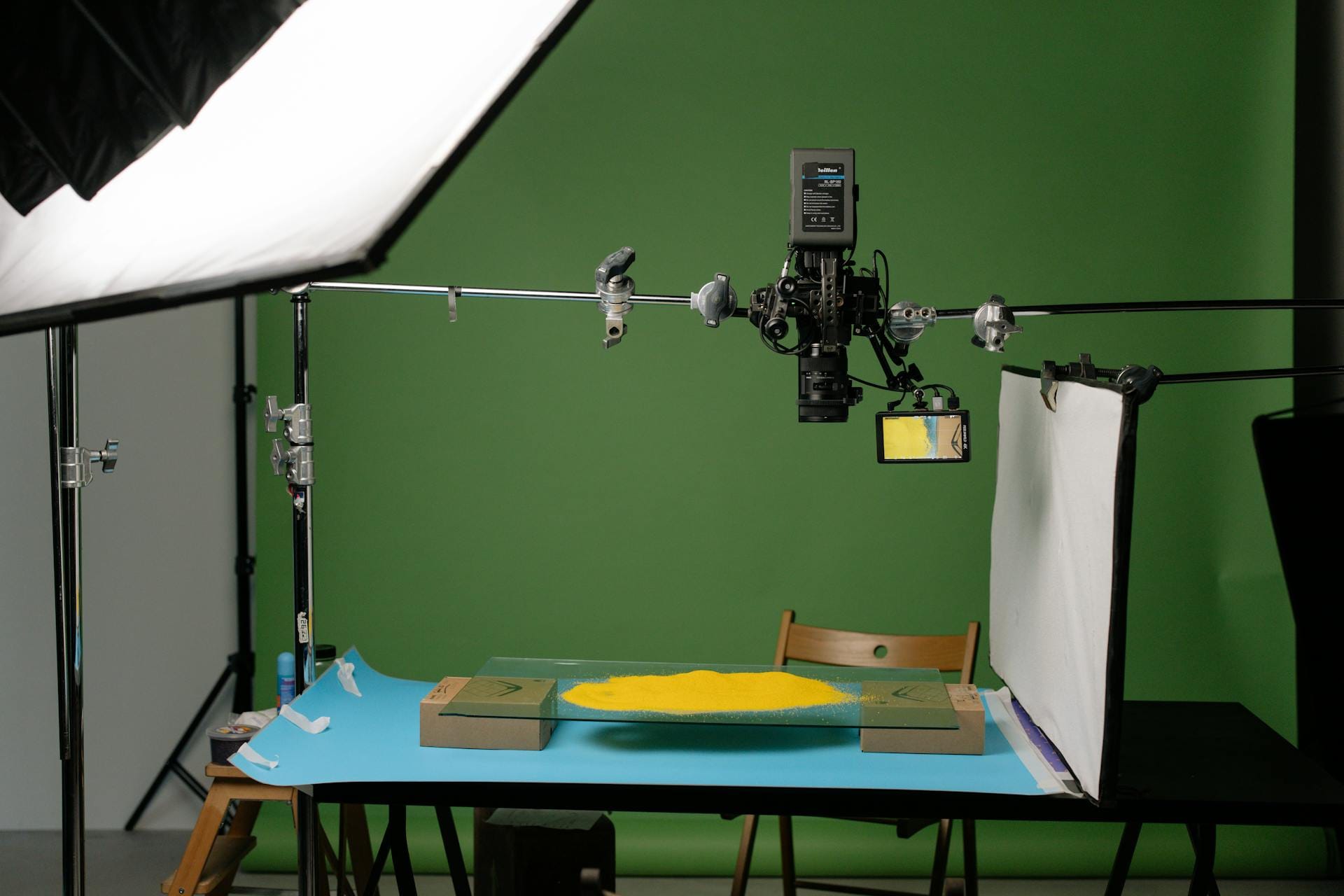
## It Starts With a Product Page...
There’s a moment that every team knows. You’re on your third espresso, staring at a product page, and someone says, “Can we get a video for this by Thursday?” And at that moment, you laugh—not because it’s funny, but because it’s absurd. You don’t have time. You don’t have a budget. You don’t have a script, a storyboard, or a voiceover artist named XYZ from ABC Platform.
But you do have a product URL. And lately, that’s starting to be enough.
This is a story about a quiet shift happening beneath the buzzwords. It’s not about the latest AI trend or a shiny new tool. It’s about the simplest possible question in digital marketing today: what if a product URL could make its own video?
Not a trailer. Not a brand anthem. Just a clean, clear explainer video that shows the product, names its benefits, and tells its story in 60 seconds or less.
No studio. No shoot. Just automation meeting intention. And honestly? It’s not just efficient. It’s liberating.
## Let’s Start With the Obvious: Why Video Still Wins
We’ve all heard the stats, right? Video is the highest-performing content format across nearly every channel. It builds trust, drives conversions, and keeps people on the page longer. But it’s easy to forget why.
Video taps into something primal. Movement. Voice. Narrative. It mimics how we process the real world. And in a digital landscape where most content is static and skimmable, video offers a reason to stay.
Here’s what the research says:
- [98%](https://www.wyzowl.com/video-marketing-statistics/) of consumers say they’ve watched a video to learn more about a product or service.
- [84%](https://www.sellbrite.com/blog/how-video-helps-increase-ecommerce-conversion-rates/) say they’ve been convinced to buy after watching a product video.
- Pages with video see users spend [2.6× more time on-page](https://www.insivia.com/2023-saas-marketing-report/).
- A [product page with video has an average convert at 4.8%](https://www.webfx.com/blog/marketing/video-marketing-statistics/) as compared to 2.9% .
- Using video marketing [can lift conversion rates by about 34%](https://www.webfx.com/blog/marketing/video-marketing-statistics/).
- [Social videos are shared 1200% more](https://www.wordstream.com/blog/ws/2017/03/08/video-marketing-statistics) than text and image posts combined.
- Adding [video to product pages can boost conversion by up to 80%](https://www.sellbrite.com/blog/how-video-helps-increase-ecommerce-conversion-rates/).
- Post-purchase [explainer videos can reduce support queries by 62%](https://www.wyzowl.com/video-marketing-statistics/).
- B2B [email CTR can increase by 300% with embedded video](https://www.insivia.com/2023-saas-marketing-report/).
These aren’t just engagement stats. They’re performance levers. They’re proof that video pays for itself, over and over.
## **The Bottleneck: Why Most Teams Don’t Create Enough Video Content**
Video is a paradox. Everyone wants it. No one has time for it.
Traditional video creation is time-intensive and expensive. Scripting, storyboarding, production, revisions—each step adds days and dollars. Even a basic 60-second explainer video can cost $3,000 to $10,000 depending on quality and complexity. For a growing e-commerce brand with hundreds of SKUs that math doesn’t work.
Here’s what marketers say when asked why they don’t create more video:
- Lack of time
- Lack of understanding where to start
- Lack of resources (in short, expensive)
And so most brands do the same thing: prioritize one or two “hero” products, make a single polished video, and let the rest of the catalog fend for itself.
It’s not for lack of effort. It’s the reality of bandwidth.
But what if you didn’t need a production team to make a video? What if your product page could do it for you?
## Enter: URL-to-Video Automation?
This is where things get interesting. URL-to-video is a simple but powerful idea: you provide a product URL, and a system automatically generates a video using the content already on the page.
It’s not just screen recording or animation templates. It’s structured automation that pulls in:
- Product images
- Feature descriptions
- Price and specs
- Review snippets
- Brand visuals
- Calls to action
Then it composes a video, scene by scene, with transitions, text overlays, music, even voiceover. All within minutes. You can tweak it, of course. Change the color palette. Edit the voice tone. Adjust the pacing. But you don’t start from zero. You start from the product itself.
And that changes everything.
### How URL-to-Video Works (Step-by-Step Breakdown)
If you’re wondering what’s under the hood, here’s a breakdown of the process:
1. **URL Input:** The user pastes in a product URL—say, a page from their Shopify or WooCommerce store.
2. **Content Parsing:** AI scans the page and identifies key assets: product name, images, bullet points, descriptions, ratings.
3. **Script Generation:** A voiceover or caption script is created, either directly from copy or via summarization. For example: “Introducing the Awesome 3.0—our lightest, fastest version yet.”
4. **Scene Design:** Each visual element (image or text) is assigned to a “scene” in the timeline. Layouts or video editing template follow a templated structure—hero image, feature highlight, lifestyle visual, CTA.
5. **Audio Layering:** Background music is added. Text-to-speech may voice the script. Users can pick styles: casual, upbeat, cinematic, and many more.
6. **Rendering & Export:** The video is rendered and available for download. The whole process takes between 3 and 10 minutes, depending on the platform.
## **Who Benefits From URL to Video (And How Much)**
You don’t need a 10-person team or a six-figure budget to use this. In fact, the less resourced you are, the more powerful this gets.
### **For small brands and solopreneurs:**
- Level the playing field with big retailers.
- Create video content for every product, not just bestsellers.
- Launch new products with a video on day one.
- Add motion and story to a static Shopify, Amazon, or any other store.
### **For marketers:**
- Generate ad creatives for retargeting instantly.
- A/B test messaging with minimal overhead.
- Speed up go-to-market timelines.
- Scale campaigns without scaling teams.
### **For product teams:**
- Keep product videos updated as specs change.
- Share consistent messaging with sales and support.
- Improve onboarding or feature demos.
> In a world where [66% of marketers say product videos deliver the highest ROI of any content format](https://www.shopify.com/blog/video-marketing-statistics), this kind of URL to video capability by platforms like AiReel.io isn’t just helpful. It’s strategic.
## URL-to-Video vs. Traditional Video Production
**Let’s map it out:**
Aspect
Traditional Production
URL-to-Video
Cost per video
$3,000–$10,000+
Subscription or Credit-based (AiReel.io starts from USD 5)
Time to create
2–6 weeks
5–10 minutes
Scalability
Low—manual work per video
High—batch generation
Customization
High, but expensive
Medium, templated
Update ease
Requires re-editing
Regenerate from updated URL
Skill required
Scripting, design, editing
None—marketers can DIY
Use case fit
Brand films, hero products
Product explainers, ads, feature launches
**Think of it this way:** Traditional video is bespoke tailoring. URL-to-video is ready-to-wear, customized at checkout.
## When to Use URL-to-Video Automation
This isn’t about replacing every video with automation. It’s about using automation where it makes sense. And that’s almost everywhere.
- **Product pages:** Embed explainer videos on your PDPs to increase conversion and reduce bounce. Even simple motion helps answer customer questions faster.
- **Email marketing** **:**“New in store” emails hit harder with a video thumbnail. Click-throughs increase. Time on site grows.
- **Paid ads:** Dynamic product videos outperform static images in retargeting. ROAS can lift when the creative matches the user’s recent browsing.
- **Social content:** Batch-create short videos for Instagram, TikTok, and Facebook. Build engagement with minimal production lift.
- **Seasonal campaigns:** Repurpose product pages into holiday or campaign-specific videos—without rewriting your whole ad stack.
- **Product onboarding:** Turn feature pages into how-to videos for customers post-purchase. Reduce support queries. Improve retention.
The URL to Video playbook is only limited by how often you wish your product could speak for itself.
## The Strategic Value: Scale, Speed, and Insight
Beyond time and cost savings, URL-to-video unlocks something more elusive: marketing consistency at scale.
- Every product gets a story.
- Every channel gets fresh, brand-aligned content.
- Every campaign can iterate without rebriefing a studio.
It’s the infrastructure shift that lets you say yes more often:
- Yes, we can test that variant.
- Yes, we can launch by Monday.
- Yes, every product gets a video this quarter.
**You stop trading quality for speed—or vice versa. You also start optimizing what matters.**
- Want to see if a video mentioning "wireless charging" increases Average Order Value (AOV)? Test it.
- Curious whether a “how it works” voiceover reduces cart abandonment? You can find out.
> When video creation takes minutes, not weeks, you’re not just scaling content, you’re scaling insight. You start building systems, not exceptions.
## **Limitations and Nuance**
Let’s be honest, this isn’t a silver bullet.
- Automated videos aren’t cinematic. They won’t replace your hero film.
- Templated layouts can feel repetitive if not diversified.
- Voiceovers may sound robotic unless refined.
- Brand nuance needs manual oversight. Automation gets you 80% there; you still need taste and judgment.
But if your current alternative is no video at all for 80% of your products, the tradeoff is more than worth it.
## **Final Thought: Start With the Link**
We spend so much time chasing big ideas in marketing. Viral campaigns. Trend-jacking. Brand reinventions. But every so often, the real unlock is smaller. Quieter.
**A single product link.**
You’ve already invested in your product page—photos, copy, reviews. URL-to-video lets that investment speak, in motion, in minutes.
It doesn’t have to be perfect. It just has to be useful.
And in a world that rewards clarity over cleverness, consistency over spectacle, and speed over perfection—that might just be enough.
**Maybe more than enough.**
_If you're curious how this could work for your team, whether you're launching your fifth product or your five-hundredth, we're just an email away._
_✉️ Write to us at_ [_hello@personate.ai_](mailto:hello@personate.ai) _or_ [_team@aireel.io_](mailto:team@aireel.io) _._
_We’d love to see what your product page can become, when it’s given the power to speak._
## FAQs
Q: Does URL to video fully replace studio work?
A: No. Use it for product explainers, ad variants, and onboarding clips. Keep studio budgets for flagship films that need cinematic craft.
Q: What exactly does “Convert URL to Video” mean?
A: It means turning any product URL into a fully branded explainer video instantly, without scripts, studios, or filming. It leverages automation to produce dynamic content directly from existing webpage data.
Q: How long does it take to generate a product video from a URL?
A: The automated process typically takes between 3 and 10 minutes, significantly faster than traditional production timelines (often weeks).
Q: What types of content from the URL appear in the automated videos?
A: Videos automatically include product images, features, prices, specifications, reviews, and calls to action directly extracted from your product pages.
Q: Who benefits most from URL-to-video automation?
A: Small brands and solopreneurs: Easily scale video creation without large budgets.
Marketing teams: Quickly produce ad variants, A/B tests, and new campaigns.
Product teams: Keep product videos updated easily, ensuring consistency and accuracy.
Q: How does URL to Video impact our marketing budget?
A: It dramatically reduces video production costs, enabling significant scale without substantial budget increases. Even small teams can produce hundreds of videos affordably.
Q: How much does URL-to-video automation typically cost compared to traditional video production?
A: Traditional videos typically cost between USD 3,000 and 10,000 per video. In contrast, URL-to-video automation (e.g., AiReel.io) costs as low as USD 5 for generating between three and five short product reels, using a subscription or credit-based pricing model.
---
This blog is powered by Superblog. Visit https://superblog.ai to know more.
---
## The Strategic Role of AI Video in BFSI: Transforming Onboarding, Compliance, and Customer Engagement
Published: 2025-05-06
Category: Tips
Category URL: https://personate.ai/blog/category/tips
Meta Description: AI video is transforming BFSI by reducing costs, scaling compliance, and improving CX across channels. Explore real use cases and results. Read more →
Tags: AI in Marketing, Brand, AI in Customer Success, AI in Sales, AI in BFSI
Tag URLs: AI in Marketing (https://personate.ai/blog/tag/ai-in-marketing), Brand (https://personate.ai/blog/tag/brand), AI in Customer Success (https://personate.ai/blog/tag/ai-in-customer-success), AI in Sales (https://personate.ai/blog/tag/ai-in-sales), AI in BFSI (https://personate.ai/blog/tag/ai-in-bfsi)
URL: https://personate.ai/blog/ai-video-in-banking-financial-services-and-insurance-bfsi
For leaders in banking, financial services, and insurance, the mandate is clear: move faster, serve smarter, stay compliant, and still make it personal. But in the rush to digitize, many interactions have become transactional, faceless, easy to abandon. This is where AI video is quietly rewriting the playbook.
It brings the human element back into digital experiences, at scale. Whether it's onboarding a customer with clarity, explaining a policy in plain language, or delivering a compliance update that people actually remember, AI-generated video is helping BFSI institutions engage more deeply, more efficiently, and in more languages than ever before. Not as a novelty, but as a strategy. And for many, a competitive edge.
### **TL;DR: Why AI Video Is a Game-Changer for BFSI**
AI video is quietly but profoundly changing the rhythm of how banks, insurers, and financial service providers show up for people at scale, and with surprising warmth. It’s turning onboarding into a welcome, not a hurdle. It’s making compliance training something people actually remember. It’s catching fraud before it festers. It’s letting CX teams do more with less and still sound human.
And behind much of that shift? Personate AI and AiReel.io, sister companies built on the belief that video doesn’t need to be expensive or time-consuming to feel personal. Just smart. Just timely. Just right.

## Why AI Video Matters in BFSI
The digital shift in BFSI hasn’t just been about speed, it’s been about survival. Mobile-first customers, paperless compliance, hybrid teams, tighter margins. Every department is stretched. And yet, the expectations keep climbing. Customers want instant answers with a human tone. Regulators want precision without delay. Employees want clarity without being buried in emails.
AI video meets this moment.
It scales face-to-face communication without requiring a single meeting. It speaks over sixty languages without hiring a global team. It personalizes without slowing down.
> For BFSI leaders navigating fragmented journeys, onboarding, service, claims, training, AI video offers a single connective tissue.
It’s not just more efficient. It’s more engaging, more consistent, and often, more trusted than text alone. Which, in an industry built on trust, is no small thing.
Industry Benchmarks and Impact Metrics: The Numbers Behind the Shift
These aren’t projections. They’re proof points, showing AI video is already delivering across cost, compliance, CX, and communication.
### Hard data that backs the adoption of AI video in BFSI:
- Video KYC processes have [reduced onboarding costs by up to 90%](https://shuftipro.com/blog/video-kyc-verification-reimaging-customer-onboarding-in-2023/) compared to traditional in-branch methods.
- [Over 30% of consumers prefer personalized video](https://thefinancialbrand.com/news/digital-marketing-banking/personalized-video-rich-media-customer-experience-innovation-106821) for understanding complex financial products.
- [76% of non-management employees feel more connected to leadership](https://www.brightcove.com/corporate-communications/using-video-analytics-improve-employee-experience/) when updates are delivered via video.
- [76% of 221](https://ffnews.com/fintech-tv/event/2024/money20-20-usa-2024/76-of-financial-institutions-are-already-on-board-with-ai-ff-news-at-money20-20-usa/) leading financial firms have launched AI initiatives and 51% of them have applied them to customer-facing products.
- The customer service segment of the AI in BFSI market is projected to reach [$60 billion by 2032](https://www.gminsights.com/industry-analysis/artificial-intelligence-ai-in-bfsi-market).
- AI is expected to [increase the banking industry’s projected 2028 profits by 9%, adding $170 billion](https://ir.citi.com/gps/-X-D41GsyEX2N5zKHEhxBpvJXOTADd9ch5YB6J_XrU9dK0zj9HO5Wxo0uRmTm5dbW5cHwiN1jwux7WSJhqXr6OOIjAahQ3xj), excluding non-bank financial sectors.
For more stats on the role of AI in financial services, [read this.](https://softwareoasis.com/rise-of-ai-in-financial-services-trends-stats)
## Customer Onboarding and KYC: From Friction to Flow
First impressions matter more in finance than most industries. Yet, for many institutions, onboarding still feels like paperwork in disguise—long forms, clunky uploads, dropped applications. And every abandoned attempt is a lost customer, a wasted campaign, a missed opportunity.
AI video changes the rhythm of onboarding. It turns static processes into guided journeys. Instead of leaving customers to figure it out, it meets them where they are on their phones, in their language, with a face that feels familiar.
Key benefits of AI video onboarding in BFSI:
- **Faster KYC verification:** AI-powered video tools now handle identity checks with liveness detection, facial matching, and ID document analysis all in real-time.
- **Higher completion rates:** Institutions that use avatar-led video explainers during onboarding report a significant drop in abandonment, especially among mobile users.
- **Compliance-ready frameworks:** With encrypted video storage, timestamped sessions, and deepfake detection, AI video platforms are already aligning with RBI, GDPR, and other regional requirements.
For decision-makers, the path is clear. AI video onboarding doesn’t just tick a box. It converts intent into action, makes compliance less painful, and turns what was once a hurdle into a welcome.
## Customer Service and Relationship Management: Scaling the Human Touch
In banking, insurance, and wealth management, service is more than a support function. It’s often the only real contact a customer has with the institution. And yet, the experience still hinges too often on wait times, inconsistent answers, or clunky chatbot loops that frustrate more than they help.
AI video reshapes that dynamic, not by replacing human interaction, but by making it more available, more consistent, and more immediate.
Here’s how AI video is redefining customer service in BFSI:
- **Digital humans that don’t sleep:** AI avatars can greet, explain, assist, and escalate, 24/7 delivering one-to-one experiences at a massive scale.
- **Multilingual service, instantly:** With [support for 60+ languages and accents](https://personate.ai/features/ai-voices?utm_source=blog&utm_medium=post), video avatars eliminate language barriers without the overhead of hiring regional teams.
- **Sentiment-aware interactions:** Some AI avatars now include sentiment analysis, allowing them to adjust tone or escalate based on a customer’s mood or urgency.
- **Seamless backend integration:** When connected to CRMs and banking systems, [AI avatars can pull live data, like account balances, last transactions, or policy details, offering personalized answers](https://personate.ai/features/ai-avatars?utm_source=blog&utm_medium=post) on the spot.
> When service feels seen, heard, and helpful, even in a video window, customers stay. And they tell their friends.
For BFSI leaders, this isn’t just a CX upgrade. It’s a strategic reallocation of talent, letting humans focus on complex, high-empathy cases, while AI handles the high-volume, high-frequency tasks with speed and warmth.
## Fraud Prevention and Risk Communication: Showing, Not Just Telling
Trust is fragile in financial services. One phishing message, one compromised login, and suddenly a customer starts to wonder, ‘who’s really on the other side?’ In this climate, fraud prevention isn’t just about security systems. It’s about communication. Fast, clear, and credible.
AI video helps restore that trust, not only by catching fraud, but by explaining risk in a way that people remember.
Where AI video is making a difference:
- **Liveness detection and identity verification:** During video KYC or high-risk transactions, AI models analyze facial movement, texture, and lighting to flag spoofs or deepfakes in real time.
- **Real-time alerts:** When a fraud flag is raised, customers receive short, personalized video messages explaining the issue and steps to take—much more engaging than a generic SMS.
- **Deepfake defense:** As generative video threats rise, AI tools now include forensic analysis to detect manipulated footage, whether in claims videos or fake onboarding calls.
- **Proactive education:** Banks use AI avatars to create weekly or monthly fraud awareness clips using [Personate AI](https://personate.ai/?utm_source=blog&utm_medium=post) or [AiReel.io](https://aireel.io/?utm_source=blog&utm_medium=post), tailored by region or language, helping customers spot scams before they happen.
For risk and compliance teams, this isn’t about PR. It’s about staying ahead of logistical hurdles, and making sure the right message lands before the wrong one spreads.
## Compliance Training and Internal Communications: Making It Stick
Compliance isn't optional, but retaining compliance training often feels that way. Across BFSI, teams are buried in policy updates, audit checklists, and mandatory modules that rarely leave a lasting impression. Information overload meets engagement fatigue, and the result is predictable: low recall, low relevance, high risk.
AI video flips that script.
Instead of relying on dense documents or hour-long webinars, training can now be delivered through dynamic, role-specific video content that people actually watch and remember.
Why AI video works better for compliance and internal communication:
- **Faster content updates:** New regulation? Feed the policy text into the platform and generate a multilingual video from an AI avatar within hours, not weeks.
- **Consistency across regions:** Every employee, from Delhi to Dubai to Dublin, gets the exact same message, adjusted for language, culture, and department.
- **Interactive formats:** AI-generated videos can include branching scenarios, quizzes, or pauses that test understanding mid-video, boosting retention.
- **Scalable personalization:** Risk training for a retail banker looks different than for a trade finance analyst. AI tools allow versioning of content based on department or geography without re-recording a thing.
When internal communications are clear, consistent, and a little more human, even when delivered by an avatar, compliance becomes less about box-ticking and more about shared accountability.
## Claims Processing and Policyholder Education: Faster Help, Clearer Answers
In insurance, the claim is the moment of truth. It’s when the promise made on paper turns into action or disappointment. Delays, jargon, radio silence, these are the pain points that frustrate policyholders and erode trust faster than any rate hike ever could. I video offers a better way to show up when it matters most.
From explaining coverage to guiding someone through a storm-damaged roof inspection, video, especially when personalized and timely, can turn a tense moment into one that feels supported.
Where AI video is improving the claims experience:
- **Remote inspections with AI assistance:** Customers can upload damage videos through an app. AI analyzes footage in minutes, flags anomalies, and estimates costs using past data.
- **Personalized explainer videos:** Instead of bulky PDFs, policyholders receive a short, tailored video that breaks down what’s covered, what’s not, and how to file a claim. These are generated with their name, their plan, and in their preferred language.
- **Claim status updates:** At each stage—submitted, under review, approved, a short video explains what’s happening next. This reduces inbound calls and keeps customers informed.
- **Fraud detection with video forensics:** AI models review video submissions for signs of editing or inconsistencies. It’s faster than manual review and more scalable across claim volumes.
For insurers, the benefits are clear. Faster claims cut costs. Better education leads to fewer disputes. And in a competitive market, trust is what keeps customers from switching.
## Personalized Marketing and Cross-Selling: Reaching the Right Customer, the Right Way
Marketing in financial services used to mean mass emails and printed brochures. Today, customers expect relevance. Not just by name, but by need. AI video makes that possible—not by guessing, but by using real data to craft content that speaks to each individual, one viewer at a time.
This isn’t just personalization. It’s precision.
How AI video is powering smarter marketing in BFSI:
- **Customer-specific product videos:** A customer browsing mortgage rates can receive a short video explaining loan options, tailored to their browsing behavior or location.
- **Onboarding engagement:** New customers get a welcome video that introduces features of their account, payment schedules, or app tutorials based on the products they signed up for.
- **Upsell and cross-sell opportunities:** Banks and insurers use AI video to highlight relevant add-ons or upgrades. For example, a travel-heavy cardholder might get a video explaining premium card benefits with projected rewards based on their past spending.
- **Campaigns across channels:** These videos aren’t limited to email. They can be sent via WhatsApp, embedded in portals, or posted on social media with variable messaging for each segment.
AiReel.io, for instance, specializes in [transforming simple product pages or URLs into high-impact video reels in minutes](https://aireel.io/?utm_source=blog&utm_medium=post). This lets marketing teams turn around creative at scale, without waiting on production cycles or studios.
> When customers feel like the message was made for them, they are far more likely to listen and act.

Across the BFSI landscape, AI video is not a side experiment or a futuristic promise. It’s a present-day advantage, already changing how institutions operate, communicate, and connect.
From KYC and customer service to claims handling and investor relations, it offers a rare combination of efficiency and empathy. It speeds up the slow, simplifies the complex, and humanizes the digital. And it does so at a scale that legacy systems simply can’t reach.
For decision-makers, the takeaway is clear. The tools are ready. The infrastructure exists. The results are measurable. What matters now is adoption—starting small, scaling fast, and choosing partners who understand the specific needs of BFSI.
Because in a business built on trust, clarity, and connection, how you show up is everything.
_Personate AI and AiReel.io are sister companies united by a shared mission: making AI video creation effortless, scalable, and impactful across the BFSI sector._
**_Have a sales, onboarding, or compliance story to tell?_** _Reach out at__hello@personate.ai_ _or__team@aireel.io_ _— and let’s turn your ideas into high-impact video at scale._
## FAQs
Q: What is AI video, and how is it used in the BFSI industry?
A: AI video leverages artificial intelligence to generate personalized, multilingual, human-like videos at scale. In BFSI, it's used for onboarding, KYC, compliance training, claims explanation, fraud alerts, and marketing.
Q: How does AI video improve digital customer onboarding in banks and insurance firms?
A: It turns static forms into guided, personalized video journeys with built-in liveness detection, document verification, and regional language support—dramatically reducing drop-offs and increasing KYC completion rates.
Q: Can AI video reduce costs in banking and financial services?
A: Absolutely. Video KYC and virtual explainers reduce physical branch visits, agent dependency, and training overhead.
Q: How does AI video enhance customer experience (CX) in BFSI?
A: AI video adds a human, visual layer to communication—explaining complex topics, policies, or financial products in personalized formats, across languages, devices, and customer segments.
Q: How is AI video used for compliance training within BFSI institutions?
A: AI Video Generators like Personate AI can create fully editable, role-specific training videos on regulations and policies. These can be updated instantly and personalized by job function, region, or department—boosting retention and audit-readiness.
Q: How does AI video improve claims processing for insurance companies?
A: It explains coverage clearly, provides step-by-step video guides for filing claims, and updates customers at each stage with dynamic video notifications—reducing confusion and service calls.
Q: Which BFSI functions benefit most from AI video solutions?
A: Core functions include onboarding, KYC, customer support, fraud/risk alerts, internal compliance training, claims processing, and upsell/cross-sell marketing.
Q: What platforms offer AI video solutions tailored for BFSI?
A: AiReel.io and Personate AI are leading providers that help BFSI firms create secure, multilingual, and regulation-ready AI video experiences.
---
This blog is powered by Superblog. Visit https://superblog.ai to know more.
---
## How to Use AI Video in B2B Sales: Funnel-Wide Tips
Published: 2025-05-02
Category: White Papers
Category URL: https://personate.ai/blog/category/white-papers
Meta Description: Still sending cold emails no one opens? Discover how AI video triples replies, shortens sales cycles, and gets you noticed in a crowded inbox.
Tags: AI in Marketing, Using AI Smartly, AI in Sales
Tag URLs: AI in Marketing (https://personate.ai/blog/tag/ai-in-marketing), Using AI Smartly (https://personate.ai/blog/tag/using-ai-smartly), AI in Sales (https://personate.ai/blog/tag/ai-in-sales)
URL: https://personate.ai/blog/how-to-use-ai-video-in-b2b-sales-a-funnel-wide-tips
Somewhere between your fourth follow-up email and the tenth unanswered demo invite, it becomes clear: as of 2025, selling isn’t just about persistence, it’s about presence. About showing up in a way that cuts through the noise without adding to it.
Video helps you do that. AI video helps you do it faster, better, and more often—without burning out your team or your budget. Not as a gimmick, not to “disrupt” anything. Just as a smarter way to do what good sellers have always done: make someone feel seen, understood, and a little more confident in saying yes.
Here’s how teams are weaving AI video into their sales motion—end to end.

### Overview
Tired of getting ghosted in sales? This playbook reveals how B2B teams are using AI-generated videos to cut through the noise, personalize outreach at scale, and drive up reverts. With tools like [AiReel.io](https://aireel.io/?utm_source=blog&utm_medium=post) and [Personate AI](https://personate.ai/?utm_source=blog&utm_medium=post), you’ll learn how to replace long emails with short, persuasive videos that build trust, boost pipeline velocity, and close deals faster, without burning out your team.

## The Case for AI Video: Performance Meets Personalization
Let’s start with the proof. Because gut feeling doesn’t get you budget approval, but numbers do:
- [80% of marketers now use AI tools for content creatio](https://www.wyzowl.com/ai-marketing-statistics/) n.
- The [average buyer watches 17 hours of video a week](https://www.wyzowl.com/instream-outstream-video-ads/).
- [84% of B2B sellers](https://www.socialmediatoday.com/news/linkedin-report-ai-adoption-b2b-marketers/742629/) report that AI saves them at least 30 minutes daily on routine tasks.
- 87% of video marketers say that [video has directly boosted their sales](https://quso.ai/blog/video-marketing-stats).
- [Video emails increase Click-Through Rates (CTRs) by 200–300%](https://www.decklinks.com/sales-tips/what-are-video-emails/) compared to plain text emails.
- Including [the word 'video' in email subject lines increased Open Rate (OR) by 7%](https://www.mailmodo.com/guides/video-email-marketing-statistics/).
- Sales teams that use video emails achieve [16% higher open rate (OR) and a 26% increase in replies.](https://www.mailmodo.com/guides/video-email-marketing-statistics/)
- [Click-through rates (CTRs) in marketing emails can rise by up to 985%](https://www.charleagency.com/articles/video-marketing-statistics/) when personalized video messages are included.
It’s not just engagement, it’s acceleration. Video warms up leads, moves deals forward, and gives your message a staying power that static content just doesn’t.
## Step 1: Define Goals, Align by Funnel Stage
Good video doesn’t start with tools. It starts with purpose. What needs fixing in the funnel? Where are buyers stalling?
Use video to reduce friction, not add another layer of content noise.
Funnel Stage
Use Cases
Example Content Types
Awareness
Brand visibility, social clips, product launches
Short-form reels, blog-to-video explainers
Consideration
Outbound emails, proposal recaps, ROI walk-throughs
Personalized intros, value summaries
Decision
Case studies, stakeholder education, FAQ videos
Customer testimonials, use case explainers
Post-Sale
Onboarding, training, renewals
Step-by-step tutorials, support videos
Each stage calls for a different tone. Awareness content should grab attention. Consideration videos should add clarity. Post-sale video should build confidence.
## Step 2: Choose Tools That Cover the Funnel
Two platforms cover the full range.
- **AiReel.io** helps generate short-form, awareness-stage video. Think social posts, influencer-style teasers, product launch snippets. All from a URL or simple prompt.
- **Personate AI** enables deeper personalization. Use it for demos, proposals, multilingual onboarding, or compliance walk-throughs. Content can be created from a script, a PDF, or even a web page. The platform handles everything from voice to lip-sync to delivery. [Check out all features here](https://personate.ai/features?utm_source=blog&utm_medium=post).
Together, they balance top-of-funnel reach with bottom-of-funnel relevance.
## Step 3: Put Video Where It Belongs
Video belongs where sales conversations happen. That might be LinkedIn. It might be email. It might be your CRM. But it’s rarely buried in a content hub no one checks.
### Awareness
- Convert your latest article into a social reel
- Run UGC-style campaigns to test product messages
- Use short clips to increase landing page conversion
### **Consideration**
- Follow up a cold call with a video that explains the proposal
- Send a personal intro from the sales lead using Personate AI
- Walk through pricing or timelines with a narrated visual
### **Decision**
- Share localized case studies
- Explain final ROI or contract terms in a 2-minute video
- Record a stakeholder summary for wider decision groups
### **Post-Sale**
- Deliver onboarding instructions as a video series
- Translate setup guides and product overviews with Personate AI
- Reduce support tickets by embedding explainer videos in your help center
> _Wherever you’d normally write a long paragraph, ask yourself: would a 60-second video work better?_
## Step 4: Build for Scale and Speed
Sales cycles move fast. Your tools should too. The best AI video workflows do not wait for approvals, re-shoots, or post-production.
- Sync video delivery with your CRM or sales engagement tools
- Use API delivery to push personalized clips via email or WhatsApp
- Build reusable templates so reps can plug in details and send
- Localize your content in seconds using Personate AI’s dubbing and lip-sync
If your team is global, multilingual support is a must. If your team is lean, automation is key. Either way, good systems beat good intentions.
## Step 5: Measure What Matters
Treat AI video like any other sales asset. Track its impact. Iterate quickly.
Metric Category
What to Measure
Why It Matters
Engagement
Views, watch time, drop-off rate
Shows whether the message landed
Conversion
Demo requests, reply rate, opportunity rate
Links video to business outcomes
Efficiency
Time saved, videos produced per month
Tracks team velocity and ROI
Retention
Onboarding completion, CSAT, churn rate
Measures post-sale influence
For Galgotia University, [100+ hours of content was produced monthly using Personate AI,](https://blog.personate.ai/success-stories/galgotias-university-e-learning-ai-transformation/) with a 90 percent reduction in production time.
## Step 6: Avoid Common Mistakes
- Do not overuse personalization. A video with a name is great. A video that feels invasive is not.
- Do not send without checking voice tone, pacing, or branding. AI is fast, but polish still matters.
- Do not let tools outpace your workflow. Make sure your team knows how to use what you build.
- Do not forget the CTA. Every video should lead to something specific.
- Do not track views only. Tie video to pipeline impact. Otherwise, it’s just noise.
This is sales content, not entertainment. The goal is clarity, not perfection.
## Industry Use Cases: Where AI Video Delivers Real Results
- **SaaS:** Launch a new feature with an AiReel.io product teaser. Follow with Personate-led customer support for each segment.
- **Manufacturing:** Send product explainer videos in multiple languages. Use AI video to visualize specs and safety.
- **Finance:** Deliver compliance training or personalized relationship manager messages.
- **Healthcare:** Standardize education for providers. Use video to explain treatment guidelines or product use.
- **Education:** Automate lectures and course walk-throughs. Translate and localize them instantly.
- **Retail:** Use reels to showcase new products. Send thank-you videos post-purchase.
> If you sell something complex, teach it. If you sell something new, show it. AI video helps with both.
### Recommendations
- Start by identifying where buyers are dropping off
- Use AiReel.io for awareness-stage video across social and web
- Use Personate AI for mid to post-sale video personalization
- Build templates, not one-offs
- Track the right metrics, not just clicks
- Train your team and integrate into workflows
Above all, keep it simple. Let the video do the heavy lifting, so your team can focus on what really matters: real conversations, real momentum, real results.
## AI Video Is Your Sales Edge
This isn’t about replacing people with video. It’s about showing up in more places, more consistently, without burning out your team. Video is the most efficient way to be persuasive without being pushy, helpful without being overbearing, and memorable without being repetitive.
When it’s AI-powered, it becomes scalable. Repeatable. Trackable. That’s what sales departments need right now. Not just another tool. A smarter way to reach people.
### Ready to bring AI video into your B2B sales motion?
Whether you're aiming to boost awareness, personalize demos, or simplify onboarding, we’re here to help. Reach out at hello@personate.ai or team@aireel.io — and let’s turn your sales ideas into scalable, high-impact video.
_Personate AI and AiReel.io are sister companies, united by a shared mission: making AI video creation effortless across the entire sales funnel._
## FAQs
Q: What is AI video and how is it used in B2B sales?
A: AI video refers to video content generated or enhanced using artificial intelligence. In B2B sales, it’s used to personalize outreach, explain complex solutions, and improve engagement across the entire sales funnel.
Q: Why does AI video improve reply rates in sales emails?
A: AI videos stand out in crowded inboxes by adding a human touch and personalized visuals. They increase open rates and CTRs by making content more engaging and easier to understand.
Q: Which stages of the sales funnel benefit most from AI video?
A: All stages benefit:
Awareness: Brand clips, teasers.
Consideration: Personalized intros, demo recaps.
Decision: Case studies, ROI explainers.
Post-sale: Onboarding, training, and renewal videos.
Q: What are the best AI video tools for B2B sales teams?
A: AiReel.io: Great for social and top-of-funnel videos.
Personate AI: Ideal for personalized, multi-language mid-to-late-funnel content like proposals and demos.
Q: Can AI video be used for multilingual sales outreach?
A: Yes. Tools like Personate AI support multilingual dubbing and lip-syncing, making it easy to localize video content for global audiences.
Q: Is AI video better than plain text for B2B prospecting?
A: In many cases, yes. Videos boost open and reply rates, are easier to consume, and can convey tone and trust better than static text.
Q: What mistakes should I avoid with AI video in sales?
A: Over-personalization that feels invasive
Skipping quality control (tone, pacing, branding)
Not including a CTA
Tracking views but not pipeline impact
Q: Does using AI video require technical skills or a production team?
A: No. Most modern AI video platforms like AiReel.io and Personate AI are no-code and template-based, allowing sales reps to create personalized videos in minutes without needing editing skills.
---
This blog is powered by Superblog. Visit https://superblog.ai to know more.
---
## AI Business Models: 5 Entrepreneurial Use Cases Leveraging AI Video Technology
Published: 2025-04-30
Category: Tips
Category URL: https://personate.ai/blog/category/tips
Meta Title: AI Business Models: 5 Breakthrough Ways Entrepreneurs Use AI Video in 2025
Meta Description: Explore 5 cutting-edge AI business models where startups use AI video tech for marketing, support, training, and media. Real tools, real use cases, big impact.
Tags: AI News, AI in Education, AI in Marketing, AI in Customer Success, AI in Entertainment
Tag URLs: AI News (https://personate.ai/blog/tag/ai-news), AI in Education (https://personate.ai/blog/tag/ai-in-education), AI in Marketing (https://personate.ai/blog/tag/ai-in-marketing), AI in Customer Success (https://personate.ai/blog/tag/ai-in-customer-success), AI in Entertainment (https://personate.ai/blog/tag/ai-in-entertainment)
URL: https://personate.ai/blog/ai-business-models-use-cases-video-tech
Not long ago, producing video meant tripods, talent, timelines, and trouble. Now? A few lines of text, a digital avatar, and an export button. What used to take weeks can happen in hours. What required a studio now needs only an internet connection and a vision. AI video has quietly crossed the threshold from novelty to necessity. Behind the scenes, entrepreneurs, founders, and scrappy teams are threading it into the core of their operations—not for the flash of it, but because it solves real problems. The shift isn’t just about speed or cost. It’s structural. These aren’t add-ons to existing playbooks. They are new AI business models, built from the ground up with AI video at the center.
Here are five models being shaped right now. Each one rewrites the rules just enough to open doors that didn’t exist before.
## TL;DR: AI Video Is Quietly Becoming Core Infrastructure
What started as pitch-deck novelty is now baked into how lean teams operate. AI video tools like Personate and AiReel.io are helping startups turn scripts into scalable assets: explainer videos, onboarding, and support, all delivered with speed and consistency. It’s not just faster content; it’s a shift in how companies build. The question isn’t if it works. It’s whether your company is ready to use it. We’ve included a gut-check framework and a step-by-step roadmap to help you find out.
## 1\. Marketing as a Studio: AI-Powered Campaign Factories
The modern marketing team doesn’t just need one video. It needs dozens. For different audiences, platforms, tones, formats. That pressure once meant bloated budgets and burned-out teams. AI video tools are changing the tempo.
With AI marketing tools like [AiReel.io, product links become short-form ads](https://aireel.io/?utm_source=blog&utm_medium=post). One script can morph into 10 variations. AI avatars match brand tone, switch languages, change delivery style. The result? Scroll-stopping content produced at scale.
This model isn’t about replacing marketers. It’s about giving them scale. Think multivariate testing with video. Think hyper-personalized ads that don’t cost a fortune. Think social channels fed with fresh content daily—not monthly.
Startups are using this model to test messaging in real time. B2C brands are localizing outreach across markets in minutes. It’s a content engine that doesn't sleep. And in the arms race for attention, that’s an edge that compounds.
## 2\. AI Support Agents: When the FAQ Smiles Back
Customer support is expensive. People churn when they can’t find answers. AI video offers a bridge between automation and empathy.
The model here is straightforward: turn your best support answers into AI-powered video responses. Replace static FAQ pages with conversational video walkthroughs. Let customers interact with a smiling, helpful face—any time, any place.
AI video generators, like [Personate allow brands to build virtual agents](https://personate.ai/features/ai-avatars?utm_source=blog&utm_medium=post) that guide users through complex processes. Not with abstract diagrams. With a visual, voice-driven tutorial that feels like someone sitting across the table.
The value goes beyond convenience. These AI agents improve retention, reduce ticket volume, and create a support layer that feels high-touch without the headcount. For businesses scaling fast, this isn’t just helpful—it’s operationally essential.
## 3\. L&D on Autopilot: Goodbye to the Same Old Slide Deck
In companies where employee and vendor onboarding never ends, or where compliance must stay consistent, AI-generated training videos have become the new baseline.
The AI business model in L&D is simple: use AI avatars and scripts to deliver consistent, branded training experiences at scale. What once took days of filming and editing now takes minutes. Updates are easy. Localization is automatic.
A growing number of organizations use Personate to create onboarding series, skill-building modules, and even culture primers. Same avatar. Same tone. Different language, region, or team—tailored with precision.
For teams with global footprints or high employee turnover, this model turns training from a bottleneck into a flow. It also ensures that knowledge is captured and distributed, not stuck inside one facilitator’s calendar.
## 4\. Always-On Newsrooms: Anchors Who Don’t Sleep
Media and content creators have long been constrained by time and budget. But AI-generated video opens up a micro-broadcast model—news, updates, and storytelling delivered through synthetic hosts, on demand.
AI avatars now anchor news shows, summarize blog posts, or break down market trends in snackable clips. Platforms are feeding scripts into video generators and exporting professional-grade explainers that look like they came from a newsroom. In reality, it was one person and a dashboard.
Media outlets like Aaj Tak and Doordarshan have already deployed AI news anchors with the support of Personate AI. Niche publishers are experimenting with regional content—automated, accurate, and translated on the fly.
This AI business model gives small media players the scale once reserved for major networks. It also introduces a new rhythm: faster cycles, lower costs, and the ability to repurpose content instantly across formats and platforms.
## 5\. Entertainment Without Limits: Virtual Celebrities and Creators
In the entertainment world, AI is not just behind the scenes. It’s becoming the scene.
Virtual influencers, AI-generated music videos, even short films made entirely with avatars and synthetic voices—these aren’t fringe experiments anymore. They’re forming the base of new creator-first AI business models.
A fashion label can now launch a virtual ambassador—styled, scripted, and multilingual. A game studio can build NPCs that speak dynamically, their lines generated in real-time based on user behavior. A musician can drop a music video in five languages simultaneously, without ever stepping into a booth.
The economics makes sense. Build once, iterate infinitely. Own the IP. Never worry about availability, scandal, or jet lag. Some brands are monetizing their avatars directly—offering personalized video messages, meet-and-greets, or product shoutouts.
The ethics and authenticity questions are real, and they’ll get louder. But for creators and brands willing to navigate them with care, this model offers a way to own audience relationships in ways traditional talent workflows rarely allow.
## The Edge Isn’t Technology. It’s Imagination.
The most powerful part of these AI business models isn’t the tech. It’s what people are building with it.
Founders are using AI video to compress timelines. Marketers are reaching audiences they couldn’t afford to target before. Teams are turning static docs into experiences. In every corner, there’s a new way of thinking:
> What if the constraint that used to slow us down… just disappeared?
These aren’t side projects. They’re core strategies. And they’re being led not by megacorps, but by lean teams who ask better questions.
Not: How do we do what we’ve always done, a little faster?
But: What would we build if video was as easy as text?
## Actionable Frameworks for Building with AI Video
Not every business is ready to jump into AI video with both feet, and that’s okay. But if you're wondering whether the time is now, here’s a quick litmus test.
### 1\. The “Are We Ready?” Gut Check
This isn’t a quiz. It’s a flashlight, just a quick way to spot the friction points AI video might actually solve.
- Are you churning out videos regularly, weekly, monthly for marketing, training, or support?
- Are your current workflows messy—delays, inconsistent quality, the same thing being redone five times?
- Are your audiences spread out across regions, languages, or demographics?
- Do you need to do more without hiring more?
- Is leadership open to experimenting—with metrics, not just buzzwords—and doing it responsibly?
If you nodded “yes” to at least three, there’s enough.
### 2\. AI Video Tool Implementation Roadmap
So what does the rollout actually look like? Here’s a practical sequence, no hype, no fluff:
**Step 1: Strategic Alignment**
Secure executive sponsorship. Set success metrics, whether that’s faster turnaround, higher engagement, or global reach.
**Step 2: Choose a Use Case**
Start with something concrete. A training module, a campaign series, a support explainer. Keep the scope tight.
**Step 3: Audit Data and Assets**
Inventory existing content—scripts, visuals, voiceovers, translations. Ensure it’s clean, formatted, and brand-aligned.
**Step 4: Pilot with Flexibility**
Deploy a lightweight AI platform such as AiReel.io or Personate AI that is easy to test, quick to iterate, simple to plug in. Keep governance close.
**Step 5: Build, Review, Iterate**
Loop in feedback early and often. Tone, visuals, pacing, language. Three rounds minimum to get it right.
**Step 6: Scale with Structure**
Once the pilot proves itself, embed AI video into content calendars, onboarding flows, and support libraries. Assign owners. Build the muscle.
Together, these steps form a scalable path to operationalizing AI video, moving it from pilot to a core function within the organization.
## What’s Next?
These five models are already in motion. But they’re far from finished. As AI video tools grow sharper—more expressive, more interactive—the canvas expands.
Soon, AI-generated video won’t just talk at viewers. It will listen. Respond. Learn. Training will adapt in real time. Marketing videos will personalize themselves on click. Customer support agents will remember past issues.
A story won’t be one thing. It’ll be 10,000 versions, each one shaped by the person watching.
That’s not a sci-fi pitch. That’s a roadmap.
For now, the invitation is simple: pick one model. Pilot something. Measure the lift. Because AI isn’t replacing the human touch. It’s extending it—faster, further, and at scale.
And the teams that embrace that?
They won’t just keep up. They’ll redesign what’s possible.
Also read,
- **[What Are AI Krish and AI Bhoomi? Learn How Personate AI Powers Doordarshan’s Virtual Anchors](https://blog.personate.ai/success-stories/what-are-ai-krish-and-ai-bhoomi-learn-how-personate-ai-powers-doordarshans-virtual-anchors/)**
- **[From Months to Minutes: Galgotias University’s E-Learning Transformation With Personate AI](https://blog.personate.ai/success-stories/galgotias-university-e-learning-ai-transformation/)**
**Have a project in mind or want to explore AI video for your team?** Reach out to us at hello@personate.ai or team@aireel.io . We here to help you turn ideas into impact. _Personate and AiReel.io are sister companies, united by a shared mission to make AI video creation effortless and scalable._
## FAQs
Q: What are the top AI business models using video in 2025?
A: Top AI business models include AI-powered marketing content engines, virtual support agents, automated L&D video training, synthetic news anchors, and virtual influencers.
Q: How are entrepreneurs using AI video tools like Personate or AiReel.io?
A: Entrepreneurs use these tools to automate support, localize content, test marketing at scale, and build always-on video assets with lifelike AI avatars.
Q: What industries are adopting AI video business models fastest?
A: Startups in marketing, e-learning, customer support, media, and entertainment are leading the way, driven by need for scale and personalization.
---
This blog is powered by Superblog. Visit https://superblog.ai to know more.
---
## How to Make Reels on Instagram with Photos (Ones Actually Worth Watching)
Published: 2025-04-29
Category: Tips
Category URL: https://personate.ai/blog/category/tips
Meta Title: How to Make Instagram Reels with Photos (2025 Guide)
Meta Description: Turn static photos into scroll-stopping Instagram Reels. Structure, tools, pacing, and tips to make them actually work in 2025.
Tags: Content Creation, AI Reel Maker
Tag URLs: Content Creation (https://personate.ai/blog/tag/content-creation), AI Reel Maker (https://personate.ai/blog/tag/ai-reel-maker)
URL: https://personate.ai/blog/how-to-make-reels-on-instagram-with-photos-ones-actually-worth-watching
## TL;DR: How to Make a Reel on Instagram with Photos (2025 Edition)
Photo-based reels can outperform video when used intentionally. This guide breaks down:
- Why static image reels still work in 2025.
- A proven five-part narrative structure (Hook → Setup → Build → Reveal → CTA).
- Design rules for Instagram's cropping quirks.
- The viewer energy curve (an underused tactic for pacing).
- Audio, text overlay, and automation best practices.
- How [AI tools like AiReel.io](https://aireel.io/?utm_source=blog&utm_medium=post) speed up reel creation with product URLs or images.
- What to track after publishing, and how to iterate for better performance.
Instagram Reels created from photos are often dismissed as backup content, the kind used when no video footage exists. Yet photo-based reels can be sharp, emotionally resonant, and surprisingly high-performing when constructed with purpose.
This guide moves beyond drag-and-drop advice. It’s designed for creators, marketers, and brand teams looking to use static visuals to tell a story, trigger emotion, and prompt action, all within 20 seconds or less.
## Why Photo Reels Still Perform in 2025
Photo reels continue to deliver impact because they:
- **Accelerate production:** Ideal when working with image libraries or archived assets.
- **Deliver clarity:** Stills process faster than motion; ideal for fast-scrolling viewers.
- **Reduce friction:** No video shoots, lighting, or retakes required.
- **Support storytelling:** Visual narrative is driven by sequencing, not movement.
Photo-based reels are especially effective for product launches, before-and-after narratives, and testimonial-style content.
## Reels Aren’t Slideshows, They’re Micro-Stories
Treat each image as a narrative beat, not just a visual asset. Structure matters more than total duration.
Recommended sequence for photo-based reels:
Stage
Purpose
Example
Hook
Interrupt attention
A face, bold contrast, or visual tension
Setup
Establish context
Product, environment, timeline
Build
Show progression
Zoom-ins, steps, or contrasts
Reveal
Deliver payoff
Final transformation or insight
CTA
Prompt interaction
Text overlay, logo, action prompt
A 12-second reel with pacing and story will often outperform longer, unstructured formats.
## Photo Reels Designed for Feed, Not Just the Reel Editor
Reels display differently depending on context:
- **9:16:** Full-screen in Reels tab.
- **4:5:** Cropped in main feed.
- **1:1:** Preview in grid view.
### **Best practices:**
- Keep key visuals and text inside the 4:5 central safe zone.
- Use neutral overlays to increase text legibility.
- Avoid placing CTAs or logos near the frame edges.
## The Viewer Energy Curve: Holding Attention Frame by Frame
Photo reels succeed not just because of visuals, but because of how they feel, moment to moment.
### Sample 12-second, 5-frame energy map:
Time
Frame Role
Energy Effect
0–2s
Hook image + beat drop
Spike, instant engagement
2–6s
Context or setup
Plateau, establish clarity
6–10s
Escalation
Rise, build interest or tension
10–12s
CTA or reveal
Release or second spike, emotional payoff
**Maintain dynamic pacing:**
- Avoid flat energy across all frames.
- Match cuts to musical mood shifts.
- Pause briefly before final payoff for contrast.
## Audio as Structure, Not Soundtrack
Use audio as an editorial device, not background filler. Align image transitions to:
- Downbeats or vocal starts.
- Volume surges or instrumental shifts.
Even in photo reels, micro-cuts synced to audio peaks increase replay rates and improve retention.
## Text as a Narrative Layer for Instagram Reels
Photo reels often rely on text overlays to guide interpretation. Strong text adds rhythm and intent.
Strategic text formats:
- **Curiosity:**“What happened next?”
- **Transformation:**“From concept → to launch”
- **Instructional:**“Step 1: Align visuals. Step 2: Sync captions.”
Avoid decorative or filler copy. Keep text short, context-rich, and positioned mid-frame for maximum visibility across formats.
## How to Make Reels with Photos: Workflow Options
Workflow
Time
Customization
Best For
Manual (Instagram editor)
30–45 min
High
Personal storytelling, one-offs
Templates (Canva, CapCut)
15–20 min
Medium
Branded visuals, repeat formats
AI-Powered Tools (e.g., AiReel.io)
2–5 min
Moderate–High
UGC, product-focused, batch content
AiReel.io enables creators to generate reels by uploading a few images or entering a product URL. The tool generates voiceover, text, and transitions, optimized for mobile-first platforms.
## What to Track After Publishing Instagram Photo Reel
Post-publish optimization matters. Track:
- 3-second view rate (hook effectiveness).
- Average watch time (structure + pacing).
- Drop-off point (image fatigue or off-beat transitions).
Reels that underperform can often be reworked with:
- A different first frame.
- New music track.
- Text-layer variation.
A/B testing variants using tools like AiReel.io significantly reduces iteration time.

The best photo reels don’t try to trick the algorithm. They don’t lean on trends. They work because they respect the viewer’s time by offering a story, a shift, a surprise, without needing motion to feel alive.
When constructed intentionally, still images speak just as loudly as video, sometimes louder. Because what draws someone in isn’t movement. It’s meaning.
Whether made by hand or with the help of a tool like AiReel.io, the most effective reels are the ones that know what they’re saying, and say it clearly, confidently, and fast.
_In a feed full of noise, clarity is a differentiator._
_Also read,_
- [YouTube Content Calendar to Avoid Creator Burnout \| 5-Week Sprint Template 2025](https://blog.personate.ai/youtube-content-calendar-to-avoid-creator-burnout-or-5-week-sprint-template-2025/)
- [Instagram Algorithm Myths for Beginners: 2025 Guide to Growth](https://blog.personate.ai/instagram-algorithm-myths-for-beginners-2025-guide-to-growth/)
## FAQs
Q: Can Instagram Reels be made with just photos?
A: Yes. You can create Reels from still images using the Instagram editor, templates, or AI tools. Structure and pacing are key.
Q: How long should each photo appear in an Instagram photo reel?
A: 1 to 2 seconds per image is common, but pacing should follow music and narrative flow, not fixed timing.
Q: What is the best structure for a photo-based Instagram reel?
A: Use a five-part format: Hook → Setup → Build → Reveal → CTA. This keeps viewers engaged and improves retention.
Q: How can AI tools help make Instagram Photo Reels?
A: AI tools like AiReel.io generate Reels from product URLs or photo sets, complete with captions, voiceover, and transitions.
---
This blog is powered by Superblog. Visit https://superblog.ai to know more.
---
## Tiny Tools, Big Impact: Why AiReel.io is the Best AI Reel Maker (2025)
Published: 2025-04-28
Category: Tips
Category URL: https://personate.ai/blog/category/tips
Meta Description: AiReel.io is the best AI reel maker for product brands. No design skills needed—just paste URL, customize, and publish. Try it free today!
Tags: Content Creation, AI Reel Maker
Tag URLs: Content Creation (https://personate.ai/blog/tag/content-creation), AI Reel Maker (https://personate.ai/blog/tag/ai-reel-maker)
URL: https://personate.ai/blog/tiny-tools-big-impact-why-aireelio-is-the-best-ai-reel-maker-2025-cma104p2g003yw91ug5wlljd0
## TL;DR – Why AiReel.io Is the Best AI Reel Maker in 2025
- 🎬 Instant video from any product URL – no need to upload images or information
- ✍️ AI scriptwriter ("Crystal") turns one-line ideas into full product stories
- 🎙️ 30+ avatars + voice-only options for branded storytelling
- 🎧 Music by vibe – choose calm, suspenseful, romantic, and more
- 🎨 Total control over captions, styles, pacing, and video themes
- 🧪 Toggle short/long form in one click for testing creative lengths
- 💡 Ideal for DTC brands, marketers, and fast-moving creators
Just paste a product link, pick a style, and generate your first reel for free!

If you're searching for the best AI reel maker to transform product pages or scripts into high-performing videos, [**AiReel.io**](https://aireel.io/?utm_source=blog&utm_medium=post) is purpose-built for that. It’s not flashy for the sake of attention, it’s practical, smart, and incredibly efficient. Its real edge lies in a layered user experience filled with subtle features that work together to eliminate friction at every stage of video creation.
Whether you’re launching a product, telling a brand story, or testing multiple styles of ad creatives, AiReel.io is engineered to help you do faster.
## Top AiReel.io AI Reel Maker Features Explained
### 1\. Instant Video Generation From URLs or Scripts
You don’t need to start from scratch. Just drop a product URL (Amazon, Shopify, WooCommerce) or paste a short script and AiReel.io auto-fetches product images, metadata, pricing, and descriptions. This zero-effort asset extraction turns any live product page into a working reel in seconds.
This feature is invaluable for marketers running campaigns across multiple SKUs. Instead of dragging and dropping media assets, you get a full draft reel before you’ve even uploaded a file.
### 2\. AI Script Assistant Built for Commercial Narratives
With Crystal, AiReel.io’s built-in AI scriptwriter, one sentence is enough to unlock a full script. This matters most when you're under time pressure or unsure how to frame a product hook. Crystal adjusts tone and cadence automatically, supporting formats like:
- **Product explainers**
- **Testimonial-style stories**
- **Feature intro reels**
- **Social-media snippets**
For commercial teams running multiple verticals, Crystal accelerates creative output without compromising quality or tone.
### **3\. Choose From 30+ Creators or Upload Your Own Avatar**
AiReel.io offers a broad cast of video creators—avatars with diverse voices, genders, styles, and tones. Want a youthful, energetic tone? Pick Bella. Need calm and informative? Go with Ash. You can even upload a custom avatar to match your brand’s voice or spokesperson.
This makes AiReel.io an ideal AI reel maker for product brands with distinct visual and auditory identity guidelines.
### **4\. Precise Control Over Music and Mood**
Every reel’s vibe hinges on its soundtrack. AiReel.io’s curated music library is grouped by mood tags, such as:
- **Suspense**
- **Sad**
- **Calm**
- **Romantic**
- **Travel**
- **Motivational + more**
This allows you to pair music with product category, audience intent, and ad objectives. For example, use “Aylex – Storm” for motivational reels, or “Pufino - Enlivening” for lifestyle ones.
### **5\. Styling That Reflects Your Brand Voice**
Every detail matters in a branded reel. AiReel.io lets you customize:
- **Caption font size**
- **Caption placement**
- **Caption color (e.g. white for clean aesthetics or brand-aligned palettes)**
- **Video editing style**
This visual control is why AiReel.io performs exceptionally well for both direct-to-consumer (DTC) campaigns and long-form brand storytelling. It avoids the templated feel that plagues many AI video platforms.
### **6\. Short-Form or Long-Form: One Click Format Shift**
Creating a short video (under 1 minute) or a long-form story reel (over 1 minute) is as simple as selecting a toggle. The platform dynamically adjusts clip pacing, transitions, and script length based on your format.
**Use short-form videos for:**
- **Product launches**
- **Feature additions**
- **Quick announcements**
- **Frequently Asked Questions**
**Use long-form videos for:**
- **Explainers**
- **Step-by-step Tutorials**
- **Testimonials**
This dual-format adaptability makes AiReel.io an ideal tool for marketers A/B testing video lengths across platforms.
### **7\. Theme Designed for Versatility**
AiReel.io supports four main themes to align your story reel’s tone with your brand personality:
- **Ultra-Realistic**
- **Comic**
- **Cartoon**
- **Pixar**
These aren’t just visual skins. They shift animation logic, transitions, and character behavior to better fit your campaign’s message. For example, “Comic” might suit a Gen Z tech brand, while “Ultra-Realistic” is perfect for a wellness brand.
### **10\. Modular Voice Search for Storytelling Tone**
You can search voice options for only voiceover reels without avatars by:
- **Gender**
- **Language**
And then you can go through the descriptions and hear the voice to choose the best one for you. Whether you’re telling a new product story or launching a holiday sale, AiReel.io helps you match narration to audience sentiment.
## **AiReel.io Feature Summary: How It Works and Why It Matters**
Feature
How it works
Why it matters
URL to Video
Paste a product URL or upload a script; auto‑fetches images, metadata, pricing
Draft reels appear in seconds; removes manual uploads
“Ask Crystal” AI Prompt Generator
Click Ask Crystal under Story; receive suggested hooks and intros
Cuts brainstorming time; ensures engaging openers
Script Assistant for Commercial Tone
Enter one sentence; generates full script for explainers or testimonials
Maintains brand voice; balances speed and nuance
Language and Length Controls
Select language and toggle short (< 1 min) or long (> 1 min)
Localises reels; adapts pacing, transitions, script
Video Themes That Shift Visual Logic
Choose Ultra‑Realistic, Comic, Cartoon, or Pixar theme
Matches visual style to campaign message
Customize Reel: Typography and Style
Set caption font size, color, placement; pick editing presets
Retains brand typography; improves readability on mobile
Creator Avatars and Voice‑Only Narrators
Browse 30+ avatars by filters or select voice‑only narration
Aligns talent with audience; supports custom avatars
Curated Music Library
Filter by mood tags or search keywords; preview tracks
Aligns audio with intent; removes trial‑and‑error
Wallet‑Based Credits
View remaining credits in Wallet; earn free credits or purchase more
Provides clear usage visibility; encourages testing
## **The Best AI Reel Maker Is the One That Understands Your Workflow**
AiReel.io doesn’t overwhelm you with features. It integrates them intelligently. It eliminates the need for multiple tools across scriptwriting, video editing and shooting hassle, voiceover management, and branding. And it does it all while keeping things simple.
If you're launching products, scaling a brand, or building authority through visual content, AiReel.io checks every box:
- **URL to video in under 10 minutes**
- **Script creation that adapts to tone**
- **Creative control without a steep learning curve**
_Start today. No credit card required. Just your product URL or story idea._ **_Try AiReel.io_** _—the best AI reel maker for creators who move fast._ **_Your first reel is on us!_**
## FAQs
Q: What kinds of videos can I make with AiReel.io?
A: You can create:
Product explainers
Testimonial-style reels
Social media snippets
Launch teasers
Tutorials
FAQ-style videos
You can switch between short-form (< 1 min) and long-form (> 1 min) with one toggle.
Q: Can I use AiReel.io without uploading media?
A: Yes. AiReel.io fetches product visuals and info from your link. Just paste a URL, and the tool assembles a reel using the selected video editing style.
Q: What makes AiReel.io better than other AI reel makers?
A: Unlike generic platforms, AiReel.io is:
Purpose-built for product storytelling
Features 30+ avatars and custom uploads
Offers mood-based music and theme logic (Comic, Ultra-Realistic, Pixar)
Designed for DTC brands and marketers who need quality reels at scale
Q: Can I customize the look and feel of the reel in AiReel.io?
A: Yes. You can adjust:
Caption font, size, placement, color
Music based on tone/mood
Avatar selection
Editing presets
Video themes (Comic, Realistic, etc.)
Q: Is AiReel.io good for product launches?
A: Absolutely. AiReel.io supports:
Teaser campaigns
Long-form product explainers
Voice-only or avatar-style videos
Global formats with language selection
---
This blog is powered by Superblog. Visit https://superblog.ai to know more.
---
## AI Reel Prompts: The Creative Superpower Everyone Needs in 2025
Published: 2025-04-21
Category: Tips
Category URL: https://personate.ai/blog/category/tips
Meta Description: AI reel prompts are the secret behind viral short-form video in 2025. Discover why mastering prompt writing is a creative edge you can’t ignore. Read more today!
Tags: Using AI Smartly, AI Writer, AI Reel Maker
Tag URLs: Using AI Smartly (https://personate.ai/blog/tag/using-ai-smartly), AI Writer (https://personate.ai/blog/tag/ai-writer), AI Reel Maker (https://personate.ai/blog/tag/ai-reel-maker)
URL: https://personate.ai/blog/ai-reel-prompts-the-creative-superpower-everyone-needs-in-2025
In 2025, the ability to write effective AI reel prompts is becoming one of the most valuable creative skills in digital marketing. With the rise of AI-powered content creation tools like AiReel.io, prompts have replaced editing software as the new production control panel. A good prompt can mean the difference between a generic reel and a scroll-stopping piece of video content.
This article explains what makes an AI reel prompt effective, why prompt writing is now a high-demand skill, and how you can start using AiReel.io to generate professional-grade reels in minutes.
## What Is an AI Reel Prompt?
An AI reel prompt is a short, structured instruction you give to an AI video generation tool. It tells the AI what kind of content to produce, including the tone, style, visuals, and audience focus.
Example prompt:
Create a 20-second product reel using this Shopify URL. Highlight three benefits, add upbeat music, and include a call-to-action to 'Shop Now'.
Prompts like this give the AI clear creative direction, which leads to better results. The stronger and more specific the prompt, the higher the output quality.
## Why AI Reel Prompts Are Now a Creative Power Skill
- **AI Video Tools Are Mainstream:** AI-generated content is no longer experimental. It’s mainstream. According to HubSpot's 2024 marketing report, [91% of businesses now use video as a core marketing tool](https://www.hubspot.com/marketing-statistics), and the adoption of AI video generation is accelerating.
- **High Return on Investment:** A study by Hour One found that [96% of marketers reported positive ROI from AI-powered video marketing](https://hourone.ai/blog/video-marketing-statistics-trends/). The efficiency and speed of AI reel creation are making it a smart choice for businesses of all sizes.
- **Prompt Engineering Is a Fast-Growing Skill:** Prompt writing has become so vital that McKinsey lists it as [one of the most in-demand creative-tech hybrid skills.](https://www.mckinsey.com/featured-insights/mckinsey-explainers/what-is-prompt-engineering) It's not just about telling the AI what to do, it's about knowing how to guide it to get the result you want.
- **AI Video Is a Growing Industry:** The global [AI video generation market is projected to grow from $534 million in 2024 to $2.56 billion by 2032](https://artsmart.ai/blog/ai-video-generator-statistics/), with a compound annual growth rate (CAGR) of 19.5%. As the tools improve, the value of quality AI reel prompts will grow with them.
## How to Write a Great AI Reel Prompt
The most effective AI reel prompts follow this simple three-part framework.
### **Input Content**
Start with a base, such as a product URL or short script. This gives the AI a source to extract visuals, copy, or structure from.
Example: Use a Shopify product page with images and customer reviews.
### **Audience and Goal**
Clarify who the content is for and what you want it to achieve. Do you want to inform, inspire, drive clicks, or convert?
Example: Create a reel for Gen Z skincare shoppers to introduce a new product with a playful, engaging tone.
### **Style and Direction**
Guide the mood and format. Mention the desired music style, voice tone, transitions, or text overlays.
Example: Use lo-fi music, soft pastel filters, and a calming female voiceover.
## **What the Data Tells Us About AI Prompt Effectiveness**
If you're wondering whether writing better prompts actually improves results, the answer is a clear yes. Real-world data shows that AI-assisted content, when guided by well-structured prompts, consistently outperforms content created without AI support.
This is exactly the power AiReel.io unlocks.
### **AI-Assisted Content Drives Better Engagement**
Analysis of 1.2 million posts across platforms like Facebook, Threads, TikTok, Pinterest, YouTube, and LinkedIn. Buffer found that [AI-assisted posts had a median engagement rate of 5.87%, compared to 4.82% for non-AI-assisted posts.](https://buffer.com/resources/ai-assistant-post-performance/)
### **Why AI Content Performs Better**
- **More Volume = More Opportunities:** AI helps creators publish more frequently, increasing the likelihood of content resonating with their audience. Consistency is a major driver of engagement in today’s algorithm-driven platforms.
- **Better Optimization at Every Layer**: AI tools like AiReel.io optimize structure, pacing, and delivery—especially when guided by clear prompts. From hooks to headlines, a prompt can help shape content that aligns with platform best practices.
- **Lower Creative Fatigue:** Creators using AI can avoid burnout by offloading repetitive tasks (like scripting, formatting, or editing), allowing them to focus more on storytelling and creativity.
_And when you create more engaging reels more often, your results compound._
**Bottom line:** If you want to create scroll-stopping reels with higher engagement and faster turnaround, it starts with the right AI reel prompt.
And it happens on AiReel.io.
**Your first reel is on us — no credit card required.**
**👉 [Try AiReel.io Today](https://aireel.io/?utm_source=blog&utm_medium=post)**
**Also read,**
- **[How to Master Iterative Prompt Refinement for AI Script Writing (Step-by-Step Guide) \| Personate](https://blog.personate.ai/step-by-step-iterative-prompt-refinement-ai-script-writing/)**
- **[The Ultimate Guide on How to Write a Script for a YouTube Video \| Personate](https://blog.personate.ai/the-ultimate-guide-on-how-to-write-a-script-for-a-youtube-video/)**
- **[Can You Create AI Reel with Prompt and Go Viral? \| Personate](https://blog.personate.ai/can-you-create-ai-reel-with-prompt-and-go-viral-cm7bren8t009f13xnvsmnos25/)**
## FAQs
Q: How specific should my prompt be to get high-quality AI-generated reels?
A: The more specific, the better. General prompts (e.g., “make a reel for my product”) result in generic output. A high-quality prompt includes a clear goal, audience, tone, and platform-specific nuance. For example, specifying “Use trending audio and bold text for a 15-second Instagram reel promoting a skincare product to Gen Z” gives AiReel.io far more to work with.
Q: Are AI reel prompts suitable for B2B or just consumer-facing brands?
A: AI reel prompts work for both. B2C brands might focus on visuals, emotion, and virality, while B2B prompts can prioritize clarity, credibility, and educational tone. Example: “Create a 30-second reel explaining how our SaaS platform reduces data errors, using a calm voice and animated overlays.”
Q: How should I measure the success of an AI reel prompt?
A: Track engagement rate, watch time, and CTA click-throughs. If your AI-generated reels consistently perform better than non-AI videos, your prompt is working. AiReel.io encourages A/B testing of prompts so you can optimize phrasing, tone, and format for maximum impact.
---
This blog is powered by Superblog. Visit https://superblog.ai to know more.
---
## YouTube Content Calendar to Avoid Creator Burnout | 5-Week Sprint Template 2025
Published: 2025-04-17
Category: Tips
Category URL: https://personate.ai/blog/category/tips
Meta Description: Struggling to publish consistently without burnout? Get your free editable "YouTube content calendar to avoid creator burnout," powered by AI. Stay sustainable, grow your channel, and preserve your mental energy.
Tags: YouTube Tips, Using AI Smartly
Tag URLs: YouTube Tips (https://personate.ai/blog/tag/youtube-tips), Using AI Smartly (https://personate.ai/blog/tag/using-ai-smartly)
URL: https://personate.ai/blog/youtube-content-calendar-to-avoid-creator-burnout-or-5-week-sprint-template-2025

Have you ever vanished for weeks after a big upload, only to scramble back when views drop? Most new creators do. Creators often feel that the only way to win the algorithm is to publish at break‑neck speed. That belief erodes morale. [Later’s 2023 survey](https://later.com/blog/creator-burnout/) of more than 600 creators found that 43% felt social media burnt out monthly or quarterly, while 29% struggled every week or day. At the same time, Statista reports that users worldwide spent roughly [27 hours](https://www.statista.com/statistics/1287283/time-spent-youtube-app-selected-countries/) per month on the YouTube mobile app. Demand is steady; creative energy is not. A simple five‑week YouTube content calendar can close that gap.
If you’re tired of the upload–burnout–recovery cycle, this guide will show you how to build a YouTube content calendar to avoid creator burnout, using a 4-week sprint system that fits any skill level or solo workflow.
## What Is a YouTube Content Calendar?
A YouTube content calendar is a weekly or monthly plan that outlines what videos you’ll publish, when, and how they’ll be produced.
This article includes a free editable calendar that:
- Breaks work into weekly themes.
- Balances long-form videos with short form.
- Integrates AI where it saves time.
- Leaves room for recovery and review.
## Five Principles for a Sustainable YouTube Calendar
Principle
Evidence‑based Rationale
Practical Action
Batch similar tasks
Task‑switching can [cut productive output by up to 40%](https://www.apa.org/topics/research/multitasking).
Script several videos on Monday, record on Tuesday, edit on Wednesday.
Work in 4‑week sprints
Monthly cycles let you review analytics before the next block while giving enough runway for creativity.
Plan eight pieces (four long‑form, four Shorts/Live) per sprint.
Alternate “Explain” and “Engage” formats
Mixing educational depth with lighter community pieces keeps average view duration stable while encouraging comments.
See template columns “Content Pillar” and “Video Idea.”
Irregular uploads stall reach
[YouTube rose to second place in US TV digital video watch‑time in 2024](https://www.emarketer.com/content/5-charts-that-demonstrate-youtube-s-reach-ad-spend-users-gen-z), so fresh content wins shelf space.
Lock weekly release days and teach the algorithm to expect you.
Design rest weeks
Beehiiv’s industry poll found [79% of YouTubers experienced burnout in 2023](https://blog.beehiiv.com/p/combating-creator-burnout-guide).
Publish only Shorts or community posts on Week 5 each quarter, and use that time to refill your idea bank.
Automate repetitive steps
[AI-generated videos already account for 40% of video content](https://blog.personate.ai/ai-reel-makers-the-future-of-short-form-video-marketing-in-2025-cm9ijsqpc006014n5e2fqj0dp/).
Use script generators, AI avatars, AI B‑roll, and auto‑captioning, then reserve human effort for storytelling and on‑camera energy.
Format monotony
[81% of consumers want more short‑form video](https://sproutsocial.com/insights/social-media-video-statistics/).
Pair each long tutorial with a Short or Live Q&A.
A good calendar isn't restrictive. It creates freedom: more mental space, predictable outcomes, and sustainable growth.

## Five‑Week YouTube Content Calendar Sprint Template
Below is an optimized five-week calendar specifically designed for creators seeking to maintain consistent output while preventing burnout. It balances long-form deep dives with highly engaging reels.
Week
Focus
Key Tasks
Tools
Expected Output
Week 1: Research & Scripting
Build your next sprint of content
\- Keyword + trend scan
\- Finalize 5 scripts (1 long-form + 4 Shorts)
\- Outline titles & hooks
[Google Keyword Planner](https://business.google.com/in/ad-tools/keyword-planner/), [Google Trends](https://trends.google.com/trends/), and [ChatGPT](https://chatgpt.com/)
Scripts + hooks + CTAs for 1 long-form and 4 short-form videos
Week 2: Video Generation
Produce videos using AI
\- Use Personate AI to generate 1 long-form video
\- Use AiReel.io to create 4 Shorts
[Personate AI](https://personate.ai/?utm_source=blog&utm_medium=post) (AI Avatar, multi-voice, multilingual)
[AiReel.io](https://aireel.io/?utm_source=blog&utm_medium=post)(script to Short-form)
1 long-form video + 4 Shorts fully generated
Week 3: Optimization & Scheduling
Polish and prep
\- Add captions, overlays, CTAs
\- Create thumbnails
\- Schedule 5 videos in Studio
Personate AI and AiReel.io (auto-captions), [YouTube Studio](https://studio.youtube.com/),
5 videos queued with all assets and social promos ready
Week 4: Publish & Interact
Deliver and engage
\- Publish all 5 videos
\- Host 1 Live session (optional)
\- Monitor engagement & comments
YouTube Studio, Community Tab, [Google Sheets](https://docs.google.com/spreadsheets/create)
5 videos published, engagement tracked, community feedback logged
Week 5: Reflect & Refresh
Evaluate and ideate
\- Run performance audit
\- Repurpose highest performers
\- Map out scripts for next sprint
[YouTube Analytics](https://analytics.youtube.com/), Google Sheets
Next sprint content outline started, Shorts repurposed into new hooks
### Burnout Prevention Tactics Built Into This YouTube Content Calendar
- **Batch Scripts:** All five scripts are prepared during Week 1, separating ideation from execution.
- **AI-Only Production:** Personate AI and AiReel.io eliminate filming, gear setup, and voiceovers.
- **Consistent Visuals:** Use Personate AI’s library for on-brand avatars, consistent visuals, and automated captions.
- **Scripting & Publishing Rhythm:** One core long-form idea anchors the week. The four Shorts complement, tease, or expand on it.
- **Rest-Week Option:** Week 5 is a lighter creative sprint with ideation, engagement, and repurposing.
### Measuring What Matters After Each Sprint
Metric
Healthy benchmark
Next action if under target
Average view duration
≥50 percent of video length
[Tighten intro](https://blog.personate.ai/how-to-write-hooks-that-instantly-capture-attention-in-ai-videos-and-reels); add jump cards at 30‑second intervals
Click‑through rate
≥5 percent
Re‑test thumbnail‑title pairs in A/B mode
Subscriber gain per sprint
Uptrend of 5–10 percent
[Insert clearer CTA](https://blog.personate.ai/how-to-add-video-cta) at the end of each video
Comment volume
≥2 percent of views
Seed discussion questions in the final 15 seconds
## Next Steps: Implement Your AI-Powered YouTube Content Calendar to Avoid Creator Burnout
Ready to escape the exhausting cycle of sporadic uploads and burnout? Here’s your step-by-step action plan to build a sustainable, engaging, and consistent YouTube presence right now:
- **Copy and customize** your free editable YouTube content calendar.
- Choose your AI-powered tools (use **Personate AI for effortless long-form video creation** and **AiReel.io for stress-free short-form videos**).
- **Follow the clear five-week sprint cycle:** research and scripting, AI-driven production, scheduling, publishing, and analysis.
- **Review your analytics monthly.** Adjust your strategy based on performance data such as click-through rate, viewer retention, and subscriber growth.
### **Encouraging Long‑Term Wellbeing**
- **Set non‑negotiable office hours.** End editing at a fixed time. The algorithm favours consistent uploads, not round‑the‑clock hustle.
- **Share workloads with AI judiciously.** Let the machine cut rough footage or draft descriptions, but keep final narrative and community replies human for authenticity.
- **Signal availability.** Use YouTube Community tab to explain when a lighter posting week is coming, which maintains trust without overexposure.
By implementing this structured, AI-supported YouTube content calendar, you'll not only reduce fatigue but also create a channel that thrives on predictable, manageable, and satisfying growth.
Start now! break the burnout cycle, reclaim your creative energy, and watch your channel flourish.
## FAQs
Q: How can a YouTube calendar help prevent creator burnout?
A: It breaks your workload into manageable weekly tasks. By combining automation, batching, and rest weeks, the calendar reduces stress and decision fatigue. It also helps you stay consistent without pushing yourself to exhaustion.
Q: What is a 5-week YouTube content calendar sprint?
A: A 5-week sprint is a repeatable creative cycle. The first four weeks are used for research, video production, scheduling, and engagement. The fifth week is lighter. It's meant for reflection, repurposing top-performing content, and scripting the next batch.
Q: What is the structure of the 5-week YouTube content calendar sprint?
A: The sprint includes five themed weeks:
Week 1: Research and scripting
Week 2: AI video production
Week 3: Optimization and scheduling
Week 4: Publishing and community engagement
Week 5: Reflection, repurposing, and ideation for the next sprint
Each week has a focused goal that prevents multitasking and reduces mental load.
---
This blog is powered by Superblog. Visit https://superblog.ai to know more.
---
## AI Reel Makers: The Future of Short-Form Video Marketing in 2025
Published: 2025-04-15
Category: Tips
Category URL: https://personate.ai/blog/category/tips
Meta Description: Learn how CMOs and marketing teams are using AI reel makers like AiReel.io to create short-form videos faster, smarter, and more personalized for all social media platforms.
Tags: AI in Marketing, AI Reel Maker
Tag URLs: AI in Marketing (https://personate.ai/blog/tag/ai-in-marketing), AI Reel Maker (https://personate.ai/blog/tag/ai-reel-maker)
URL: https://personate.ai/blog/ai-reel-makers-the-future-of-short-form-video-marketing-in-2025-cm9ijsqpc006014n5e2fqj0dp
In 2025, the pace of digital content has outgrown traditional production models. Short-form video now dominates how consumers engage, discover, and make decisions, leaving brands with a clear mandate: scale creative output while maintaining quality, speed, and brand integrity.
AI reel makers are answering that challenge. Platforms like AiReel.io are enabling marketing teams to generate polished, on-brand video content in minutes. From product URLs to promotional scripts, these tools can now deliver social-ready, high-performing videos that meet the demands of modern attention spans and agile campaign cycles.
This shift is not just a technological upgrade. It represents a new way of working where generative AI acts as a real-time creative partner, helping brands test faster, personalize at scale, and drive measurable performance outcomes.
## Short-Form Video is No Longer Optional
Consumer behavior in 2025 makes one thing clear: video is the preferred medium for discovery and decision-making.
- [90% of internet traffic is expected to be short form video in 2025.](https://vidico.com/news/short-form-video-statistics/)
- [TikTok users spend an average of 95 minutes per day](https://www.zebracat.ai/post/mobile-video-marketing-statistics) watching content.
- In [stagram Reels users average 62 minutes daily](https://www.zebracat.ai/post/mobile-video-marketing-statistics).
- [Vertical video formats achieve 76% completion rates, compared to 54% for horizontal](https://www.zebracat.ai/post/mobile-video-marketing-statistics).
The strategic takeaway is simple: short-form video is where consumer attention lives. For CMOs and marketing teams, this means building a content system capable of delivering relevant, engaging video at scale and doing so with speed.
## The Role of AI Reel Makers in Modern Content Workflows
AI reel makers are transforming how teams approach video production. Instead of relying on multi-week production cycles, these tools enable real-time generation of short-form content that is visually polished, branded, and optimized for platforms like Instagram Reels, TikTok, and YouTube Shorts.
Using AI, teams can:
- Turn a product page or script into a finished video in under five minutes.
- Generate multiple creative variants for A/B/C testing.
- Format output for different platforms automatically.
- Apply brand guidelines programmatically to maintain visual consistency.
This efficiency translates directly to performance:
- Brands report a [30% increase in ROI on ads from using AI in marketing](https://www.m1-project.com/blog/the-best-ai-marketing-solutions-for-2025) campaigns.
- [93% of businesses now report a positive ROI from video marketing](https://www.wyzowl.com/video-marketing-statistics/).
### Enabling Real-Time, Trend-Responsive Video Campaigns
One of the most impactful use cases of AI reel makers is real-time content response.
With a streamlined workflow and a defined brand template, marketing teams can:
- React to cultural moments, product updates, or platform trends within hours.
- Launch reactive campaigns without waiting on external production.
This shift allows brands to not only be faster but to remain contextually relevant, which is an essential advantage in today’s content-saturated environment.
### **Personalization and Localization at Scale**
AI reel makers also make personalized video content operationally feasible. By automating voiceover, text overlays, language localization, and imagery, teams can generate dozens of variations of the same core message for different audiences.
- Segment by persona, geography, language, or product use case.
- Build lifecycle-specific content (e.g., onboarding, upsell, reactivation).
- Automatically adjust tone, format, or message for platform and audience.
[73% of users now prefer short-form video for product and service discovery](https://www.yaguara.co/short-form-video-statistics/). Delivering tailored messages in their preferred format directly increases engagement and conversion.
### **Building a Data-Driven Feedback Loop**
With AI, the traditional gap between creative and performance analytics is closing. AI-generated content can now be directly informed by real-time performance data:
- View rates, click-throughs, and drop-off points guide content iteration.
- Underperforming videos can be re-edited in little to no time.
- Top-performing creatives can be scaled into new formats or audience segments.
[AI-generated videos already account for 40% of video content](https://www.zebracat.ai/post/ai-video-creation-statistics) on major platforms, with [67% of users interacting with AI video daily.](https://www.zebracat.ai/post/ai-video-creation-statistics) The ability to optimize content in response to real-time feedback is essential for maintaining relevance and driving results.

## Structuring a Team Around AI-Driven Content Creation
To fully leverage the capabilities of AI reel makers, many marketing organizations are evolving their creative team structures. Rather than treating content as a linear production task, high-performing teams operate in cross-functional, agile pods.
Typical roles may include:
- **AI Content Operator:** Manages the generation of video content and maintains platform configuration.
- **Creative Strategist:** Crafts messaging, value propositions, and creative angles.
- **Performance Analyst:** Tracks KPIs and links creative output to business outcomes.
- **Channel Manager:** Distributes content and ensures platform-specific optimization.
## The Strategic Impact of AI in Marketing
By 2025, generative AI has become not just a productivity tool, but a strategic enabler. The benefits are clear:
- [$644 billion in projected global spending on generative AI](https://www.gartner.com/en/newsroom/press-releases/2025-03-31-gartner-forecasts-worldwide-genai-spending-to-reach-644-billion-in-2025).
- [65% of organizations now actively using AI.](https://www.akooda.co/blog/state-of-generative-ai-adoption)
- [$4.4 trillion in expected productivity gains from corporate AI use cases.](https://www.mckinsey.com/capabilities/mckinsey-digital/our-insights/superagency-in-the-workplace-empowering-people-to-unlock-ais-full-potential-at-work)
For marketing leaders, this presents a competitive opportunity to increase creative velocity, reduce operational bottlenecks, and make content smarter and more responsive.
### The New Standard for Scalable Video
Short-form video is no longer a tactical asset. It is the center of the modern brand experience. AI reel makers like AiReel.io allow marketing organizations to meet this moment—by producing more content, more quickly, with more precision than ever before.
This is not about replacing human creativity. It’s about amplifying it. When marketers pair strategic insight with AI-powered execution, they unlock a new level of speed, relevance, and performance that is increasingly required in today’s digital environment.
The question is no longer if AI will change your creative workflow. It’s how fast your team can adapt to stay ahead.
**Ready to See What AI Can Do?**
Short-form video is no longer a nice-to-have. It is a growth channel. Whether you're testing new creative, launching product drops, or scaling personalization, AI reel makers give you the tools to move fast without compromising on quality.
Check out [AiReel.io](https://aireel.io?utm_source=blog&utm_medium=post) and see it for yourself. Your first reel is on us. No setup. No editing. Just results. ****
## FAQs
Q: How do I know if my brand is ready for AI reel makers?
A: If your team is producing video content regularly or struggling to keep up with demand for short-form video assets, you're ready. AI reel makers like AiReel.io are ideal for teams that want to scale production, test faster, and stay on brand without increasing headcount or cost.
Q: Do I need technical skills or a creative team to use AiReel.io?
A: No. AiReel.io is designed to be fast and intuitive. You can paste a product page URL or short script, select a style, and generate a reel in minutes. It works whether you're a solo marketer, a lean team, or a large organization with multiple stakeholders.
---
This blog is powered by Superblog. Visit https://superblog.ai to know more.
---
## Why Short Product Explainer Videos Are Quietly Replacing Static Pages
Published: 2025-04-09
Category: Tips
Category URL: https://personate.ai/blog/category/tips
Meta Description: Short product explainer videos boost engagement, cut bounce rates, and drive more conversions than static pages. Learn why this shift matters.
Tags: AI in Marketing, AI Reel Maker
Tag URLs: AI in Marketing (https://personate.ai/blog/tag/ai-in-marketing), AI Reel Maker (https://personate.ai/blog/tag/ai-reel-maker)
URL: https://personate.ai/blog/why-short-product-explainer-videos-are-quietly-replacing-static-pages
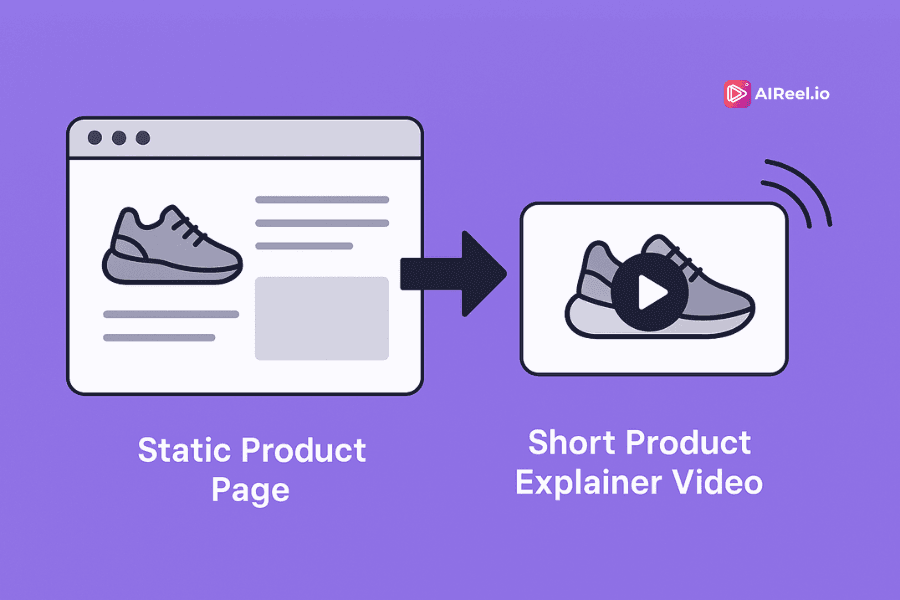
A good product page used to be the finish line. Now, it is just the floor. A starting point. Something users glance at before deciding whether to scroll away or stay for the story. Most of the time, they scroll away. Not because your product is weak, but because the format is.
Static pages ask users to read, evaluate, and imagine. Short-form videos show them. They invite attention before asking for effort. This shift has happened gradually, but its impact is measurable and growing.
## Traditional Product Pages Are Losing Ground
A well-written product description, strong visuals, and a clean layout were once enough. They are not anymore. The user journey has moved beyond that.
Let the data speak:
- Traditional ecommerce product pages average a [2.86%](https://www.sender.net/blog/landing-page-statistics) conversion rate.
- Pages with embedded video convert up to [86%](https://www.sender.net/blog/landing-page-statistics/) higher.
- Adding a video reduces bounce rates by [11%](https://backlinko.com/hub/seo/bounce-rate).
These numbers reveal a preference. It is not about novelty. It is about efficiency.
## **Why Static Content No Longer Meets User Intent**
When someone lands on your page, they are not there to decipher features. They want clarity, tone, and purpose. Quickly. Product pages list features and facts. Short explainer videos put those details into context, showing how the product works, who it's for, and why it solves a real problem.
**That is why:**
- [72%](https://www.socialpilot.co/blog/video-marketing-statistics) of consumers prefer watching videos to reading product descriptions.
- [64%](https://www.marketingdive.com/news/study-64-make-a-purchase-after-watching-marketing-videos-on-facebook/444286/) have purchased after watching a marketing video on Facebook.
Static pages assume effort. Video reduces it. That difference compounds over time and across funnels.
## **What Makes Short Product Explainer Videos So Effective**
A good explainer does not need fancy transitions or cinematic drama. It needs momentum, voice, and structure. It needs to tell a simple story well.
Platform performance backs this up:
- TikTok leads with an engagement rate of [2.34%](https://www.socialinsider.io/blog/tiktok-vs-reels-vs-shorts/).
- Instagram Reels achieves an impressive [engagement ratio of 5.53](https://metricool.com/short-form-video-study/).
- YouTube Shorts shows strong [engagement with a ratio of 5.91.](https://metricool.com/short-form-video-study/)
## **The Hidden Bottleneck: Workflow, Not Creativity**
Most marketers are not slow because they lack ideas. They are slow because video production has not caught up with strategy.
- Scriptwriting takes time.
- Video editing takes skill.
- Revisions take forever.
When the creative loop takes weeks, opportunities pass. Ideas decay. Momentum dies.
This is where AI tools change the equation. The AI video creation market is projected to grow from [$1,054.3 million in 2023 to $7,452.5 million by 2033](https://market.us/report/ai-in-video-creation-market/). Over [60%](https://patentpc.com/blog/ai-in-content-creation-market-growth-and-adoption-trends) of enterprises are already investing in automation for content workflows. It is no longer about if you need these tools. It is about how you integrate them.
## **How AI Enables Better, Faster Product Reel Creation**
Tools like AiReel.io now let you:
- Paste a product link or add product details.
- Automatically extract key points and visuals.
- Add voice, music, captions, and animation.
- Create a branded explainer in less than 60 seconds.
Cloud-based video creation now drives [51.5% of global market revenue.](https://www.grandviewresearch.com/industry-analysis/artificial-intelligence-ai-video-market-report) It is not a workaround. It is the new standard.
You do not need a studio. You need a system. One that lets you adapt quickly, publish often, and test without friction.
## **Why This Is Strategic, Not Just Convenient**
Short product explainer videos are not just easier. They are smarter.
- They let you A/B test messaging without rebuilding pages
- They scale across platforms: YouTube Shorts, Instagram, TikTok, landing pages, email.
- They personalize faster than any traditional content format.
This is not just about improving conversion rates. It is about removing guesswork.
## **You Already Have the Ingredients. Now You Need the Format.**
If your product lives online, you already have the story: the name, the benefits, the visuals. You just need the format that gets people to care — quickly.
AiReel.io turns your existing product link into a scroll-stopping video in under a minute. No editing. No scriptwriting. No delay.
### **Try AiReel Now!**
**[Create your first product explainer video for free!](https://aireel.io?utm_source=blog&utm_medium=post)**
Also read,
- [Why Do You Need AI Reel Makers for Affiliate Marketing Success?](https://blog.personate.ai/why-do-you-need-ai-reel-makers-for-affiliate-marketing-success/)
- [How AI Avatar Video Generators Help Indian Small Businesses Simplify Video Marketing](https://blog.personate.ai/ai-avatar-video-generators-indian-small-businesses-marketing/)
---
This blog is powered by Superblog. Visit https://superblog.ai to know more.
---
## What is Search Intent? (And Why It Matters for AI Video Content)
Published: 2025-03-17
Category: Tips
Category URL: https://personate.ai/blog/category/tips
Meta Description: Search intent explained! Discover what it is, why it matters, and how it impacts content visibility, rankings, and audience engagement.
Tags: Content Creation, Video SEO
Tag URLs: Content Creation (https://personate.ai/blog/tag/content-creation), Video SEO (https://personate.ai/blog/tag/video-seo)
URL: https://personate.ai/blog/what-is-search-intent-and-why-it-matters-for-ai-video-content

The way people search online is changing fast. With AI-driven search engines, recommendation systems, and voice assistants playing a bigger role, understanding search intent is more important than ever.
If your AI-generated video content does not align with what people are actually searching for, it will struggle to get views, engagement, and rankings. No matter how advanced AI gets, it will still prioritize content that best matches user intent, not just content stuffed with keywords.
## What is Search Intent?
Search intent, also called user intent, refers to the goal behind a search. Every time someone types a query into Google or YouTube, they are looking for specific information, a website, a product, or a solution.
Platforms that use artificial intelligence to analyze search patterns determine what type of content will best satisfy a user’s query. If your video does not match search intent, it will not perform well in search results or recommendations.
### Why Search Intent Matters for AI Video Content
- AI prioritizes videos that match user expectations.
- Content that satisfies search intent gets longer watch times.
- Platforms promote content that engages users.
Understanding search intent allows you to create videos that rank higher, get recommended more often, and attract the right audience.
## The Four Types of Search Intent
There are four types of search intent. Each requires a different content approach.
### 1\. Informational Intent (Learning Something New)
Users searching with informational intent want to find facts, instructions, or explanations.
**Examples of video topics:**
- How to edit videos with AI
- What is AI video automation?
- Best free AI video generators
**How AI ranks informational videos:**
- Search engines feature text summaries but still rank videos when they provide more clarity.
- Platforms promote tutorials and explainer videos with high watch time.
**How to optimize for informational intent:**
- Use clear titles that answer the question.
- Include timestamps for key points.
- Keep the video engaging and easy to follow.
### **2\. Navigational Intent (Looking for a Specific Page or Brand)**
Users with navigational intent already know what they want. They are searching for a company, website, or specific content.
**Examples of video topics:**
- AI-generated content explained
- How to use Personate AI for video editing
- AiReel.io vs other AI video tools
**How AI ranks navigational videos:**
- Search engines prioritize official brand pages and trusted sources.
- Platforms show official tutorials and channel pages higher in search results.
**How to optimize for navigational intent:**
- Use brand names in titles and descriptions if relevant.
- Optimize your channel name and metadata.
- Upload content consistently to stay visible.
### **3\. Transactional Intent (Ready to Take Action)**
Users searching with transactional intent are looking to make a purchase or complete a task.
**Examples of video topics:**
- Best AI video editing software
- Personate AI tutorial for beginners
- Best budget microphone for AI-generated content
**How AI ranks transactional videos:**
- Search engines promote product reviews, demo videos, and eCommerce content.
- Platforms prioritize videos with affiliate links and strong engagement.
**How to optimize for transactional intent:**
- Add affiliate links in the description.
- Include strong calls to action like “Get started today.”
- Focus on product features and benefits.
### **4\. Commercial Investigation (Comparing Options Before Deciding)**
Users are researching products or services before making a choice.
**Examples of video topics:**
- AiReel.io vs other AI video platforms
- Best AI video generators reviewed
- AI editing software comparison
**How AI ranks commercial investigation videos:** Search engines favor in-depth reviews and list-style content.
Platforms rank comparison videos that provide detailed insights.
**How to optimize for commercial investigation intent:**
- Use comparison-based titles.
- Highlight key differences, pricing, and features.
- Answer common questions buyers may have.
## How AI Search and Recommendation Systems Analyze Intent
Artificial intelligence does not just match keywords. It studies user behavior to determine intent.
- AI search generates quick answers but still highlights video results.
- Platforms rank videos with high watch time, engagement, and retention.
- Algorithms tailor content based on user interactions like saves and rewatches.
**What this means for video creators:**
- Search intent is more important than keywords alone.
- Higher engagement leads to better rankings and recommendations.
- Titles, descriptions, and thumbnails must reflect what users are searching for.
## Best Practices for Optimizing AI Video Content for Intent
### 1\. Start with Keyword Research
Use AI-powered tools to find keywords that align with user intent.
### 2\. Match Video Format to Intent
- **Informational:** Tutorials, guides, and explainer videos.
- **Navigational:** Brand-focused content and FAQs.
- **Transactional:** Product demos and review videos.
- **Commercial:** Side-by-side comparisons and deep-dive reviews.
### **3\. Optimize Titles, Descriptions, and Thumbnails**
- Use search-friendly titles like “Best AI Video Editors for Beginners.”
- Write descriptions that include related keywords and a strong call to action.
- Design thumbnails that grab attention and match the video topic.
### **4\. Increase Engagement Signals**
- Ask viewers to like, comment, and subscribe early in the video.
- Use timestamps to make content easier to navigate.
- Add end screens and cards to keep viewers watching longer.
The internet is more competitive than ever. AI-powered search and recommendation engines are getting smarter at understanding what people actually want—not just what they type into the search bar.
If you focus on matching search intent instead of chasing the latest algorithm loophole, your AI video content will perform better and stand the test of time.
**To stay ahead:**
- Research what people are searching for before creating content.
- Make engaging videos that satisfy user expectations.
- Optimize titles, descriptions, and thumbnails to align with search intent.
- Track performance and adjust based on engagement data
Master search intent, and you’ll never have to wonder why your AI videos aren’t getting the reach they deserve. The audience is there—you just have to give them what they’re looking for.
📖 **Further Reading:**
🔹 [Beyond Views: Understanding Video Marketing Metrics for Better Results](https://blog.personate.ai/beyond-views-understanding-video-marketing-metrics-for-better-results)
🔹 [YouTube SEO Guide 2025: Tips and Checklist for Better Rankings](https://blog.personate.ai/youtube-seo-guide-2025-tips-and-checklist-for-better-rankings/)
## FAQs
Q: How does search intent affect AI-driven video recommendations?
A: AI algorithms analyze search intent to deliver the most relevant content. Videos that align with user needs get prioritized in search results and recommendations.
Q: Can one video satisfy multiple search intents?
A: Yes, a video can address multiple intents. For example, a “Best AI Video Editors” video can serve both informational (educating about options) and commercial (comparing tools before purchase) intents.
Q: Why do some AI-generated videos rank lower despite good content?
A: Even high-quality videos can underperform if they don’t match user intent. Poor keyword optimization, weak engagement signals, or low retention rates can affect rankings.
---
This blog is powered by Superblog. Visit https://superblog.ai to know more.
---
## Should You Delete Bad Comments on Your Channels?
Published: 2025-03-12
Category: Tips
Category URL: https://personate.ai/blog/category/tips
Meta Description: Should you delete bad comments? Learn when to remove, keep, or moderate negative feedback smartly to protect your brand while fostering healthy engagement.
Tags: Content Creation, Social Media
Tag URLs: Content Creation (https://personate.ai/blog/tag/content-creation), Social Media (https://personate.ai/blog/tag/social-media)
URL: https://personate.ai/blog/should-you-delete-bad-comments-on-your-channels
Managing online conversations can be challenging. Engagement is great, but what happens when that engagement turns negative? Should you delete bad comments or let them stay?
This decision requires balancing moderation, free expression, and audience engagement. In this post, we explore when to delete bad comments, when to keep them, and alternative moderation strategies to protect your brand without stifling conversation.
## Why People Delete Bad Comments
Many content creators and brands delete bad comments to maintain a respectful and engaging space. Here are the top reasons for removing them.
### 1\. Hate Speech and Harassment
- Comments containing personal attacks, threats, racism, sexism, or hate speech create an unsafe environment.
- Removing these comments is not censorship—it is community protection.
- Platforms like YouTube, Facebook, and Instagram prohibit harassment.
### **2\. Spam and Irrelevant Promotions**
- Many comment sections attract bots and self-promoters who post irrelevant content.
- Removing spam ensures that genuine conversations remain the focus.
### **3\. Misinformation and Fake News**
- In industries like health, finance, or education, misinformation can be harmful.
- Removing misleading comments helps maintain your credibility and trustworthiness.
### **4\. Preventing a Toxic Spiral**
- A few negative comments can encourage more negativity.
- If left unchecked, toxicity can drive away your core audience.
## Why Deleting Bad Comments Can Backfire
Deleting too many comments can create unintended problems.
### 1\. It Can Look Like Censorship
- Users may feel that their opinions are being silenced unfairly, leading to backlash.
- Some may screenshot and share deleted comments elsewhere, creating a bigger issue.
### **2\. The "Streisand Effect"—Unwanted Attention**
- Removing a comment can make people more curious about why it was deleted.
- Users may spread negativity across multiple platforms.
### **3\. Deleting Comments Can Reduce Engagement**
- Social media platforms reward engagement, even if it’s negative.
- Removing too many comments can lower interactions and reduce reach.
### **4\. Some Negative Comments Offer Valuable Feedback**
- Not all negative comments are harmful—some provide insights into audience concerns.
- Keeping constructive criticism shows openness to discussion.
## A Smarter Approach: When to Keep and When to Delete Bad Comments
Instead of deleting everything or allowing negativity to take over, consider these moderation strategies.
### 1\. Use “Shadowbanning” Instead of Deletion
- Some platforms allow you to hide a user’s comment so only they can see it.
- This prevents arguments from escalating while avoiding the appearance of censorship.
### **2\. Pin a Negative Comment and Respond Thoughtfully**
- If a comment raises a fair point, pinning it and replying professionally can shift the narrative in your favor.
- This showcases transparency and confidence.
### **3\. Let Your Community Self-Moderate**
- A loyal audience often steps in to call out misinformation and trolls.
- Encouraging a culture of respectful discussion helps push out toxic users naturally.
### **4\. Use AI Moderation and Filters**
- Many platforms offer automated filters to block offensive language.
- AI moderation helps at scale but should not replace human judgment.
## The Final Verdict: Should You Delete Bad Comments?
### Delete If:
- Hate speech, threats, or personal attacks.
- Spam or off-topic self-promotion.
- Harmful misinformation.
### **Keep If:**
- Critical but constructive.
- Drives engagement without damaging your brand.
- Deleting it would cause more backlash.
### **Best Practice:**
Instead of deleting every negative comment, take a balanced approach. Use moderation tools, AI filtering, and strategic engagement to foster a healthy discussion space.

## Strike a Balance Between Moderation and Engagement
- Deleting bad comments is sometimes necessary, but over-moderation can harm trust and engagement.
- Use smart moderation strategies, including AI filters, shadowbanning, and community engagement.
- Your comment section is an extension of your brand—how you handle criticism speaks volumes.
**What’s your approach? Do you delete bad comments or let them stay? Share your thoughts below!**
📖 Further Reading:
• Learn moderation alternatives in “ [5 Common Mistakes Beginners Make When Using AI for Video Creation](https://blog.personate.ai/common-ai-video-creation-mistakes-fixes-and-reflective-questions/)”
• Find engagement ideas in “ [Where and How to Add Video CTAs for Maximum Impact](https://blog.personate.ai/how-to-add-video-cta/)” ****
## FAQs
Q: Should I delete all negative comments?
A: No, not all negative comments should be deleted. Constructive criticism and feedback can help you improve and foster trust with your audience. However, comments that contain hate speech, harassment, spam, or misinformation should be removed.
Q: Will deleting comments affect my engagement?
A: Yes, deleting too many comments can reduce engagement metrics on social media platforms. Social algorithms often reward high engagement, including discussions (both positive and negative). Instead of mass deletion, consider moderation strategies like shadowbanning or responding to concerns.
Q: How do I handle misinformation in the comments?
A: If a comment contains harmful misinformation, it's best to remove it, especially for YMYL (Your Money or Your Life) topics like health and finance. Additionally, consider responding with accurate information or linking to a credible source to correct false narratives.
Q: What is shadowbanning, and how does it help?
A: Shadowbanning hides a user's comment from public view, making it visible only to them. This is a great way to manage trolls without fueling further negativity or accusations of censorship.
Q: Can I use AI moderation tools to manage comments?
A: Yes, AI moderation tools can help filter offensive language, spam, and harmful content. However, human moderation is still necessary to ensure fair and context-aware decision-making.
---
This blog is powered by Superblog. Visit https://superblog.ai to know more.
---
## Subscriber Growth Slowed Down? These 3 Overlooked Metrics Might Be the Reason
Published: 2025-03-10
Category: Tips
Category URL: https://personate.ai/blog/category/tips
Meta Description: Subscriber growth slowed down? Discover 3 overlooked metrics quietly hurting your YouTube channel—and how to quickly turn things around!
Tags: YouTube Tips, Social Media
Tag URLs: YouTube Tips (https://personate.ai/blog/tag/youtube-tips), Social Media (https://personate.ai/blog/tag/social-media)
URL: https://personate.ai/blog/subscriber-growth-slowed-down-these-3-overlooked-metrics-might-be-the-reason
Subscriber growth slowed down, and you are wondering why. You have been consistent, followed best practices, and created engaging content. Yet, your audience is not expanding the way it used to. Many creators track views, likes, and watch time, but these numbers only tell part of the story. When subscriber growth stalls, there are often deeper issues at play. Three overlooked metrics can reveal why:
- Audience retention drop-offs
- Viewer sentiment trends
- Traffic source diversification
Focusing on these areas can help reverse the slowdown and bring in new subscribers.
## **Why Has Subscriber Growth Slowed Down?**
If subscriber growth slowed down, something in your content strategy is not connecting with your audience as expected. Viewers are watching, but something is stopping them from subscribing. To fix this, you need to understand where viewers are dropping off, how they feel about your content, and whether your audience is coming from varied sources.
Now, let’s break down the three biggest factors affecting subscriber growth.
## **Retention Drop-Offs: Where Are Viewers Losing Interest?**
Imagine inviting people to an event. They arrive, settle in, and everything seems fine—until ten minutes in, they start leaving. Something changed.
The same thing happens in your videos.
Your audience retention graph shows when and why viewers stop watching. A gradual decline is expected, but sudden drop-offs suggest an issue. If too many people leave early, YouTube’s algorithm may stop recommending your content, which could be why subscriber growth slowed down.
### **Where Retention Drops Occur**
- **First 30 Seconds:** Weak introduction, slow pacing, or unclear topic.
- **Middle of the Video:** Tangents, lack of energy, or overly detailed explanations.
- **End of the Video:** Weak call to action or content that does not meet expectations.
### **How to Improve Retention**
- **Start Strong:** Open with an engaging question, surprising fact, or bold statement.
- **Fix Weak Segments:** Identify drop-off points and adjust pacing.
- **Use Engaging Edits:** Jump cuts, visuals, and varied shots keep attention.
- **Give Viewers a Reason to Stay:** Tease upcoming insights early in the video.
Retention is a major factor in YouTube’s recommendations. Small improvements can lead to increased visibility and more subscribers.
Ready for AI-Enhanced Subscriber Growth?
Expand your reach with multilingual video translations, lifelike AI avatars, and personalized content that engages viewers.
[Claim 5 Free Credits](https://personate.ai/?utm_source=blog&utm_medium=post)
## **Viewer Sentiment: Are Longtime Supporters Losing Interest?**
Many creators assume that as long as views remain steady, their audience is engaged. That is not always the case.
Subscribers may still watch but stop interacting. This gradual loss of engagement often explains why subscriber growth slowed down, even when views appear stable.
### **Warning Signs of Disengagement**
- Comments become generic or repetitive, lacking detailed feedback.
- A shift in the like-to-dislike ratio, even if views stay the same.
- Regular commenters stop engaging.
- Fewer shares or recommendations from viewers.
### **How to Reconnect With Viewers**
- **Ask Questions:** Polls and community posts encourage feedback.
- **Respond to Comments:** Thoughtful interactions build a loyal community.
- **Monitor Sentiment Trends:** Identify shifts in feedback and adjust content.
- **Experiment with New Content:** Introduce fresh formats, collaborations, or interactive elements.
Viewers who feel heard are more likely to subscribe and recommend your content.
## **Traffic Sources: Are You Relying on One Platform Too Much?**
Many creators depend on YouTube recommendations for traffic. While this can drive views, relying too much on a single source is a risk.
If an algorithm update reduces visibility, growth can stall. Many only realize too late that subscriber growth slowed down because their content was not reaching viewers through multiple channels.
### **Signs of Over-Reliance on One Source**
- Most views come from YouTube’s suggested videos.
- Few videos rank in search results.
- Minimal traffic from external sources.
- No off-platform audience, such as an email list or community.
### **How to Expand Your Reach**
- **Improve Search Rankings:** Use keyword-rich titles and descriptions for YouTube and Google search.
- **Use Multiple Platforms:** Repurpose content on TikTok, Instagram, and Twitter.
- **Build an Email List:** A direct connection with your audience ensures long-term stability.
- **Encourage Shares:** Ask viewers to send your videos to friends or groups.
Expanding your reach prevents sudden drops in visibility and creates steady subscriber growth.
## Adjust Your Strategy and Take Action
If subscriber growth slowed down, small adjustments can make a big difference.
### **What You Can Do Today**
- Open YouTube analytics and check retention drop-offs.
- Look at viewer sentiment trends to see if engagement is declining.
- Review traffic sources and identify gaps in external visibility.
**What change will you make first?** Share your thoughts in the comments!
**📖 Further Reading:** • Read more about interpreting key metrics in “ [Beyond Views: Understanding Video Marketing Metrics for Better Results](https://blog.personate.ai/beyond-views-understanding-video-marketing-metrics-for-better-results/)”
• Discover ways to boost engagement in “ [How to Make Money on YouTube in 2025 (Beyond Ads!) — Multiple Income Streams Explained](https://blog.personate.ai/how-to-make-money-on-youtube-beyond-ads-2025/)”
## FAQs
Q: My views are consistent, so why are subscribers not growing anymore?
A: Consistent views do not always equal growth. Issues like viewer retention drop-offs, fading viewer engagement, or limited traffic sources often prevent viewers from converting into subscribers.
Q: What are retention drop-offs, and how do they impact my growth?
A: Retention drop-offs occur when viewers lose interest during specific parts of your videos. Frequent drop-offs signal to YouTube your content might not be engaging, limiting recommendations and slowing subscriber growth.
Q: How can I tell if my audience is quietly losing interest?
A: Look for subtle signs like fewer thoughtful comments, declining likes, less sharing, or regular viewers becoming inactive. Addressing these signs early can help re-engage your audience.
Q: Why should I worry about traffic source diversity?
A: Over-relying on a single platform or recommendation algorithm is risky. A minor change can significantly reduce visibility. Diversifying sources, like SEO, social media, or email, stabilizes and increases your audience.
Q: What can I do immediately to reverse slow subscriber growth?
A: Start by analyzing your retention graphs, actively reconnecting with viewers through genuine engagement, and expanding your content’s reach beyond YouTube’s recommendations.
---
This blog is powered by Superblog. Visit https://superblog.ai to know more.
---
## The Ultimate Guide on How to Write a Script for a YouTube Video
Published: 2025-03-07
Category: Tips
Category URL: https://personate.ai/blog/category/tips
Meta Description: Learn how to write a YouTube video script efficiently! Use simple frameworks to craft engaging, clear, and professional content every time.
Tags: YouTube Tips, Using AI Smartly, AI Writer
Tag URLs: YouTube Tips (https://personate.ai/blog/tag/youtube-tips), Using AI Smartly (https://personate.ai/blog/tag/using-ai-smartly), AI Writer (https://personate.ai/blog/tag/ai-writer)
URL: https://personate.ai/blog/the-ultimate-guide-on-how-to-write-a-script-for-a-youtube-video
If you’ve ever hit record without a plan, you know how easy it is to lose track of your message, ramble, or struggle to keep viewers engaged. A well-structured script is the key to making your YouTube videos clear, engaging, and professional. Some creators worry that scripting makes videos feel robotic, but the reality is the opposite. Learning how to write a script for a YouTube video helps you stay focused, deliver your message naturally, and keep your audience watching.
In this guide, we’ll break down exactly how to craft a compelling script using simple, proven frameworks. Whether you’re making tutorials, product reviews, or storytelling content, these strategies will help you create high-quality videos with ease. By the end, you’ll have a clear, repeatable process to structure your ideas, keep your delivery natural, and hold your audience’s attention from start to finish.
## Why You Need a YouTube Video Script
A script isn’t about reading every word like a robot. It’s about having a plan, so your video feels natural, stays on track, and holds attention.
Here’s why a script is essential:
- Saves time by reducing unnecessary pauses, reshoots, and editing work.
- Keeps your message clear so viewers understand and stay engaged.
- Prevents rambling so you don’t lose audience interest.
- Boosts confidence by giving you a structured plan for what to say.
- Increases video quality by ensuring smooth delivery and logical flow.
A well-written script makes the difference between a video that feels polished and one that feels all over the place.
## 3 Easy YouTube Video Script Frameworks
Not every video follows the same structure. The best script format depends on the type of content you’re creating. Here are three simple frameworks to help you plan and organize your videos.
### Hook-Story-Bridge Framework
**Best for:** Vlogs, storytelling videos, and personal content
This format helps you capture attention fast, engage viewers with a story, and smoothly transition into your main message.
#### How It Works
- **Hook (First 10-15 seconds):** Grab attention with a bold statement, question, or relatable situation.
- **Story (1-2 minutes):** Share a personal experience or example that connects emotionally.
- **Bridge to value (30-45 seconds):** Transition into your main lesson, insight, or takeaway.
#### **Example**
_"Are your YouTube videos struggling to get views? A year ago, I was in the same spot. My videos barely reached anyone. But after making one simple change, everything shifted. Today, I’ll show you how to do the same."_
#### **Pro Tips**
- Your hook should address a problem or curiosity your audience cares about.
- Keep your story short and relatable.
- Make sure the bridge naturally leads into the main content.
### **Problem-Agitate-Solve (PAS) Framework**
**Best for:** Tutorials, educational content, and how-to videos
This structure is perfect for videos that identify a problem, build tension, and provide a solution.
#### **How It Works**
- **Problem:** Clearly define the issue your audience faces.
- **Agitate:** Explain why this problem is frustrating, costly, or holding them back.
- **Solution:** Present your fix and provide clear steps to follow.
#### **Example**
_"Struggling to grow your YouTube channel? Many creators post great videos but fail to get views. The biggest mistake? They don’t hook viewers in the first few seconds. Today, I’ll show you how to fix that and keep people watching."_
#### **Pro Tips**
- Use real-life examples or audience comments to make the problem feel personal.
- Make the “agitate” section emotionally engaging, so viewers feel the urgency to find a solution.
- Keep the solution simple, actionable, and easy to follow.
### **AIDA Framework**
**Best for:** Product reviews, promotional content, and sales-driven videos
AIDA stands for Attention, Interest, Desire, and Action. It’s a great structure for videos that persuade viewers to take action.
#### **How It Works**
- **Attention:** Open with something intriguing or unexpected.
- **Interest:** Explain why the product, service, or topic matters.
- **Desire:** Highlight the benefits and transformation it offers.
- **Action:** Give a clear next step (buy, subscribe, visit a website).
#### **Example**
_"Imagine cutting your editing time in half while making your videos look 10x better. With AI-powered editing tools, you can automate tedious tasks and focus on creating. Try it free today."_
#### **Pro Tips**
- Make the "Desire" section feel personal and relatable.
- Keep the Call to Action (CTA) strong and specific.
- Use visuals, testimonials, or demonstrations to reinforce benefits.
## How to Write a Script for a YouTube Video Step by Step
### 1\. Pick the Right Framework
Think about the goal of your video and choose a format that fits:
- Want to share a personal story? → Use Hook-Story-Bridge.
- Teaching something step by step? → Try Problem-Agitate-Solve.
- Promoting a product or service? → AIDA works best.
### **2\. Outline Your Script**
A strong outline keeps your script structured and easy to follow.
- Start with a hook to grab attention in the first 10–15 seconds.
- Break the main content into clear sections with smooth transitions.
- End with a strong call to action (subscribe, comment, visit a website).
### **3\. Make It Engaging**
- Keep your tone conversational and natural.
- Write how you speak to make your video feel authentic.
- Use relatable stories and examples to hold attention.
### **4\. Edit and Refine**
- Read your script out loud to check for awkward phrasing.
- Time each section to keep your video concise.
- Get feedback before recording to catch any confusing parts.
## Mistakes to Avoid When Writing a YouTube Video Script
Even with a script, some common mistakes can hurt your video’s performance:
- **Too much detail:** Keep your script concise and to the point.
- **Forgetting audience needs:** Make sure your content solves a real problem.
- **Skipping the planning phase:** A solid outline saves time later.
- **Lack of transitions:** Ensure your ideas connect smoothly.
- **No clear next step:** Always include a call to action at the end.
## **Quick Tips for Better YouTube Scripts**
- Keep sentences short and easy to follow.
- Use an active voice to make your content more engaging.
- Plan visual cues or on-screen text to reinforce key points.
- Rehearse before recording to improve delivery.
### **Get Started Today**
Writing a script doesn’t have to feel overwhelming. Start simple:
- Pick a framework that fits your video style.
- Write a rough draft and refine it for clarity.
- Record, review, and adjust based on audience feedback.
A great script doesn’t make your video sound scripted. It helps your content flow naturally and keeps viewers engaged. Use these frameworks to simplify your process and create high-quality YouTube videos that people want to watch.
**📖 Further Reading:**• Learn how to craft killer openings in [“How to Write Hooks That Instantly Capture Attention in AI Videos and Reels](https://blog.personate.ai/how-to-write-hooks-that-instantly-capture-attention-in-ai-videos-and-reels/)”
• For additional script advice, check out “ [How to Master Iterative Prompt Refinement for AI Script Writing (Step-by-Step Guide)](https://blog.personate.ai/step-by-step-iterative-prompt-refinement-ai-script-writing/)”
## FAQs
Q: What are the best frameworks for structuring a YouTube script?
A: The best frameworks for structuring a YouTube script depend on your content type. Hook-Story-Bridge works well for vlogs and storytelling by capturing attention, sharing a relatable experience, and transitioning into the main message. Problem-Agitate-Solve (PAS) is ideal for tutorials and educational content, as it identifies a problem, emphasizes its impact, and provides a clear solution. For product reviews and promotional videos, the AIDA framework (Attention, Interest, Desire, Action) helps engage viewers, highlight benefits, and drive conversions effectively.
Q: Should I script every word or just outline key points?
A: It depends on your comfort level. Some creators prefer word-for-word scripting, while others use bullet-point outlines to keep their delivery natural.
Q: How long should a YouTube video script be?
A: It depends on your video length. A good rule of thumb is 150–160 words per minute. For a 5-minute video, aim for a script of about 750–800 words.
---
This blog is powered by Superblog. Visit https://superblog.ai to know more.
---
## Subtitles in Reels: How They Work and Why They Boost Engagement
Published: 2025-03-05
Category: Tips
Category URL: https://personate.ai/blog/category/tips
Meta Description: Subtitles in reels boost engagement, improve accessibility, and enhance searchability. Learn how AI-powered captions can transform your video strategy.
Tags: AI in Marketing, Social Media
Tag URLs: AI in Marketing (https://personate.ai/blog/tag/ai-in-marketing), Social Media (https://personate.ai/blog/tag/social-media)
URL: https://personate.ai/blog/a-brief-guide-to-subtitles-in-reels-how-they-work-and-why-you-need-them
Short-form videos have reshaped content consumption. Platforms such as Instagram, TikTok, and YouTube Shorts are filled with reels that capture attention within seconds. However, one overlooked element can determine whether a video is watched or ignored: subtitles in reels.
More than [75% of mobile users watch videos without sound](https://www.sharethrough.com/blog/infographic-research-reveals-growth-in-muted-videos-need-for-captions-across-all-screens). Without subtitles, a large part of the audience may scroll past without understanding the message. For brands, content creators, and marketers, adding subtitles in reels is a practical way to increase engagement, improve accessibility, and expand reach.
Subtitles do more than display text. They help audiences follow content in noisy environments, improve comprehension, and make videos searchable. The question is: how do AI-powered subtitles work, and why should they be a standard feature in reels?
## How AI Subtitles Work in Reels
Manually adding captions to videos takes time. AI-powered tools simplify this by detecting speech and converting it into timed, readable subtitles. The process follows a structured flow.
Speech recognition technology listens to spoken words and transcribes them into text. The text is then synchronized with the video to match speech patterns. AI adjusts for different accents and multiple languages to improve accuracy. Some tools refine punctuation and readability to enhance the viewing experience. Fonts, colors, and placements can be customized to suit the content style.
Instagram and TikTok provide automatic captioning, but external tools such as [AiReel.io](https://aireel.io?utm_source=blog&utm_medium=post) offer more control over accuracy and formatting.
## Why Subtitles in Reels Matter: Data-Driven Insights
### 1\. Likely To Watch An Entire Video When Captions Are Available
A study found that [80%](https://www.nexttv.com/news/mobile-videos-often-watched-without-audio-study-finds) of consumers are more likely to watch an entire video when captions are available. Many viewers prefer silent playback in crowded places or offices. Without subtitles, the message may not reach them.
### 2\. Captions Increase Engagement by 12-15%
An internal study by Facebook found that videos with subtitles have the potential to [boost video ad view time by 12% on average.](https://www.3playmedia.com/blog/captions-increase-viewership-for-facebook-video-ads/) Viewers are more likely to complete a video when subtitles help them follow the content.
### 3\. 85% of Facebook Videos Are Watched on Mute
Facebook reports that [85% of its videos are viewed without sound.](https://www.kapwing.com/resources/subtitle-statistics/) This trend is not limited to Facebook—other social platforms show similar behavior. Without captions, videos may struggle to capture attention.
### 4\. Accessibility For People With Hearing Impairments
According to the World Health Organization, more than 1.5 billion people worldwide have some degree of hearing loss, and [approximately 430 million of them have disabling hearing loss](https://www.who.int/news-room/fact-sheets/detail/deafness-and-hearing-loss).
### 5\. AI Subtitles Improve Searchability
Platforms such as Instagram and TikTok analyze text in videos. Subtitles help algorithms understand and categorize content, making it easier to surface on Explore pages and suggested feeds.
Your First Reel, On Us!
Experience the power of AI subtitles—enhance engagement and reach a wider audience effortlessly
[Try AiReel.io for Free!](https://aireel.io?utm_source=blog&utm_medium=post)
## How to Use Subtitles in Reels Effectively
Subtitles should enhance the viewing experience, not distract from it. Some best practices can help achieve this.
AI tools with high accuracy should be used since automatic captions often contain errors. Reviewing and refining them improves quality. Text should be kept short and readable, as large blocks of text overwhelm viewers. Shorter captions are easier to follow.
High-contrast colors improve readability, such as white text on a dark background. Captions should be synced properly with speech, as delayed text disrupts the experience. Fonts and styles should match the creator’s visual identity to maintain consistency.
## Why Subtitles in Reels Should Be Standard
Subtitles in reels are no longer an afterthought. They increase audience engagement, improve accessibility, and enhance video performance across platforms.
For content creators, marketers, and brands, AI-generated captions offer an easy way to improve video reach and audience retention. Try adding subtitles to your next reel. Observe the changes in views, engagement, and audience interaction.
_**Have you experimented with subtitles in social media reels? Share your experience below.**_
📖 Further Reading:
• Read more on effective engagement tactics in [“Where and How to Add Video CTAs for Maximum Impact”](https://blog.personate.ai/how-to-add-video-cta/) • Learn about optimizing short-form videos in “ [Do Hashtags Still Matter in 2025? The Truth You Need to Know](https://blog.personate.ai/do-hashtags-still-matter-in-2025/)”
## FAQs
Q: How do subtitles impact video engagement rates?
A: Studies show that videos with captions experience 12-15% higher engagement compared to those without. Subtitles also help viewers follow content in sound-sensitive environments, such as offices or public places, making them more likely to watch a video to completion. Additionally, captions improve retention rates and encourage social sharing, leading to more comments, likes, and overall interaction with the content.
Q: Do subtitles in reels improve SEO?
A: Yes, subtitles enhance the discoverability of video content by making it more searchable. Social media platforms like Instagram, TikTok, and YouTube analyze text within videos, including captions, to categorize and recommend content to relevant audiences. By including keywords in subtitles, content creators increase their chances of appearing in Explore pages, trending feeds, and search results, ultimately improving video visibility and engagement.
---
This blog is powered by Superblog. Visit https://superblog.ai to know more.
---
## Want Better Corporate Training Videos? Don’t Forget These 5 Key Points
Published: 2025-03-03
Category: Tips
Category URL: https://personate.ai/blog/category/tips
Meta Description: Boost engagement & retention with these 5 must-have corporate training video features. Make learning impactful! Read more to enhance your training videos.
Tags: E-Learning
Tag URLs: E-Learning (https://personate.ai/blog/tag/e-learning)
URL: https://personate.ai/blog/want-better-corporate-training-videos-dont-forget-these-5-key-points

Corporate training videos must have more than just content. They need to capture attention, reinforce key ideas, and help employees apply what they have learned. A well-structured video makes learning easier, while a poorly designed one becomes just another task employees rush through.
So, what makes a training video truly effective? It comes down to five key features that keep employees engaged and ensure that training sticks. Whether you are creating new content or refining existing videos, these essential elements will help you deliver training that makes a real difference.
## What Corporate Training Videos Must Have to Be Effective
A strong training video is more than a visual presentation of information. It must be structured in a way that encourages understanding, retention, and practical application. The five features below are what set the best corporate training videos apart.
### Clear Learning Objectives That Support Business Goals
Every corporate training video must have a clear purpose. Employees need to know why they are watching, what they will gain, and how the content connects to their work. Without a defined focus, training risks becoming vague and forgettable.
#### How to Set Strong Learning Objectives
- **Make objectives measurable.** Instead of “Understand customer service best practices,” use “Apply three customer retention techniques to reduce client churn.”
- **Keep them relevant to different roles.** A warehouse supervisor and a customer support specialist will need different takeaways from a safety training session.
- **Focus on practical outcomes.** The goal should always be to improve job performance, not just pass along information.
#### **Why It Matters**
- Companies that invest in structured learning see higher performance and employee retention.
- A McKinsey report found that companies prioritizing employee performance achieve [30%](https://www.mckinsey.com/capabilities/people-and-organizational-performance/our-insights/in-the-spotlight-performance-management-that-puts-people-first) higher revenue growth and experience lower attrition rates compared to competitors.
- A Gallup study found that [71%](https://www.doherty.com/2024/04/17/enhancing-employee-retention-learning-development-opportunities/) of surveyed employees reported that job training and development opportunities enhanced their job satisfaction, while [61%](https://www.doherty.com/2024/04/17/enhancing-employee-retention-learning-development-opportunities/) stated that upskilling opportunities were a key factor in their decision to stay with their current employer.
Corporate training videos must have well-defined learning objectives to be truly useful. When employees see the value in training, they are more likely to engage with the content and apply what they have learned.
### **Short and Engaging Content for Better Retention**
People learn best when information is presented in manageable segments. If a video is too long or packed with details, employees may lose focus before they reach the most important points.
#### **Why Shorter Videos Work Better**
- A study found that short videos increased student engagement by [24.7%](https://www.nature.com/articles/s41599-022-01355-6) in terms of viewing time.
- Around 90% of educators prefer using videos under [10 minutes,](https://www.boclips.com/blog/short-educational-videos-for-students-are-better-for-learning) with 50% favoring clips between 2 5 minutes.
#### **How to Make Training Videos More Engaging**
- **Break content into smaller modules.** Employees absorb more when they learn in short, focused sessions.
- **Use relatable examples.** A well-placed story can make a concept much easier to understand.
- **Incorporate visuals, animations, and on-screen text.** A mix of formats helps reinforce key points and keeps the audience interested.
Corporate training videos must have a format that fits into employees’ schedules and learning styles. When content is clear and concise, it is easier to retain and apply.
### **High-Quality Audio and Visuals for Credibility**
Employees will quickly judge a training video based on its production quality. If the audio is unclear or the visuals look unprofessional, engagement will drop, no matter how valuable the content is.
#### **Why Production Quality Matters**
- High-quality videos capture learners' attention more effectively, leading to increased engagement. Engaged learners are more likely to complete training programs and apply the knowledge gained.
- Well-produced videos that combine clear visuals and audio enhance comprehension and memory retention. This multimodal approach caters to various learning styles, making it easier for learners to absorb and recall information.
#### **How to Improve Training Video Quality**
- **Use professional recording equipment.** Good audio is just as important as sharp visuals.
- **Ensure videos are visually consistent.** Branded templates with company colors and fonts create a polished look.
- **Add captions and multilingual options.** This makes content more accessible to a global workforce.
Corporate training videos must have a professional appearance to maintain credibility. Quality matters when trying to keep employees engaged and invested in the learning process.
### **Interactive Elements That Reinforce Learning**
People learn best by doing, not just watching. Training videos that include interactive elements encourage employees to stay engaged and retain what they have learned.
#### **The Science Behind Active Learning**
- Hands-on activities, discussions, and problem-solving exercises reinforce knowledge better than passive listening.
- Incorporating video, interactive content, and gamification increases knowledge retention by making learning more engaging and memorable.
#### **Ways to Add Interactivity to Training Videos**
- **Include quizzes throughout the video.** Small knowledge checks reinforce learning.
- **Use branching scenarios.** Let employees make choices in a simulated environment and see the results of their decisions.
- **Introduce gamification elements.** Points, badges, and challenges make training feel more dynamic and rewarding.
Corporate training videos must have interactive components to make learning more effective. Engaged employees are far more likely to apply what they learn.
### **A Clear Call to Action That Drives Application**
Training only works if employees apply what they have learned. Without clear next steps, new knowledge fades quickly. A strong call to action ensures that learning translates into action.
#### **Why Calls to Action Are Essential**
- CTAs prompt learners to engage with the content beyond passive watching, whether through quizzes, discussions, or hands-on exercises. This boosts retention and helps reinforce key concepts.
- Training videos with interactive CTAs see higher completion rates because they keep learners engaged. Encouraging actions like clicking a link, answering a poll, or joining a discussion prevents passive dropout.
#### **How to Guide Employees Toward Action**
- **Provide immediate application steps.**“Apply this technique in your next client call” is more effective than “Think about what you learned.”
- **Offer additional learning resources.** Suggest articles, follow-up videos, or live Q&A sessions.
- **Encourage discussions with colleagues.** Employees retain more when they talk about what they have learned.
Corporate training videos must have a call to action that prompts employees to put their knowledge into practice. Without it, training risks being forgotten.
### **Are Your Corporate Training Videos Meeting These Standards?**
Corporate training videos must have clear objectives, concise content, high production quality, interactive elements, and a strong call to action. These features turn a basic video into a tool that helps employees grow and perform better in their roles.
If your training videos are not engaging employees or leading to real improvements, consider refining them with these five key features. Which areas could you improve in your next training session?
**📖 Further Reading:** • Discover tips on editing efficiency in [“How AI Auto-Editing is Changing Product Ad Production for E-Commerce Brands](https://blog.personate.ai/how-ai-auto-editing-is-changing-product-ad-production-for-e-commerce-brands/)”
• Explore ways to update content quickly in “ [Marketers' Guide: How to Update Videos Instantly Without Reshoots Using AI](https://blog.personate.ai/tips/marketers-update-videos-fast-with-instant-ai-no-reshoots/)”
## FAQs
Q: Why do so many corporate training videos fail to engage employees?
A: Many corporate training videos fail because they are too long, lack clear objectives, or don’t encourage interaction. Employees are more likely to disengage if they feel the content is irrelevant to their job or if the video is a passive learning experience without quizzes, discussions, or real-world applications.
Q: What role does production quality play in training videos?
A: Poor audio and video quality can undermine credibility and make it harder for employees to focus. High-quality visuals and clear sound enhance engagement and comprehension, making the learning experience more enjoyable and effective.
Q: How do I create high-quality training videos on a budget?
A: Prioritize clear audio, use simple animations, ensure good lighting, and repurpose slides or webinars to save costs while maintaining quality. Short, well-scripted videos are more effective than long, low-quality ones. You can also use AI video generators like Personate, which offer advanced features such as AI Avatars, an AI-powered audio generator, and video translation, making it easy to create professional, multilingual training videos without expensive production.
---
This blog is powered by Superblog. Visit https://superblog.ai to know more.
---
## Where and How to Add Video CTAs for Maximum Impact
Published: 2025-02-27
Category: Tips
Category URL: https://personate.ai/blog/category/tips
Meta Title: How to Add Video CTAs: A Simple Guide to Boost Engagement & Sales
Meta Description: Learn how to add video CTAs effectively! Discover the best types, placements, and design strategies to boost engagement, gain subscribers, and increase sales.
Tags: AI in Marketing, Content Creation
Tag URLs: AI in Marketing (https://personate.ai/blog/tag/ai-in-marketing), Content Creation (https://personate.ai/blog/tag/content-creation)
URL: https://personate.ai/blog/how-to-add-video-cta
Video content is one of the most powerful tools in digital marketing today. With [91%](https://orangeowl.marketing/video-marketing/b2b-video-marketing-guide/) of businesses using videos to promote their brands and increase sales, the competition for audience attention is fierce. But simply creating videos is not enough. To turn viewers into subscribers, customers, or loyal followers, you need add a strong video CTA that is Call to Action. A well-placed, well-designed CTA encourages action. Whether that means subscribing, signing up for a newsletter, making a purchase, or sharing your content.
So, how do you create video CTAs that actually work? In this guide, we will walk through the different types of CTAs, best practices for placement, and how to design them for maximum impact.
## What Is a Video CTA, and Why Does It Matter?
A Video Call to Action (CTA) is a prompt within a video that tells viewers what to do next. Without a clear CTA, even the best video might leave viewers engaged but unsure about what step to take.
A good CTA should:
- Guide the viewer toward a specific action.
- Increase conversions by encouraging immediate engagement.
- Enhance the viewer experience by providing clear next steps.
If you’re just starting with AI-powered video marketing, understanding key terms can be helpful. Our [blog on AI video terms guide breaks down all the essential concepts](https://blog.personate.ai/ai-video-terms-explained-guide) so you can create better, more effective content.
Different Ways to Add Video CTA for Maximum Impact
There are various ways to add video CTA, each serving a different purpose. The right choice depends on your video content, audience, and goals.
### Verbal CTAs
Verbal CTAs are spoken directly by the presenter or narrator. They feel natural and personal, making them highly effective.
**Example:** A YouTuber says, "If you are enjoying this video, do not forget to subscribe and hit the notification bell."
**Best used for:** YouTube videos, live streams, and brand storytelling.
**Tip:** Use a verbal CTA at the start or middle of the video to ensure more viewers hear it.
### Text Overlay CTAs
These are on-screen text prompts that appear during key moments in the video. They reinforce a message without disrupting the flow.
**Example:** A cooking tutorial displays, “Get the full recipe. Link in the description.”
**Best used for:** Educational content, tutorials, and social media videos.
**Tip:** Use bold fonts and contrasting colors to make the CTA stand out.
### End-Screen CTAs
End-screen CTAs appear in the final moments of a video, often with clickable buttons. These are highly effective because they target viewers who watched the full video and are more likely to take action.
**Example:** A travel vlogger wraps up with, "Want more travel tips? Watch my next video or subscribe now."
**Best used for:** YouTube videos, Instagram Reels, and TikTok.
**Tip:** Include multiple CTAs on the end screen, like "Watch another video" or "Subscribe" for better engagement.
## Where to Place Your CTA for Maximum Impact
Timing plays a huge role in whether or not viewers respond to your CTA. Here is when to include them.
### Early Placement (First 10–15 Seconds)
Many viewers drop off before the video ends. Placing a CTA early ensures more people see it.
**Example:**"Before we dive in, make sure to subscribe for weekly tips."
### Mid-Video CTA
Placing a CTA after explaining a key benefit keeps the momentum going. This works well for tutorials and product demos.
**Example:** Right after showing a feature, a software company includes a pop-up text that says, "Try it free today. Link below."
### End-of-Video CTA
Viewers who watch until the end are already engaged, making them more likely to follow through on an action.
**Example:** "Want more content like this? Subscribe now."
Your First Video Is on Us!
Start creating with our AI-powered video tools and bring your ideas to life instantly.
[Try for Free](https://aireel.io?utm_source=blog&utm_medium=post)
## Psychological Triggers That Make CTAs More Effective
A CTA is not just about telling viewers what to do. It is about motivating them to act. Here are some proven techniques.
### Create a Sense of Urgency
Phrases like "Limited-time offer" or "Only a few spots left" push viewers to act fast.
**Example:** "Join today before prices go up."
### Make It Personal
People respond better when they feel personally addressed.
**Example:** "This could be you. Start your journey today."
### Offer Immediate Value
Give viewers a clear reason to act right away.
**Example:** "Download your free guide now."
## Design Tips for Eye-Catching CTAs
Your CTA needs to stand out without overwhelming the viewer.
- Use contrasting colors to make the CTA easy to see.
- Keep fonts bold and clear so they are readable on all devices.
- Stay consistent with branding by matching colors and styles to your brand.
- Optimize for mobile, so the CTA is clickable on smaller screens.
Adding clear, well-placed, and engaging CTAs can turn passive viewers into active followers and customers. Whether it is a verbal prompt, clickable button, or interactive element, the right CTA at the right time makes all the difference.
Now it is your turn. Start adding strong video CTAs and watch your engagement grow.
📖 Further Reading:
- **For more on boosting conversions, read “ [How to Make Money on YouTube in 2025 (Beyond Ads!) — Multiple Income Streams Explained](https://blog.personate.ai/how-to-make-money-on-youtube-beyond-ads-2025/)”**
- **See additional tactics in “ [YouTube SEO Checker: How to Improve Your Rankings and Reach More Viewers](https://blog.personate.ai/youtube-seo-guide-2025-tips-and-checklist-for-better-rankings/)”**
## FAQs
Q: How can I track the effectiveness of my video CTAs?
A: Use analytics tools like YouTube Studio, Google Analytics, or social media insights to track clicks, conversions, and engagement rates. A/B testing different CTAs can also help determine which ones perform best.
Q: Should I place CTAs at the beginning, middle, or end of a video?
A: It depends on viewer behavior. Early CTAs (within the first 10–15 seconds) ensure more people see them, mid-video CTAs capture engaged viewers, and end-screen CTAs target those most interested in taking action.
Q: Should my CTA be different for organic and paid video content?
A: Yes. Organic video CTAs should focus on engagement and retention (e.g., "Subscribe for more!"), while paid ads should prioritize conversions (e.g., "Shop now for 20% off!").
---
This blog is powered by Superblog. Visit https://superblog.ai to know more.
---
## AI Video Ads for Drop-Shipping: The Fastest Way to Test and Scale Products
Published: 2025-02-24
Category: Tips
Category URL: https://personate.ai/blog/category/tips
Meta Description: Accelerate your drop-shipping business with AI video ads: test products in minutes, launch trending campaigns rapidly, and boost ROI. Learn more today!
Tags: Content Creation
Tag URLs: Content Creation (https://personate.ai/blog/tag/content-creation)
URL: https://personate.ai/blog/ai-video-ads-for-drop-shipping-the-fastest-way-to-test-and-scale-products
In drop-shipping, speed is everything. The faster you test products, launch ads, and optimize campaigns, the higher your chances of success. But one major challenge slows down even the most experienced drop-shippers: creating video product ads.
- Hiring video editors is expensive and time-consuming.
- Editing videos yourself takes hours and the final outlook may not look professional.
- Using generic templates leads to low engagement and less return on ad spend.
This is where AI video ads for drop-shipping change the game. AI can generate high-quality, platform-optimized video ads in minutes, requiring no video editing skills.
However, most drop-shippers don’t use AI video tools to their full potential. In this guide, we’ll cover:
- The hidden advantages of AI video ads.
- How AI accelerates product testing.
- Why AI-powered ads are the ultimate scaling tool.
- Best practices to maximize AI-generated video ads.
## **AI Video Ads Remove the Creator Bottleneck and Speed Up Product Testing**
One of the biggest barriers in drop-shipping is slow product testing. Before AI, making a video ad meant:
- Searching for images and video clips manually.
- Hiring freelancers and waiting for delivery.
- Editing the video yourself, which can take hours or even days.
This bottleneck limited the number of products a drop-shipper could test, reducing the chances of finding a winner.
### **How AI Video Ads Solve This Problem**
With AI-powered video ads, you can:
- Instantly generate multiple video ad variations for a single product.
- Test 10 times more products in the same timeframe.
- Find winning products faster than your competitors.
Pro Tip: Don't rely on just one AI-generated video. Create multiple versions with different:
- Hooks to capture attention.
- Text overlays to emphasize key benefits.
- Calls to action to drive conversions.
The more variations you test, the higher your chances of finding a profitable product.
## **AI Video Ads Let You Capitalize on Trends Before They Peak**
Drop-shipping thrives on trending products. The sooner you launch an ad after spotting a viral trend, the more money you make.
But if you’re waiting days for an ad to be created, you're already too late.
### **AI Helps You Launch Ads at the Speed of Trends**
With AI video ads for drop-shipping, you can:
- Launch new product ads within hours of spotting a viral trend.
- Capitalize on TikTok and Instagram trends before they peak.
- Scale your store faster by rapidly testing trending products.
Pro Tip: Monitor platforms like:
- TikTok viral trends.
- Facebook Ads Library.
- Amazon and AliExpress bestsellers.
As soon as you see a product gaining traction, use AI to generate an ad and launch it immediately. The faster you move, the greater your advantage.
## **AI Video Ads Are Hands-Free, But Customization Matters**
AI-generated videos are quick and easy, but using raw AI output without modifications often results in generic-looking ads.
AI eliminates the hardest parts of video creation, but for the best performance, you still need to:
- TikTok ads should have fast cuts, trending music, and engaging hooks.
- Instagram ads should be sleek, visually appealing, and product-focused.
- Facebook ads should focus on storytelling and demonstrating product benefits.
Pro Tip: AI video ads should look native to the platform they are running on.
By customizing AI-generated videos to match the style of the platform, you increase engagement and conversions.
## **AI Video Ads Cannot Fix a Bad Product—They Only Speed Up Testing**
Many drop-shippers mistakenly believe that AI video ads will make any product sell well.
That is not how it works.
### **AI Speeds Up Testing, But It Doesn't Create Demand**
AI makes ad creation instant, but it does not make a bad product profitable. If a product has low demand, even the best AI-generated video won’t make it sell.
Pro Tip: Validate your product before spending money on ads. Ask yourself:
- Is the product trending on TikTok or Facebook Ads Library?
- Is it already selling well for competitors?
- Does it solve a clear problem for customers?
If the answer is yes, then AI video ads will help you scale quickly. If not, focus on better product research before running ads.
## **AI Video Ads Work Best When Combined with User-Generated Content (UGC)**
AI-generated ads look polished and professional, but in 2024, raw and authentic-looking content often converts better—especially on TikTok and Instagram.
### **A Winning Drop-Shipping Ad Formula**
- Start with AI-generated video ads for fast testing.
- Add user-generated content (UGC) from influencers or customers to improve authenticity.
- Scale with a combination of AI automation and real customer content.
Pro Tip: Use AI video ads to test new products quickly, then enhance high-performing ads with user-generated content to boost trust and conversions.
Turn Your Product Pages into Videos
Share a product URL with AiReel.io, and get a high-quality video ad in seconds.
[Your First Product Ad is on Us - Try AiReel.io Now](https://aireel.io?utm_source=blog&utm_medium=post)
## **How to Maximize AI Video Ads for Drop-Shipping Success**
If you want to scale your drop-shipping business efficiently, follow this AI video ad strategy:
- Use AI video ads for rapid product testing.
- A/B test different versions of video ads with different hooks, captions, and CTAs.
- If a product gets traction, invest in UGC ads to boost engagement and trust.
- Run AI-generated videos on multiple platforms (TikTok, Instagram, Facebook, YouTube).
- Combine AI automation with marketing creativity—don't rely solely on AI.
This combination of AI speed and strategic marketing leads to faster scaling and higher profitability.
## **AI Video Ads Are the Ultimate Testing Accelerator**
AI-powered video ads are revolutionizing drop-shipping, but they are not magic solutions.
### What AI Does Well:
- Helps you test more products, faster.
- Makes ad creation instant and effortless.
- Allows you to launch trending products before competitors.
### What AI Doesn't Do:
- Guarantee a winning product.
- Replace marketing creativity and strategy.
- Fix low-demand products.
The most successful drop-shippers combine AI automation with smart product selection, engaging ad creatives, and data-driven marketing strategies.
If you do this, you will stay ahead of the competition and scale your drop-shipping store faster than ever.
📖 **Further Reading:**
- Learn best practices for product ads in “ [How AI Auto-Editing is Changing Product Ad Production for E-Commerce Brands](https://blog.personate.ai/how-ai-auto-editing-is-changing-product-ad-production-for-e-commerce-brands/)”
- Read about engaging short-form content in “ [Can You Create AI Reel with Prompt and Go Viral?](https://blog.personate.ai/can-you-create-ai-reel-with-prompt-and-go-viral-cm7bren8t009f13xnvsmnos25/)”
---
This blog is powered by Superblog. Visit https://superblog.ai to know more.
---
## Do Hashtags Still Matter in 2025? The Truth You Need to Know
Published: 2025-02-21
Category: Tips
Category URL: https://personate.ai/blog/category/tips
Meta Description: Hashtags shaped social media marketing, but are they still effective in 2025? Explore their evolving role, new strategies, and what’s driving engagement today.
Tags: Content Creation, Social Media
Tag URLs: Content Creation (https://personate.ai/blog/tag/content-creation), Social Media (https://personate.ai/blog/tag/social-media)
URL: https://personate.ai/blog/do-hashtags-still-matter-in-2025
For years, hashtags were the backbone of social media marketing. They helped businesses and creators boost reach, improve discoverability, and grow their audiences. But in 2025, the social media landscape has changed.
So, do hashtags still work, or have they become obsolete?
This article breaks down the real role of hashtags today, what’s replacing them, and the best strategies to stay ahead in 2025.
## Why Hashtags Are No Longer the Growth Engine
Social media platforms are smarter than ever. AI-driven algorithms now determine which content users see based on engagement, watch time, and interests—not hashtags.
### Key Changes That Impact Hashtags in 2025
- **AI-Powered Content Discovery:** Social platforms now categorize and recommend content using AI, making hashtags less relevant for reach.
- **Search Behavior Shift:** Users now search using full phrases rather than browsing hashtags. A post titled “How to Start a Business” is more effective than using #Entrepreneurship.
- **Algorithm-Driven Reach:** Social media algorithms prioritize high-engagement content. Watch time, shares, and saves now hold more weight than hashtags.
- **Short-Form Video Dominance:** TikTok, Instagram Reels, and YouTube Shorts drive the highest organic reach, and hashtags have minimal impact on performance.
## **Do Hashtags Still Work? A Platform-by-Platform Breakdown**
Hashtags aren’t dead, but their effectiveness varies by platform.
### **Where Hashtags Still Have Some Impact**
- **TikTok:** Trending and niche hashtags help categorize content, but engagement is the real driver of visibility. [Using 3-5 trending hashtags per post is recommende](https://www.socialinsider.io/blog/tiktok-hashtags/) d.
- **Instagram:** Hashtags still assist in content discovery, but AI-driven feeds and keyword-rich captions have greater influence. Posts with at least one hashtag get 29% more engagement. Instagram [posts with 11 or more hashtags see the highest engagement,](https://www.searchlogistics.com/learn/statistics/hashtags-statistics/) experiencing a [79.5% increase in interactions for accounts with fewer than 1,000 followers](https://www.searchlogistics.com/learn/statistics/hashtags-statistics/).
- **Twitter (X):** Hashtags are valuable for real-time discussions and trending topics. Tweets with hashtags can [increase engagement by up to 100% for individuals and 50% for brands.](https://www.marketpath.com/blog/hashtag-marketing-strategies-get-more-website-visitors)
- **LinkedIn:** Hashtags help with industry-specific discoverability, but engagement from professional networks holds more weight. It is recommended to use a combination of niche-specific and broader industry-related hashtags, keeping the total count to a [maximum of 3 per post](https://www.useaware.co/blog/linkedin-hashtag-guide).
### **Where Hashtags Have Little to No Impact**
- **YouTube:** Hashtags offer limited benefits. Video titles, descriptions, and captions optimized for search perform far better.
- **Facebook:** Hashtags do not significantly boost reach. While hashtags can aid in categorization, they are not primary drivers of discoverability on YouTube. SEO practices in metadata are more effective for reaching audiences.
- **Pinterest & Reddit:** [Pinterest](https://leveeroadstudio.com/hashtags-on-pinterest/) has officially stated that hashtags are no longer recommended, emphasizing the importance of keyword-rich descriptions and titles for content discoverability. Reddit relies on its unique tagging system and user-driven searches, rendering traditional hashtags less effective. Engaging authentically within communities is key to content discovery.
## **What’s Replacing Hashtags? The Future of Social Media Growth**
If hashtags aren’t the primary way to increase visibility, what is?
### **Social Media SEO (Search Everywhere Optimization)**
Social media platforms now function like search engines. Users type in full search queries rather than clicking on hashtags. To optimize for social media SEO:
- Use natural language in captions and video descriptions.
- Include targeted keywords that users are searching for.
- Write engaging, informative content that ranks higher in search-based algorithms.
### **AI-Driven Personalized Feeds**
Platforms now recommend content based on user behavior, interests, and engagement patterns. AI algorithms decide what appears on feeds, making hashtags far less relevant.
**To increase content visibility:**
- Focus on high-engagement content like interactive posts, storytelling, and video carousels.
- Encourage comments and shares to boost organic reach.
- Optimize captions with contextual keywords instead of relying on hashtags.
### **Short-Form Video Dominance**
Short-form video is now the #1 driver of social media engagement in 2025. Algorithms prioritize videos based on watch time, completion rate, and interactions rather than hashtag usage.
To maximize reach:
- Use trending sounds and voiceovers to boost engagement.
- Add keyword-rich captions to improve discoverability.
- Keep videos engaging within the first three seconds to retain viewers.
### **Community-Driven Engagement**
Building strong, engaged communities now leads to higher visibility and organic reach than relying on hashtags.
To grow your community:
- Join niche groups on LinkedIn, Discord, and Facebook.
- Encourage user-generated content (UGC) to boost engagement.
- Participate in discussions and trends related to your industry.
## **How to Use Hashtags in 2025 (The Smart Way)**
Even though hashtags aren’t the primary driver of reach, they still have a role when used strategically.
To optimize hashtag usage:
- Use niche and branded hashtags instead of generic, overused ones. Example: #NikeRunClub instead of #Running.
- Limit hashtags to 3-5 per post for better algorithmic prioritization.
- Experiment with hashtag-free content and measure performance. Many posts now perform better without hashtags.
- Focus on engagement signals like comments, shares, and saves, which are stronger ranking factors than hashtags.
## **What You Should Do Next to Grow on Social Media in 2025**
1. Optimize your content for search. Write keyword-rich captions and descriptions.
2. Shift focus from hashtags to engagement. Encourage conversations, shares, and saves.
3. Prioritize short-form video. TikTok, Instagram Reels, and YouTube Shorts drive the most organic reach.
4. Build and engage with a niche community. Invest in relationships rather than hashtag strategy.
5. Leverage AI-driven content recommendations. High-quality, relevant content will always outperform hashtag-heavy posts.
## **Future-Proof Your Social Media with AI-Powered Video**
Social media is evolving fast, and AI-driven video content is now the most powerful way to engage audiences, boost visibility, and drive growth. Hashtags alone won’t cut it anymore—AI-optimized video storytelling, search-driven content, and engagement-first strategies are the future.
As an AI video company, we specialize in creating intelligent, data-driven video content that helps businesses stay ahead in the ever-changing social media landscape. From short-form videos to dynamic, AI-generated campaigns, we craft content designed to captivate and convert.
Let’s transform your social media with AI-powered video. Ready to scale with AI video content? [Let’s talk.](https://aireel.io/get-in-touch?utm_source=blog&utm_medium=post)
## FAQs
Q: Are hashtags still effective for social media growth in 2025?
A: Yes, but their role has changed. While hashtags still help with content categorization and niche discoverability, especially on TikTok, Instagram, and LinkedIn, they are no longer the main factor for reach. Social media algorithms now prioritize engagement signals, watch time, and AI-driven recommendations over hashtag usage.
Q: Should businesses stop using hashtags altogether?
A: Not necessarily. Instead of relying on generic or overused hashtags, businesses should focus on niche and branded hashtags. For example, #NikeRunClub is more effective than #Running. The best approach is to limit hashtags to three to five per post, experiment with hashtag-free content, and prioritize engagement tactics like comments, shares, and saves.
---
This blog is powered by Superblog. Visit https://superblog.ai to know more.
---
## Can You Create AI Reel with Prompt and Go Viral?
Published: 2025-02-19
Category: Tips
Category URL: https://personate.ai/blog/category/tips
Meta Description: Want to create AI-generated reels that go viral? Learn how to craft powerful prompts, structure loops for engagement, and boost shares with these tips!
Tags: Social Media, Using AI Smartly
Tag URLs: Social Media (https://personate.ai/blog/tag/social-media), Using AI Smartly (https://personate.ai/blog/tag/using-ai-smartly)
URL: https://personate.ai/blog/can-you-create-ai-reel-with-prompt-and-go-viral-cm7bren8t009f13xnvsmnos25

AI-generated reels are transforming the way content is created, but the real challenge is making them stand out and reach a massive audience. If you have ever wondered whether you can create AI reel with prompt and make it go viral, the answer is yes, but it requires more than just an impressive visual.
A viral AI reel is not just about what you create but also how you structure it, present it, and make it impossible to ignore. This guide will walk you through how to write effective prompts, fine-tune engagement, and increase your chances of virality.
## What makes an AI-generated reel go viral?
Most viral reels follow a distinct pattern. They hook the viewer instantly, encourage replays, and create an emotional connection. AI-generated content has an advantage because it produces unexpected, surreal, and visually rich experiences, but these alone do not guarantee success.
### 1\. The first three seconds matter the most
Viewers decide within seconds whether they will keep watching or scroll past. If your AI-generated reel does not create an immediate sense of curiosity or surprise, it will not hold attention.
Instead of just showcasing a beautiful AI-generated clip, frame it in a way that makes viewers ask a question or wonder what happens next.
Examples:
- "This AI-generated scene looks real, but is it?"
- "AI just changed how we see the world. Watch this."
- "Can you tell what is AI and what is real?"
A well-crafted introduction makes viewers invest in the reel, increasing watch time and engagement.
👉 **For more on capturing attention instantly, check out:**
[How to Write Hooks That Instantly Capture Attention in AI Videos and Reels](https://blog.personate.ai/how-to-write-hooks-that-instantly-capture-attention-in-ai-videos-and-reels/)
### **2\. A well-structured loop increases replay value**
One of the most overlooked factors in virality is how often a reel gets rewatched. The more seamless the loop, the higher the chances of multiple replays, which signals the platform algorithm to push it further.
How to create AI-generated reels with strong looping effects:
- Make the last frame match the first frame so the transition feels natural.
- Keep the duration short—ideally under 9 seconds—to encourage instant replays.
- Use motion-based prompts like "a character walking into a scene" so the action feels continuous.
### **3\. Emotional reactions drive shares**
Viral videos make people feel something, whether it is wonder, nostalgia, or humor. AI-generated content has the ability to show alternate realities, reimagine past eras, or create futuristic worlds, which naturally trigger curiosity.
What works best:
- Surreal visuals. Floating cities, alternate dimensions, futuristic landscapes.
- Nostalgic reimagining. AI-generated versions of historical places in the modern world.
- Unexpected contrasts. A medieval knight walking through a neon-lit cyber city.
When viewers react emotionally, they comment, share, and save—all of which improve reach.
## How to write an AI reel prompt that can go viral
A strong AI prompt is clear, engaging, and designed to create movement or contrast. Instead of just describing a scene, give AI something dynamic to work with.
### 1\. Be detailed but leave room for creativity
A good prompt gives AI a strong direction while allowing it to generate depth and realism.
Weak prompt:
"A futuristic city at night."
Strong prompt:
"A neon-lit futuristic city where robots walk among humans, flying cars zoom past glowing skyscrapers."
### 2\. Add action for engagement
Reels are more engaging when they show movement rather than still visuals.
Weak: "A glowing portal in a dark forest."
Strong: "A glowing portal suddenly opens in a dark forest, swirling energy pulling leaves into its center."
Movement makes AI-generated reels feel cinematic, which increases watch time.
### 3\. Build a mini-story within seconds
A good AI-generated reel suggests a story, even if it is only a few seconds long.
Example:
- "A lone astronaut takes the first step onto a new planet, glowing creatures emerge from the mist."
- "A street musician in a cyberpunk city plays a violin, and neon buildings light up in sync with the music."
If there is a sense of progression, people stay longer to see what happens next.
### **4\. Use visual contrast to make it unforgettable**
The brain pays attention to unexpected contrasts, such as old vs. new, realism vs. surrealism.
Examples:
- "A medieval knight standing in a neon cyberpunk city, looking confused but determined."
- "A futuristic AI-powered library inside an ancient Egyptian pyramid, holographic books floating around."
The more unexpected the combination, the higher the chance of engagement.
## Refining your AI reel for higher engagement
Even with a great AI-generated video, some fine-tuning can make the difference between average and viral content.
### 1\. Adjust for platform preferences
Different platforms prioritize different styles of AI reels.
- Instagram Reels prefers polished cinematic aesthetics.
- TikTok boosts fast-paced, visually exaggerated, and meme-friendly AI content.
- YouTube Shorts favors slightly longer AI-generated videos that tell a quick story.
### **2\. Sound choice increases visibility**
Trending audio can double or triple engagement. AI-generated visuals paired with viral sounds have a higher chance of being featured.
- Use upbeat music for fast-paced AI reels.
- Use ambient or cinematic sounds for futuristic themes.
### **3\. Use captions to hold attention**
Most people watch reels on mute. Adding captions keeps them engaged even without sound.
- Highlight a key phrase in large, bold text.
- Use handwritten-style captions for a personal touch.
- Add text that complements the action rather than repeating what is obvious.
## The key to viral AI reels
A visually stunning AI-generated reel is only half the work. The real secret to virality is how it is structured and presented.
### Key takeaways for success
- Create AI reel with prompt that is descriptive, action-driven, and visually engaging.
- Hook the audience in the first two seconds to stop them from scrolling.
- Use strong looping techniques to increase replays.
- Match your AI-generated content to platform-specific trends.
- Experiment with different prompts to see what gets the best reaction.
### **What is your next AI reel idea?**
Drop your best AI reel prompt in the comments. What visual would you love to see AI create?
**📖 Further Reading:** • Learn how to optimize your script in “ [How to Write Hooks That Instantly Capture Attention in AI Videos and Reels](https://blog.personate.ai/how-to-write-hooks-that-instantly-capture-attention-in-ai-videos-and-reels/)”
• Avoid common pitfalls in “ [5 Common Mistakes Beginners Make When Using AI for Video Creation](https://blog.personate.ai/common-ai-video-creation-mistakes-fixes-and-reflective-questions/)”
---
This blog is powered by Superblog. Visit https://superblog.ai to know more.
---
## How AI Auto-Editing is Changing Product Ad Production for E-Commerce Brands
Published: 2025-02-17
Category: Tips
Category URL: https://personate.ai/blog/category/tips
Meta Description: Discover how AI auto-editing is revolutionizing e-commerce product videos, reducing production costs while increasing engagement and conversions. Learn more today!
Tags: AI in Marketing, Brand
Tag URLs: AI in Marketing (https://personate.ai/blog/tag/ai-in-marketing), Brand (https://personate.ai/blog/tag/brand)
URL: https://personate.ai/blog/how-ai-auto-editing-is-changing-product-ad-production-for-e-commerce-brands
Product videos influence purchasing decisions more than any other form of content. A well-produced video can increase conversions, build trust, and reduce product returns by giving shoppers a clear understanding of what they are buying. However, creating high-quality video ads has always been a slow and expensive process. Hiring editors, adjusting transitions, syncing audio, and formatting for different platforms takes time and resources that many e-commerce brands do not have.
AI auto-editing is changing this. Instead of relying on traditional video production, brands can now generate polished product ads in minutes. AI-driven tools eliminate technical barriers, reduce costs, and help businesses create multiple versions of an ad effortlessly. This shift is about more than just speed. AI enhances video quality, tailors content for different audiences, and ensures every ad performs at its best.
## Why product videos matter for e-Commerce Success
For e-commerce brands, product videos are no longer optional—they are a necessity. According to multiple studies, product videos significantly boost engagement, increase conversion rates, and decrease product return rates. Here’s why they are essential:
- **Higher conversion rates:** Customers are more likely to buy a product after watching a detailed video showcasing its features, benefits, and real-world use.
- **Reduced product returns:** Many online returns happen because customers receive products that don’t meet their expectations. A well-produced video provides an accurate representation, reducing dissatisfaction.
- **Improved customer trust:** Videos add credibility by giving customers a closer look at the product, simulating an in-store experience.
- **Better social media performance:** Video content is highly engaging and often prioritized by platforms like Instagram, TikTok, and Facebook, making it a crucial format for ads.
Despite these benefits, many e-commerce brands struggle with producing high-quality video content due to the costs and complexities of traditional video production.
## **The pain points of product ad production in e-commerce**
Traditional video ad production presents several challenges that make it difficult for e-commerce businesses to scale their video marketing efforts effectively:
- **High production costs:** Hiring professional videographers, editors, and voice artists can be expensive, especially for small and medium-sized businesses.
- **Time-consuming editing process:** Manual video editing requires multiple revisions, scene selection, and formatting adjustments for different platforms.
- **Lack of scalability:** Creating multiple versions of a product ad for different audiences and platforms requires significant time and resources.
- **Inconsistent ad quality:** Without professional expertise, brands often produce inconsistent or low-quality videos that fail to engage customers.
- **Limited personalization:** Customizing ads for different demographics, languages, and customer segments is difficult and expensive.
AI-driven auto-editing solves these pain points by making video production faster, more cost-effective, and highly scalable.
## **Why AI auto-editing is reshaping product ads**
Many online brands struggle with expensive video production, inconsistent ad quality, and limited scalability. AI-powered editing tools solve these challenges by making video creation faster, more engaging, and optimized for different platforms.
- AI selects the best shots and applies transitions automatically.
- AI structures videos to hold attention and drive sales.
- AI generates multiple versions of an ad with different text, voiceovers, and formats.
- AI reduces production costs while increasing content output.
Instead of spending weeks on ad production, brands can now create high-performing product videos in minutes.
### AI personalizes ads for different audiences
A single ad does not work for all customers. AI allows brands to create multiple versions of an ad easily, tailoring content to different demographics and platforms.
- AI adjusts colours, fonts, and text overlays for different audience segments.
- AI translates subtitles and voiceovers into multiple languages.
- AI reformats content to suit various ad placements.
For example, an online fashion brand could generate:
- A TikTok ad with quick cuts and trend-based messaging.
- A Facebook ad with a detailed product demonstration.
- A localized Instagram ad with region-specific pricing and text.
Instead of editing each version manually, AI makes these adjustments instantly.
### **AI reduces production costs without lowering quality**
Many e-commerce brands avoid video production due to the cost of hiring editors, voice artists, and motion designers. AI removes these expenses while maintaining high production value.
- AI handles editing, transitions, and voice synchronization.
- AI repurposes existing content into fresh ads without expensive reshoots.
- AI generates multiple versions of an ad in minutes, eliminating the need for revisions.
For businesses running frequent promotions, AI-powered auto-editing means a steady flow of content without excessive costs.
### **How to create a product ad instantly with AI**
AiReel.io allows businesses to produce high-quality product ads effortlessly. The process is simple and does not require technical expertise.
### **Step 1. Add a product URL**
- Upload product images, existing video clips, or raw footage.
- Provide a short script, and AI will generate an ad automatically.
- Alternatively, add a product URL, and AI will extract relevant details to create the video.
### **Step 2. Choose a creator and style**
- Select a video format that matches your brand.
- Pick a voiceover or text overlay option to personalize the ad.
### **Step 3. Generate your video**
- AI selects the best clips, applies transitions, and synchronizes captions.
- The video is formatted instantly for different ad placements.
### **Step 4. Download and publish**
- The video is ready for Instagram Reels, TikTok, YouTube Shorts, and Facebook Ads.
- Multiple ad variations can be created within minutes to suit different platforms.
[Start Creating AI-Powered Product Ads Today with AiReel.io](https://aireel.io/?utm_source=blog&utm_medium=post)
## **The future of AI in e-commerce video marketing**
AI-generated video content is not just a trend. It is becoming the industry standard. Brands that depend on traditional production will struggle to match the speed, efficiency, and adaptability of AI-powered tools.
- AI will analyze ad performance in real time and adjust videos automatically.
- Personalized ads will be generated instantly for different customer segments.
- AI will integrate with interactive features, allowing customers to engage directly with video ads.
Instead of spending weeks creating ads, e-commerce brands can now generate high-performing product videos in minutes.
AI-powered editing is helping brands sell more, reduce costs, and keep their video marketing consistent. Businesses that embrace this technology now will be far ahead of competitors still relying on slow, traditional production methods. Don’t get left behind. Start creating AI-powered product ads today.
**As AI continues to reshape digital marketing, what’s one challenge you believe still needs to be solved for AI-powered video ads to reach their full potential?** Drop your thoughts in the comments!
**📖 Further Reading:** • Find cost-saving tips in “ [Marketers' Guide: How to Update Videos Instantly Without Reshoots Using AI](https://blog.personate.ai/tips/marketers-update-videos-fast-with-instant-ai-no-reshoots/)”
• Read about tailoring content in “ [How to Use a Voiceover Generator for Videos to Tailor Your Content for Maximum Engagement](https://blog.personate.ai/tips/maximize-engagement-with-voiceover-generator-videos/)”
---
This blog is powered by Superblog. Visit https://superblog.ai to know more.
---
## Instagram Algorithm Myths for Beginners: 2025 Guide to Growth
Published: 2025-02-14
Category: Tips
Category URL: https://personate.ai/blog/category/tips
Meta Description: Debunking Instagram algorithm myths for beginners in 2025. Learn what impacts reach, engagement, and Reels performance based on the latest Instagram insights.
Tags: Social Media, Instagram Tips
Tag URLs: Social Media (https://personate.ai/blog/tag/social-media), Instagram Tips (https://personate.ai/blog/tag/instagram-tips)
URL: https://personate.ai/blog/instagram-algorithm-myths-for-beginners-2025-guide-to-growth
Instagram’s algorithm remains a widely discussed topic among content creators. With frequent updates, misinformation spreads quickly, leading many users to believe in outdated or inaccurate strategies. In 2025, Instagram has clarified how its algorithm functions, particularly regarding Reels and content visibility. This article debunks Instagram algorithm myths for beginners, providing accurate insights to help you optimize your content strategy effectively.
## Instagram algorithm myths for beginners: what you need to know
Instagram’s algorithm is often misunderstood, leading to misinformation about how content is ranked and distributed. Many creators follow outdated strategies based on myths that no longer apply in 2025. By understanding how Instagram actually prioritizes Reels, engagement, and discoverability, you can make informed decisions that improve your reach and visibility.
Let us break down the most common Instagram algorithm myths and reveal the truth behind them.
### Myth \#1: Instagram suppresses reels with watermarks
**Reality:** Instagram does not penalize watermarked content, but original Reels perform better.
Content repurposed from platforms like TikTok or YouTube Shorts is less likely to be recommended. This is not due to suppression but rather Instagram’s preference for content optimized specifically for its platform.
**Tip:** Add unique commentary insights or creative edits to repurposed content, and visibly credit the original creator to maintain authenticity and trust.
### Myth \#2: Shorter reels always perform better
**Reality:** Retention is more important than length.
While shorter videos (15-30 seconds) are easier to consume, a two-minute Reel with an 80 percent retention rate will outperform a 15-second Reel with a 50 percent retention rate. The key is maintaining audience engagement.
**Tip:** The first three seconds are crucial. Hook viewers immediately to prevent them from scrolling past your content. [Learn more about writing engaging hooks here](https://blog.personate.ai/how-to-write-hooks-that-instantly-capture-attention-in-ai-videos-and-reels).
### Myth \#3: Hashtags are useless for reels
**Reality:** Hashtags remain a useful tool for discoverability when used strategically.
Instagram recommends using three to five niche-specific hashtags per post. Overloading a post with irrelevant hashtags signals spam behavior, which can negatively impact reach.
**Tip:** Instead of using generic hashtags like #viral, choose specific ones such as #BudgetTravelTips or #FitnessForBeginners to attract the right audience.
### Myth \#4: Posting at the right time guarantees virality
**Reality:** Timing is only relevant in relation to your audience’s behavior.
Instagram’s algorithm does not prioritize posts based on universal "best times." Instead, it surfaces content when individual users are most likely to engage.
**Tip:** Use Instagram Insights to determine when your followers are most active and post accordingly. However, content quality should always be the priority. [Learn more about Instagram Insights here.](https://help.instagram.com/788388387972460)
### Myth \#5: Reposting viral reels will get the same results
**Reality:** The algorithm favors fresh, original content over repeated posts.
Simply reposting an old viral Reel does not guarantee the same level of reach. However, updating the content—such as adding new insights, changing visuals, or refreshing captions—can increase its chances of performing well.
**Tip:** Repurpose successful Reels by incorporating new trends, data, or a fresh perspective to maintain audience interest.
### Myth \#6: Business accounts get less reach than personal accounts
**Reality:** Account type does not affect reach, but content strategy does.
Instagram does not limit the reach of business accounts. However, business profiles tend to post more promotional content, which often receives lower engagement. The algorithm prioritizes engaging content over purely sales-driven posts.
**Tip:** Instead of focusing solely on selling, share behind-the-scenes footage, tutorials, and relatable content to maintain engagement.
### Myth \#7: Editing a reel after posting kills its performance
**Reality:** Minor edits do not negatively impact reach, but major changes can.
Fixing typos or adding alt text will not affect a post’s visibility. However, changing the audio, modifying key visuals, or significantly altering captions can cause the algorithm to re-evaluate the post, potentially resetting its performance.
**Tip:** If major edits are required, consider deleting and reposting rather than modifying an already published Reel.
### Myth \#8: All followers see your reels
**Reality:** Instagram prioritizes engagement over follows.
A follower who consistently skips your Reels will see fewer of them over time. Instagram’s algorithm prioritizes content based on individual user behavior rather than displaying all posts chronologically.
**Tip:** Increase engagement by asking questions in captions, using polls and stickers in Stories, and encouraging shares and saves to maintain visibility.
## **How to work with the Instagram algorithm in 2025**
**Focus on retention:** Keep viewers engaged past the first three seconds to improve reach.
**Encourage interaction:** Saves, shares, and comments are more valuable than likes.
**Stay original:** Unique and creative content outperforms reposted material.
**Optimize for Instagram:** Use vertical format, trending sounds, and native tools to align with platform preferences.
**Keep learning:** Follow [@creators on Instagram for official algorithm updates](https://www.instagram.com/creators/).
By aligning your strategy with these principles, you can create content that works with the algorithm, not against it.
## Take your Reels to the next level with AiReel.io
Creating Instagram Reels that capture attention and drive engagement requires time, effort, and creativity. AiReel.io simplifies this process with AI-powered video editing, automated captions, and smart voiceovers, allowing you to create professional, high-performing content effortlessly.
Whether you need quick edits, dynamic storytelling, or seamless translations, AiReel.io helps you optimize your content for better reach and engagement. Let your creativity shine without the hassle—AiReel.io takes care of the details so you can focus on growth.
**What is the biggest challenge you face when trying to grow on Instagram?** Drop your thoughts in the comments, and let’s discuss!
📖 **Further Reading:**
• Explore broader social strategies in “ [Do Hashtags Still Matter in 2025? The Truth You Need to Know](https://blog.personate.ai/do-hashtags-still-matter-in-2025/)”
• Discover ways to increase engagement in “ [Where and How to Add Video CTAs for Maximum Impact](https://blog.personate.ai/how-to-add-video-cta/)”
## FAQs
Q: Do business accounts inherently receive less organic reach than personal or creator accounts?
A: No, Instagram’s algorithm does not deprioritize business accounts. However, business accounts often face different engagement challenges compared to personal or creator accounts.
One key factor is content intent—business accounts tend to post more promotional and call-to-action-heavy content, which may not drive the same organic engagement as entertaining or community-driven content. Instagram’s algorithm does not lower reach for business accounts explicitly, but it does reward content that keeps users engaged rather than driving them off-platform (e.g., excessive outbound links, "buy now" CTAs, or overtly promotional messaging).
Q: Does Instagram favor certain content types over others, or is it purely engagement-based?
A: Instagram’s algorithm prioritizes engagement signals, but content format and intent also play a role. While all content types (Reels, carousels, static posts) can perform well, Instagram has a vested interest in keeping users engaged for longer periods. This is why Reels, which often lead to higher watch times and repeat views, tend to get greater visibility.
However, it is not just about format—content that drives deeper interactions (saves, shares, and meaningful comments) will outperform even highly liked posts. Additionally, content that aligns with Instagram’s evolving priorities—such as community-driven discussions, educational content, and interactive storytelling—may receive greater algorithmic preference over generic or engagement-baiting content.
Q: Does engagement baiting (e.g., “Like this post if you agree!”) still work in 2025?
A: Not effectively. Instagram’s algorithm has become more sophisticated in detecting low-value engagement tactics. Posts that overtly ask for likes or comments without meaningful content may receive lower reach over time. Strategy Tip: Encourage genuine interactions by asking insightful questions, prompting discussions, or providing content that naturally encourages sharing and saving.
Q: What are the biggest mistakes creators make when trying to "beat" the Instagram algorithm?
A: Many creators fall into the trap of gaming the algorithm rather than focusing on sustainable engagement strategies, often leading to short-lived success or diminishing reach over time. One of the most common mistakes is chasing trends without adapting them to a specific niche—while viral content can drive visibility, it only leads to lasting growth when it resonates with the right audience. Another frequent misstep is overloading posts with irrelevant hashtags, as Instagram now prioritizes contextual relevance over sheer quantity, meaning that excessive or mismatched tags can actually work against a post’s visibility.
Additionally, many content creators ignore retention metrics, mistakenly assuming that high views equate to success, when in reality, watch time and engagement depth (such as saves and shares) are far more influential in determining reach. Finally, some turn to engagement pods—groups that artificially boost likes and comments—but these tactics rarely contribute to genuine audience growth and can signal inauthentic engagement patterns to Instagram’s algorithm.
---
This blog is powered by Superblog. Visit https://superblog.ai to know more.
---
## How to Make Money on YouTube in 2025 (Beyond Ads!) — Multiple Income Streams Explained
Published: 2025-02-12
Category: Tips
Category URL: https://personate.ai/blog/category/tips
Meta Description: YouTube’s Best-Kept Secret? Stop relying solely on ads. Discover innovative and untapped ways creators are generating revenue on YouTube in 2025.
Tags: YouTube Tips
Tag URLs: YouTube Tips (https://personate.ai/blog/tag/youtube-tips)
URL: https://personate.ai/blog/how-to-make-money-on-youtube-beyond-ads-2025

Many YouTube creators believe that success comes from chasing views and relying on ad revenue. However, depending solely on ads often results in inconsistent income due to fluctuating ad rates.
To build a profitable and sustainable YouTube business in 2025, creators need to explore multiple income streams. Whether you are new to YouTube or an established content creator, diversifying your revenue sources will help you earn more and stay financially secure.
## How and when YouTube pays creators
To maximize YouTube earnings, it is important to understand how the platform monetizes content and when payments are issued.
### YouTube Partner Program (YPP) requirements in 2025
Before earning ad revenue, your channel must meet the [eligibility criteria for the YouTube Partner Program](https://support.google.com/youtube/answer/72851) (YPP):
- 1,000 subscribers
- Either:
- 4,000 public watch hours in the past 12 months or
- 10 million YouTube Shorts views in 90 days
Once accepted, creators can start earning from:
- YouTube ads, including pre-roll, mid-roll, skippable, and non-skippable ads.
- YouTube Premium revenue, which is a portion of paid subscribers’ fees.
- Super Chats, Super Stickers, and Super Thanks, which are fan donations.
- YouTube channel memberships, which allow for paid subscriptions for exclusive content.
### Factors that determine ad earnings
Most creators stop at ad revenue, but that should only be one piece of your income strategy. Several factors influence how much you earn from ads.
- **Niche selection:** High-CPM niches like finance, real estate, and tech generate more revenue.
- **Audience location:** Views from some locations like the U.S., Canada, and Australia earn [higher CPM rates](https://www.shopify.com/hk-en/blog/youtube-cpm).
- **Video length and format:** Longer videos (8+ minutes) allow for mid-roll ads, increasing earnings.
## How to monetize YouTube beyond ads
To build reliable income, successful YouTubers diversify their monetization strategies. Here are some of the best ways to earn beyond YouTube ads:
### Affiliate marketing
- Promote high-ticket affiliate products related to your niche.
- Use affiliate networks such as [Amazon Associates](https://affiliate-program.amazon.in/), [Flipkart Affiliate](https://affiliate.flipkart.com/), [ShareASale](https://www.shareasale.com/), and [Impact](https://impact.com/partners/affiliate-partners/) to find relevant products or join brand-specific affiliate programs by exploring the companies and products you already love.
- Include affiliate links in video descriptions, pinned comments, and end screens.
- Best affiliate niches include tech (cameras, software, gadgets), education (online courses, books), and business (SaaS tools, website hosting).
### **Sponsorships without a massive following**
- Micro-influencers with 5,000 to 50,000 subscribers can negotiate deals with brands in niche markets.
- Instead of one-time payments, ask for performance-based sponsorships where earnings increase with conversions.
### **Selling digital products**
- Create eBooks and guides by repurposing video scripts into PDF downloads.
- Offer online courses and workshops to teach skills related to your niche.
- Provide exclusive memberships with premium content such as bonus videos, behind-the-scenes access, and private communities.
## **How to grow ad revenue with YouTube Shorts**
YouTube Shorts can help you reach a larger audience, but monetization requires a strategy.
- Use AI-powered video tools like [AiReel.io](http://aireel.io) to quickly create YouTube Shorts.
- Incorporate trending sounds and captions to increase engagement.
- Batch-create YouTube Shorts and schedule releases to maintain consistency.
- Monetize Shorts with affiliate links, sponsorships, and product promotions.
Building a profitable YouTube channel requires more than just ad revenue. Smart creators use multiple income streams such as sponsorships, affiliate marketing, and digital products to create consistent earnings. A combination of well-structured videos, Shorts, and audience retention strategies helps maximize results.
_**What challenges are you facing in growing your channel?**_ Share your thoughts in the comments and let us find solutions together.
_**Disclaimer:** The tools mentioned are randomly selected. Please use your discretion when applying them and assess their suitability for your specific needs._
📖 Further Reading:
• Learn more about audience metrics in “ [Beyond Views: Understanding Video Marketing Metrics for Better Results](https://blog.personate.ai/beyond-views-understanding-video-marketing-metrics-for-better-results/)”
• For SEO tips, check out “ [YouTube SEO Checker: How to Improve Your Rankings and Reach More Viewers”](https://blog.personate.ai/youtube-seo-guide-2025-tips-and-checklist-for-better-rankings/)
## FAQs
Q: Do I need a large audience to make money on YouTube?
A: No! Niche audiences can be more profitable than large audiences if they are engaged and willing to support your content through memberships and premium offers.
Q: What is the best way to sell digital products on YouTube?
A: You can sell eBooks, online courses, and templates by linking them in your video descriptions, mentioning them in videos, and directing traffic to your sales page.
Q: How do I optimize my YouTube videos for more revenue?
A: Use high-CPM keywords, create longer videos for multiple ad slots, improve audience retention, and enable all ad types for maximum earnings.
---
This blog is powered by Superblog. Visit https://superblog.ai to know more.
---
## AI Video Terms: A Simple Guide to Video Creation & Editing Tech
Published: 2025-02-11
Category: Tips
Category URL: https://personate.ai/blog/category/tips
Meta Title: AI Video Terms: A Simple Guide to Video Creation & Editing Tech
Meta Description: Explore essential AI video terms like deep learning, neural networks, and deepfakes. Discover how AI enhances, edits, and generates videos effortlessly.
Tags: AI in Media, Using AI Smartly
Tag URLs: AI in Media (https://personate.ai/blog/tag/ai-in-media), Using AI Smartly (https://personate.ai/blog/tag/using-ai-smartly)
URL: https://personate.ai/blog/ai-video-terms-explained-guide
Artificial intelligence (AI) is everywhere, from how your phone organizes photos to how videos edit themselves. But AI jargon can be confusing. If terms like “neural networks” or “deep learning” sound intimidating, this guide will break them down in a way that makes sense to everyone. No technical background required. Just curiosity.
## The basics: AI, machine learning, and deep learning
### Artificial intelligence (AI)
AI is when computers learn to do things that normally require human intelligence, such as recognizing faces, understanding speech, or editing videos. It is the reason your phone knows which photos contain your dog.
### Machine learning (ML)
Machine learning is a type of AI where computers learn from examples instead of following strict instructions. Think of it like teaching a friend to recognize your favorite songs by playing them repeatedly. Eventually, they just know.
### Deep learning
Deep learning is machine learning’s more advanced counterpart. It uses artificial neural networks (inspired by the human brain) to handle complex tasks, such as recognizing faces or generating artistic video effects.
## How computers “see”: neural networks and computer vision
### Neural networks
Imagine a giant web of connected lights. When a computer sees something familiar, such as a dog, it lights up in a specific pattern. That is similar to how neural networks work. They help AI recognize faces, objects, and even emotions in videos.
### Computer vision
This is AI’s way of seeing. It allows computers to understand images and videos, making it possible for apps to recognize faces, read license plates, or detect objects in a scene.
### Object detection
Your phone’s camera can identify faces in a shot because of object detection. AI scans an image or video to find and label things like cars, trees, or people, acting like an incredibly sharp-eyed friend.
## How AI creates and edits videos
### Generative adversarial networks (GANs)
This is where AI becomes creative. GANs are like two competing artists—one tries to create realistic images or videos, and the other critiques them until they look convincing. It is the reason AI can generate deepfake videos or create never-before-seen landscapes.
### Deepfake
A deepfake is a video where AI swaps one person’s face or voice with another’s. Sometimes it is fun, such as placing your face in a movie scene, but it also raises concerns about misinformation.
### Neural style transfer
Ever wanted to make a regular video look like a Van Gogh painting? That is what neural style transfer does. AI analyzes the style of an image, such as brush strokes, and applies it to another, turning any video into something visually unique.
### Video synthesis
AI can now create entire video clips from scratch. Think of it like an advanced Photoshop but for moving pictures. If you need a sunset but do not have footage, AI can generate one.
## How AI learns: training, data, and inference
### Model training
Before AI can recognize faces or edit videos, it needs practice. Model training is like studying, feeding AI large amounts of images and videos so it can learn patterns.
### Training data
This is the collection of images, videos, or other information AI learns from. The better and more varied the training data, the smarter AI becomes.
### Inference
Once AI is trained, inference is how it applies that knowledge to new situations. It is like taking a final exam after studying—it uses what it learned to recognize a new face, filter a video, or enhance an image.
### Pre-trained models
Not all AI starts from scratch. Pre-trained models are like borrowing someone else’s notes instead of reading the entire textbook. They have already learned from massive datasets, and you can adjust them for your own projects.
### Data augmentation
AI needs variety to learn well. Data augmentation is when slight modifications, such as flipping or rotating images, are made to training data to help AI learn better, similar to practicing a song in different keys.
## Making sense of video details
### Semantic segmentation
AI does not just see a whole image—it labels different parts of it. Think of a coloring book where each section, such as sky, ground, and people, is filled in separately. AI does this automatically for videos, making it useful for editing and effects.
### Pose estimation
Ever wondered how video games track movements or fitness apps count push-ups? That is pose estimation. AI figures out where a person’s body is positioned in a video, making it useful for sports analysis, dance tracking, and motion capture.
### Automated video editing
Editing can take hours, but AI tools can now cut mistakes, add transitions, and highlight the best moments automatically. It is like having a personal video editor who never gets tired.
### Metadata analysis
Videos have hidden information, such as timestamps, location data, and camera settings. AI can analyze metadata to organize and recommend videos based on your viewing habits.
### Audio-visual synchronization
If you have ever watched a video where the audio was out of sync, you know how distracting it can be. AI can fix this by aligning sound and visuals so everything matches perfectly, just like a well-rehearsed band.
Unlock AI Video Possibilities
Discover how AI can simplify video creation, from editing to voiceovers. Let's bring your ideas to life.
[Get in Touch](https://personate.ai/get-in-touch?utm_source=blog&utm_medium=post)
## Beyond visuals: the role of language
### Natural language processing (NLP)
NLP is AI’s way of understanding human language. In videos, it helps generate subtitles, understand voice commands, and even summarize spoken content. Automatic captions on videos are an example of NLP in action.
## Wrapping it up
AI is not just a buzzword. It is shaping how videos are created and consumed. From auto-editing tools to deepfake technology, these advancements make digital content more accessible, creative, and sometimes a little eerie.
The next time you see a mind-blowing video effect or an eerily real deepfake, you will know the AI magic happening behind the scenes. Stay curious, experiment with AI-powered tools, and explore where creativity can take you.
**📖 Further Reading:** • For creative tips on scripting, see “ [The Ultimate Guide on How to Write a Script for a YouTube Video](https://blog.personate.ai/the-ultimate-guide-on-how-to-write-a-script-for-a-youtube-video/)”
• Read more on refining AI prompts in “ [How to Master Iterative Prompt Refinement for AI Script Writing (Step-by-Step Guide)](https://blog.personate.ai/step-by-step-iterative-prompt-refinement-ai-script-writing/)”
---
This blog is powered by Superblog. Visit https://superblog.ai to know more.
---
## Make Stunning AI Reels by Fixing These Common AI Reel Maker Mistakes
Published: 2025-02-07
Category: Tips
Category URL: https://personate.ai/blog/category/tips
Meta Description: Make AI-generated reels that keep viewers watching, spark discussions, and get shared more often.
Tags: Content Creation, Social Media
Tag URLs: Content Creation (https://personate.ai/blog/tag/content-creation), Social Media (https://personate.ai/blog/tag/social-media)
URL: https://personate.ai/blog/make-stunning-ai-reels-by-fixing-these-common-ai-reel-maker-mistakes
AI reel makers have changed how short videos are made. With just a script and a few settings, you can get a polished reel in seconds. The process is simple, but does it always work? Not always.
Many AI-generated reels look smooth, but something feels off. They do not hold attention, spark conversations, or get shared as often as expected. The problem is not the technology—it is how the content is planned and presented.
If your AI-generated reels are not getting the traction you expected, chances are you are making one of these common mistakes while using AI reel maker tools. Let’s go through the biggest ones and how to fix them.
## Mistake 1: AI-generated reels feel distant and lack personality
**Why this happens:**
- AI-generated voices and visuals lack human warmth.
- The same templates get used over and over.
- AI follows structure but does not always create natural-sounding speech.
People connect with content that feels real. AI-generated reels might be well-edited, but if they sound robotic or predictable, they will not hold attention.
**How to fix it:**
- **Write scripts with a natural tone:** Keep it conversational and engaging. AI reads exactly what is written.
- **Pick the right creator style:** Some AI-generated voices and animations feel more engaging than others. Test different options.
- **Add human elements:** If the tool allows, mix AI visuals with real footage or a personal voice-over.
## Mistake 2: AI makes content feel repetitive
**Why this happens:**
- AI picks images based on data, not creativity.
- Users cannot select visuals, making customization limited.
- Without variety, reels can start looking similar.
Since AI-generated reels tend to choose visuals without user input, they sometimes feel generic. If the same styles are used too often, engagement drops.
**How to fix it:**
- **Write scripts with strong visual hints:** Instead of “A great morning,” try “A person sipping coffee by a window.” AI will generate more fitting visuals.
- **Use text overlays:** Adding captions and text effects makes reels more dynamic.
- **Experiment with different styles:** If your tool offers multiple formats, change them up to avoid repetition.
## **Mistake 3: AI-generated reels feel flat and lack emotion**
**Why this happens:**
- AI follows logical patterns, but does not always capture human emotion.
- AI-generated voice-overs may sound too steady, with no variation in tone.
- The pacing of AI-generated reels can feel unnatural.
Videos that make people feel something—joy, curiosity, nostalgia—are the ones they remember. If an AI-generated reel feels flat, it will not hold attention.
**How to fix it:**
- **Start with an interesting hook:** A surprising fact, a question, or an unexpected statement grabs attention.
- **Use emotion-driven scriptwriting:** Create contrast. Build up an idea, add a moment of tension or conflict, then give a payoff.
- **Change pacing in scripts:** Shorter sentences keep things moving. A mix of slow and fast moments makes content feel dynamic.
**Not sure why your AI reels are underperforming?**
Talk to our team and get expert feedback on what works.
[Talk to Us](https://personate.ai/get-in-touch?utm_source=blog&utm_medium=post)
## **Mistake 4: AI-generated reels do not encourage interaction**
Why this happens:
- AI-generated videos present information but do not always invite responses.
- Many reels lack strong calls to action.
- The content feels polished but not interactive.
If your AI-generated reel does not invite people to react, they will just scroll past. Engagement is what makes a video spread.
**How to fix it:**
- **End with a clear call to action:** Try “What do you think? Drop a comment below.” instead of just stating facts.
- **Ask questions that encourage responses:**“Have you ever tried this?” or “Which one do you prefer?” makes people stop and reply.
- **Use AI-generated reels to respond to comments:** For example, a quick follow-up video answering a viewer’s question creates engagement.
## Mistake 5: AI-generated reels feel too one-sided
**Why this happens:**
- AI-generated videos provide answers but do not start conversations.
- Viewers feel like they are being talked at instead of included.
- The lack of back-and-forth makes the content feel distant.
Social media thrives on interaction. If AI-generated reels only present information without inviting participation, engagement stays low.
**How to fix it:**
- **Use AI to create reply reels:** Responding to viewer comments with a new video keeps people engaged.
- **Encourage user-generated content:** Ask viewers to share their experiences, then create AI-generated reels featuring their responses.
- **Write scripts that speak directly to viewers:** Say “You might have noticed…” instead of “Many people notice…” to create a more personal feel.
## **Mistake 6: Feels like AI-generated reels do not work well with platform algorithms**
**Why this happens:**
- AI-generated content is efficient and effective, but social media platforms reward engagement.
- If the first three seconds are not interesting, people scroll past.
- Weak captions and hashtags limit reach.
Even a well-made AI-generated reel will not go far if the algorithm does not push it to more people.
**How to fix it:**
- **Grab attention immediately:** The first sentence needs to make people stop scrolling. Try a bold statement or an engaging visual.
- **Use captions and trending hashtags:** Keywords in captions help reach a wider audience.
- **Post regularly:** AI-generated reels allow you to create content faster. Use this to keep a steady posting schedule.
## **What is next for AI-generated reels?**
AI reel makers have already made video creation faster and easier. The next step is more control—better customization for visuals, more expressive AI-generated voices, and greater personalization.
For now, the best way to make AI-generated reels stand out is to write better scripts, adjust pacing, and add interactive elements. If your reels are not gaining traction, small changes can lead to better results.
#### _Have you tried AI-generated reels? What has worked best for you? Share your thoughts in the comments!_
#### _If not, check out_ [AiReel.io](https://www.aireel.io?utm_source=blog&utm_medium=post) _and get started with free credits to create eye-catching reels!_
_**📖 Further Reading:**_
_• Avoid pitfalls by reading “ [5 Common Mistakes Beginners Make When Using AI for Video Creation](https://blog.personate.ai/common-ai-video-creation-mistakes-fixes-and-reflective-questions/)”_
_• Learn how to capture attention with “ [How to Write Hooks That Instantly Capture Attention in AI Videos and Reels](https://blog.personate.ai/how-to-write-hooks-that-instantly-capture-attention-in-ai-videos-and-reels)”_
---
This blog is powered by Superblog. Visit https://superblog.ai to know more.
---
## How to Write Hooks That Instantly Capture Attention in AI Videos and Reels
Published: 2025-02-05
Category: Tips
Category URL: https://personate.ai/blog/category/tips
Meta Description: Learn how to craft video hooks that grab attention instantly. Use proven strategies to stop the scroll, boost watch time, and keep viewers engaged.
Tags: AI in Marketing, Using AI Smartly, AI Writer
Tag URLs: AI in Marketing (https://personate.ai/blog/tag/ai-in-marketing), Using AI Smartly (https://personate.ai/blog/tag/using-ai-smartly), AI Writer (https://personate.ai/blog/tag/ai-writer)
URL: https://personate.ai/blog/how-to-write-hooks-that-instantly-capture-attention-in-ai-videos-and-reels

A strong opening decides whether a viewer stays or scrolls away. In fast-moving social feeds, attention spans are short. If your video does not capture interest immediately, it is lost. According to Fors Marsh Group tests, it takes [only 0.25 seconds of exposure](https://www.facebook.com/business/news/insights/capturing-attention-feed-video-creative) for people to recall mobile feed content at a statistically significant rate. The right hook sparks curiosity, surprises the audience, or promises something valuable. If you are a video hook writer, your job is to make those first few seconds impossible to ignore. Without an engaging start, even the best content can go unnoticed. Understanding what makes a viewer pause and watch can help your videos gain more visibility and interaction.
## What makes a video hook effective?
Most people scroll through content without much thought. A strong hook disrupts that pattern. It makes viewers pause, pay attention, and want to know more. The most effective hooks:
- Challenge assumptions
- Introduce an unexpected idea
- Present a surprising fact
- Trigger an emotional response
- Build anticipation for what comes next
These approaches work because they create curiosity. They make viewers feel like they need to keep watching to get the full story.
### **Ask a thought-provoking question**
A well-placed question invites viewers to reflect. It creates a gap in their knowledge, making them want to hear the answer.
- "What if AI is making your work harder, not easier?"
- "Are you unknowingly wasting time with AI tools?"
- "Could AI replace your job faster than you think?"
When writing a question-based hook, consider what your audience cares about. What worries them? What excites them? The more relevant the question, the stronger the impact.
### **Make an unexpected statement**
People pay attention when something challenges what they believe to be true. A bold opening statement grabs interest and makes viewers curious about your perspective.
- "AI-generated content is not as smart as you think."
- "Most AI users never use its best features."
- "Your AI assistant might be slowing you down instead of helping."
This approach works well because it creates tension. Viewers want to know if they agree or disagree. They stay to find out how you back up your claim.
### **Use a surprising statistic**
Numbers add credibility and grab attention. A data-driven hook can make viewers pause and reconsider their assumptions.
- “ [93%](https://www.dash.app/blog/video-marketing-statistics) of marketers say video has given them good ROI.
- " [84%](https://www.dash.app/blog/video-marketing-statistics) of video marketers say video has helped increase sales.”
- “Websites featuring video content experience an average conversion rate of [4.8%](https://www.webfx.com/blog/marketing/video-marketing-statistics/), compared to 2.9% for those without videos.”
If you use statistics, make sure they come from reliable sources. Even better, explain why they matter. A strong hook not only presents information but also gives people a reason to care.
### **Using emotions to strengthen your hook**
People respond to content that makes them feel something. A hook that taps into emotions creates a stronger connection.
- "Imagine never having to spend hours editing AI-generated content again."
- "Frustrated with unreliable AI outputs? Here is how to fix them."
- "Excited about AI? This tool changes everything."
By addressing emotions, you make your content feel more personal. Viewers see their own experiences reflected in your message.
### **Keeping viewers hooked with cliffhangers**
A well-placed cliffhanger keeps people watching by creating an unresolved question.
- "I tested five AI tools, and the winner surprised me."
- "This AI tool is breaking records, but is it actually useful?"
- "I stopped using AI for a week. Here is what happened."
Cliffhangers work because they create a sense of anticipation. Viewers need to see the resolution, so they stay engaged longer.
## Crafting video hooks for different platforms
Not all social media platforms work the same way. A good hook needs to match the style and pace of the platform where it is used. For example, On Facebook's news feed, users typically engage with a piece of content for an average of [1.7 seconds on mobile and 2.5 seconds on desktop](https://www.facebook.com/business/news/insights/capturing-attention-feed-video-creative) before deciding whether to continue interacting.
### **YouTube: Build anticipation and credibility**
- Hooks can be slightly longer (10 to 15 seconds)
- Use storytelling to draw viewers in
- Thumbnails and titles should create curiosity
- Speak directly to the audience for a personal touch
Since YouTube videos tend to be longer, you have a few extra seconds to build intrigue. However, those first moments still need to be strong enough to prevent viewers from clicking away **.**
### **Instagram, TikTok, LinkedIn, and Facebook Reels: Grab attention instantly**
- The first three to five seconds are crucial
- Use bold visuals and text overlays
- Keep language short and direct
- Fast-paced editing keeps viewers engaged
Short-form videos demand immediate impact. A slow start means people will swipe away before they hear your message.
A strong hook is more than just an attention grabber. It sets the stage for your entire video. If your opening line sparks curiosity or emotion, viewers are far more likely to stay and engage with your content.
The best way to improve your hooks is to test different styles. Try questions, bold statements, or emotional appeals. See what connects with your audience. Over time, you will notice patterns in what keeps people watching.
_**Which hook strategy do you plan to try next?**_ Let us know in the comments.
**📖 Further Reading:** • For further script refinement, check out “ [How to Master Iterative Prompt Refinement for AI Script Writing (Step-by-Step Guide)](https://blog.personate.ai/step-by-step-iterative-prompt-refinement-ai-script-writing/)”
• Learn how hooks impact overall engagement in “ [What is Search Intent? (And Why It Matters for AI Video Content)](https://blog.personate.ai/what-is-search-intent-and-why-it-matters-for-ai-video-content/)”
## FAQs
Q: What makes a video hook effective?
A: A strong video hook grabs attention within 3–5 seconds by sparking curiosity, emotion, or surprise. The best hooks challenge assumptions, ask thought-provoking questions, or use surprising facts. Hooks that create tension or leave an unanswered question also encourage viewers to keep watching.
Q: How do I balance curiosity and clarity in a hook?
A: A great hook teases just enough information to create curiosity while making it clear why the viewer should stay. Avoid revealing everything upfront, but do not make the message so cryptic that viewers feel lost. Instead of saying, "This AI tool changed how I work," try, "This AI tool saved me 10 hours a week. Here’s how." The second option offers both intrigue and clarity.
Q: How do I test and refine my video hooks?
A: A/B testing is key to discovering what resonates with your audience. Experiment with different openings and track watch time, retention rates, and engagement levels. Analyzing where viewers drop off can reveal if the hook is strong enough. Pay attention to audience comments. If people mention that they stayed because of the hook, you know it is working. Over time, data-driven insights will help refine your approach.
---
This blog is powered by Superblog. Visit https://superblog.ai to know more.
---
## Why Do You Need AI Reel Makers for Affiliate Marketing Success?
Published: 2025-02-03
Category: Tips
Category URL: https://personate.ai/blog/category/tips
Meta Description: Boost affiliate earnings with AI-powered reels. AiReel.io automates high-quality video creation in minutes, helping you drive traffic and increase conversions fast.
Tags: AI in Marketing, Social Media
Tag URLs: AI in Marketing (https://personate.ai/blog/tag/ai-in-marketing), Social Media (https://personate.ai/blog/tag/social-media)
URL: https://personate.ai/blog/why-do-you-need-ai-reel-makers-for-affiliate-marketing-success

Affiliate marketing is one of the fastest-growing ways to earn income online, whether as a side hustle or a full-time profession. However, standing out in today’s crowded digital marketplace can be tough. Platforms like Instagram, TikTok, and YouTube Shorts are prioritising short-form video content, making reels an essential tool for marketers to promote products, connect with audiences, and drive clicks. This is where AI reel makers like AiReel.io come in, offering innovative solutions to streamline the creation of engaging, high-converting reels.
In this article, we will explore how AiReel.io works, why it is ideal for affiliate marketers, and how it can transform your approach to video content creation.
## **Why are reels essential for affiliate marketing?**
Reels are not just a content trend—they are a proven strategy for increasing visibility and engagement. Here is some data that highlights their importance:
- **Engagement rates:** Reels achieve an [average engagement rate of 1.23%](https://sproutsocial.com/insights/instagram-stats/), outperforming other content formats on Instagram.
- **Reach:** Reels generate an [average reach rate of 30.81%,](https://sproutsocial.com/insights/instagram-stats/) making them one of the most effective ways to connect with new audiences.
- **Growing popularity:** From 2022 to 2023, the [adoption of reels by businesses increased by 57.4%](https://strikesocial.com/blog/7-key-instagram-reels-statistics-for-marketers-to-know/), demonstrating their rising importance in digital marketing.
For affiliate marketers, this data underscores the potential of reels to generate traffic, build trust, and increase conversions.
What are AI reel makers?
AI reel makers are tools that automate the creation and editing of short-form videos, enabling users to produce professional-quality reels in minutes. Unlike traditional video editing tools, AI reel makers streamline the entire process by automating tasks like adding captions, transitions, and effects.
## Why do affiliate marketers need AI reel makers?
Affiliate marketing thrives on engagement, and reels are one of the most engaging content formats available today. Here are some compelling reasons why AI reel makers are essential for affiliate marketers:
### Save time and scale faster
Affiliate marketers often juggle multiple products and platforms, leaving little time for video production. AiReel.io automates the entire process, allowing you to generate product reels in minutes. This means you can promote more products and scale your affiliate marketing efforts without being bogged down by time-consuming edits.
### Professional-quality content
First impressions matter, especially in affiliate marketing. High-quality visuals and engaging scripts are critical for capturing attention and building trust. AiReel.io provides tools like video stabilisation, dynamic transitions, and auto-enhanced visuals to ensure your reels look professional and appealing.
### Optimisation for different platforms
Each social media platform has unique requirements for video formats, lengths, and styles. AiReel.io automatically adjusts your reels to fit platform-specific dimensions and trends, ensuring your content is optimised for Instagram, TikTok, and YouTube Shorts.
### Trend-driven recommendations
Social media trends evolve quickly, and staying relevant is crucial for affiliate marketers. AiReel.io analyses trending hashtags, music, and video styles, incorporating these elements into your reels to maximise engagement.
### Cost-effective solution
Hiring professional video editors can be costly, especially for those starting out in affiliate marketing as a side hustle. AiReel.io offers an affordable alternative, providing advanced tools that allow you to produce high-quality reels without a large investment.
## How does AiReel.io work?
[AiReel.io](https://aireel.io/?utm_source=blog&utm_medium=post) stands out as a platform designed specifically to support affiliate marketers. Its unique feature is the ability to generate engaging product reels directly from a product URL. Here’s how it works:
- **Input the product URL:** Simply paste the link to the product you are promoting into AiReel.io.
- **AI-generated content:** The platform automatically pulls relevant product images, descriptions, and features from the URL to create a reel.
- **Customise the script:** Tailor the script to match your voice or branding. For example, add calls-to-action like “Get yours today using my link below!”
- **Platform optimisation:** The AI optimises your reel for different social media platforms, ensuring maximum visibility and performance.
This process allows affiliate marketers to create high-quality, trend-driven reels effortlessly, making it a game-changer for those looking to grow their audience and increase affiliate link clicks.
### How AiReel.io simplifies affiliate marketing
Let us look at a practical example of how AiReel.io can streamline your workflow:
Scenario: You are an affiliate marketer promoting a skincare product.
- Copy the product URL from your affiliate programme.
- Paste the URL into AiReel.io. The tool automatically extracts key details, such as product images and descriptions.
- Customise the script to highlight the product’s unique features, such as “Gentle on sensitive skin” or “Clinically proven results.”
- Add a call-to-action, like “Shop now using my exclusive link below!”
- AiReel.io generates a professional reel, optimised and ready to be shared on social media.
This streamlined process ensures your content is visually appealing, informative, and aligned with current social media trends, helping you maximise your affiliate marketing efforts.
### Tips for using AiReel.io effectively
To get the most out of AiReel.io, follow these best practices:
- **Highlight product benefits:** Focus on how the product solves a problem or meets a need for your audience. Use the custom script feature to tailor your message.
- **Add strong calls-to-action:** Encourage viewers to click your affiliate link with phrases like “Order now” or “Get yours today!” Ensure your call-to-action is clear and easy to follow.
- **Leverage trends:** Incorporate trending hashtags, music, and styles into your reels. AiReel.io provides recommendations to keep your content relevant.
- **Post consistently:** Consistency is key to growing your audience. Use AiReel.io to produce reels regularly and maintain an active presence on social media.
- **Track performance:** Monitor engagement metrics like likes, comments, and clicks to refine your strategy. AiReel.io can help optimise your videos based on performance data.
Affiliate marketing success depends on consistently producing high-quality, engaging content. But without automation, reels can be time-consuming, expensive, and frustrating to create.
AiReel.io removes these challenges, allowing you to:
- Create professional reels in minutes
- Boost engagement and affiliate clicks
- Scale your marketing efforts effortlessly
**Are you ready to take your affiliate marketing to the next level?** Start using AiReel.io today and create high-converting product reels with ease.
**📖 Further Reading:**
**•** Discover more about scaling content with AI in “ [AI Video Ads for Drop-Shipping: The Fastest Way to Test and Scale Products](https://blog.personate.ai/ai-video-ads-for-drop-shipping-the-fastest-way-to-test-and-scale-products/)”
• For insights on building a loyal audience, read “ [What Marketers Need to Know Before Using AI Avatars to Build Customer Brand Loyalty](https://blog.personate.ai/tips/marketers-need-know-using-ai-avatars-build-customer-brand-loyalty/)”
## FAQs
Q: How does AiReel.io create reels from product links?
A: AiReel.io extracts images, descriptions, and key details from your product URL, then automatically generates a high-quality, engaging reel optimized for social media.
Q: Is AiReel.io suitable for beginners in affiliate marketing?
A: Absolutely. AiReel.io simplifies video creation, making it easy for beginners to produce professional-quality reels without prior editing experience.
Q: How long does it take to create a reel with AiReel.io?
A: Reels can be generated in minutes. Simply paste your product URL, customize the script, and let the AI handle the rest.
---
This blog is powered by Superblog. Visit https://superblog.ai to know more.
---
## The Numbers Don’t Lie: AI News Generators Are Reshaping Newsrooms in 2025
Published: 2025-01-31
Category: Tips
Category URL: https://personate.ai/blog/category/tips
Meta Description: Discover how AI news generators revolutionize newsrooms by automating tasks, cutting costs, and delivering personalized, multilingual content faster. Learn how AI tools can help your newsroom thrive.
Tags: AI News, AI Anchors
Tag URLs: AI News (https://personate.ai/blog/tag/ai-news), AI Anchors (https://personate.ai/blog/tag/ai-anchors)
URL: https://personate.ai/blog/the-numbers-dont-lie-ai-news-generators-are-reshaping-newsrooms-in-2025
The media industry is feeling the weight of change. With over [20,000 media jobs lost in 2023](https://www.poynter.org/commentary/2023/media-industry-cuts-top-20000-in-2023-report-finds/) alone and another [15,000 in 2024](https://www.thewrap.com/entertainment-media-layoffs-2024-analysis), newsrooms are shrinking while the demand for faster, personalized, and accessible content grows. U.S. newspaper publishers are projected to lose [$2.4 billion](https://redline.digital/us-newspapers-statistics/) in advertising revenue between 2021 and 2026, as digital gains fail to offset print losses. Amid these challenges, AI news generators are stepping in as a lifeline. By automating repetitive tasks, reducing operational costs, and delivering content faster, AI is helping newsrooms adapt, innovate, and thrive in a fast-changing landscape.
This blog focuses on how AI news generators are revolutionizing the media industry, enabling companies to create more with less while staying competitive.
## AI streamlines newsroom operations
AI tools are transforming how newsrooms operate by taking over repetitive, time-consuming tasks.
### Simplifying the workload
Media companies like [The Associated Press](https://seosandwitch.com/ai-in-journalism-stats/) are already reaping the benefits. By automating corporate earnings reports, the AP generates 3,700 stories per quarter, increasing productivity while saving costs.
AI news generators can also automate:
- Transcriptions
- Scriptwriting
- Video editing
This shift means journalists spend less time on mundane tasks and more time on investigative and creative reporting.
### **Real-world applications**
For instance, virtual anchors like [AI Krish and AI Bhoomi, developed for Doordarshan by Personate AI](https://blog.personate.ai/success-stories/what-are-ai-krish-and-ai-bhoomi-learn-how-personate-ai-powers-doordarshans-virtual-anchors/), showcase the power of AI in delivering multilingual updates 24/7. These virtual anchors have revolutionized rural communication by providing real-time farming news and weather updates, proving how AI can effectively cater to underserved audiences.
### **Faster content delivery**
AI tools produce news content in minutes, ensuring audiences get updates almost instantly. For instance, AI anchors like [AI Sana provide 24/7 multilingual weather update](https://www.youtube.com/watch?v=uT16sr6iTw0) s, making it possible to deliver critical information without delays.
With AI handling the heavy lifting, newsrooms can do more in less time, with fewer resources.
**Ready to transform your newsroom?**
Create engaging content faster with AI-powered news generation tools.
Chat with Us
Meeting audience expectations with AI news generators
Audience behavior has changed, and AI news generators make it easier for media companies to stay relevant.
### Catering to a video-first audience
Video is dominating news consumption:
- [66%](https://reutersinstitute.politics.ox.ac.uk/sites/default/files/2024-06/RISJ_DNR_2024_Digital_v10%20lr.pdf) of online users access short news videos weekly, with higher engagement outside Western markets.
- In India, [65%](https://www.groupm.com/the-changing-landscape-of-indian-television/) of internet users regularly watch ad-supported video content, and [75%](https://www.groupm.com/the-changing-landscape-of-indian-television/) engage with pay-TV services monthly.
AI tools automate video creation, editing, and platform-specific optimization, ensuring newsrooms can meet the growing demand for fast, engaging visual content.
### **Expanding multilingual reach**
AI news generators enable real-time translations, making it easier to connect with diverse audiences. Platforms like Personate AI offer seamless multilingual video dubbing, which helps newsrooms produce polished, localized content at scale.
### **Driving engagement with personalization**
AI-powered analytics help newsrooms tailor their content strategies, delivering the right stories to the right audiences. Personalization improves engagement by [32%](https://seosandwitch.com/ai-in-journalism-stats/), creating stronger connections and increasing retention.
## Overcoming challenges in AI adoption
While AI news generators offer transformative benefits, their adoption comes with challenges. Addressing these issues early ensures smooth integration.
### Workforce concerns
Around [40%](https://www.statista.com/statistics/1388485/generative-ai-use-in-newsrooms-concerns-worldwide/) of newsroom leaders worry about job security due to AI. However, AI does not replace journalists—it supports them. By automating repetitive tasks, AI allows teams to focus on high-value work like investigations, interviews, and storytelling.
### Data security and algorithmic bias
AI tools handle sensitive data, making security critical. Reputable providers like Personate AI prioritize encryption and compliance with global regulations. Additionally, [25%](https://www.euractiv.com/section/artificial-intelligence/news/ai-now-deployed-but-divisive-as-newsrooms-struggle-with-ethics-quality-productivity/) of newsrooms identify algorithmic bias as a concern. Regular audits and transparent practices ensure AI-generated content aligns with journalistic standards.
### Scalability on a budget
For smaller newsrooms, AI adoption may seem expensive. However, starting with entry-level tools like automated transcription or subtitling can demonstrate quick wins. Pilot projects allow newsrooms to expand AI adoption at a sustainable pace, aligning with their budgets.
## The value AI brings to newsroom growth
AI news generators are not just tools. They are strategic assets that help media companies grow.
### Real-world applications driving success
- AI Krish and AI Bhoomi, used by Doordarshan Kisan, deliver tailored farming news and real-time weather updates to rural Indian communities. These AI anchors operate 24/7 in multiple languages, ensuring accessibility for underserved audiences.
- [Reuters’ Tracer](https://arxiv.org/abs/1711.04068) tool scans 12 million tweets daily to identify breaking stories faster than manual methods, giving them a competitive edge.
### Scalable solutions for the future
AI-driven tools are designed to adapt. Newsrooms that embrace these tools today will be better prepared for tomorrow’s audience demands.
## AI is the newsroom’s next essential tool
AI news generators are changing the game for media companies, helping them save costs, produce faster, and connect better with audiences. Whether you’re automating transcription, delivering multilingual content, or creating personalized news experiences, AI provides the tools to meet modern challenges head-on.
_**What task could AI handle to help your newsroom thrive?** Let us know in the comments below._
**📖 Further Reading:**• Learn how AI is used in broadcast in “ [How AI Anchors are Transforming Weather News: Automation, Benefits, and Real-World Examples](https://blog.personate.ai/tips/ai-anchors-transforming-weather-news-automation-benefits-real-world-examples/)”
• Explore virtual anchors in “ [What Are AI Krish and AI Bhoomi? Learn How Personate AI Powers Doordarshan’s Virtual Anchors](https://blog.personate.ai/success-stories/what-are-ai-krish-and-ai-bhoomi-learn-how-personate-ai-powers-doordarshans-virtual-anchors/)”
---
This blog is powered by Superblog. Visit https://superblog.ai to know more.
---
## The Easiest Way to Fix Voiceover Errors and Update Videos with AI
Published: 2025-01-29
Category: Tips
Category URL: https://personate.ai/blog/category/tips
Meta Description: Learn how AI tools like Personate AI make last-minute voiceover updates effortless with voice cloning, instant video syncing, and multilingual support.
Tags: Instant AI Video, AI Voice Cloning, Text to Audio, Audio to Audio, Instant Voice Cloning
Tag URLs: Instant AI Video (https://personate.ai/blog/tag/instant-ai-video), AI Voice Cloning (https://personate.ai/blog/tag/ai-voice-cloning), Text to Audio (https://personate.ai/blog/tag/text-to-audio), Audio to Audio (https://personate.ai/blog/tag/audio-to-audio), Instant Voice Cloning (https://personate.ai/blog/tag/instant-voice-cloning)
URL: https://personate.ai/blog/the-easiest-way-to-fix-voiceover-errors-and-update-videos-with-ai
Last-minute voiceover updates often bring stress. Maybe a critical statistic changed, a name was mispronounced, or a new compliance requirement surfaced. In these moments, content creators and editors face a difficult choice: rush through traditional voiceover updates that could disrupt consistency or delay deadlines while trying to get everything perfect.
Traditional methods are often inefficient, requiring re-recordings, expensive studio time, and hours spent syncing new audio to original visuals. These delays can result in missed opportunities or diminished credibility for your content. Fortunately, advancements in AI voiceover technology provide a solution. With tools like Personate AI, voiceover updates are faster, more cost-effective, and easier to execute without sacrificing quality.
Let us explore why voiceover updates are so important, the challenges of traditional workflows, and how Personate AI can make updates effortless.
## Why do accurate voiceover updates matter?
Voiceovers are a key component of high-quality content. They guide the viewer, set the tone, and provide clarity to your message. Even minor errors can distract your audience, making your content appear unpolished or inconsistent.
Consider a training video for employees:
- If a compliance detail is outdated, it could confuse viewers or leave your organization exposed to risk.
- An incorrect figure or mispronunciation in a marketing campaign could lead to unnecessary questions or even loss of trust.
Accurate voiceovers help maintain credibility. Inconsistent content does more than distract—it can harm how your audience perceives your organization.
If you have struggled with errors during production, you are not alone. Many creators make mistakes in AI video creation journey in the beginning that impact the quality of the content produced. Discover [fixes and reflective questions](https://blog.personate.ai/common-ai-video-creation-mistakes-fixes-and-reflective-questions/) that can help streamline your workflow and prevent such issues in future projects.
## The challenges of traditional voiceover updates
Voiceover updates using traditional methods can feel like tackling a mountain of tasks. Each step involves hurdles that can derail your progress:
**Recreating the original tone and delivery**
Hiring the same voice actor to record new lines is only half the battle. Matching the tone, energy, and pace of the original recording is often challenging, especially if significant time has passed. Even slight differences can make updates stand out in a way that feels unprofessional.
**Costs add up quickly**
Every step of the traditional update process—studio time, talent fees, editing, and re-synchronization—comes with a cost. Even small updates can stretch budgets unnecessarily.
**Time-intensive workflows**
Re-recording, editing, and syncing audio to visuals can take hours, sometimes days. For content with complex visuals or translations, these delays can cause significant setbacks.
**Visual adjustments**
Updating voiceovers often triggers changes to accompanying visuals, subtitles, or text overlays, creating a ripple effect that extends timelines even further.
For many creators, these challenges are the reason updates are delayed—or worse, ignored entirely—leading to outdated content that no longer serves its purpose.
## How Personate AI simplifies voiceover updates
Personate AI was built to eliminate the inefficiencies of traditional workflows. Its innovative features allow you to focus on creating impactful content instead of worrying about how to fix errors.
### 1\. AI Voice Cloning: Consistency without re-recording
Imagine needing to update one line in a voiceover without disrupting the overall flow. Traditional methods require re-recording, but [Personate AI’s Voice Cloning](https://personate.ai/features/audio-generation?utm_source=blog&utm_medium=post) eliminates this step. You can replicate the original voice with remarkable precision—matching tone, delivery, and energy seamlessly.
- **Example:** If a product demo video needs to reflect new pricing, you can quickly adjust that one line. The cloned voice will fit perfectly with the original recording, ensuring consistency.
Voice cloning also makes it easier to increase engagement. If you are wondering how to maximize the impact of AI-generated voiceovers, check out our blog on [maximizing engagement with voiceover generator](https://blog.personate.ai/tips/maximize-engagement-with-voiceover-generator-videos/) for tips and ideas.
### **2\. Instant AI Video: Sync updates effortlessly**
[Personate AI’s Instant AI Video](https://personate.ai/features/instant-ai-video?utm_source=blog&utm_medium=post) feature ensures that your updated audio aligns with your original visuals automatically. This tool streamlines what is often a labor-intensive process.
- **Translate for global audiences:** Personate AI supports over 60 languages, allowing you to make your content accessible to diverse viewers without hiring multiple voice actors.
- **Example:** If a training video needs a compliance update, you can revise just the affected sections without having to redo the entire project.
## Why do Personate AI voiceover updates outperform traditional methods?
Here is a comparison that highlights the advantages of Personate AI over traditional workflows:
Aspect
Traditional Methods
AI With Personate
Cost
High due to studio and talent fees
Affordable and subscription-based
Time required
Hours or days
Minutes
Consistency
Difficult to match tone and delivery
Accurate with AI Voice Cloning
Global updates
Requires hiring multiple voice actors
Multilingual support with ease
Visual syncing
Manual and time-consuming
Automatic and precise
Personate AI helps you save time, reduce costs, and deliver content that remains polished and professional, even when updates are needed at the last minute.
## Tips for streamlining voiceover updates
To ensure you get the best results when updating voiceovers, here are some practical tips:
- **Plan for future updates:** Write scripts that leave flexibility for minor adjustments, such as pricing or policy changes. For example, say "We currently serve over \[latest user count\] active users worldwide" instead of a fixed number, making updates easy without rewriting everything.
- **Organize project assets:** Keep original audio, video, and script files well-organized. This ensures updates can be made without wasting time searching for essential materials.
- **Focus on accuracy:** Review your revised scripts for clarity and detail before generating updated audio.
By following these practices, you can reduce unnecessary revisions and ensure smooth workflows.
## How to update voiceovers in 3 simple steps with Personate AI
Updating your content is easier than ever with Personate AI. Follow these simple steps:
- **Generate updated audio:** Use the Audio Generator to create new voiceovers from your revised script.
- Type the updated script into the Text to Audio tool to generate professional-quality audio.
- Use Audio to Audio tool to transform an existing audio file into a different voice.
- Replicate the original voice using AI Voice Cloning to ensure consistency.
- **Sync your video with Instant AI Video:** Upload your video to Personate AI, add the updated audio, and let the AI handle syncing.
- **Publish your revised content:** Once your updates are complete, your video is ready to share—no manual syncing or additional edits required.
Last-minute voiceover updates don’t have to be stressful or expensive. With tools like Personate AI, you can make quick revisions while keeping a polished, professional sound. **[This Marketers' Guide](https://blog.personate.ai/tips/marketers-update-videos-fast-with-instant-ai-no-reshoots/)** covers how to update videos instantly without reshoots, whether you're fixing a single line or translating content for a global audience.
_**What has been your biggest challenge with voiceover updates?**_
---
This blog is powered by Superblog. Visit https://superblog.ai to know more.
---
## Beyond Views: Understanding Video Marketing Metrics for Better Results
Published: 2025-01-27
Category: Tips
Category URL: https://personate.ai/blog/category/tips
Meta Description: Views aren't enough! Learn how watch time, CTR, and retention reveal your video's true performance. Free tools and actionable tips included.
Tags: YouTube Tips, Video SEO
Tag URLs: YouTube Tips (https://personate.ai/blog/tag/youtube-tips), Video SEO (https://personate.ai/blog/tag/video-seo)
URL: https://personate.ai/blog/beyond-views-understanding-video-marketing-metrics-for-better-results

If you upload videos online—whether for a personal passion project or to grow a channel—success often seems tied to one number: views. But is that number really the best indicator of progress? The truth is, focusing solely on views can leave you frustrated and unsure of how to improve.
This blog breaks down video marketing metrics that matter, especially for YouTube beginners. We will explain why these numbers are important, how to interpret them, and what free tools can help. By the end, you will know where to focus your efforts and how to get actionable insights from your data.
## **Why does focusing only on views limit your growth?**
It is natural to focus on views—they are the easiest metric to track. But views alone do not tell the whole story. A video with 10,000 views but low engagement or retention may not actually be helping your channel grow. To succeed, you need to dig deeper into metrics that reveal how your audience interacts with your content. Let us explore those metrics next.
Have Questions About AI Videos?
Connect with us to learn how Personate AI can simplify and speed up your video creation.
[Main Button](https://www.google.com)
Chat with Us
## Key video marketing metrics to know
These metrics go beyond views and provide a fuller picture of your video’s performance.
- **Watch time:** This tracks how long viewers spend watching your video. Platforms like YouTube prioritize videos with high watch times because it signals engaging content.
- **Tip:** Look for patterns in your retention graph. If viewers leave at the same point, improve pacing or clarify your message. For more guidance on script optimization, see our [AI video script checklist](https://personate.ai/blog/ai-video-script-checklist/).
- **Click-through rate (CTR):** This shows the percentage of people who clicked a link or call-to-action. A strong CTR means your video encouraged viewers to take action.
- **Tip:** Test different thumbnails and titles to see what gets more clicks.
- **Audience retention:** This metric tells you how much of your video viewers watched. If many viewers drop off early, they may not be finding the content compelling enough to stay.
- **Tip:** Start with a strong hook to grab attention in the first 10 seconds.
- **Video completion rate:** This measures how many viewers watch your video to the end. Higher rates often indicate quality content.
- **Tip:** Keep your videos concise and focus on delivering value quickly.
- **Social shares:** The number of shares indicates how much your video connects emotionally with viewers. Videos that entertain, educate, or inspire are more likely to be shared.
- **Tip:** Add subtle prompts encouraging viewers to share if they find the content helpful.
### Free tools to track and understand your data
You do not need a large budget to start analyzing your metrics. These free and freemium tools are easy to use and provide detailed insights:
- [**YouTube Studio**](https://studio.youtube.com/) **(Free) :** This is your go-to platform for tracking watch time, retention, CTR, and audience engagement. Use it to refine your video content strategy.
- [**Google Analytics**](https://analytics.google.com/) **(Free):** Perfect for tracking traffic and conversions from videos shared on your website or blog, helping you understand user behavior.
- [**Hotjar**](https://www.hotjar.com/) **(Free Plan Available):** Helps you track how viewers interact with videos on your website, including play rates, bounce rates, and session recordings.
- [**Buffer**](https://buffer.com/) **(Free Plan Available):** Tracks social shares and engagement, making it easier to measure your video's reach and manage social media performance.
- [**OBS Studio**](https://obsproject.com/) **(Open source):** A free, open-source tool for live-streaming and recording, with features to monitor real-time performance and technical settings.
- [**Wistia**](https://wistia.com/) **(Free Plan Available):** Tracks video engagement, heatmaps, and retention for embedded videos, making it ideal for businesses focused on conversions.
These tools are a great starting point, but there are many more available depending on your specific needs and platforms. For beginners, sticking to YouTube Studio is a smart choice, as it provides all the essential insights you need to grow your channel without overwhelming you. Explore other tools as you become more comfortable analyzing your data. If you are exploring YouTube as a platform, do not miss our [YouTube SEO guide 2025: Tips and checklist for better rankings](https://personate.ai/blog/youtube-seo-guide-2025-tips-and-checklist-for-better-rankings/).
## How to use these metrics to improve performance
Metrics are only useful if you act on them. Here are steps you can take today to see better results:
- **Refine your thumbnails and titles:** If your play rate is low, your thumbnail or title might not be grabbing attention. Test different designs and headlines to see what works.
- **Optimize your intros:** Retention often drops in the first 10 seconds. Use this time to immediately address the viewer’s needs or ask an intriguing question.
- **Experiment with CTAs:** If your CTR is low, try changing the timing or wording of your call-to-action. Placing a CTA at the end of a strong retention segment can boost clicks.
- **Focus on engaging content:** Videos with high completion rates and shares are more likely to grow your audience organically. Think about what would make viewers want to watch again or share with friends.
By shifting your focus from views to metrics like watch time, retention, and CTR, you can better understand your audience and create content they love. Use the free tools shared here to track your progress and make informed decisions.
**_Which metric do you find most challenging to track or improve?_** Share your thoughts below!
__ **_Disclaimer:_** _The tools mentioned are randomly selected. User discretion is advised and strongly recommended when using or applying them. Always assess their suitability for your specific needs._
## FAQs
Q: Why are views not enough to measure video success?
A: Views are an important starting point, but they only show how many people clicked to watch your video. They don’t provide insights into viewer engagement, retention, or actions taken after watching. Metrics like watch time, CTR, and retention give a clearer picture of how well your content resonates with your audience and drives desired action.
Q: What’s the best way to improve my click-through rate (CTR)?
A: Focus on creating attractive thumbnails and concise, intriguing titles. Test different combinations to see which ones perform best. Placing clear, actionable CTAs at key moments in your video also helps. Make sure your CTAs are relevant and encourage viewers to take the next step.
Q: How often should I check my video metrics?
A: Regularly, but not obsessively. Weekly reviews are ideal for tracking trends and making incremental improvements. However, after launching a new video or campaign, check metrics after 48-72 hours to analyze initial performance and adjust as needed.
---
This blog is powered by Superblog. Visit https://superblog.ai to know more.
---
## AiReel.io: The Reel Maker AI That Simplifies Stunning Reel Creation
Published: 2025-01-24
Category: Tips
Category URL: https://personate.ai/blog/category/tips
Meta Description: Create stunning, professional-quality reels effortlessly with AiReel.io, the AI-powered reel maker for Instagram, YouTube Shorts, and LinkedIn. No editing skills required.
Tags: Instant AI Video, AI in Marketing, Content Creation
Tag URLs: Instant AI Video (https://personate.ai/blog/tag/instant-ai-video), AI in Marketing (https://personate.ai/blog/tag/ai-in-marketing), Content Creation (https://personate.ai/blog/tag/content-creation)
URL: https://personate.ai/blog/aireel-io-ai-reel-maker-simplifies-stunning-reel-creation
Reels have become an indispensable tool for brands and creators across platforms like Instagram, YouTube Shorts, and LinkedIn. They are engaging, concise, and perfect for grabbing attention in today’s fast-scrolling world. But creating reels can feel overwhelming, especially if you are juggling deadlines, managing a business, or lack experience with video editing tools.
Enter [AiReel.io](https://aireel.io)—a smart, intuitive reel maker AI that transforms the way you create content. With AiReel.io, you can produce polished, professional-quality reels in minutes, no technical skills required.
If you are ready to elevate your content and connect with your audience like never before, let’s explore how AiReel.io works and why it is your go-to tool for reel creation.
## Introducing AiReel.io: What is it?
AiReel.io is an AI-powered reel maker that automates video creation, making it quick, simple, and accessible for everyone. Whether you are a marketer, small business owner, or content creator, this platform empowers you to craft high-quality reels that stand out on Instagram, YouTube Shorts, and LinkedIn.
#### Key features of AiReel.io:
- Turn scripts or URLs into ready-to-share reels instantly.
- Customize the style, tone, and visuals to match your brand.
- Generate reels that are optimized for maximum engagement across platforms.
## Why reels matter for Instagram, YouTube Shorts, and LinkedIn
Reels are more than just a trend—they are the most effective way to connect with your audience. Platforms like Instagram, YouTube Shorts, and LinkedIn actively promote short videos, making reels one of the most powerful tools in your content strategy.
#### Why reels work:
- **Instagram:** Reels boost reach, helping brands connect with more followers and increase engagement.
- **YouTube Shorts:** Perfect for quick, educational snippets or product highlights that grab attention.
- **LinkedIn:** Reels showcase professional insights or highlight business achievements, building credibility and visibility.
However, consistently creating reels that look professional and engaging takes time—something AiReel.io is here to solve.
## How AiReel.io simplifies reel creation
With AiReel.io, reel creation is no longer a tedious process. This AI-driven tool handles the technical side of video production, so you can focus on your ideas and goals.
#### How it works:
- **Add your content:** Input a script or paste a URL. AiReel.io will analyze it and craft the core message for your reel.
- **Choose your style:** Select a look and tone that suits your brand, from sleek and professional to vibrant and fun.
- **Generate your reel:** Let the AI create a ready-to-use reel in seconds, perfectly optimized for Instagram, YouTube Shorts, or LinkedIn.
Whether you are promoting a product, educating your audience, or sharing a company milestone, AiReel.io ensures your content is polished and impactful.
Why AiReel.io stands out
Not all video tools are created equal. AiReel.io is designed to remove the complexity from reel creation while giving you the flexibility to customize your videos.
#### What makes AiReel.io unique:
- **Beginner-friendly:** No video editing experience? No problem. AiReel.io’s simple interface makes it easy for anyone to create reels.
- **Tailored styles:** Choose from a range of styles to ensure your reels align with your message and brand identity.
- **Instant results:** Save time with reels that are generated in moments, not hours.
- **Platform optimization:** Reels are crafted to meet the specific requirements of Instagram, YouTube Shorts, and LinkedIn, ensuring maximum reach and engagement.
- **Accessible pricing:** Start for free and explore all the features without committing to an upfront cost.
## Who benefits from AiReel.io?
AiReel.io is designed for anyone who wants to create engaging content quickly and efficiently.
#### Perfect for:
- **Marketers and social media managers:** Drive engagement and promote campaigns with reels that stand out.
- **Small business owners:** Highlight your products or services with professional-looking videos on a budget.
- **Content creators:** Maintain a consistent presence on Instagram, YouTube Shorts, and LinkedIn without burning out.
- **Professionals and educators:** Share insights, explain concepts, or promote achievements in a visually compelling way.
## Practical applications of AiReel.io
AiReel.io’s versatility makes it suitable for a variety of use cases.
#### Use it for:
- **Product showcases:** Highlight features and benefits in a dynamic, engaging way.
- **Professional updates:** Share milestones or key insights to connect with your LinkedIn audience.
- **Educational snippets:** Break down complex topics into digestible reels for Instagram, LinkedIn and YouTube Shorts.
- **Event promotions:** Spread the word about upcoming events or share highlights afterward'
## How to get the most out of AiReel.io
To maximize your results with AiReel.io, keep these tips in mind:
- **Start with a clear message:** Whether it is a product, idea, or achievement, know what you want to communicate.
- **Experiment with styles:** Test different looks and tones to see what resonates with your audience.
- **Focus on storytelling:** Make your reels memorable by weaving a compelling narrative.
- **Optimize for platforms:** Tailor each reel for Instagram, YouTube Shorts, or LinkedIn to meet their specific audience expectations.
- **Track your performance:** Use analytics to refine your strategy and create even better reels in the future.
## Why AiReel.io is the tool you need
Reels have become essential for building an online presence, whether you are promoting a business, growing a brand, or sharing professional insights. AiReel.io makes it easy to create visually stunning, engaging reels that connect with your audience.
Gone are the days of struggling with complex editing software or spending hours on a single video. With AiReel.io, you can focus on telling your story while the AI handles the rest.
Ready to transform your content? Start creating stunning reels today with [AiReel.io](https://aireel.io).
## FAQs
Q: What is AiReel.io?
A: AiReel.io is an AI-powered reel maker that simplifies the process of creating professional-quality reels for Instagram, YouTube Shorts, and LinkedIn.
Q: How does AiReel.io work?
A: You can input a script, URL, or idea into AiReel.io, choose a style, and let the AI generate a polished, ready-to-share reel instantly.
Q: Is AiReel.io easy to use?
A: Yes, AiReel.io is designed to be beginner-friendly, so even if you have no video editing experience, you can create stunning reels effortlessly.
Q: Can I customize my reels on AiReel.io?
A: Absolutely. AiReel.io offers a variety of styles and options to ensure your videos align with your brand and goals.
Q: Is AiReel.io free to use?
A: Yes, you can start for free and explore its features. Upgraded plans are available for users who need advanced tools or large-scale content production.
---
This blog is powered by Superblog. Visit https://superblog.ai to know more.
---
## Should Your Brand Go Faceless on YouTube? This Will Help You Decide
Published: 2025-01-22
Category: Tips
Category URL: https://personate.ai/blog/category/tips
Meta Title: Should Your Brand Go Faceless on YouTube? Benefits, Challenges, and Solutions
Meta Description: Should your brand go faceless on YouTube? Weigh the pros and cons of faceless channels, including cost, scalability, audience connection, and creative challenges.
Tags: AI Avatar, YouTube Tips, AI in Marketing, Brand, Content Creation
Tag URLs: AI Avatar (https://personate.ai/blog/tag/ai-avatar), YouTube Tips (https://personate.ai/blog/tag/youtube-tips), AI in Marketing (https://personate.ai/blog/tag/ai-in-marketing), Brand (https://personate.ai/blog/tag/brand), Content Creation (https://personate.ai/blog/tag/content-creation)
URL: https://personate.ai/blog/should-your-brand-go-faceless-on-youtube-benefits-challenges-and-solutions
Creating a YouTube channel can feel like a big decision, especially when you are unsure whether to feature a host or let your content take the spotlight. Faceless YouTube channels have become a go-to option for many brands. They keep the focus on the message and use voiceovers, visuals, and even AI tools to create engaging content without the need for a visible host. **_But is going faceless the right move for your brand?_** That answer depends on your goals, your audience, and the resources you are working with. Let us break this down together and help you make the best choice.
## What is a faceless YouTube channel?
First, let us clear up any confusion about what a faceless YouTube channel is. This type of channel does not feature an on-screen presenter or host. Instead, it relies on tools and techniques like:
- **Voiceovers:** A narrator explains ideas clearly while adding personality.
- **Animations and graphics:** Visual elements keep viewers engaged and help break down complex topics.
- **Stock footage or screen recordings: P** re-recorded clips bring your story to life.
The goal is to shift attention to the content itself rather than the person presenting it, making it a flexible and practical option for brands that value efficiency and scalability.
## **Why do faceless channels appeal to so many brands?**
Faceless channels have become increasingly popular, and for good reasons. Let us walk through the benefits and see if any of these resonate with your goals.
### Cost efficiency
Filming a host can take time, effort, and a significant budget. Faceless videos, on the other hand, cut down on costs. By skipping live shoots, you can focus more on creating quality visuals, compelling scripts, or high-impact animations.
Want to create professional-quality videos on a budget? Explore how [AI video script checklists](https://personate.ai/blog/ai-video-script-checklist/) streamline your process and ensure top-notch results.
### Scalability and consistency
If you are planning to create content regularly, faceless channels are easier to scale. By using templates, stock visuals, and automated workflows, you can batch-produce videos that maintain a consistent look and feel without overextending your resources.
### Universal appeal
Faceless content feels neutral, making it accessible to a wide range of audiences. Without a visible presenter, biases tied to appearance, age, or cultural background fade away. This makes it an excellent option for global brands or those targeting diverse markets.
### Lower risk
No individual presenter means fewer concerns about public controversies, burnout, or personal branding issues impacting your channel. It also provides more control over your messaging and long-term strategy.
**_Does any of this align with your goals?_** It might be worth exploring faceless content if you value flexibility, neutrality, and scalability.
## When a faceless approach might not be the best fit
Faceless content is not without its challenges. Let us take a closer look at where it may fall short, so you can make a well-rounded decision.
### Emotional connection takes effort
People naturally connect with other people. Without a visible host, your content may feel less personal, especially in industries that rely on trust or relatability. Think of a channel in health or personal finance—viewers might need a face they can associate with credibility.
### Creativity is critical to stand out
Faceless channels require exceptional storytelling and visuals to leave a lasting impression. Without a presenter to carry the content, you need to rely entirely on the quality of your scripts, animations, and design choices.
Learn how to avoid common mistakes in faceless content creation with this guide on [AI video creation pitfalls and solutions](https://personate.ai/blog/common-ai-video-creation-mistakes-fixes-and-reflective-questions/).
### Engagement feels distant
Live Q&A sessions or community-building efforts may feel less interactive without a host. While engagement is still possible, creating a sense of connection may take more time and creativity.
These are not deal-breakers, but they are worth considering. If connecting deeply with your audience is a priority, a faceless approach may need some additional creativity or support, like synthetic avatars.
## Synthetic avatars: A way to bridge the gap
If you are intrigued by the efficiency of faceless channels but still want to bring a human-like presence to your content, synthetic avatars offer an interesting solution. These AI-generated virtual hosts mimic human expressions and gestures, blending the strengths of both faceless and host-led formats.
#### Why synthetic avatars work
- **Customizable:** Design avatars to align with your brand’s identity. From their voice to their gestures, everything can reflect your style and tone.
- **Consistent:** Avatars never age, take time off, or face inconsistencies, ensuring your content looks polished and professional every time.
- **Adaptable:** They can speak multiple languages or adjust their tone for different cultural contexts, making them ideal for global audiences.
- **Relatable:** Featuring lifelike expressions and gestures, avatars create warmth and familiarity, fostering a human-like connection even without a physical presenter.
Synthetic avatars can feel like the perfect middle ground for brands that want scalability without sacrificing relatability. They add personality to your content while maintaining the flexibility of a faceless format.
_This video features Bhojpuri Bhabhi, a synthetic avatar, designed by Personate AI for Aaj Tak, delivering the latest weather update._
Scale YouTube with Synthetic Avatars
Learn how avatars can bring consistency, relatability, and scalability to your YouTube content.
[Main Button](https://www.google.com)
Chat with Us
## A clear comparison to help you decide
Here is a quick comparison to simplify your decision-making process:
Aspect
Faceless Channels
Traditional Host-Led Channels
Synthetic Avatars
Cost efficiency
Low—no need for live filming or on-set production.
Higher—requires presenters and equipment.
Medium—initial avatar-making costs, but long-term savings.
Scalability
High—easier to produce content consistently.
Moderate—depends on presenter availability.
High—avatars ensure consistency and availability.
Emotional connection
Moderate—relies on voiceovers and storytelling.
High—viewers connect with real people.
High—avatars add a human-like element with lifelike gestures.
Global appeal
High—neutral and adaptable for diverse audiences.
Moderate—depends on the presenter’s relatability.
High—avatars adapt to multiple languages and cultures.
Engagement potential
Moderate—needs creativity to foster interaction.
High—hosts can engage directly with viewers.
High—avatars paired with other AI video tools can enhance engagement.
## How to decide if faceless YouTube is right for your brand
Ask yourself these questions to figure out the best fit for your brand:
1. **What is the goal of your content?**
- Are you creating tutorials, how-tos, or educational videos? Faceless works well.
- Do you need to build personal trust or relatability? Consider avatars or a visible host.
2. **Who is your audience?**
- Do they value clear, actionable content? Faceless is a great option.
- Are they more likely to engage with a personality? A host or avatar might be better.
3. **What is your budget?**
- If you are working with limited resources, faceless formats are cost-effective.
- If you can invest in long-term tools, synthetic avatars offer great value.
4. **Do you need global reach?**
- Faceless formats and avatars that can speak multiple languages excel at connecting with diverse audiences across borders.
Deciding whether to go faceless on YouTube is not about following trends—it is about what works best for your brand and audience. If you value efficiency, inclusivity, and cost savings, faceless content could be an excellent fit. On the other hand, if emotional connection and audience engagement are non-negotiable, synthetic avatars or visible hosts might serve you better.
Your content does not have to be perfect from the start. Experiment with different approaches, gather feedback, and adjust as you learn what resonates with your audience.
**What is your decision—faceless, avatar-led, or traditional?** Share your thoughts below—we are here to help!
## FAQs
Q: What type of content works best for faceless YouTube channels?
A: Content that is informative and actionable works best for faceless YouTube channels. Tutorials, how-to videos, explainer videos, educational series, and product demonstrations are ideal. These formats allow the content itself to take center stage without the need for a presenter.
Q: Are faceless YouTube channels harder to monetize?
A: Faceless channels may take longer to monetize because they lack the immediate personal connection that host-led channels often have. However, consistent, high-quality content can still attract sponsorships, ads, and memberships over time. Adding synthetic avatars can help build relatability and may accelerate monetization opportunities.
---
This blog is powered by Superblog. Visit https://superblog.ai to know more.
---
## YouTube SEO Checker: How to Improve Your Rankings and Reach More Viewers
Published: 2025-01-20
Category: Tips
Category URL: https://personate.ai/blog/category/tips
Meta Description: Learn advanced YouTube SEO strategies to grow your channel, rank higher, and attract more viewers. Unlock the secrets to optimizing your titles, tags, and more!
Tags: YouTube Tips, Video SEO
Tag URLs: YouTube Tips (https://personate.ai/blog/tag/youtube-tips), Video SEO (https://personate.ai/blog/tag/video-seo)
URL: https://personate.ai/blog/youtube-seo-guide-2025-tips-and-checklist-for-better-rankings
Do you feel like your YouTube videos are not getting the attention they deserve? With millions of videos uploaded daily, standing out on the platform is no small task. However, the right approach to YouTube SEO can make a big difference.
A YouTube SEO checker can help you identify what is working and what is holding your videos back. It evaluates key elements like your titles, descriptions, tags, thumbnails, and engagement metrics. By fine-tuning these areas, you can improve your rankings, attract more viewers, and grow your channel.
This guide will not only explain how YouTube SEO works but also provide actionable steps and a handy checklist to ensure your videos are optimized for success.
## What is a YouTube SEO checker, and why do you need one?
Think of a YouTube SEO checker as your video performance coach. It analyzes various aspects of your content to ensure it meets YouTube’s algorithmic standards.
At its core, the checker focuses on three areas:
1. **Discoverability: C** an your target audience easily find your video in search results or recommendations?
2. **Engagement:** Are your viewers clicking, watching, and interacting with your content?
3. **Performance:** How well does your video compete with similar content in your niche?
When you optimize these factors, your videos are more likely to rank higher, gain visibility, and keep viewers coming back for more.
**Ready to create amazing videos?**
Bring your ideas to life with AI-powered video creation tools.
Chat with Us
## What does a YouTube SEO checker analyze?
Every part of your video contributes to its performance. Let us look at the key elements that a checker evaluates and why they matter.
### Title
Your title is the first thing viewers notice. A poorly crafted title can confuse or disinterest them, while a strong one grabs attention immediately. A good title should:
- Be concise (under 60 characters).
- Include your main keyword naturally.
- Highlight what viewers will gain or learn by watching.
Example: Instead of “Fitness Tips,” try “5 Simple Fitness Tips to Boost Your Energy.”
### Description
Descriptions play a dual role—they guide viewers and provide YouTube’s algorithm with context about your video. A well-optimized description includes:
- A brief summary of your video in the first two lines.
- Relevant keywords incorporated naturally.
- Timestamps to help viewers navigate the content.
- A call to action, such as “Subscribe for more tips” or “Watch this related video.”
### **Tags**
Although tags are less impactful than they used to be, they still help YouTube categorize your content. Tags should reflect your main topic and subtopics. For example, a video about "How to Bake a Cake" might include tags like “cake recipes,” “baking basics,” and “easy dessert ideas.”
### **Thumbnail**
Your thumbnail is as important as your title. A great thumbnail:
- Is visually clear and relevant to the video.
- Includes bold, easy-to-read text.
- Uses contrasting colors to stand out in search results.
Remember, your thumbnail and title should work together to tell a compelling story about your video.
### **Caption and subtitles**
Captions are not just for accessibility; they also improve your video’s SEO. YouTube uses captions to understand the spoken content in your video, making it more likely to appear in relevant search results. Accurate subtitles also enhance the viewer experience, especially for non-native speakers or those watching without sound.
### **Engagement signals**
Engagement metrics—likes, comments, shares, and watch time—tell YouTube that viewers find your video valuable. Encouraging your audience to interact with your video can improve its ranking in search results and recommendations.
## Common mistakes a YouTube SEO checker can help you avoid
Even experienced creators can fall into these traps:
- Generic titles that do not communicate value.
- Keyword stuffing that makes metadata look spammy.
- Unappealing thumbnails that fail to grab attention.
- Weak engagement strategies that do not encourage likes or comments.
A YouTube SEO checker provides actionable insights to help you avoid these missteps and stay on track.
## How to optimize your YouTube videos manually
If you prefer a hands-on approach, you can optimize your videos step by step. Here is a simple framework to follow:
### Research your audience’s needs
Before you create or upload a video, think about what your audience is looking for. What questions do they need answers to? What topics excite or challenge them? By aligning your content with their needs, you increase the likelihood of engagement.
### Craft attention-grabbing titles and descriptions
Your title and description should work together to communicate the value of your video. Use your primary keyword in both, but keep the language natural. Think of the title as a headline and the description as a summary that expands on the headline.
### Add timestamps and CTAs
Timestamps break down your video into easily digestible sections, improving user experience. At the same time, include a clear call to action in your video and description, such as asking viewers to subscribe or watch a related video.
### Design professional thumbnails
A well-designed thumbnail can make all the difference in attracting clicks. Use simple, bold text and a clear image that reflects your content.
### Analyze and adapt using performance data
After publishing, use analytics to understand how your video is performing. Are viewers dropping off at a certain point? Are your titles or thumbnails underperforming? Use these insights to improve future uploads.
**Curious about AI video creation?**
Let us show you how easy it can be to create stunning videos.
Chat with Us
## Advanced YouTube SEO tactics that often go unnoticed
Focus on the first 24 hours after upload
YouTube gives new videos a boost in visibility during the first 24 hours after they are uploaded. This "grace period" is an opportunity to maximize your video’s reach.
What you can do:
- Share your video across all platforms immediately after publishing.
- Engage your existing audience by asking for feedback or starting a conversation in the comments.
- Encourage your subscribers to turn on notifications so they are alerted when you post a new video.
### **Optimize your video for "suggested videos"**
Videos that appear in the "suggested videos" section next to or below the player can generate significant traffic. This feature often highlights videos similar to what viewers are already watching.
How to improve your chances:
- Create multiple videos on closely related topics and link them using end screens, playlists, or descriptions. For example, if your video is about "How to Bake a Cake," follow up with "10 Cake Decorating Tips."
- Use similar keywords, phrases, or video tags across your related videos.
- Study the titles and thumbnails of videos currently in the "suggested videos" section for your niche and replicate their patterns in your own style.
### **Take advantage of the "Community Tab"**
If your channel has access to the Community Tab (usually available once you reach 500 subscribers), use it to keep your audience engaged between uploads.
How to use it effectively:
- Post polls, questions, or updates that tease your upcoming content.
- Share behind-the-scenes photos or short clips to build anticipation.
- Link your latest video with a brief caption to remind subscribers to watch.
The Community Tab is often overlooked but can boost engagement and keep your channel top of mind.
### **Optimize for voice search queries**
As voice search grows, many users now search for content using natural, conversational phrases. Voice search queries tend to be longer and more specific than text-based searches.
How to adapt:
- Use conversational titles and descriptions that reflect how people speak. Instead of “SEO Tips,” consider “How Do I Improve My YouTube SEO in 2025?”
- Include question-based keywords like "how," "why," or "what" in your titles and descriptions.
- Answer questions directly in your video within the first 30 seconds to increase the chances of your content being featured in Google snippets or key moments.
### **Use timestamps strategically**
Timestamps are not just for user convenience—they are also indexed by YouTube and Google. This makes your video more likely to appear in search results for specific queries.
How to maximize timestamps:
- Write timestamp labels that include keywords. For example:
- 0:00 Introduction to YouTube SEO
- 1:30 How to Write SEO-Friendly Titles
- 3:45 Common Metadata Mistakes
- Place your primary keyword in the first timestamp to improve relevance.
- Test the impact of timestamps on your video’s rankings and adjust them over time.
### **Use data from competitors’ videos**
While studying competitors is common advice, many creators do not dig deeper into specific metrics that can guide their own strategies.
What to analyze:
- Look at the engagement patterns on successful videos in your niche (likes, comments, shares). What type of content drives the most discussion?
- Analyze the keywords used in their titles, descriptions, and tags. Which phrases seem to be consistently effective?
- Pay attention to their posting schedule and patterns, especially for videos with high engagement. Mimicking successful timing can improve your chances of reaching an active audience.
### **Leverage chapters as an optimization tool**
YouTube automatically adds chapters if you provide timestamps, but using them strategically can improve your video’s usability and ranking.
Pro tips for chapters:
- Make your chapter titles keyword-rich. For instance, instead of “Introduction,” use “Introduction to YouTube SEO Checker.”
- Include a call to action in one of the chapters, such as “Subscribe for More Tips.”
- Use chapters to highlight unique points or features in your video that competitors might not be addressing.
### **Refresh older videos for new SEO opportunities**
Your older videos may still have potential if optimized correctly. YouTube often gives priority to "refreshed" content that aligns with current trends.
How to refresh your content:
- Update your title and description with newer, more relevant keywords.
- Add an updated thumbnail if the original one has a lower-than-expected click-through rate.
- Pin a new comment with updated information or related content to keep the conversation active.
- Share the video again on your Community Tab or social platforms with a "throwback" theme.
**Need help with video creation?**
AI video creation tools are here to simplify your work.
Chat with Us
## The 2025 YouTube SEO checklist for you
### Before uploading
- Research conversational, long-tail keywords for text and voice searches.
- Script your video with timestamps and key moments in mind.
- Create a thumbnail designed for both desktop and mobile viewing.
- Prepare a title that reflects search intent and includes a primary keyword.
### **During uploading**
- Write a detailed description with keywords, timestamps, and calls to action.
- Add relevant tags that include main topics and variations.
- Ensure captions are enabled and include accurate subtitles.
- Add end screens or cards linking to related videos or playlists.
### **After uploading**
- Share your video during its first 24 hours across social media platforms.
- Engage viewers through the Community Tab, encouraging comments and questions.
- Monitor YouTube Analytics for trends in CTR, retention, and traffic sources.
- Revise and update metadata, thumbnails, and pinned comments if performance dips.
- Track your video’s position in “suggested videos” and adjust related content accordingly.
A YouTube SEO checker is a powerful way to identify missed opportunities and maximize your content’s potential. By applying advanced strategies like optimizing for voice search, refreshing older videos, and using the Community Tab effectively, you can gain a competitive edge in 2025.
Each video you optimize is an investment in your channel’s growth. Implement the strategies in this guide and refer to the updated checklist to create a sustainable plan for improving your YouTube SEO.
_**What is one advanced YouTube SEO strategy you are excited to try?**_ Share your thoughts in the comments, and let us discuss how to make it work for your channel!
## FAQs
Q: How important are titles for YouTube SEO?
A: Titles are one of the most critical elements for YouTube SEO. A well-crafted title not only helps viewers understand your video’s content but also signals relevance to YouTube’s algorithm. To optimize your title, keep it under 60 characters, include your main keyword naturally, and highlight what viewers will gain. For example, instead of "Fitness Tips," use "5 Fitness Tips to Boost Energy."
Q: Do descriptions impact YouTube rankings?
A: Yes, descriptions play a significant role in YouTube rankings. They provide additional context about your video to YouTube’s algorithm and viewers. A good description should summarize the video in the first two lines, include relevant keywords naturally, and feature timestamps for easier navigation. Including a call-to-action, such as “Subscribe for more tips,” can also help improve engagement, which positively affects rankings.
Q: Can Personate AI videos directly improve my YouTube rankings?
A: While Personate AI itself is not an SEO tool, it enables you to create high-quality, engaging videos that can directly influence YouTube SEO factors. For instance, videos with professional AI avatars and natural voiceovers tend to hold viewers’ attention longer, boosting watch time—a crucial metric YouTube uses to rank videos. Additionally, multilingual dubbing allows you to create videos for diverse audiences, helping your content rank in multiple regions and languages.
Q: How can Personate AI help me increase engagement on YouTube?
A: Personate AI empowers creators to produce visually compelling and professional videos that encourage viewers to interact with your content. By creating videos with clear messaging, dynamic avatars, and engaging delivery, you can reduce viewer drop-off rates. This leads to higher retention, more likes, comments, and shares—important signals that tell YouTube’s algorithm your content is valuable. Furthermore, Personate AI’s ability to refresh old videos with updated scripts or voiceovers can help re-engage your existing audience.
Q: Can Personate AI help me make my YouTube channel global?
A: Yes, Personate AI’s multilingual dubbing feature is perfect for expanding your channel’s reach to a global audience. You can dub your videos into over 60 languages with precise lip-syncing, ensuring that your content feels authentic to viewers in different regions. This makes it easier for your videos to rank in localized YouTube search results, enabling you to connect with international or hyperlocal audiences and grow your subscriber base.
---
This blog is powered by Superblog. Visit https://superblog.ai to know more.
---
## Create Better Videos with This Simple AI Video Script Checklist
Published: 2025-01-17
Category: Tips
Category URL: https://personate.ai/blog/category/tips
Meta Title: Crush Your Video Goals with This Proven AI Script Checklist
Meta Description: Make your video scripts clear, engaging, and ready to produce with this easy AI script checklist. Perfect for creating content your audience will love.
Tags: Using AI Smartly, AI Writer
Tag URLs: Using AI Smartly (https://personate.ai/blog/tag/using-ai-smartly), AI Writer (https://personate.ai/blog/tag/ai-writer)
URL: https://personate.ai/blog/ai-video-script-checklist

Video content has the power to captivate, inspire, and convert—but only if the message is crafted with precision. A weak script can lead to missed opportunities, while a well-crafted one can turn viewers into loyal customers. Whether you are working on promotional campaigns, explainer videos, or branded storytelling, your script determines how well your message resonates.
With the rise of AI tools like ChatGPT, scriptwriting has become faster—but speed alone will not make your video unforgettable. That is why a video marketing checklist for reviewing AI-assisted scripts is essential. This guide provides a step-by-step framework for ensuring your scripts remain engaging, clear, and aligned with your marketing goals.
**👉 Ready to Master AI Script Writing?**
Check out our [Step-by-Step Guide to Iterative Prompt Refinement](https://personate.ai/blog/step-by-step-iterative-prompt-refinement-ai-script-writing) for tips on fine-tuning your AI-generated scripts like a pro.
## 10-step checklist for creating engaging video scripts
AI tools can generate scripts quickly, but they often lack emotional depth, storytelling flow, and audience-centered language. A structured review process helps identify these gaps while keeping your message on point.
This checklist simplifies the script review process into actionable yes-or-no and how questions, making it easier to ensure your video scripts are production-ready.
### 1\. Clarify your objective and audience
Before focusing on creative details, the core purpose of the video must be clear. A video without a focused goal often confuses the audience.
Ask yourself:
- Is the script written for a clearly defined goal? (e.g., lead generation, product education)
- Does the script speak directly to the audience’s needs and preferences?
- How well does the language reflect the audience’s values, age, and culture?
- Is the message tailored for the platform where it will be shared?
> ✅ Pro Tip: If the audience feels too broad or the message seems vague, revisit the campaign brief and clarify your primary goal.
### 2\. Review structure and flow for clarity
A well-structured script keeps viewers engaged from start to finish. It ensures ideas flow naturally and avoids information overload.
Check these structural elements:
- Does the script begin with a compelling hook?
- Are ideas presented in a logical order?
- Do sections transition smoothly?
- Is the video length suitable for the platform and audience attention span?
> ✅ Pro Tip: If the script feels disjointed, rearrange sections and test the flow by reading it aloud.
### 3\. Check content quality and originality
AI tools can create content quickly, but originality and factual accuracy still require human oversight.
Use this checklist to ensure quality:
- Is the content factually accurate and up to date?
- Have all claims, quotes, and references been verified?
- Is the language free from clichés and repetitive phrases?
- Does the script offer unique insights or value?
> _✅ Pro Tip: If any section feels too generic, challenge yourself to add a unique perspective or example that reflects your brand voice._
### 4\. Ensure consistent tone and language
The way your message sounds matters as much as what it says. Tone and language should be consistent with your brand and audience expectations.
Key questions to ask:
- Is the tone appropriate for the video’s purpose? (e.g., conversational, professional)
- Does the language feel natural and human, not robotic?
- Are technical terms simplified or explained when necessary?
- Is the script free from confusing jargon?
> _✅ Pro Tip: If the language feels too formal or dry, simplify sentences and focus on clarity over complexity._
### 5\. Evaluate emotional impact and audience engagement
Emotionally compelling scripts leave a stronger impression on viewers. Whether through storytelling, humor, or empathy, emotional depth strengthens audience connection.
Ask yourself:
- Does the script create an emotional connection with the audience?
- Are there relatable moments or storytelling elements?
- Are audience pain points clearly addressed?
- Does the message inspire action or curiosity?
> _✅ Pro Tip: If the script lacks emotional impact, try adding personal stories, testimonials, or visual metaphors to deepen connection._
### 6\. Check call to action (CTA) effectiveness
A video without a clear call to action often leaves viewers unsure of what to do next.
Ask these essential questions:
- Is there a clear, singular call to action (CTA)?
- Does the CTA align with the video's goal?
- Is the CTA visually and verbally reinforced?
- Is it direct and easy to follow?
> _✅ Pro Tip: If your CTA feels weak, simplify the language and focus on a single, direct action you want the audience to take._
### 7\. Review technical elements for production readiness
Even the best-written script can fall short if the technical details are not production-ready.
Consider these elements:
- Are visual instructions and camera directions clearly described?
- Is the script's pacing suitable for the video length?
- Are voiceover and dialogue instructions easy to follow?
- Are captions, subtitles, and on-screen text clearly marked?
> _✅ Pro Tip: If the instructions seem vague, clarify them with specific camera angles, effects, or audio cues._
### 8\. Ensure ethical AI use and content integrity
When using AI tools for scriptwriting, maintaining transparency and ethical standards is essential.
Ask yourself:
- Has the use of AI tools been disclosed where necessary?
- Is the content free from bias or stereotypes?
- Have references and facts been cross-verified?
- Are sources properly cited where needed?
> _✅ Pro Tip: If you notice any potential bias, consider diversifying the script's language and representation further._
### 9\. Confirm collaboration and feedback integration
Collaboration helps refine video scripts and ensures they align with the creative brief.
Review the following:
- Has the script been reviewed by all key stakeholders?
- Has feedback been thoroughly considered and implemented?
- Are all revisions documented for future reference?
> _✅ Pro Tip: If feedback seems conflicting, prioritize audience clarity and marketing goals above personal preferences._
### 10\. Perform a final quality control check
A final review prevents costly errors and ensures the script is ready for production.
Ask yourself:
- Has the script been proofread for grammar, spelling, and clarity?
- Are all factual claims double-checked?
- Have accessibility features like captions and subtitles been included?
- Have you tested the script’s flow by reading it aloud?
> _✅ Pro Tip: If errors persist, consider a peer review or running the script through a proofreading tool before finalizing._
## Why this video marketing checklist matters
Using an AI tool to draft scripts can be a game-changer for efficiency, but human creativity and oversight are irreplaceable. This video marketing checklist ensures your scripts balance both, making your content more professional, emotionally engaging, and audience-centered.
By asking direct yes or no questions along with a few how questions, you can catch content gaps early and deliver high-impact video content every time.
### Create your first AI-powered video for free!
Personate AI offers 5 free credits, making it easy to start your AI-powered video creation journey. Try creating your first video today with these free credits and see how powerful AI can be in your video content strategy.
### What do you think?
What part of video scriptwriting do you find most challenging? Share your thoughts in the comments below!
**Pro Tip: Bookmark this checklist and share it with your creative team to streamline video script reviews for all your upcoming projects.**
## FAQs
Q: Can a checklist speed up the script review process?
A: Yes! A checklist streamlines the review process by breaking it into focused steps, reducing the time spent searching for errors. It helps teams stay aligned on key quality markers, such as fact accuracy, clarity, emotional impact, and production readiness. This structured approach ensures a faster, more efficient review while maintaining high standards.
Q: What is the difference between a content checklist and a video script checklist?
A: A content checklist focuses on broader content elements like topic relevance, SEO optimization, and keyword usage.
A video script checklist, on the other hand, dives deeper into:
1. Storytelling flow and audience engagement.
2. Technical instructions for production teams.
3. Emotional depth and visual storytelling cues.
Both are essential, but a script checklist is more specialized for video creation.
Q: Why do you need a checklist for AI-generated scripts?
A: A checklist helps ensure no important detail is overlooked when working with AI-generated scripts. It serves as a reminder to review critical elements for quality and clarity before finalizing the video.
Here's how a checklist keeps your content on track:
1. Goal Alignment: Reminds you to confirm the script matches the campaign’s purpose, such as lead generation or brand awareness.
2. Fact Accuracy: Encourages you to double-check product claims, features, and statistics to ensure factual correctness.
3. Audience Fit: Prompts you to verify whether the language and tone match the target audience's needs and preferences.
4. Consistency: Helps you ensure the script maintains your brand voice across different videos and platforms.
5. Production Readiness: Reminds you to review technical instructions, such as camera directions, voiceover cues, and captions.
6. Call to Action Clarity: Encourages you to confirm the CTA is specific and action-driven, such as “Sign up for a free trial today!”
A checklist doesn’t replace quality control but reminds you to verify every detail, reducing the risk of errors and ensuring professional, audience-focused videos.
---
This blog is powered by Superblog. Visit https://superblog.ai to know more.
---
## 5 Common Mistakes Beginners Make When Using AI for Video Creation
Published: 2025-01-15
Category: Tips
Category URL: https://personate.ai/blog/category/tips
Meta Description: Discover 5 common AI video creation mistakes, how to fix them, and reflective questions to help you create more engaging, high-quality content.
Tags: Content Creation, Using AI Smartly
Tag URLs: Content Creation (https://personate.ai/blog/tag/content-creation), Using AI Smartly (https://personate.ai/blog/tag/using-ai-smartly)
URL: https://personate.ai/blog/common-ai-video-creation-mistakes-fixes-and-reflective-questions
AI video tools have transformed content creation, making professional-quality videos faster and more accessible than ever. But automation has its limits. Many beginners rely too heavily on these tools without fully understanding the creative decisions that separate a good video from a memorable one.
Let us explore the most common pitfalls, along with non-obvious insights to help you avoid them—and some thought-provoking questions to reflect on as you refine your craft.
## Over-relying on automation without creative direction
AI tools can generate video scripts, piece together clips, and even adjust pacing automatically. While this speeds up production, relying entirely on automation often results in videos that feel generic and lack emotional depth.
The Insight: AI works by identifying patterns across large datasets. Its outputs are often safe, familiar, and formulaic rather than original or deeply resonant.
### How to fix it:
- **Direct the AI with intent:** Feed the AI more specific prompts aligned with your brand’s tone, style, and goals instead of generic inputs.
- **Break the pattern:** AI often creates a predictable rhythm. Intentionally disrupt the pacing—slow down for emotional moments, speed up for action sequences.
- **Apply human creativity:** Add unique elements such as personal anecdotes, humor, or unexpected transitions AI would not generate on its own.
### Reflective questions to ask:
- Am I letting the AI shape the message, or am I guiding it?
- What parts of the video feel “too safe” or repetitive?
- Where can I inject my own perspective to make this video feel more personal?
## Ignoring storytelling principles in favor of visuals
Many beginners get caught up in AI-generated effects, neglecting the core storytelling structure. A video without a clear narrative often feels disjointed, no matter how visually impressive it is.
The Insight: People engage with stories, not just visuals. Emotionally engaging videos follow a narrative structure, even in short clips.
### How to fix it:
- **Start with a narrative blueprint:** Use a framework like “problem → tension → resolution.” Even explainer videos can benefit from this basic arc.
- **Focus on transformation:** Ensure the video answers a core question: What is changing for the viewer by the end?
- **Balance visuals with substance:** Eye-catching effects should emphasize key moments, not distract from them.
### Reflective questions to ask:
- What emotional journey am I guiding the viewer through?
- Is there a moment where the message feels unclear or disconnected?
- Does every visual choice support the core message?
## Using low-quality assets assuming AI can fix them
Many beginners believe AI can salvage poor footage or audio through enhancement tools. While AI can improve clarity, it cannot fully restore poor-quality inputs.
The Insight: AI enhancement works best on minor imperfections. Garbage in, garbage out. Poor-quality footage or distorted audio results in subpar results no matter how advanced the tool.
### How to fix it:
- **Prioritize quality at the source:** Use proper lighting, microphones, and framing during recording.
- **Use AI-enhancement selectively:** AI tools are excellent for upscaling but cannot completely fix overexposed or underlit footage.
- **Check resolution settings early:** Shooting in the wrong aspect ratio or low resolution often forces AI tools to stretch and distort the image.
### Reflective questions to ask:
- Would I feel confident sharing this footage as it is, without enhancement?
- What small adjustments in my recording setup could prevent quality issues?
- Am I relying on AI as a band-aid for poor planning?
## Overcomplicating visual effects and transitions
AI editing tools often provide flashy effects and dynamic transitions, tempting beginners to overuse them. The result? Distracting visuals that overshadow the message.
The Insight: Visual complexity does not equal professionalism. Effective design is often about restraint and intentionality.
### How to fix it:
- **Limit effects to serve the message:** Choose effects that match the mood, like subtle crossfades for emotional videos or sharper cuts for action sequences.
- **Stick to a visual theme:** Avoid mixing too many font styles, color palettes, or animation styles.
- **Use effects for clarity:** Animations can emphasize important points but should never overwhelm them.
### Reflective questions to ask:
- Do the effects feel purposeful, or are they just filling space?
- Would simplifying the visuals make the message clearer?
- If I removed the effects, would the video still be engaging?
## Neglecting audience retention strategies
Beginners often assume AI-generated content will naturally hold attention. However, without intentional strategies, viewers may drop off early in the video.
The Insight: Audience retention depends on constant re-engagement. AI tools rarely understand the nuances of when viewers might lose interest.
### How to fix it:
- **Open with a compelling hook:** Use a bold statement, surprising fact, or visually striking scene in the first 10 seconds.
- **Use pattern interrupts:** Break up long segments with music shifts, camera angle changes, or text overlays to re-engage viewers.
- **Prompt viewer participation:** Include open-ended questions or polls in your video’s call to action.
### Reflective questions to ask:
- What would make me stop scrolling if I saw this video?
- Have I made the opening visually and emotionally captivating?
- Am I giving viewers a reason to stay until the end?
## Wrapping it up: Balance AI efficiency with human creativity
AI is a remarkable tool for video creation, but it thrives when paired with personal creativity and thoughtful storytelling. By balancing automation with intentional decision-making, you can create videos that are both visually stunning and emotionally impactful.
### Reflective questions for future projects:
- Am I using AI to assist creativity, or replace it?
- What unique perspective am I bringing to this project?
- How can I use AI to work smarter, not lazier?
**What’s the biggest creative challenge you have faced when using AI tools?** Share your thoughts in the comments—your insights could inspire others!
---
This blog is powered by Superblog. Visit https://superblog.ai to know more.
---
## How to Master Iterative Prompt Refinement for AI Script Writing (Step-by-Step Guide)
Published: 2025-01-13
Category: Tips
Category URL: https://personate.ai/blog/category/tips
Meta Description: Master AI script writing with this step-by-step guide on iterative prompt refinement. Boost creativity, clarity, and engagement with proven techniques.
Tags: Using AI Smartly, AI Writer
Tag URLs: Using AI Smartly (https://personate.ai/blog/tag/using-ai-smartly), AI Writer (https://personate.ai/blog/tag/ai-writer)
URL: https://personate.ai/blog/step-by-step-iterative-prompt-refinement-ai-script-writing

Writing a great script using an AI tool is not about getting it perfect on the first try! Professional-quality scripts often emerge through iterative prompt refinement, a process where you fine-tune your instructions step by step to create a natural, engaging, and effective script.
This guide will show you how to refine your prompts thoughtfully with reflective questions to help you think deeper at each stage. You will learn how to adjust tone, language, and creative elements for better results. Plus, you can apply these techniques using Personate AI’s 5 free credits to create your first AI-powered video script and see the difference prompt refinement makes.
## What is iterative prompt refinement, and why does it matter?
Iterative prompt refinement involves continuously improving your prompt to get better results from your AI script writer. Think of it as coaching the AI to understand your vision more clearly each time you adjust your instructions.
### Why it makes a difference:
- **Clarity improves results:** The clearer your prompt, the better the AI can understand your goals.
- **Refinement drives creativity:** Small tweaks can lead to big improvements in storytelling depth and emotional impact.
- **Faster results with fewer edits:** Clear prompts reduce the need for multiple drafts.
## Step 1: Start with a basic prompt (the idea stage)
Begin with a simple, clear prompt that outlines your script's purpose. This first draft is meant to establish the foundation, not deliver a perfect script yet.
✅ Basic prompt example:
"Write a 60-second script for a skincare product targeting women aged 30-50. Highlight hydration benefits and end with a call to visit the website."
### Thinking questions to guide this step:
- What is the core message I want this script to convey?
- Who is my audience, and what do they care about?
- What action should the audience take after watching this script?
## Step 2: Identify areas for improvement in the AI's first draft
Once you have the AI's first output, review it critically. Look for areas where the language feels flat, robotic, or lacking emotional connection.
Common issues to spot:
- Overly formal or too casual tone.
- Lack of storytelling or creativity.
- Generic descriptions with no sensory language.
**✅ Refined prompt example:**"Write a 60-second script for a skincare product targeting women aged 30-50. Start with a relatable dry skin struggle, highlight hydration benefits using sensory language like ‘silky smooth’ and ‘radiant glow,’ and end with a CTA inviting viewers to claim a free sample."
### **Thinking questions to guide this step:**
- Does this script sound like something I would personally respond to?
- What feels missing emotionally or visually?
- Is the language connecting with the audience’s pain points or desires?
## Step 3: Refine the prompt for better tone and word choice
Now, focus on guiding the AI to adjust the tone and word choice to better match your vision. If you are unsure of the right tone, try generating multiple versions for comparison.
✅ Refined prompt example for tone:
"Create a 60-second skincare ad script for women aged 30-50. Use a warm, conversational tone with sensory language like 'silky smooth' and 'glowing.' Avoid repetitive phrases and keep the language emotionally engaging."
### Thinking questions to guide this step:
- What emotion do I want the audience to feel while watching?
- Does the tone match my audience’s lifestyle and preferences?
- What words or phrases would make the message feel more personal and human?
## Step 4: Add creative storytelling elements and emotional hooks
A script feels more engaging when it tells a story or evokes emotion. To avoid robotic language, guide the AI toward storytelling elements and emotional hooks.
### Ways to enhance creativity:
- Open with a personal story or pain point.
- **Use a hook:** “Ever wake up with dry, uncomfortable skin?”
- **Add a CTA that inspires action:** “Ready for healthier skin? Try it today.”
**✅ Refined prompt example for creativity:**"Write a 60-second storytelling-driven script for a skincare product. Open with a personal anecdote about dry skin struggles, emphasize the product's hydration benefits using vivid language, and close with a motivational call to action."
### **Thinking questions to guide this step:**
- What personal story or challenge would my audience relate to most?
- How can I capture attention in the first 5 seconds?
- Does the script have a clear emotional arc from problem to solution?
## Step 5: Test and compare multiple prompt versions
Iterative prompt refinement works best when you compare multiple drafts. Asking the AI to generate different styles or emotional approaches can help you find the perfect match for your audience.
### Ways to test prompt variations:
- **Generate different tones:**“Write three versions: one inspiring, one humorous, one factual.”
- **Try multiple story angles:**“Create one focused on hydration benefits and another on self-care.”
- **Test different CTAs:**“End with a CTA for free samples vs. a limited-time discount.”
**✅ Refined prompt example for testing:**"Generate three versions of a 60-second skincare script for women aged 30-50. One should use a personal story, another should focus on product benefits, and the third should be motivational. Keep the language warm and inspiring."
### **Thinking questions to guide this step:**
- Which version feels the most emotionally powerful?
- Does one version flow more smoothly than the others?
- Which version’s CTA feels the most persuasive?
## Step 6: Review and polish your final script
After reviewing multiple versions, merge the best elements into a final polished script. This ensures the final product feels human, emotionally engaging, and ready for production.
### Final review checklist:
- Is the message clear and easy to follow?
- Does the language sound natural and conversational?
- Is the emotional hook strong enough?
- Does the CTA feel motivating?
✅ If the script still feels off, return to iterative prompt refinement by clarifying any weak points further in your prompt.
## **AI script prompt template for content creators (copy and customize)**
Here is a reusable template you can modify to refine your AI prompts effectively:
"Write a \[script type: explainer, ad, testimonial\] for \[target audience\]. The tone should be \[specific tone: friendly, emotional, professional\]. Use sensory language to create vivid descriptions. Include storytelling elements and keep the script approximately \[time or word count\]. End with a motivating call to action that encourages \[specific action you want the audience to take\]."
## Create professional video scripts and your first AI video with Personate AI
Perfecting your prompts through iterative prompt refinement is the key to unlocking natural, professional-quality AI scripts. Now you can apply this process using Personate AI’s 5 free credits to create your first AI-powered video and test your skills.
### How to get started:
1. **Craft your script:** Use the steps and thinking questions shared above to refine your AI script prompt on Personate AI's script generator or platforms like ChatGPT.
2. **Generate multiple versions:** Adjust your prompt, test different styles, and compare drafts to find the best version.
3. **Bring your script to life:** Once you have a polished script, use Personate AI to create a professional-quality AI-generated video.
4. **Polish and share:** Fine-tune the final version and share your completed video with your audience.
_✅ Sign up for Personate AI today and transform your content creation with AI-powered scriptwriting!_
## FAQs
Q: What is iterative prompt refinement in AI script writing?
A: Iterative prompt refinement is the process of continuously improving your AI prompts to achieve better script results. By fine-tuning instructions step by step, you can create scripts that are clearer, more engaging, and emotionally resonant.
Q: Why is step-by-step prompt refinement important for creating effective AI scripts?
A: Step-by-step prompt refinement is essential because it breaks the script creation process into manageable stages, enabling you to identify areas for improvement systematically. By focusing on one element at a time—such as clarity, emotional appeal, or call-to-action effectiveness—you can ensure each version of your script becomes progressively stronger. This method reduces the need for extensive revisions later, improves storytelling depth, and helps the AI better understand your creative vision.
Q: How can I test and compare multiple prompt versions for script writing?
A: To test and compare multiple prompt versions effectively, generate different drafts with intentional variations in key elements such as tone, storytelling style, and emotional impact. For instance, you could create one script focusing on a personal anecdote, another emphasizing product benefits with sensory language, and a third centered on motivational messaging. By comparing these variations side by side, you can identify which version resonates best with your target audience and drives the desired action, such as increased engagement or conversions.
---
This blog is powered by Superblog. Visit https://superblog.ai to know more.
---
## Unlock the Creative Power of an AI Avatar Library for Social Media Content
Published: 2025-01-10
Category: Tips
Category URL: https://personate.ai/blog/category/tips
Meta Description: Unlock your creative potential with Personate's AI Avatar Library! Create dynamic, audience-grabbing content with multiple avatars for unforgettable social media posts.
Tags: AI Avatar, Social Media
Tag URLs: AI Avatar (https://personate.ai/blog/tag/ai-avatar), Social Media (https://personate.ai/blog/tag/social-media)
URL: https://personate.ai/blog/unlock-creative-power-ai-avatar-library-social-media-content
You have the audience. Now keep them watching. Staying memorable on social media takes more than posting often. If your content feels predictable, it becomes background noise in a crowded feed. An AI Avatar library for social media content changes that by giving you access to multiple digital personalities—each with unique looks, styles, and expressions. Instead of relying on a single face for every video, you can create dynamic, visually captivating content where avatars interact, debate, and bring new creative ideas to life.
Ready to think bigger?Here is how to use Personate’s AI Avatar library in unexpected, audience-grabbing ways.
## Build a multi-avatar video series where every character serves a role
Why stick to one digital persona when you can create an entire cast of avatars representing different voices, viewpoints, or personality types?
Using an AI Avatar library for social media content, you can design a series where each avatar plays a unique part, building stronger stories and deeper audience connections.
Ideas to try:
- **Wellness creators:** One avatar as “The Productivity Expert,” another as “The Burnout Advocate” sharing opposing approaches to self-care.
- **Finance creators:** Avatars like “The Risk-Taker,” “The Saver,” and “The Investor” explore diverse financial strategies.
- **Gaming creators:** Feature avatars as gaming characters with unique play styles or philosophies.
**Why it works:** A rotating cast keeps content visually fresh while offering multiple perspectives that spark curiosity and deepen audience engagement.
## **Stage a digital debate where multiple avatars argue a topic**
Audiences love content that feels unscripted and conversational. Use your AI Avatar library to create staged debates or panel-style discussions where different avatars argue both sides of a topic.
Ideas to try:
- **Tech creators:**“Mac vs. PC” with avatars presenting the pros and cons.
- **Wellness creators:** Avatars debating whether early morning routines boost productivity or are just hype.
- **Pop culture creators:** Use avatars to break down whether viral challenges spark creativity or just chase trends.
**Why it works:** Conflict-driven content grabs attention fast. Presenting both sides visually with multiple avatars makes it more dynamic, while encouraging viewers to share their own opinions in the comments.
## **Use the entire AI Avatar library to host a fictional talk show**
Think bigger than a single host. With an AI Avatar library for social media content, you can create an entire talk show setup where avatars play the host, guests, and even the audience.
Ideas to try:
- **Lifestyle creators:** Rotate avatars as weekly hosts covering fashion trends, wellness tips, or productivity hacks.
- **Relationship creators:** Avatars role-play relationship scenarios and break down lessons afterward.
- **Business creators:** Feature avatars as industry experts sharing growth strategies in a panel-style format.
**Why it works:** Talk shows feel both familiar and personal. Multiple avatars create visual variety while helping you explore different storytelling angles.
## **Create binge-worthy series with multiple avatars driving the plot**
An AI Avatar library makes episodic content effortless by letting you cast avatars as recurring characters in ongoing stories.
Ideas to try:
- **Fitness creators:**“Transformation Journey” series where avatars represent different stages of progress.
- **Mystery creators:** Avatars as suspects, with the audience voting on clues to solve the mystery.
- **Personal development creators:** An avatar-led self-growth story where one character transforms from self-doubt to confidence.
**Why it works:** Episodic content encourages repeat viewership and audience investment, especially when stories unfold across multiple posts.
## **Turn the entire AI Avatar library into a storytelling tool**
Stop thinking of avatars as digital spokespeople—treat them as characters in a world you create. Use multiple avatars to tell fictional stories, play out audience dilemmas, or break down abstract concepts visually.
Ideas to try:
- **Relationship creators:** Reenact audience-submitted dating fails with avatars.
- **Educational creators:** Assign avatars to explain complex topics step by step.
- **Comedy creators: Create a sketch series where avatars play exaggerated versions of your audience personas.**
**Why it works:** Storytelling content stands out, sparks curiosity, and holds attention far better than standard explainer videos.
## **Use avatars as audience personas for relatable content**
An AI Avatar library can represent different audience types, making your content feel personal and relatable.
Ideas to try:
- **Productivity creators:**“The Procrastinator” vs. “The Overachiever” discussing daily struggles.
- **Finance creators:**“The Overspender” and “The Budget Master” sharing contrasting advice.
- **Lifestyle creators:**“The Minimalist” and “The Maximalist” debating their life choices.
**Why it works:** Audiences feel seen when content reflects their real-life struggles. This emotional connection can lead to stronger loyalty and engagement.
## **Host a digital award show featuring the entire AI Avatar library**
Flip the script and let your avatars host a creative award show celebrating audience moments or top-performing posts.
Ideas to try:
- **Content creators:**“Best Comment of the Year” awards with avatars reacting to audience comments.
- **Fashion creators:**“Style Awards” featuring fashion highlights from past posts.
- **Food creators:** Avatars presenting the “Tastiest Recipe” award from your top food content.
**Why it works:** Award shows create nostalgia, celebration, and audience interaction—all elements that encourage sharing and comments.
### **Why an AI Avatar library for social media content works**
Using the entire AI Avatar library for social media content is not just about visual variety—it is about creative freedom. Multiple avatars empower you to:
- Explore different storytelling formats that keep content interesting.
- Create interactive experiences where your audience plays a role.
- Represent multiple viewpoints without guest collaborations.
- Keep your content dynamic while staying true to your niche.
Stop playing it safe. Use AI Avatar library to spark curiosity, hold attention, and give your audience something unforgettable.
**Which creative idea will you try first?** Drop your thoughts below and start experimenting today!
## FAQs
Q: How can an AI Avatar Library make my content stand out in a crowded feed?
A: By giving you a mix of unique digital personalities, you can create visually exciting videos where avatars interact, debate, and tell stories. This variety keeps your audience curious and makes your posts more memorable.
Q: What creative storytelling ideas work best with multiple avatars?
A: Using multiple avatars allows for diverse storytelling, such as hosting debates where avatars represent opposing viewpoints or creating episodic series with distinct character arcs. Studies have shown that using AI-driven avatars for storytelling, like virtual streamers, boosts audience engagement by making content visually richer and more emotionally appealing
---
This blog is powered by Superblog. Visit https://superblog.ai to know more.
---
## AI Avatar Library vs. Custom AI Avatars for Social Media Videos and Reels: Which is Right for You?
Published: 2025-01-08
Category: Tips
Category URL: https://personate.ai/blog/category/tips
Meta Description: Compare AI Avatar libraries vs. custom AI Avatars for social media videos. Discover which option fits your content strategy, brand identity, and budget best.
Tags: AI Avatar, Digital Humans
Tag URLs: AI Avatar (https://personate.ai/blog/tag/ai-avatar), Digital Humans (https://personate.ai/blog/tag/digital-humans)
URL: https://personate.ai/blog/ai-avatar-library-vs-custom-ai-avatars-for-social-media-videos-and-reels
If you are creating social media videos and reels, you have probably heard about AI Avatars. These digital characters can add personality, creativity, and consistency to your content—whether you are an influencer, brand, or content creator. But when it comes to choosing between an AI Avatar library and custom AI Avatars, the decision can feel overwhelming.
Each option offers unique benefits depending on your goals, style, and budget. The right choice can make a significant difference in how your audience connects with your content.
Let us break down the AI Avatar library vs. custom AI Avatars for social media debate to help you make a more informed decision for your content strategy.
## What is an AI Avatar library?
An AI Avatar library is a collection of pre-designed, ready-to-use digital characters that can be added directly to your social media videos and reels. Think of it like a stock photo website, but for animated avatars.
These libraries often include a wide variety of characters across different styles, genders, professions, and personality types. Check out our versatile AI Avatar Library on Personate AI for a range of creative options.
### Key benefits of AI Avatar libraries:
- **Quick access:** No need to create avatars from scratch.
- **Diverse styles:** From professional to playful, there is a style for every niche.
- **Affordable:** Great for creators working on a budget.
- **Beginner-friendly:** No design skills or complex software required.
### **Drawbacks of AI Avatar libraries:**
- **Lack of uniqueness:** The same avatars may be used by multiple creators.
- **Limited branding:** Hard to match a brand’s signature look.
- **Shallow storytelling:** Pre-set expressions might not convey deeper emotions effectively.
## **What are custom AI Avatars?**
A custom AI avatar is a fully personalized digital character designed specifically for a brand or individual. Unlike pre-made avatars, custom ones are crafted to match your unique style, colors, and storytelling needs.
These avatars can be created using professional design software or services where designers work with you to build a one-of-a-kind digital persona.
### **Key benefits of custom AI Avatars:**
- **Exclusivity:** Your avatar is unique to your brand.
- **Stronger branding:** Designed with your brand colors, style, and values.
- **Deeper storytelling:** More control over expressions, emotions, and voice.
- **Long-term use:** Built for consistency across campaigns.
### **Drawbacks of custom AI Avatars:**
- **Higher cost:** Custom designs can be costly, especially for smaller creators.
- **Longer avatar creation time:** Custom avatars take time to design, but can be used easily once completed.
- **Less flexible for testing:** Not ideal if you are experimenting with different looks.
## **AI Avatar library vs. custom AI Avatars: Key differences**
Both options can work for social media videos and reels, but they serve different purposes. Here is a side-by-side breakdown:
Feature
AI Avatar Library
Custom AI Avatar
Cost
✅ Budget-friendly subscription model
❌ Higher upfront cost
Speed of Use
✅ Instant access and integration
❌ Requires design time
Exclusivity
❌ Limited uniqueness
✅ Fully unique design
Brand Alignment
❌ Harder to match a brand’s identity
✅ Custom-designed for your brand
Best for Testing
✅ Ideal for content experiments with different looks and personalities
❌ Less flexible for frequent changes
Storytelling Depth
❌ Limited expressions and emotions
✅ More emotional depth and nuance
## **When to use an AI Avatar library for social media videos**
AI Avatar libraries work best when you need content quickly and affordably. Consider this option if:
- You are experimenting with content styles. Libraries are perfect for A/B testing videos to see what engages your audience.
- You are working with a tight budget. Libraries are generally more affordable than custom avatars.
- You want to showcase variety: Easily use avatars with different personalities, looks, and themes to diversify your content.
**Example use case:** A fitness influencer using multiple avatars to create motivational reels with different health tips and themes.
## **When to use a custom AI Avatar for social media videos**
Custom AI Avatars shine when you want to build a consistent brand identity with a unique, emotionally engaging presence. Choose this option if:
- You are building a personal brand. Custom avatars help establish a recognizable look for long-term use.
- You want deeper emotional impact. Customization allows for micro-expressions and emotional storytelling.
- You are launching a premium campaign. Custom designs can make high-stakes campaigns feel more exclusive and polished.
**Example use case:** A beauty brand launching a product line with a custom avatar modeled after its founder, ensuring the content feels personal and memorable.
## **The hybrid approach: combining both for maximum impact**
Who says you have to choose just one? Many successful content creators and brands combine both AI Avatar libraries and custom avatars for a balanced strategy.
### **How to blend both effectively:**
- Start with an AI Avatar library to test content ideas, styles, and audience reactions.
- Switch to a custom AI Avatar once you have identified a winning style and want to build long-term brand consistency.
- **Use both simultaneously:** Libraries for quick content (like seasonal campaigns) and custom avatars for ongoing branding.
## **Which one is best for you?**
The choice between an AI Avatar library and a custom AI Avatar depends on your content goals. If speed, cost, and volume matter most, AI Avatar libraries are the practical choice. If long-term branding, emotional storytelling, and exclusivity are your priority, custom AI Avatars offer stronger impact.
**👉 Key question to ask yourself:** _Are you experimenting with styles or building a lasting visual identity?_
The most effective strategy often involves a mix of both—testing with an AI Avatar library and evolving into custom AI Avatars as your content grows.
**Ready to enhance your social media presence?** Try both strategies and see how they transform your audience engagement.
## FAQs
Q: Are AI Avatar libraries suitable for professional brands, or are they more for casual content?
A: AI Avatar libraries can work for both professional and casual content. They offer a range of styles, from corporate to playful, making them versatile for brands of all types. However, if you need a highly personalized and professional look that fully matches your branding, a custom AI Avatar may be a better fit.
---
This blog is powered by Superblog. Visit https://superblog.ai to know more.
---
## How AI Avatar Video Generators Help Indian Small Businesses Simplify Video Marketing
Published: 2025-01-06
Category: Tips
Category URL: https://personate.ai/blog/category/tips
Meta Description: Simplify video marketing with AI Avatar generators. Create cost-effective, professional videos in multiple languages to grow your small business.
Tags: AI in Marketing, Brand, Digital Humans
Tag URLs: AI in Marketing (https://personate.ai/blog/tag/ai-in-marketing), Brand (https://personate.ai/blog/tag/brand), Digital Humans (https://personate.ai/blog/tag/digital-humans)
URL: https://personate.ai/blog/ai-avatar-video-generators-indian-small-businesses-marketing

Running a small business often means balancing multiple responsibilities—managing operations, customer service, and marketing, all while staying mindful of expenses. Video marketing, while proven to build trust and engagement, often feels out of reach due to the high costs and complexity of traditional production methods. With AI Avatar video generators, professional, multilingual video content is now more accessible than ever.
Tools like Personate AI provide small businesses with a way to create impactful marketing videos without hiring actors, translators, or videographers—simplifying the process while keeping content professional and effective.
A recent [survey reported by The Economic Times](https://economictimes.indiatimes.com/small-biz/sme-sector/62-of-indian-smbs-use-a-website-online-store-or-e-comm-platform-as-their-main-sales-channel-report/articleshow/100589250.cms) highlighted this increasing digital shift, revealing:
> **83% of Indian small businesses started selling online in the past five years. Indian small businesses are most active in starting their business online with actions that include building social media profiles (35%), online advertising (34%), and personal contact with potential customers (33%).**
The same survey further noted that:
> [**62%**](https://economictimes.indiatimes.com/small-biz/sme-sector/62-of-indian-smbs-use-a-website-online-store-or-e-comm-platform-as-their-main-sales-channel-report/articleshow/100589250.cms) **of Indian SMBs use a website, online store, or e-commerce platform as their main sales channel.**
This rapid shift toward digital selling underscores the need for accessible tools that can simplify content creation while maintaining professional quality. AI Avatar video generators help small businesses create consistent, engaging videos that support this evolving approach to digital marketing—making it easier to connect with a wider audience without overwhelming budgets or production resources.
## **The real challenges small businesses face with video marketing**
Accounting for almost [30 percent of India’s GDP](https://www.statista.com/topics/10949/msmes-in-india/#topicOverview), micro, small, and medium enterprises (MSMEs) are often described as the backbone of the Indian economy. Yet, despite their critical role in driving growth and innovation, many small businesses face significant challenges when it comes to effective video marketing:
- **High production costs:** Creating a quality video typically involves hiring actors, editors, and translators, making it a costly affair.
- **Inconsistent messaging:** Using different teams for each campaign can lead to variations in brand messaging and visual style.
- **Time-consuming production:** From scripting to shooting and editing, traditional video production takes time, delaying important campaigns.
- **Language barriers:** India’s cultural diversity often demands video content in multiple languages, increasing production complexity and costs.
- **Scaling difficulties:** Expanding into new regions requires adapting content, which often involves starting from scratch.
These challenges can make video marketing feel overwhelming, especially when trying to manage growth with limited resources.
## **What is an AI Avatar video generator?**
An AI Avatar video generator is a tool that enables businesses to create professional marketing videos using digital avatars—lifelike virtual personas capable of speaking multiple languages, expressing emotions, and delivering consistent messaging.
These AI Avatars can be customized to reflect a business’s tone, voice, and values, making them ideal for:
- Product explainers
- Customer support videos
- Seasonal greetings
- Personalized customer messages
- Educational content
The goal is to simplify content creation while maintaining quality, ensuring small businesses can focus on growth instead of production hurdles.
### **How Personate AI's AI Avatar library stands out**
Personate AI, a proudly Indian and bootstrapped company, has designed a flexible AI Avatar Library specifically for small businesses. Whether you need a presenter for a product demo or a virtual brand ambassador for personalized messages, ready-to-use AI Avatars are available for immediate use.
And the best part—Personate AI offers 5 free credits so businesses can explore the library and create their first video at no cost.
#### Choice is yours: start instantly or build a custom AI brand ambassador
Personate AI provides flexible options, so businesses can choose what fits their needs best:
✅ **Start right away:** Use ready-to-use AI Avatars for quick marketing videos. Get started with 5 free credits and see how easily you can create professional, multilingual content.
✅ **Create your own AI brand ambassador:** Want a unique digital spokesperson? Personate AI can help design a custom AI Avatar for your brand—either by cloning a real person’s features or crafting a synthetic digital persona.
✅ **Multilingual content:** AI Avatars can deliver messages in 60+ languages and accents, including Hindi, Bengali, Tamil, and Gujarati, making it easier to connect with diverse audiences. [Read more about how Indian AI video generators can boost your reach with hyperlocal content here.](https://personate.ai/blog/can-indian-ai-video-generators-boost-reach-hyperlocal-content)
This versatility makes Personate AI a practical and affordable choice for businesses looking to expand their digital presence without complex production setups.
## **Why AI Avatars are a practical choice for small businesses**
Beyond creative possibilities, AI Avatars directly solve common marketing challenges for small businesses:
- **Cost-efficient video production**
- AI Avatars remove the need for hiring actors, voiceover artists, or translators—cutting video production costs significantly compared to traditional methods. By combining Personate AI’s multilingual capabilities with its automated API, one of our media partners streamlined operations and achieved substantial savings while maintaining professional quality.
- Example: A café in Delhi could create personalized festival greetings for Holi in Hindi, English, and Punjabi using the same AI Avatar without additional voice artists or production costs.
- **Consistent branding across content**
- Keeping brand messaging consistent across regions and campaigns can be challenging with multiple teams. AI Avatars allow businesses to control the message, tone, and appearance in every campaign.
- Example: A fitness brand expanding from Mumbai to Bengaluru could use the same AI Avatar for workout tutorials, with only the language being adapted for different regions.
- **Faster content creation for time-sensitive campaigns**
- Need a Diwali sales announcement video fast? AI Avatars simplify production, allowing businesses to create videos in hours, not weeks. No scheduling conflicts or reshoots—just script, select an avatar, and generate the video.
- Example: A local bookshop could announce a holiday discount campaign in multiple languages with personalized messages for different customer segments—all created within a day.
- **Multilingual content without added expense**
- Creating multilingual content typically involves hiring multiple voice artists and translators, but Personate AI makes it easier. The same AI Avatar can speak over 60 languages and accents with authentic regional accents, making content feel culturally relevant.
- Example: A Chennai-based coaching institute could create promotional videos in Tamil, Telugu, and English using the same AI Avatar—saving both time and resources.
- **Easily scalable for expanding market** s
- As small businesses expand, the demand for localized content grows. AI Avatars simplify this by letting businesses create multiple versions of the same video for different audiences.
- Example: A handcrafted jewelry brand expanding into Maharashtra, Punjab, and Kerala could use a single video template, modifying only the language and promotional offers for each region.
### When should small businesses consider AI Avatars?
AI Avatars can be especially useful for small businesses when:
- High-quality video content is needed, but budgets are tight.
- Expanding into new regions with diverse languages and cultural preferences.
- Consistent messaging is required across platforms and campaigns.
- Personalized content is necessary for customer engagement.
- Faster turnaround is essential for seasonal or time-sensitive campaigns.
AI Avatar video generators, like those offered by Personate AI, are making professional video content more accessible for small businesses. By reducing production costs, simplifying content creation, and offering multilingual support, they allow businesses to market more effectively—without compromising on quality.
Whether you are a boutique in Jaipur, a startup in Bengaluru, or a family-run store in Kolkata, Personate AI provides the tools to create engaging, professional videos while keeping your marketing budget under control.
**Want to experience it yourself?** Explore Personate AI’s AI Avatar Library with 5 free credits and create your first video today.
---
This blog is powered by Superblog. Visit https://superblog.ai to know more.
---
## Double Yourself, Halve the Effort: Launch Your Content Creator Side Hustle with a Digital Twin
Published: 2024-12-31
Category: Tips
Category URL: https://personate.ai/blog/category/tips
Meta Title: Grow Your Content Creator Side Hustle with a Digital Twin in 2025
Meta Description: Start your content creator side hustle in 2025 with a digital twin. Save time, make videos in many languages, and grow your audience easily.
Tags: AI Avatar, Digital Humans, Content Creation
Tag URLs: AI Avatar (https://personate.ai/blog/tag/ai-avatar), Digital Humans (https://personate.ai/blog/tag/digital-humans), Content Creation (https://personate.ai/blog/tag/content-creation)
URL: https://personate.ai/blog/make-2025-your-year-content-creator-side-hustle-digital-twin
The new year is the perfect time to set fresh goals, and starting a side hustle as a content creator might be at the top of your list. But balancing work, family, and personal commitments can make it feel impossible to find the time. Brainstorming, filming, editing, and publishing can quickly become overwhelming.
Now imagine having a version of yourself that is always camera-ready, fluent in multiple languages, and never runs out of energy. Enter your digital twin—an AI-powered version of you that handles the hard work while you focus on your vision. Whether it is launching a YouTube or Instagram channel, creating regional content, or sharing your expertise on LinkedIn, your digital twin makes content creation faster, smarter, and easier.
## Why your digital twin is your on-screen self, enhanced
A digital twin is not just an AI tool—it is you, but with added superpowers.
#### How your digital twin mirrors and enhances you:
- **Your voice, your style:** It replicates your tone and personality, ensuring your content feels authentic.
- **Your appearance:** Your twin looks like you, with your personal style intact, creating a consistent on-screen presence.
- **Always shoot-ready:** No need for hair, makeup, or perfect lighting—your twin is ready to create content any time, anywhere.
#### **The advantages of your digital twin:**
- **Skip the hassle of shooting:** Just provide a script, and your twin creates polished videos without needing a camera.
- **Speak to diverse audiences:** Your twin translates and lip-syncs your message into Hindi, Tamil, Bengali, or other regional languages, breaking language barriers effortlessly.
- **Easily edit and update videos:** Need to tweak a detail or add something new? Your twin allows you to update content without reshooting.
With your digital twin, you are not limited by time, location, or production setups. It is like having a full-time, tireless content creator on your team—one that is uniquely you.
## **Here is how your twin can streamline your content creation**
Your digital twin shines in the video creation process, taking over the time-intensive tasks that often slow creators down. While you focus on planning and scripting, your twin handles the heavy lifting.
#### **Here is how your twin fits into the workflow:**
- **Scriptwriting during your commute:** Use text-based AI tools like ChatGPT to brainstorm and draft engaging scripts.
- **Lunch breaks for video creation:** Once your script is ready, upload it to an AI video generator. Your twin takes over, creating polished, ready-to-publish videos with voiceovers and visuals in minutes.
- **Scaling with batch production:** With your digital twin, you can create multiple videos at once by simply uploading different scripts. If it were just you, each video would require separate recording sessions, multiple retakes, and extensive editing. Your twin eliminates these repetitive steps, allowing you to focus on scaling your content without the usual workload.
This means you can accomplish in a day what might otherwise take you a week. With your digital twin, you are not just creating content—you are maximizing your potential while keeping your schedule manageable.
### **Expand your reach with multilingual content**
India’s linguistic diversity offers a wealth of opportunities for content creators. Connecting with audiences in their preferred languages builds trust and helps your content stand out.
#### **How your twin helps you go regional:**
- **Fluent translations:** Your twin delivers your content in Tamil, Telugu, Malayalam, or any language you choose, without losing your tone.
- **Natural lip-syncing:** AI ensures that translated videos look and sound seamless, maintaining authenticity.
- **Localized storytelling:** Tailor your tone and messaging to align with cultural nuances for better engagement.
For example, a fitness coach can create a workout video in English, and their twin can instantly transform it into Hindi and Bengali versions, expanding their audience reach exponentially.
[Read more about how Indian video generators like Personate AI can boost your reach with hyperlocal content here.](https://personate.ai/blog/can-indian-ai-video-generators-boost-reach-hyperlocal-content/)
### **Create content your way—even without being on camera**
Not everyone feels comfortable in front of the camera, and that is okay. Your digital twin allows you to create compelling content without showing your face on camera.
#### **Creative faceless content ideas:**
- **Educational explainers:** Use animations or visuals to teach complex topics in an engaging way.
- **Product reviews:** Showcase gadgets or tools with hands-only demonstrations, paired with your twin’s voiceover.
- **Storytelling:** Narrate captivating stories using stock footage or simple graphics.
With your digital twin, the possibilities for faceless content are endless. [Learn step-by-step tips on creating a faceless YouTube channel here.](https://personate.ai/blog/tips/how-to-be-a-youtuber-without-showing-your-face-start-a-faceless-youtube-channel-with-ai)
## **Why 2025 is the perfect time to start**
The tools available in 2025 make it the ideal time to turn your creative ambitions into reality. Digital twins and AI-powered content creation tools have never been more accessible or effective.
#### **What you gain by starting now:**
- **A competitive edge:** Establish your presence while AI tools continue to evolve, putting you ahead of the competition.
- **Flexibility to experiment:** Test different content formats without overcommitting time or resources.
- **Scalable growth:** As you become more comfortable with your twin, you can expand your side hustle seamlessly.
**_See how Aaj Tak utilizes Anjana 2.0, a digital twin of Anjana Om Kashyap, powered by Personate AI._**
## **How Personate AI can help**
Personate AI is designed to make the most of digital twin technology for creators. Start by choosing an avatar from its AI Avatar Library to begin creating content immediately. When you are ready, schedule a professional shoot to fully personalize your digital twin, ensuring it reflects your unique voice, style, and appearance.
With Personate AI, you can create multilingual, professional-quality videos with ease—no camera required.
### **Take the leap: Your side hustle is waiting**
Starting a side hustle does not mean sacrificing your already-packed schedule. With the help of your digital twin, you can create engaging, impactful content effortlessly. It is like having a tireless version of yourself, ready to bring your creative vision to life at any moment.
What kind of content would you create with a digital twin? Share your ideas and let us make 2025 the year you achieve your goals!
---
This blog is powered by Superblog. Visit https://superblog.ai to know more.
---
## How to Convince Your Boss to Hire an AI Brand Ambassador in 2025
Published: 2024-12-30
Category: Tips
Category URL: https://personate.ai/blog/category/tips
Meta Description: Learn how to convince your boss to hire an AI Ambassador in 2025. Discover benefits, stats, and tips to make your case irresistible!
URL: https://personate.ai/blog/how-to-convince-your-boss-to-hire-ai-brand-ambassador-2025
The year 2025 presents exciting opportunities for businesses to incorporate cutting-edge tools that enhance productivity, customer interaction, and brand strength. One such tool gaining momentum is the AI brand ambassador. This innovation provides efficient solutions to support employees, engage customers, and maintain consistent communication. But convincing leadership to adopt this technology requires a clear, well-supported case. Here are practical reasons why hiring an AI brand ambassador can be a strategic step for your organization and how you can frame your argument effectively.
### AI ambassadors enhance employee efficiency without replacing human roles
One of the main concerns about AI is the misconception that it threatens jobs. In truth, AI complements human capabilities by taking on repetitive, time-intensive tasks, allowing employees to focus on work that demands creativity and judgment.
- **Streamlines repetitive tasks:** AI can respond to routine customer inquiries or handle basic scheduling, freeing employees to focus on more complex assignments.
- **Improves workplace satisfaction:** When employees are relieved of monotonous duties, they have more time to engage in meaningful, impactful work.
- **Proven results:** Companies that integrate AI report a [37 percent reduction in average response times,](https://www.plivo.com/cx/blog/ai-customer-service-statistics) improving both employee efficiency and customer satisfaction.
**How to explain this to leadership:**
AI does not replace employees but acts as a supportive team member that allows us to focus on growth-oriented tasks.
### **AI ensures consistent and reliable communication**
Maintaining uniform communication is essential for reinforcing trust and credibility. An AI brand ambassador ensures that all customer interactions reflect your organization’s tone, values, and expectations.
- **Eliminates human error:** AI can adhere to pre-set guidelines, ensuring that every communication aligns with the organization’s standards.
- **Handles large volumes effortlessly:** AI maintains the same level of quality, whether managing ten inquiries or a thousand.
- **Real-world impact:** Companies have observed a [31 percent increase in followers](https://seosandwitch.com/ai-in-marketing-stats/) when AI assists with consistent social media messaging.
**How to frame this for your boss:** AI ensures that all communications, whether via chat, email, or social platforms, maintain a professional and polished tone every time.
### **AI keeps brands active on social platforms**
Social media requires constant vigilance to stay relevant and engaged with audiences. AI brand ambassadors can analyze trends, monitor activity, and respond promptly, ensuring your company remains part of the conversation.
- **Tracks trends in real time:** AI identifies popular topics and ensures your brand engages with them at the optimal moment.
- **Responds promptly to messages:** Customers feel valued when their inquiries are answered quickly, which AI ensures at all hours.
- **Proven engagement growth:** Social media campaigns enhanced by AI have led to a [35 percent increase in user engagement](https://seosandwitch.com/ai-in-social-media-stats/) on platforms like Instagram and TikTok.
**How to position this idea:** AI allows us to stay visible and responsive on social media without overburdening the team.
### **AI enables personalized customer experiences at scale**
Today’s customers value personalization, but it is difficult to deliver on a large scale without additional resources. AI can tailor interactions based on individual preferences, offering a balance between efficiency and customization.
- **Adapts responses to customer needs:** AI analyzes customer data to craft responses or suggestions that feel personal and appropriate.
- **Scales personalization efficiently:** Whether responding to one customer or a thousand, AI delivers tailored experiences.
- **Customer preference data:** Research shows that [80 percent](https://www.epsilon.com/us/about-us/pressroom/new-epsilon-research-indicates-80-of-consumers-are-more-likely-to-make-a-purchase-when-brands-offer-personalized-experiences) of customers are more likely to do business with brands offering personalized experiences.
**How to address this with leadership:**
AI gives every customer the attention they expect, helping us build loyalty even during high demand.
### **AI positions your company as forward-thinking**
Investing in an AI brand ambassador sends a strong message about your organization’s commitment to innovation. This can influence perceptions among customers, employees, and stakeholders.
- **Attracts innovative partners:** Companies known for adopting modern tools are more likely to draw progressive collaborators and employees.
- **Strengthens competitive positioning:** Early adoption gives your company an edge by demonstrating readiness to adapt and lead.
- **Market momentum:** The AI sector is growing rapidly, with an estimated [28 percent compound annual growth rate](https://www.mordorintelligence.com/industry-reports/ai-market-in-social-media/market-size) through 2029.
**How to communicate this to your boss:** Implementing AI signals that our company is prepared to embrace change and lead the way in adopting practical technology.
See What AI Can Do for Your Brand
Empower your team with AI-driven tools that simplify tasks and boost outcomes.
[Take the First Step](https://1i4emckhg1l.typeform.com/to/TPYwKpUc?utm_source=Blog&utm_medium=CTA)
### **How AI benefits various roles in your company**
An AI brand ambassador is not a one-department solution. It brings measurable advantages to multiple teams:
- **Leadership:** AI reduces operational costs, improves decision-making efficiency, and provides actionable insights.
- **Marketing and branding teams:** AI ensures consistent messaging while allowing teams to focus on creative strategy.
- **Customer service departments:** AI handles high call or inquiry volumes, reducing employee workload while improving response times.
**A universal statement for leadership:** An AI brand ambassador supports every department, delivering measurable results across the company.
### **Practical steps to propose an AI ambassador**
- **Present concrete evidence:** Use industry data and case studies to show how AI improves response times, enhances customer experiences, and reduces costs.
- **Address concerns upfront:** Assure your boss that AI is a tool to support employees, not replace them. Share examples of how it complements existing roles.
- **Offer relatable scenarios:** Demonstrate how AI can improve daily operations with examples that align with your company’s challenges.
- **Highlight return on investment:** Be clear about the potential financial benefits, such as reduced customer service costs and increased engagement.
- **Suggest a trial phase:** Propose a limited implementation to test the benefits before scaling up.
### **Why now is the right time**
Waiting too long to adopt AI technology risks falling behind competitors already benefiting from these tools. Customer expectations for instant, personalized service are increasing, and businesses that cannot meet these demands may struggle to maintain loyalty.
- **Growing customer demands:** Quick, tailored service is now a baseline expectation, and AI ensures your team can deliver.
- **Increased competition:** Early adopters of AI are already gaining an edge in efficiency, engagement, and customer retention.
- **Future-proofing your business:** Investing in AI positions your organization as prepared for ongoing changes in technology and customer behavior.
The decision to hire an AI brand ambassador is not just about efficiency; it is about setting your company up for sustainable success. Start the conversation with your team today and explore how AI can transform your operations. Taking this step now ensures your business stays competitive in 2025 and beyond.
---
This blog is powered by Superblog. Visit https://superblog.ai to know more.
---
## How Artificial Intelligence (AI) is Reshaping Movie Promotions
Published: 2024-12-23
Category: Tips
Category URL: https://personate.ai/blog/category/tips
Meta Description: AI is revolutionizing Bollywood promotions with SRK's Jawan, Vicky Kaushal's Sam Bahadur, and Kriti Sanon's Teri Baton Mein Aisa Uljha Jiya featuring AI anchor Sana.
Tags: AI Avatar, AI in Marketing, Brand, Digital Humans
Tag URLs: AI Avatar (https://personate.ai/blog/tag/ai-avatar), AI in Marketing (https://personate.ai/blog/tag/ai-in-marketing), Brand (https://personate.ai/blog/tag/brand), Digital Humans (https://personate.ai/blog/tag/digital-humans)
URL: https://personate.ai/blog/how-ai-is-reshaping-bollywood-movie-promotions
Artificial Intelligence (AI) is transforming industries worldwide, and the entertainment industry is no exception. AI tools have revolutionized how movies are marketed, offering innovative and interactive ways to connect with audiences. Bollywood, with its global appeal, has embraced AI to bring a fresh, modern approach to its promotional strategies.
Recent campaigns for Shah Rukh Khan’s Jawan, Vicky Kaushal’s Sam Bahadur, and Kriti Sanon’s Teri Baton Mein Aisa Uljha Jiya have showcased how AI can redefine traditional methods of marketing. From AI-powered interviews to creating immersive digital experiences, these efforts demonstrate the potential of AI to engage audiences in more meaningful and creative ways.
### AI in Shah Rukh Khan’s Jawan promotions
Shah Rukh Khan, often referred to as the “King of Bollywood,” has a knack for staying ahead of the curve. His promotional campaign for Jawan exemplified how AI could add a unique flair to movie marketing. A pivotal moment in the campaign was his interaction with Aaj Tak’s AI anchor, Sana.
In the embedded video, Shah Rukh Khan’s signature charm blended seamlessly with Sana’s advanced AI capabilities. The light-hearted banter between Shah Rukh and Sana, including playful exchanges about staying “forever young,” created a buzz among fans. This interaction demonstrated how AI-powered interviews can capture attention while adding a futuristic twist to celebrity promotions.
Rather than relying solely on traditional methods, Shah Rukh’s use of AI highlighted how technology can enhance engagement. The result was a campaign that felt both innovative and accessible, resonating with audiences across platforms.
Vicky Kaushal and Sam Bahadur: A historical tale meets modern innovation
Vicky Kaushal’s role as Field Marshal Sam Manekshaw in Sam Bahadur is a tribute to one of India’s most celebrated military leaders. To bring this historical story to a wider audience, the film’s promotional campaign integrated AI in thoughtful ways.
In a conversation with Aaj Tak’s AI anchor Sana, Vicky Kaushal shared insights into the movie and the legacy of Sam Manekshaw. The discussion touched upon the origins of the title “Sam Bahadur” and its connection to respect and bravery, while keeping certain plot details under wraps to preserve the film’s intrigue. Sana’s ability to conduct the interview seamlessly made the interaction both engaging and informative.
The embedded video highlights how AI-powered promotions can blend historical narratives with modern technology to create a campaign that appeals to diverse audiences.
### Kriti Sanon’s Teri Baton Mein Aisa Uljha Jiya: AI in a Love Story
Kriti Sanon’s Teri Baton Mein Aisa Uljha Jiya adds a unique twist to the traditional Bollywood romance by exploring a love story involving an AI robot. The promotional campaign, featuring AI anchor Sana, brought attention to the innovative plot while showcasing Kriti’s preparation for her role as Sifra (Super Intelligent Female Robot Automation) —a humanoid robot so lifelike that a robotics engineer falls in love with her.
In her conversation with Sana, Kriti shared how challenging it was to portray a character that balances robotic precision with human emotions. She joked about the perks of a “customizable” robot partner, adding a humorous touch that connected well with the audience.
Kriti also discussed the traits she would adopt from AI in real life, such as multitasking and time management—making the conversation relatable and entertaining.
### How AI is redefining movie promotions
- **AI-powered interviews: A modern twist** AI anchors like Sana are transforming celebrity interviews. Their ability to create engaging conversations with stars like Shah Rukh Khan and Vicky Kaushal brings a new dimension to movie promotions. These interviews are not only entertaining, but also showcase the seamless integration of AI into traditional media formats.
- **Immersive digital experiences** AI enables fans to interact with their favorite films in new ways. From augmented reality (AR) features that allow fans to virtually explore film sets to AI chatbots that let users "chat" with their favorite characters, these tools create memorable and interactive experiences.
- **Expanding reach across demographics** With AI, movie campaigns can be localized and tailored for different regions, languages, and cultural contexts. This ensures that promotional content is inclusive and accessible, reaching a broader audience while maintaining consistency.
### The benefits of AI in Bollywood promotions
- **Real-time scalability:** AI allows campaigns to scale without requiring significant additional resources. Virtual anchors like Sana can conduct multiple interviews or host events across platforms, ensuring that promotional efforts reach millions effortlessly.
- **Data-driven strategies:** AI analytics provide valuable insights into audience behavior, enabling marketers to optimize campaigns on the go. Metrics like engagement rates and sentiment analysis help refine promotional strategies, ensuring that they remain relevant and effective.
- **Cost efficiency:** By automating routine tasks such as creating trailers or managing social media, AI reduces the costs of traditional campaigns. This allows filmmakers to focus more on creative and innovative aspects of their marketing efforts.
### What the future holds for AI in Bollywood
As AI technology continues to advance, its role in Bollywood promotions is likely to expand. Here are a few possibilities for the future:
- **Virtual premieres:** AI could host global virtual premieres, allowing fans from around the world to attend and interact with stars in real time.
- **Dynamic content creation:** AI could create customized trailers or posters tailored to different audience preferences.
- **Predictive marketing:** Using data insights, AI could recommend promotional strategies based on trends and audience behavior, ensuring campaigns stay ahead of the curve.
The integration of AI in Bollywood is not just a passing phase—it represents a fundamental shift in how the industry connects with its audience.
### AI’s role in shaping movie promotions
AI is undeniably transforming the way movies are marketed. The campaigns for Shah Rukh Khan’s Jawan and Vicky Kaushal’s Sam Bahadur, Kriti Sanon’s Teri Baton Mein Aisa Uljha Jiya serve as prime examples of how AI can blend technology with creativity to create memorable promotional efforts.
Through AI-driven interviews, immersive experiences, and personalized content, filmmakers can connect with their audiences in deeper and more meaningful ways. As Bollywood continues to innovate, AI will remain at the forefront, helping the industry push boundaries and redefine storytelling for the modern age.
With tools like AI-powered anchors and interactive digital experiences, Bollywood has set a new benchmark for movie promotions. These campaigns are not just about selling tickets—they are about creating moments that audiences will cherish and remember.
### How Personate AI powers AI Sana—and what it can do for you
The remarkable AI anchor Sana, featured in the promotions for Jawan, Sam Bahadur and Teri Baton Mein Aisa Uljha Jiya, is powered by Personate AI, a leading platform in conversational AI technology. Personate AI specializes in creating hyper-realistic virtual personas capable of engaging audiences with lifelike precision.
Whether you are looking to enhance your brand presence, conduct interviews, or deliver interactive customer experiences, Personate AI can provide tailored solutions for your needs. Just like it brought Shah Rukh Khan, Vicky Kaushal, and Kriti Sanon closer to their fans, Personate AI can revolutionize how you connect with your audience.
How do you imagine AI could redefine your next movie-going experience? Share your thoughts in the comments below.
---
This blog is powered by Superblog. Visit https://superblog.ai to know more.
---
## Can Indian AI Video Generators Boost Your Reach with Hyperlocal Content?
Published: 2024-12-10
Category: Tips
Category URL: https://personate.ai/blog/category/tips
Meta Title: Can Indian AI Video Generators Boost Your Reach with Hyperlocal Content?
Meta Description: With India’s growing digital audience, Indian AI video generators meet the rising need for hyperlocal content, helping businesses connect and expand their reach. Learn how!
Tags: AI Voice, AI Video Translation
Tag URLs: AI Voice (https://personate.ai/blog/tag/ai-voice), AI Video Translation (https://personate.ai/blog/tag/ai-video-translation)
URL: https://personate.ai/blog/can-indian-ai-video-generators-boost-reach-hyperlocal-content
India is undergoing a digital shift like never before. With over [820 million active internet users in 2023,](https://www.fortuneindia.com/macro/rural-india-accounts-for-53-of-internet-consumption-report/115938) more than half of the country's population is now online. Rural India leads this growth, [making up 53% of this user base.](https://www.fortuneindia.com/macro/rural-india-accounts-for-53-of-internet-consumption-report/115938) This expanding internet presence brings fresh opportunities for businesses, particularly through hyperlocal content that aligns with the preferences of a culturally rich and linguistically diverse nation.
Enter Indian AI video generators—smart tools designed to help businesses craft engaging, localised videos. These tools make video creation cost-efficient and accessible, offering brands the chance to connect authentically with their target audiences.
### Why hyperlocal video content matters more than ever
The demand for hyperlocal content is no longer just a preference—it’s an expectation. According to Google’s ‘Year in Search’ report [, 90% of internet users in India prefer content in their local language. Searches for translation services have risen by 50%](https://www.financialexpress.com/business/brandwagon-90-of-internet-users-in-india-prefer-to-consume-content-in-their-local-language-google-2220097/), and [half of Google Discover users consume content in Indian languages](https://www.financialexpress.com/business/brandwagon-90-of-internet-users-in-india-prefer-to-consume-content-in-their-local-language-google-2220097/).
Creating content in Tamil, Marathi, or Bengali, for instance, helps businesses speak directly to their audience in a culturally relevant way. Brands that embrace this approach are better equipped to build trust and maintain long-term customer loyalty.
### Making video content accessible for a growing market
Hyperlocal content is particularly impactful in India’s fast-growing internet market, where users are increasingly relying on digital platforms for learning, shopping, and entertainment. Videos play a key role in this shift, as they are engaging, versatile, and easy to consume.
**Let’s create videos your audience will love!**
**Discover how local language content can make a difference to your brand.**
[Talk to Us](https://personate.ai/get-in-touch?utm_source=blog&utm_medium=post)
## What makes Indian AI video generators a must-have tool
AI video generators stand out by simplifying the process of video creation and helping businesses reach audiences faster. Let’s break down their advantages:
- **Simplified localisation:** [India’s 22 official languages](https://www.education.gov.in/sites/upload_files/mhrd/files/upload_document/languagebr.pdf) reflect the country’s diversity. AI video tools enable businesses to create videos in multiple languages without needing expensive production teams. A retailer in Andhra Pradesh can craft promotions in Telugu, while a fitness brand in Gujarat can make tutorials in Gujarati—all with minimal effort.
- **Cost-efficient and scalable solutions:** Traditional video production often requires significant resources. AI tools reduce these costs by automating tasks like script creation, voiceovers, and translations. This allows even small businesses to compete with larger players.
- **Enhanced personalisation:** Consumers feel a stronger connection to content in their own language. Localised videos build trust and make brands more approachable, particularly for audiences in rural and semi-urban areas.
- **Quick turnaround for timely campaigns:** AI video generators can produce high-quality videos in a matter of hours. This speed is invaluable for businesses that need to respond to trends, seasonal promotions, or audience feedback quickly.
### **The 3Vs: voice, video, and vernacular**
India’s digital audiences rely heavily on video and voice for communication. Voice-assisted searches and vernacular content are shaping the way users interact online. AI video tools help brands stay relevant by combining these elements to deliver impactful, region-specific content.
## Overcoming challenges: turning hurdles into opportunities
While Indian AI video generators provide exceptional benefits, some businesses may face minor challenges during adoption. Here’s how these can be addressed:
- **Adapting to new technology:** Some businesses might feel hesitant about integrating AI tools into their workflows. However, platforms are designed to be intuitive, offering guidance and support to ensure users feel confident from the start.
- **Maintaining brand identity:** AI-generated content can feel generic if not customised carefully. Advanced features, such as personalised templates and human-like voiceovers, help businesses maintain consistency in tone and style.
- **Learning curve for new users:** For first-time users, creating AI videos may feel unfamiliar. Simplified interfaces and detailed onboarding processes make it easy for businesses to create professional-quality videos without prior experience.
**How AI video generators align with India's digital needs**
India’s appetite for digital learning, financial education, and frugal living continues to grow. [Searches for “how to make an app” rose by 70%, and YouTube tutorials for coding increased 2.3 times.](https://dazeinfo.com/2021/03/31/google-search-trends-india-upskilling-2020/) AI video generators allow businesses to tap into these trends by producing educational and value-driven content affordably.
Moreover, with the growing interest in financial literacy and second-hand goods, businesses can use AI tools to create regional language content such as investment advice, budget-friendly product guides, or skill-building tutorials.
Indian AI video generators are more than tools—they’re partners for growth in a digital-first world. By creating authentic, localised videos, businesses can connect meaningfully with audiences across India, drive engagement, and expand their reach. Whether your goal is education, marketing, or customer support, these tools make it easier to create content that truly speaks to your audience.
_How would hyperlocal videos help you connect better with your audience? Share your thoughts below!_
---
This blog is powered by Superblog. Visit https://superblog.ai to know more.
---
## Lip-Sync vs. Voiceover: How to Choose the Right AI Video Style
Published: 2024-12-05
Category: Tips
Category URL: https://personate.ai/blog/category/tips
Meta Title: Lip-Sync vs. Voiceover: Choose the Best Video Style for You
Meta Description: Confused about lip-sync vs. voiceover videos? Learn their differences, where each works best, and how to create effective videos for any purpose.
URL: https://personate.ai/blog/tips/decide-lip-sync-vs-voiceover-videos
Choosing between lip-sync videos and non-lip-sync videos is a key decision in creating AI-generated content. Each format suits different purposes and affects how your audience experiences the message.
Lip-sync videos match the speaker’s lip movements to the spoken words. This makes it appear as if the person or character is speaking naturally. Non-lip-sync videos, on the other hand, use narrated audio—a spoken explanation or voiceover that plays alongside visuals, but without the need to match lip movements. With tools like Personate AI, both formats can be created easily and professionally.
Let’s explore these two styles and the technologies that make them effective.
### What is narrated audio?
Narrated audio is spoken content, also called a voiceover, that explains or describes what is happening in a video. It can guide viewers through a process, describe a product, or tell a story. The narration does not rely on the speaker appearing on-screen or matching lip movements. Instead, the audio and visuals work together to share the message.
For example:
- In a cooking tutorial, the narrator might describe each step while the video shows the ingredients being prepared.
- In a product demo, the narration explains the product’s features while the camera shows it in use.
Narrated audio is common in non-lip-sync videos, where the focus is on clarity and information.
## **Exploring the two styles of AI video content**
When creating AI-generated videos, it’s important to choose the format that best fits your goals. Lip-sync and narrated audio videos each have unique strengths, and understanding their differences can help you create more effective and engaging content. Let’s dive into what sets these two styles apart.
### **What are lip-sync videos?**
Lip-sync videos match the speaker’s lip movements to the spoken audio. This technique is often used to make virtual presenters, characters, or AI Avatars look like they are speaking naturally in real time.
**Why choose lip-sync videos?**
- **Makes characters feel real:** Matching lips to speech makes digital characters or AI Avatars look natural. This is important for creating a lifelike experience in virtual presentations, lessons, or storytelling.
- **Engages the audience:** When viewers see someone speaking directly to them, it feels personal and interactive.
- **Improves emotional impact:** Lip-syncing adds depth to emotional or dramatic moments. For example, a heartfelt message feels more genuine when expressions and voice match.
#### **How AI powers lip-sync videos**
AI tools like those from Personate AI make lip-syncing easier:
- **Matching lips to audio:** AI listens to the spoken words and adjusts the character’s lips to fit.
- **Adding emotions:** AI can include natural facial expressions, like smiling or frowning, based on the tone of the speech.
- **Real-time lip-syncing:** AI Avatars can speak in real time, making them ideal for live interactions or presentations.
For example:
- An AI teacher explains science lessons, with lips and speech matching perfectly, making online classes feel more interactive and real.
- A digital character narrates a historical story, where their facial expressions and lip movements match the voice, making the story more engaging.
- An AI avatar presents company updates, speaking in sync with the audio to deliver a professional and polished video.
### **What are non-lip-sync videos?**
Non-lip-sync videos use narrated audio to deliver the message. In this format, the visuals and narration work together, but there is no attempt to match lip movements to the audio. This style is often used in tutorials, explainers, or corporate videos.
#### **Why choose non-lip-sync videos?**
- **Focuses on the message:** Without the distraction of syncing lips, viewers can focus on the narration and visuals. This makes non-lip-sync videos ideal for teaching or explaining.
- **Easier to adapt for different languages:** Narrated audio can be swapped out or translated into other languages without changing the visuals.
- **Faster to produce:** Non-lip-sync videos are simpler to create, as they do not require precise editing to match lips with words.
### **How AI supports non-lip-sync videos**
AI tools streamline the process of creating narrated audio:
- **Voice generation:** AI produces natural-sounding narration in different languages and tones.
- **Subtitles and translations:** AI tools automatically generate captions, making videos accessible to more viewers.
- **Aligning visuals with narration:** AI ensures that animations or footage match the timing of the audio.
For example:
- A narrated video explains how to use a new app while the visuals show step-by-step actions, making it easy to follow.
- A product video describes the features of a new device while the camera focuses on its design and how it works, keeping the message clear.
- An animated training video uses a voiceover to explain safety rules, with visuals guiding the audience, making the information easy to understand.
Need help with your videos?
Let's talk about how Personate AI can simplify your video creation with voiceovers, lip-syncing, and translations.
[Talk to Us](https://personate.ai/get-in-touch?utm_source=blog&utm_medium=post)
### **AI video translation with lip-sync**
One of the most exciting advancements in AI video creation is the ability to translate videos into multiple languages while syncing the speaker’s lips with the translated audio. This technology makes videos feel natural to global audiences.
How it works:
- **Translate the audio:** AI translates the original narration into the target language, keeping the tone and meaning intact.
- **Adjust lip movements:** AI updates the speaker’s lips to match the translated words.
- **Maintain voice consistency:** Tools like Personate AI can [generate voices in the translated language](https://personate.ai/features/audio-generation?utm_source=blog&utm_medium=blogpost) that sound similar to the original.
#### **Why it matters:**
- It allows businesses to create videos for different regions without losing quality.
- It removes the need for subtitles, which can distract from visuals.
- It keeps the content professional and engaging for all audiences.
### **AI Avatars with narrated audio and lip-sync**
AI Avatars are virtual characters designed to deliver content, such as tutorials, corporate presentations, or customer interactions. When paired with AI-generated narrated audio or synced lips, these Avatars become powerful tools for communication.
#### **Features of AI Avatars:**
- **Customizable looks:** Design avatars to match your brand or purpose, from professional to playful.
- **Natural voices:** AI creates realistic speech with appropriate tone, rhythm, and pauses.
- **Lip-sync or narration:** Avatars can speak with perfectly synced lips or rely on narrated audio, depending on your needs.
#### **How they are used:**
- **Teaching and training:** AI avatars can guide users through lessons or explain complex concepts step by step.
- **Corporate use:** They can present ideas, introduce products, or deliver updates in a polished and professional manner.
- **Interactive support:** Avatars can answer customer questions in real time, providing a more engaging experience than traditional chatbots.
### **Audio generation in AI videos**
AI-generated voices play a key role in both lip-sync and non-lip-sync videos. Instead of hiring voice actors or spending hours recording, creators can use AI to produce professional narrations in minutes.
Benefits of AI-generated voices:
1. **Clear and natural delivery:** AI voices sound human, with proper pauses, tone, and emphasis.
2. **Consistency across projects:** AI can replicate the same voice for multiple videos, maintaining a consistent brand tone.
3. **Time-saving:** AI eliminates the need for long recording sessions, making it easy to meet tight deadlines.
## **Lip-sync vs. non-lip-sync videos: A comparison**
Feature
Lip-Sync Videos
Non-Lip-Sync Videos (Narrated Audio)
Best for
Personal, interactive, or emotional content
Tutorials, explainers, or professional content
Production complexity
Requires tools to match lips with words
Quicker to create; focuses on narration and visuals
Adapting to languages
Requires adjustments for each language
Easily translated with new voiceovers or subtitles
Viewer experience
Feels like a real conversation
Focuses on the information and story
Examples
Virtual instructors, storytelling, or character-driven videos
Tutorials, corporate videos, or product demonstrations
### **Choosing the right format**
- **When to use lip-sync videos:**
- Your video uses virtual presenters, avatars, or storytelling.
- You want to create a lifelike, interactive connection with viewers.
- **When to use non-lip-sync videos:**
- Your focus is on teaching, explaining, or showcasing a product.
- You need to quickly adapt your video for multilingual audiences.
AI has made video creation more accessible, whether you need lip-sync videos that feel personal or non-lip-sync videos with narrated audio for clear communication. Tools like Personate AI offer advanced features like voice generation, video translation with matching lip movements, and customizable AI Avatars. By understanding the strengths of each format, you can create videos that deliver your message effectively and engage your audience on every level.
[AI Business Models: 5 Breakthrough Ways Entrepreneurs Use AI Video in 2025](https://personate.ai/blog/ai-business-models-use-cases-video-tech)
[What is Search Intent? (And Why It Matters for AI Video Content)](https://personate.ai/blog/what-is-search-intent-and-why-it-matters-for-ai-video-content)
## FAQs
Q: What should teams review before publishing AI lip-sync videos?
A: Review consent, likeness use, voice approval, translated scripts, emotional tone, timing, captions, and final sign-off. Lip-sync loses trust faster than ordinary narration.
---
This blog is powered by Superblog. Visit https://superblog.ai to know more.
---
## Creative Ways to Deliver a Happy Holidays Message That Stands Out
Published: 2024-11-23
Category: Tips
Category URL: https://personate.ai/blog/category/tips
Meta Description: Create unique Happy Holidays messages with AI-generated videos. Show gratitude and build connections. Try Personate AI free to make this season special!
Tags: AI in Marketing, Brand
Tag URLs: AI in Marketing (https://personate.ai/blog/tag/ai-in-marketing), Brand (https://personate.ai/blog/tag/brand)
URL: https://personate.ai/blog/tips/creative-ways-deliver-happy-holidays-message

The holiday season is the perfect time to show appreciation and connect with the people who make your business thrive. Customers, employees, and partners are more than contributors to your success—they are the heart of what you do. A thoughtful, well-crafted happy holidays message can express gratitude, inspire goodwill, and leave a lasting impression.
Instead of sticking to generic emails or static greetings, consider using AI-generated videos. These personalized, dynamic messages are memorable and engaging, and platforms like Personate AI offer free credits to help you get started.
## How to craft a meaningful happy holidays message this season
AI-generated videos make this process easy and impactful, adding a personal touch that transforms a simple greeting into something unforgettable. Here are five unique ideas to deliver a meaningful happy holidays message this season.
### Personal thank-you videos that feel authentic
"When people feel seen and appreciated, they remember you—and that connection is priceless."
Behind every sale, every project, and every partnership are individuals who make it happen. A personalized thank-you video, delivered through an AI Avatar, can let them know how much they matter. It is an easy yet powerful way to express gratitude. Also,
#### How to use this idea
- **For customers:** Mention how their loyalty or purchases have directly supported your business or contributed to community efforts.
- **For employees:** Highlight team accomplishments and individual contributions in a heartfelt message.
- **For partners:** Reflect on what you have achieved together and express enthusiasm for the future.
Example: "Happy holidays, Riya! Your trust in us this year has helped us grow and give back to the community. We are grateful for your support and look forward to an amazing 2025 together."
### **Holiday video cards that celebrate your people**
> A message from the heart, shared with sincerity, turns a seasonal greeting into a lasting memory.
Holiday video cards are a fresh take on a timeless tradition. A personalized video message can combine festive visuals and meaningful words to create something both modern and memorable.
#### How to use this idea
- **Focus on your audience:** Center your video on the people who make your business thrive—whether it is customers, employees, or collaborators.
- **Reflect your brand’s personality:** Ensure the visuals, tone, and messaging align with your brand identity.
- **Add a thoughtful touch:** Include a QR code or link to a special discount, a holiday playlist, or a simple gift.
Example: "Season’s greetings from all of us at \[Your Business\]! To our customers, employees, and partners—you are the reason we do what we do. Thank you for an incredible year!"
### **Countdown campaigns that highlight community spirit**
> Celebrating the people who make your business thrive shows that every role matters—and every story counts.
A countdown campaign builds anticipation and gives you a chance to celebrate the people behind your success. Use each day to showcase a story, share a special offer, or spread some holiday cheer.
#### **How to use this idea**
- **Feature your community:** Highlight customer testimonials, employee stories, or shoutouts to partners in each countdown video.
- **Daily messages:** Pair each day’s message with a festive tip, limited-time deal, or holiday greeting.
- **Encourage engagement:** Invite your audience to participate by sharing their own holiday traditions or memories.
Example: "Day 8 of our holiday countdown is here! Today’s happy holidays message comes from one of our customers, Amit: 'Thank you for helping me find the perfect gift this season. Your team made my holidays stress-free!'"
### **Gratitude videos that reflect on the year**
> True gratitude is about acknowledging the people behind your success and inviting them into your future.
The end of the year is the perfect time to reflect on your achievements and show appreciation to those who made them possible. A gratitude video that combines reflection with optimism for the future can leave a meaningful impression.
#### **How to use this idea**
- **Highlight milestones:** Mention key moments from the year, such as product launches, community initiatives, or growth milestones.
- **Express thanks:** Use AI Avatars to deliver genuine messages of gratitude, making it personal and heartfelt.
- **Tease what is next:** Share a glimpse of your plans for the upcoming year to create anticipation.
Example: "As we wrap up 2024, we want to thank the people who make it all possible—you. Every success this year is because of your support. Happy holidays, and here’s to an even brighter 2025!"
### **Post-holiday campaigns that focus on fresh starts**
> Even after the season ends, thoughtful gestures keep your audience engaged and inspired to take the next step with you.
The end of December does not have to mark the end of the festivities. Use post-holiday campaigns to extend the goodwill and prepare for a fresh start in the New Year.
#### **How to use this idea**
- **Promote gift card use:** Encourage customers to redeem their gift cards with exclusive offers or discounts.
- **Highlight missed opportunities:** Share popular products or deals that customers may have missed during the holiday rush.
- **Celebrate New Year goals:** Position your happy holidays message around themes like fresh starts, resolutions, or new beginnings.
Example: "The holidays may be over, but the gratitude continues! Use your gift card now and enjoy ₹500 off on our New Year’s collection."
## **Celebrate the people behind your success**
Your happy holidays message is more than just seasonal cheer—it is a way to celebrate the people who make your business thrive. Whether it is customers who choose you, employees who bring their best every day, or partners who share your vision, these individuals are the foundation of your success.
This holiday season, let AI-generated videos help you deliver personalized, impactful messages that reflect your gratitude. Platforms like Personate AI make it simple to create professional content—and with free credits to start, there is no better time to try.
How will you craft your happy holidays message this year? Share your plans, and let us know how you are making this season meaningful. Try Personate AI using free credits today!
* * *
## **2026 Update: Holiday Messages Are Becoming AI Video Ads**
In 2026, holiday messaging is moving from greeting cards to short seasonal video ads. That creates an opportunity, but also a risk. AI can make festive content quickly. It can also make the message feel generic, emotionally flat, or visually inconsistent.
For brands, the real test is not whether the video looks festive. It is whether the message still feels like the brand. The voice, script, avatar, visuals, pacing, and final review all have to support the same idea.
This is where Personate fits as an AI video agency. Personate’s agency route is relevant when a happy holidays message needs to become a polished campaign asset, brand film, product launch video, or seasonal AI video ad. Its current AI video agency offer is built around human creative direction and AI production, with studio-grade brand videos positioned around a 72-hour production window.
Use a quick AI video for a simple greeting. Use an AI video agency when the holiday message has to carry the campaign.
## FAQs
Q: When should a holiday message be produced by an AI video agency like Personate?
A: Use an AI video agency when the message is part of a larger campaign. That includes holiday ads, brand films, product launch videos, regional campaigns, or year-end customer retention work. Personate’s AI video agency fits when the video needs creative review, fast production, and a polished final asset within a shorter timeline.
Q: Are AI holiday video ads better for customers, employees, or partners?
A: They can work for all three, but the message has to change. Customers need appreciation or a useful seasonal offer. Employees need recognition that does not sound like a corporate notice. Partners need a sense of shared progress and future value. A single generic happy holidays message rarely serves all audiences well. Separate the audience first, then decide whether video adds enough value to justify production.
---
This blog is powered by Superblog. Visit https://superblog.ai to know more.
---
## Marketers' Guide: How to Update Videos Instantly Without Reshoots Using AI
Published: 2024-11-20
Category: Tips
Category URL: https://personate.ai/blog/category/tips
Meta Title: How Marketers Update Content Fast Without Reshoots
Meta Description: Learn how marketers are instantly updating video content without costly reshoots using Instant AI Video. Stay ahead, save costs, and keep your content fresh.
Tags: Instant AI Video, AI in Marketing, Brand
Tag URLs: Instant AI Video (https://personate.ai/blog/tag/instant-ai-video), AI in Marketing (https://personate.ai/blog/tag/ai-in-marketing), Brand (https://personate.ai/blog/tag/brand)
URL: https://personate.ai/blog/tips/marketers-update-videos-fast-with-instant-ai-no-reshoots
As a brand manager or CMO, you know that stale content will not cut it. Audiences today expect videos that speak to the now, and traditional updates—those costly, time-consuming reshoots—are hardly ideal for staying ahead of trends. Enter Personate AI’s Instant AI Video. Imagine a tool that lets you keep your video visuals intact while instantly syncing updated messaging. No reshoots, no extensive editing—just fresh content that keeps your brand’s message current, responsive, and relevant without breaking the bank.
> When staying current is key, Instant AI Video keeps your brand’s message timely and tuned in.
## Why timely content is a must for keeping audiences engaged
In a world where trends shift in an instant, your content needs to keep up. Outdated messaging risks losing audience interest, especially in fast-paced industries where relevance is key. Instant AI Video lets you update your messaging while keeping visuals consistent, helping you connect with audiences exactly where they are.
### **Adapt to market changes in real time**
Whether it is a seasonal push, a product update, or a new trend, Instant AI Video allows you to refresh your messaging at the speed of business. This adaptability is a game-changer for sectors like retail and tech, where keeping your audience’s attention can hinge on having the right message at the right moment.
## **Localized and audience-specific content**
Say goodbye to one-size-fits-all. Instant AI Video makes it easy to create localized versions of your videos for different regions or languages. This simple touch can help audiences feel personally understood by your brand, making each viewer feel like the content was made just for them.
## **Efficient, cost-effective updates that keep marketing budgets in check**
Let’s face it: re-filming, re-editing, and reformatting add up fast. For brands working within a budget, Instant AI Video is a way to keep content fresh without draining resources.
### **Cut down on production costs**
By updating only the audio, you bypass the costs associated with reshoots and extensive post-production. This approach is perfect for brands with large video libraries that need frequent updates but do not want to sacrifice quality or consistency.
### **Maximize value from your existing assets**
With Instant AI Video, you can get more mileage out of your original video content by simply syncing new messaging. No need to recreate everything from scratch—reuse your visuals to keep your content relevant and on-budget, all while maximizing the impact of your original investment.
## **Stay responsive and competitive with real-time updates**
Today, it is not just about being relevant; it is about being responsive. Instant AI Video enables you to update your content in real time, ensuring that your message always reflects what is happening now, keeping your brand top of mind.
### **Quick changes mean faster results**
When trends shift, your content can, too. With Instant AI Video, your team can respond in real time to announcements, new promotions, or even competitor moves. This gives you an edge, helping you stay connected to what your audience wants to see.
### **Consistent brand identity across updates**
Frequent, brand-aligned updates help reinforce a cohesive look and feel. This consistency is valuable for building recognition and trust, so your audience always knows it is your brand they are connecting with—even as the message evolves.
## **Scale your content for diverse platforms and connect with new audiences**
For brands looking to reach audiences across various channels, Instant AI Video makes it easy to keep your message sharp and consistent everywhere. From social media to in-store displays, this tool lets you deploy updates seamlessly without the hassle of repetitive production.
### **Effortless adaptability for all platforms**
Whether it is a quick social post, an in-store screen, or a website update, Instant AI Video keeps your messaging consistent and on-brand across platforms. With Instant AI Video, you do not have to worry about multiple iterations—just update once and share it wherever your audience is.
### **Engage wider audiences with localized content**
Adding regional or culturally relevant details helps you connect with diverse audiences, creating a sense of familiarity and authenticity. Instant AI Video gives you the flexibility to localize content, so your brand’s message speaks to each viewer in a way that is relevant to them.
## **Respond quickly in times of crisis and ensure compliance with ease**
For many brands, staying compliant and managing reputation are high priorities. When regulations change or unexpected crises occur, your content needs to reflect the latest information fast. Instant AI Video helps brands stay responsive, compliant, and relevant.
### **Maintain accuracy with quick updates**
If your industry is regulated, keeping your content compliant is essential. With Instant AI Video, you can quickly add or update disclaimers, safety notes, or regulatory messages, keeping your content accurate without a complete overhaul.
### **Crisis communication when timing is critical**
When a crisis hits, your audience expects clear and timely updates. Instant AI Video allows you to modify messaging on the spot, ensuring transparency and trust are maintained even in difficult times.
## **Ready to refresh your video content with ease?**
Imagine updating your video content as easily as tweaking text on a website. With Personate AI’s Instant AI Video, you can bring agility to your video strategy, ensuring that your message stays sharp, relevant, and impactful—without the typical production hassle.
Curious to see how Instant AI Video can power your content strategy? Get in touch, book a demo, or try it for free today and experience the simplicity and effectiveness of real-time video updates for yourself.
[How to Write Hooks That Instantly Capture Attention in AI Videos and Reels](https://personate.ai/blog/how-to-write-hooks-that-instantly-capture-attention-in-ai-videos-and-reels)
## FAQs
Q: When should a brand update an existing video instead of making a new one?
A: Update the existing video when the core asset still works. If the visuals, product story, and campaign idea are still strong, AI video updates can help change the offer, voiceover, disclaimer, CTA, or language version without starting again. Rebuild the video when the strategy has changed. If the old creative no longer matches the buyer, product, market, or emotional hook, a small update will only make the gap more visible.
---
This blog is powered by Superblog. Visit https://superblog.ai to know more.
---
## How to Use a Voiceover Generator for Videos to Tailor Your Content for Maximum Engagement
Published: 2024-11-12
Category: Tips
Category URL: https://personate.ai/blog/category/tips
Meta Title: Maximize Video Engagement with AI Voiceover Generators
Meta Description: Discover how AI-powered voiceover generators add depth and clarity to videos, making them accessible, memorable, and brand-consistent.
Tags: AI Voice, AI Voice Cloning, Text to Audio, Audio to Audio, Instant Voice Cloning
Tag URLs: AI Voice (https://personate.ai/blog/tag/ai-voice), AI Voice Cloning (https://personate.ai/blog/tag/ai-voice-cloning), Text to Audio (https://personate.ai/blog/tag/text-to-audio), Audio to Audio (https://personate.ai/blog/tag/audio-to-audio), Instant Voice Cloning (https://personate.ai/blog/tag/instant-voice-cloning)
URL: https://personate.ai/blog/tips/maximize-engagement-with-voiceover-generator-videos
Imagine watching a video with visuals alone—no voice to guide you, no tone to set the mood. It wouldn’t be nearly as compelling, would it? Voiceovers bring life into video content, making it engaging, relatable, and memorable. But creating high-quality voiceovers can be time-consuming and expensive, especially when you need a specific tone or language for each project.
This is where AI-powered voiceover generators for videos come in. These tools allow you to quickly add professional, tailored voiceovers to your videos, matching your content’s exact purpose—whether it is an ad, a product demo, or a training video. Here is a guide on how to make the most of a voiceover generator for videos and create content that connects with your audience.
## Why voiceover matters in video content
Voiceovers do more than narrate—they set the tone and add depth, helping audiences engage with your content. Videos with well-chosen voiceovers hold viewers’ attention longer and improve how well they remember the information. For example, e-learning videos with clear, friendly voiceovers can improve learning retention, while social media ads with upbeat voices attract more clicks and shares. For brands and creators, a voiceover generator for videos makes it easy to achieve these results across all types of video content.
Voiceovers also make content accessible for people with visual impairments or those who prefer listening over reading. With a voiceover generator for videos, you can reach more people and make sure everyone feels included.
## The benefits of using a voiceover generator for videos
Voiceover generators for videos are not only fast and easy to use—they are also highly adaptable. Here are a few ways they benefit various kinds of video content:
### **Consistency in brand voice**
Using a consistent voice helps build trust with your audience. Also, viewers are more likely to remember and recognize a brand that uses the same tone across all its content. A voiceover generator for videos makes it simple to keep that consistency, no matter how many videos you create.
### **Time and cost savings**
Traditional voiceover production can be a lengthy, costly process involving multiple takes and edits. With a voiceover generator for videos, you can create professional-quality audio much faster, allowing you to produce more content without increasing your budget.
### **Scalability for high-volume content**
If your brand produces a high volume of videos, such as product tutorials or campaign ads, a voiceover generator for videos makes it easy to scale up. You can quickly add voiceovers to as many videos as needed without the cost or scheduling challenges of using a studio.
## **Customizing your voiceover to match your video’s goal**
Different types of videos benefit from different voice tones. Here is a quick guide on how to match your voiceover with your video’s purpose:
### **Social media ads**
For social media, choose a friendly, energetic voice that grabs attention right away. A voiceover generator for videos offers a range of tones to help you match the lively feel that social ads need.
### **Product demos**
Product demo videos benefit from clear, straightforward voiceovers that make the information easy to follow. Go with a calm, knowledgeable tone to keep viewers focused on the product’s features.
### **Training and e-learning**
For training videos, a warm, engaging voice is ideal. Learners are likely to retain information better with voiceovers that feel relatable and helpful.
### **Explainer videos and corporate content**
**** Use an authoritative, steady voice for explainer or corporate videos. A confident tone can help build credibility and keep viewers interested, especially for more formal content.
### **Fine-tuning your voiceover with AI**
A voiceover generator for videos allows you to adjust settings to get just the right sound for your content. Here is how to make the most of these tools:
### **Test different tones and styles**
AI voiceover tools make it easy to experiment with different voices and emotions. Testing a few options can help you find the style that best matches your content. Adjusting voice style based on viewer feedback can improve engagement exponentially.
### **Keep a consistent voice for brand recognition**
For brands that release regular video content, consistency is key. Using the same voice style across videos can reinforce brand identity and make your content more recognizable.
**Voiceover localization for a global audience**
Voiceover generators for videos are especially helpful for brands with international audiences, offering multilingual and accent options to help localize content.
### **Culturally relevant voiceovers**
Audiences often connect more deeply with voices reflecting the subtleties of their language and local area. Using accent and language options in voiceover tools can make your content feel more familiar and relevant, enhancing viewer engagement.
### **Affordable multilingual options**
Traditional translation and recording processes can be costly. With a voiceover generator for videos, you can produce quality voiceovers in multiple languages using an instant voice cloner and text to audio feature without a major budget increase, making it easier to reach new audiences.
**How to get the most from your voiceover generator for videos**
### **Optimize your script**
Clear, concise scripts work best for voiceover. Write with natural pauses and pacing in mind, and tailor the script to match the voice’s tone, whether it is conversational for ads or calm and informative for tutorials.
### **Listen to audience feedback**
Audience responses can tell you a lot about which voice styles are working. Use this feedback to refine your voiceover choices and make adjustments over time.
**Enhance Your Voiceovers with Personate AI’s Audio Tools**
Personate AI’s advanced audio tools give you even more options. With user-friendly, high-quality voiceover creation, Personate AI can help your videos stand out. Here’s what sets Personate AI apart:
### **Custom Voice Cloning**
Develop a voice unique to your brand, creating a consistent and memorable sound throughout your videos.
### **Emotion-Infused Voices**
Set the right mood, whether upbeat for ads or calm for tutorials, ensuring your message resonates with viewers.
### **Multilingual Options**
Engage audiences worldwide with multilingual voices, including accents and culturally specific tones that create a sense of familiarity.
Try Personate AI to bring your videos to life with voices that suit your brand’s personality. With tools built for flexibility, personalization, and authenticity, Personate AI helps you create voiceovers that connect deeply with viewers and leave a lasting impression.
* * *
## **2026 Update: Voice Is A Creative Decision**
AI voiceover is no longer the hard part. In 2026, most teams can generate a clean voice in minutes. The harder choice is whether that voice actually belongs in the video.
A voice changes how an ad feels before the viewer notices why. It can make a product demo feel practical, a launch feel urgent, or a localized version feel native instead of pasted on. Chosen carelessly, it makes the whole video feel slightly wrong.
That is where Personate fits. As an AI ad agency, Personate treats voice as part of the larger creative decision. The voice has to work with the script, avatar, edit, visual tone, market, and final approval.
Before you generate a voiceover, test it against the campaign. Would it still work in the ad, the product demo, the launch video, and the localized version? If yes, you have a voice direction. If not, you only have audio.
[The Easiest Way to Fix Voiceover Errors and Update Videos with AI](https://personate.ai/blog/the-easiest-way-to-fix-voiceover-errors-and-update-videos-with-ai)
## FAQs
Q: How should a brand choose an AI voice for video ads?
A: Start with the job the video has to do. A voice for a discount-led ad may need pace and clarity. A voice for a product demo may need steadiness and trust. A launch video may need more energy, but not so much that it feels theatrical. The right AI voice should match the buyer, market, script, visuals, and brand memory. A voiceover generator for videos can create options quickly, but the final choice should come from campaign fit, not audio quality alone.
Q: When should AI voiceover be handled by an AI ad agency like Personate instead of a voiceover tool?
A: Use a voiceover tool when the video is simple, low-risk, and already has a clear script and creative direction. Use an AI ad agency when the voice has to work inside a larger campaign system with the script, avatar, edit, product story, language version, and final review. That is where Personate fits. Personate's AI ad agency route is better suited to AI video ads, launch videos, product films, and brand films where the voice choice affects how the whole video is read.
Q: Why can the wrong AI voice make a good video feel off?
A: The wrong AI voice usually fails because it sends the wrong social signal. A warm voice can make a technical product feel easier. A hard-selling voice can make the same product feel cheaper. A voice that sounds too polished can feel distant in a founder video. A voice that sounds too casual can weaken a serious category. The video may look finished, but the viewer feels a mismatch. That small discomfort can reduce trust before the message has landed.
---
This blog is powered by Superblog. Visit https://superblog.ai to know more.
---
## From Months to Minutes: Galgotias University’s E-Learning Transformation With Personate AI
Published: 2024-11-08
Category: Success Stories
Category URL: https://personate.ai/blog/category/success-stories
Meta Title: Scaling E-Learning at Galgotias University | Personate AI's Success Story
Meta Description: Galgotias University scaled e-learning by 90% with Personate AI, setting a new standard for rapid, high-quality video content with AI Professors.
Tags: AI in Education, Powerpoint to Video, E-Learning, Digital Humans
Tag URLs: AI in Education (https://personate.ai/blog/tag/ai-in-education), Powerpoint to Video (https://personate.ai/blog/tag/powerpoint-to-video), E-Learning (https://personate.ai/blog/tag/e-learning), Digital Humans (https://personate.ai/blog/tag/digital-humans)
URL: https://personate.ai/blog/success-stories/galgotias-university-e-learning-ai-transformation
Education is evolving quickly, and universities everywhere face mounting pressure to provide high-quality, accessible online courses. But how can institutions produce thousands of hours of engaging content without overwhelming their faculty? This was precisely the challenge Galgotias University faced. They needed to create over 100 hours of e-learning content every month—while managing faculty availability, presentation skills, and scheduling conflicts.
That is when they discovered Personate AI.
Personate AI did not just streamline production; it enabled Galgotias University to scale up content creation rapidly without placing extra demands on professors. What would have taken weeks of recording, editing, and manual work now became possible in just a fraction of the time. Here is how Galgotias University used Personate AI to set a new standard for e-learning.
## The challenge of traditional production: a time and resource drain
In a traditional setting, Galgotias University professors would have needed 4 to 8 hours to produce just one minute of video. Every lecture would have required a major time commitment from faculty, who could easily spend days recording and editing each course. Beyond the time, recording hundreds of hours required parallel involvement from multiple professors and team members. Each professor would need to coordinate their video recording sessions around existing offline classes, resulting in complex scheduling challenges and a demand on resources. Scaling this process to meet the hundreds of hours required for a full curriculum would stretch timelines to six months or more—an impractical demand. Moreover, not all professors are comfortable on camera or have extensive presentation skills, which could potentially affect content quality.
Adding to the pressure, [launching online courses requires institutions to meet University Grants Commission (UGC) guidelines.](https://www.ugc.gov.in/pdfnews/221580.pdf) These guidelines specify that most e-learning materials must be prepared in advance of the course launch. For undergraduate programs, this means that materials for the first three semesters must be complete. For postgraduate programs, the first year’s content is required. Without Personate AI, meeting these regulatory standards would have required a vast commitment of time and resources.
Then, Personate AI offered a breakthrough solution.
## Why Galgotias chose Personate AI: faster, smarter, and more impactful
Personate AI provided Galgotias with a fresh approach to e-learning content production, saving time, reducing on-camera demands for faculty, and helping meet regulatory standards. Instead of having professors record each lecture, Galgotias could transform PowerPoint slides directly into video lessons, complete with lifelike AI professor avatars of real professors delivering the material. Here is how Personate made the difference:
- **Lightning-fast production:** With Personate AI, Galgotias reduced production time by nearly 90%. Now, each minute of video takes only about 10 minutes to produce, allowing hundreds of hours of content to be completed each month in just days.
- **Enhanced language capabilities:** Personate’s AI delivers content in over 50 languages. This feature enabled Galgotias to reach a broader audience without requiring faculty to create multiple versions of each lecture.
- **All-in-one, streamlined platform:** Personate’s API-powered automation simplified every step, from script creation to final rendering. With everything handled in one platform, faculty could focus on crafting quality content instead of managing the production process.
### **Real impact: how Personate AI transforms the learning experience**
The efficiency gains are significant, but the impact goes beyond time savings. Each AI professor avatar offers a familiar face and voice of the real-life professor, helping students feel a connection with their virtual instructors, even in a digital format. Furthermore, the platform’s ability to provide accurate, natural translations allows Galgotias to expand access for international students, creating an inclusive learning environment without extra demands on faculty.
### **Traditional video production vs. Personate AI: a quick comparison**
**Aspect**
**Traditional Video Production**
**With Personate AI**
Time to Produce 1-Minute Video
4 to 8 hours
10 minutes
Monthly Production Capacity
100 hours in several months
100+ hours per month
Professor Involvement
40 professors, heavy commitment
Minimal involvement needed
Translation & Voice Quality
Manual, limited language options
Automated in 50+ languages, natural voices
Workflow Efficiency
Multiple teams needed
Unified, fully automated platform
Support Availability
Limited support options
24/7 real-time support
### **E-learning and UGC compliance: meeting new regulations with ease**
With [recent UGC guidelines](https://www.ugc.gov.in/pdfnews/221580.pdf), educational institutions must have their e-learning materials ready in advance before launching online programs. For undergraduate programs, content for the first three semesters must be complete, and for postgraduate programs, the first year’s content must be fully prepared. Personate AI enabled Galgotias University to meet these regulatory requirements quickly by creating e-learning materials at scale, without the strain of traditional production methods.
### **Leading the future of education**
Galgotias University’s story shows how adaptive technology can overcome traditional barriers in education. By simplifying production, Personate AI enabled Galgotias University not only to meet UGC requirements, but also to create a more engaging experience for students around the world. With AI-driven content creation, colleges can now deliver top-quality digital learning efficiently, allowing faculty to focus on what they do best: teach.
Is your institution ready to set a new benchmark in digital education? Book a demo today to see how Personate AI can support your e-learning goals, or reach out at hello@personate.ai.
Disclaimer: This content reflects our perspective on AI-assisted education tools. It is intended for informational purposes only and should not be used to form any opinions regarding educational or AI content policies.
Learn how Personate AI supports education aligned with [NEP 2020](https://personate.ai/blog/tips/how-to-create-an-online-course-national-education-policy-2020) and discover [actionable strategies to create engaging online courses with AI in our step-by-step guide](https://personate.ai/blog/tips/how-to-create-an-engaging-online-course-using-ai-video-generators).
---
This blog is powered by Superblog. Visit https://superblog.ai to know more.
---
## What Marketers Need to Know Before Using AI Avatars to Build Customer Brand Loyalty
Published: 2024-11-05
Category: Tips
Category URL: https://personate.ai/blog/category/tips
Meta Description: Learn how AI Avatars build customer loyalty through brand personality, empathy, and personalization. Practical insights for meaningful connections.
Tags: AI in Marketing, Brand
Tag URLs: AI in Marketing (https://personate.ai/blog/tag/ai-in-marketing), Brand (https://personate.ai/blog/tag/brand)
URL: https://personate.ai/blog/tips/marketers-need-know-using-ai-avatars-build-customer-brand-loyalty
In today’s digital landscape, AI Avatars are far more than interactive tools; they are powerful assets for creating engaging customer experiences and building brand loyalty. However, to truly harness the potential of AI Avatars, marketers must adopt a thoughtful approach. Understanding how AI Avatars can strengthen customer brand loyalty is essential, transforming each interaction into a loyalty-building asset. Here is a guide to making AI Avatars an integral part of your customer brand loyalty strategy, complete with practical insights and examples.
## **How AI Avatars can strengthen customer brand loyalty**
AI Avatars present an opportunity to foster genuine connections with customers. They go beyond simple automation, acting as digital brand ambassadors that bring brand values to life, engage users on a personal level, and make interactions memorable. Here are key strategies to make AI Avatars a meaningful component of your customer loyalty plan.
### Reflect brand personality through your AI Avatar
An AI Avatar should do more than simply answer questions. It should embody your brand’s voice, values, and personality in every interaction. Think of it as a virtual brand ambassador that makes your brand memorable and recognizable.
For example:
- **For a welcoming brand:** A conversational AI Avatar with a friendly, informal tone can create an approachable experience.
- **For a luxury brand:** A refined, polished AI Avatar that communicates with precision complements an upscale identity.
> An AI Avatar is not just a chatbot; it is the digital face of the brand. Its personality should be unmistakable.
Customers tend to see brand trust as a top factor in loyalty decisions. Ensuring your AI Avatar consistently reflects your brand identity is key to establishing trust and enhancing customer brand loyalty using AI Avatars.
### Infuse empathy into digital interactions
Empathy is a powerful tool for building loyalty. A thoughtfully designed AI Avatar can pick up on emotional cues and respond with understanding, making customers feel valued.
Examples of empathy in action:
- **Addressing frustrations:** When a customer expresses dissatisfaction, the AI Avatar can respond with reassurance, such as, “I understand that must be frustrating; let’s work on a solution together.”
- **Acknowledging achievements:** For customers reaching milestones, the AI Avatar might say, “Congratulations on your progress with us!”
> Empathy transforms a scripted interaction into a meaningful experience. When customers feel understood, loyalty follows.
Customers need to be treated like individuals, not numbers, which is essential for building loyalty. Empathetic responses from AI Avatars can foster genuine connections, strengthening customer brand loyalty using AI Avatars.
### Use subtle personalization that feels respectful
Personalization is powerful when executed with respect. Customers appreciate recognition of their interests but may find overly specific memory intrusive. A “soft memory” approach, where the AI Avatar recalls general preferences rather than specifics, can strike the right balance.
Examples of subtle personalization:
- **Recognizing general interests:**“I noticed you are interested in eco-friendly options. Would you like to see similar products?”
- **Providing relevant follow-ups:** An AI Avatar can remember a customer’s preferred product category, enhancing relevance without overstepping.
> Effective personalization allows customers to feel valued, not monitored. It respects their comfort zone.
Salesforce research reveals that [73% of customers expect better personalization as technology advances.](https://www.salesforce.com/resources/articles/customer-expectations/) By implementing respectful personalization, AI Avatars contribute to customer brand loyalty by making customers feel valued without overstepping personal boundaries.
### Human-like gestures add a welcoming touch
Small, human-like gestures from an AI Avatar can make interactions feel more natural and engaging. Research shows that non-verbal cues—even digitally—enhance trust and rapport.
Effective non-verbal cues:
- **Friendly expressions:** A welcoming smile or nod during greetings can create a positive first impression.
- **Attentive posture:** Small actions, such as “leaning in” while “listening,” can make the AI Avatar appear more engaged.
> An AI Avatar’s micro-expressions are like a digital handshake. These small gestures create a sense of trust.
Incorporating micro-expressions into AI Avatars helps customers feel at ease, enhancing customer brand loyalty using AI Avatars by creating a relatable, human touch.
### Honesty builds trust in AI Avatars
Honesty and transparency is key in building customer trust. If an AI Avatar has limitations, it is best to be upfront and offer to connect customers with a human representative when needed.
Tips for honest and transparent AI Avatar interactions:
- **Showcasing strengths:** Communicate areas where the AI Avatar performs best, such as order tracking or product inquiries.
- **Acknowledging limits:** When unable to handle a question, the AI Avatar can say, “I am here to assist, but a customer service specialist can help with this further.”
> An AI Avatar that is honest about its limitations builds credibility and strengthens customer brand loyalty.
Customers need to trust a brand to buy from it. Honest AI Avatars help reinforce customer trust, creating a solid foundation for building brand loyalty through AI-driven interactions.
### **Delight customers with unexpected gestures**
Small, thoughtful touches from an AI Avatar can make routine interactions memorable. Delight customers by acknowledging milestones or sharing seasonal greetings.
Ideas for adding delight:
- **Celebrate milestones:** An AI Avatar can congratulate customers on their anniversary or a loyalty milestone.
- **Offer seasonal greetings:** Holiday-themed interactions bring warmth to customer experiences during special times of the year.
> Moments of delight strengthen positive associations with your brand, keeping customers engaged and loyal.
Small gestures acknowledging users’ journeys strengthen connections with brands. Adding these thoughtful moments enhances customer brand loyalty using AI Avatars, making interactions more enjoyable.
### **Continuously refine AI Avatars based on feedback**
An AI Avatar is not a static setup; it requires regular updates based on real customer feedback. Ongoing refinement keeps the AI Avatar aligned with evolving customer expectations, building loyalty over time.
Steps for improvement:
- **Collect feedback:** Regularly monitor satisfaction and pinpoint areas for improvement.
- **Refine interactions:** Update the AI Avatar’s responses and capabilities based on user insights.
> An evolving AI Avatar demonstrates a brand’s commitment to its customers, enhancing loyalty over time.
Brands that listen and adapt to feedback show their dedication to customer satisfaction, building customer brand loyalty using AI Avatars through continual engagement.
### **Leveraging AI Avatars to foster customer brand loyalty**
AI Avatars, when thoughtfully designed, can do more than answer questions—they can strengthen customer brand loyalty by fostering meaningful interactions that customers value. Every thoughtful touch, from personalized greetings to subtle expressions, contributes to a stronger customer connection.
> With the right approach, AI Avatars can become trusted digital representatives of your brand, strengthening customer loyalty.
With strategic planning and attention to detail, AI Avatars can play a transformative role in building and sustaining customer brand loyalty.
**Connect with Personate for custom AI Avatars**
Ready to create AI Avatars that enhance your brand’s identity? Contact us at hello@personate.ai, and we will help you design an AI Avatar experience that aligns with your brand’s values, building customer brand loyalty using AI Avatars to foster meaningful connections.
* * *
## 2026 Update: Put The Avatar Inside The Brand’s Video System
For brands using AI Avatars to build loyalty, the real question is no longer only, “What should the avatar say?” It is, “Where does this avatar fit inside the brand’s wider video experience?”
Customers do not experience a brand in separate pieces. They see an ad, watch a product video, read a support answer, receive a loyalty message, and slowly decide whether the brand feels familiar enough to trust. An AI Avatar has to belong inside that larger pattern.
This is where many brands get the strategy wrong. They treat the avatar as a character first. The stronger move is to treat it as one visible part of the brand’s video language. Its voice, face, expressions, script, and timing should feel connected to the rest of the brand’s communication.
In 2026, that means AI Avatars need planning beyond personality. They need brand rules, approval checks, use-case clarity, and a clear role in the customer lifecycle. An avatar used for loyalty messages should not feel disconnected from the brand’s ads, product explainers, founder videos, or customer education content.
Personate AI now supports this wider system as an AI ad agency for AI video ads, brand films, product videos, and campaign creative. For teams that want to build more content in-house, Personate has its Video Agent and Persona Engine that supports DIY production workflows.
This distinction matters because some avatar videos need high creative judgment and final polish. Others need speed and publishing consistency. A strong brand loyalty strategy knows which route fits which video before the production begins.
The best AI Avatar strategy is not about making a digital face more charming. It is about making that face feel unmistakably part of the same brand customers already know, trust, and return to.
[Brand Video Production in 72 Hours: Inside Personate’s 6‑Step Process](https://personate.ai/blog/brand-video-production-in-72-hours-personate-6-step-process)
## FAQs
Q: How can AI Avatars build customer brand loyalty beyond support chats?
A: AI Avatars build loyalty when they repeat the same brand voice, visual style, and service standards across many customer touchpoints. A support avatar may answer questions well, but loyalty grows when that same brand character fits naturally into product videos, onboarding content, loyalty messages, and campaign videos. Customers begin to recognize the brand pattern, not just the avatar.
Q: Should brands use AI Avatars as standalone tools or part of a wider video system?
A: Brands should treat AI Avatars as part of a wider video system. A standalone avatar can solve a narrow task, but it can also feel disconnected. The avatar’s voice, face, gestures, script, and approval rules should match the brand’s ads, product explainers, social videos, and customer education content. That consistency helps the avatar feel trustworthy instead of experimental.
---
This blog is powered by Superblog. Visit https://superblog.ai to know more.
---
## How to Create an Online Course Aligned With National Education Policy 2020
Published: 2024-10-25
Category: Tips
Category URL: https://personate.ai/blog/category/tips
Meta Description: Learn how AI tools enable fast, inclusive, and engaging online courses that align with NEP 2020’s goals.
Tags: API for Scale, AI in Education, Powerpoint to Video
Tag URLs: API for Scale (https://personate.ai/blog/tag/api-for-scale), AI in Education (https://personate.ai/blog/tag/ai-in-education), Powerpoint to Video (https://personate.ai/blog/tag/powerpoint-to-video)
URL: https://personate.ai/blog/tips/how-to-create-an-online-course-national-education-policy-2020

The National Education Policy 2020 (NEP 2020) is driving a digital shift in education across India. It encourages institutions to embrace digital learning and make education accessible to all. But many educators still wonder how to create an online course that is effective, engaging, and aligned with NEP 2020’s guidelines. This is where AI tools, like Personate AI, come into play.
Personate AI makes digital course creation fast, inclusive, and cost-effective. It helps educational institutions deliver content more efficiently while meeting NEP 2020’s goals.
## Why AI is the solution for digital courses
> According to NEP 2020, "All ODL(Open and Distance Learning) programmes and their components leading to any diploma or degree will be of standards and quality equivalent to the highest quality programmes run by the HEIs (Higher Education Institutions) on their campuses. Top institutions accredited for ODL will be encouraged and supported to develop high-quality online courses. Such quality online courses will be suitably integrated into curricula of HEIs, and blended mode will be preferred."
This reinforces the policy's commitment to maintaining quality in digital education. AI tools like Personate AI play a crucial role in achieving this by creating engaging, high-quality online courses that meet these standards.
## How to create an online course efficiently with AI tools
When thinking about how to create an online course, speed and engagement are crucial. AI video tools simplify the process by converting text, slides, and other materials into videos within minutes. This aligns well with NEP 2020, which emphasizes timely content delivery.
AI Avatars play a big role here. They do not replace human educators but add a lively, interactive element to digital courses. This approach keeps learners engaged, making the content feel more relatable and supporting NEP’s vision.
### Expanding reach with multilingual capabilities
The National Education Policy 2020 emphasizes inclusivity, especially through the use of regional languages. AI tools offer translations that help deliver courses in multiple languages. While NEP does not specify a number, it strongly supports regional and mother-tongue education to reach a broader student base.
Personate AI makes this possible by enabling quick translations into various languages. This approach ensures language is not a barrier, making education accessible to more students across different regions.
### Cost-effective course creation
Traditional video production is often expensive and time-consuming. AI tools like Personate AI offer a cost-effective alternative by minimizing the need for physical shoots and extensive editing. NEP 2020 promotes affordability in digital education, even though it does not provide specific cost targets.
With Personate AI, institutions can produce more content with fewer resources. This allows educators to focus on improving course quality, which aligns with NEP’s aim of cost-efficient digital learning.
### Keeping content up-to-date
Frequent updates are necessary to keep courses relevant. AI video tools allow educators to update scripts, regenerate videos, and release new content quickly. NEP 2020 emphasizes adaptable learning materials, and AI tools make this easy.
Personate AI lets educators modify content without re-recording entire lessons. This flexibility helps ensure that digital courses remain aligned with current standards, making it easier for institutions to maintain course relevance over time.
### Personalizing learning with AI-powered courses
NEP 2020 promotes experiential learning to help students better understand the material. While AI Avatars are not mentioned in the policy, they can enhance digital courses by adding interactive elements like quizzes, real-time feedback, and engaging visuals.
These features encourage active participation, making online courses more interesting and effective. AI tools support NEP’s focus on creating more engaging learning experiences that help students understand and retain information better.
## Case study: Galgotia University’s digital transformation with Personate AI
Let’s take a closer look at how Galgotia University used AI to align with NEP 2020. The university needed to create 100 hours of video lectures across 40 professors. However, traditional methods were slow, resource-intensive, and difficult to manage.
### Traditional video production challenges
- **Time to create 1-minute video:** 4-8 hours.
- **Time to create 100 hours of video lectures:** 4-6 months.
- **Manual process:** Involved managing teams, scheduling shoots, and extensive editing.
Imagine coordinating all of this for 40 professors—it was a logistical challenge that slowed down the process.
### **AI video creation solution with Personate AI**
Personate AI provided a faster, more efficient approach:
- **Creation speed:** Over 100 hours of video lectures generated monthly.
- **Video features:** AI Avatars, AI scriptwriting, and converting PowerPoints into videos.
- **Multilingual support:** Delivered courses in over 50 languages, aligning with NEP’s inclusivity goals.
- **Automation:** Integrated API enabled easy scaling, fast updates, and continuous production.
- **24/7 support:** Ensured smooth course creation throughout the process.
### **Results**
- **Time to create 1-minute video:** Reduced to just 10 minutes.
- **Monthly video output:** Over 100 hours of digital content.
- **Consistency:** AI Avatars provided uniform, high-quality lectures.
- **Cost reduction:** More than 80% savings compared to traditional methods.
- **Wider reach:** Courses offered in multiple languages, fulfilling NEP’s inclusivity mandate.
Galgotia University’s success story shows how Personate AI can help institutions create online courses aligned with the NEP 2020. The process became faster, more affordable, and easier to manage, all while maintaining quality.
## **Supporting National Educational Policy 2020’s vision with AI video tools**
The National Education Policy 2020 aims to make education faster and more accessible through digital tools. AI video tools like Personate AI support this vision by:
- **Accelerating course creation:** AI shortens production time, making content available sooner.
- **Improving access:** Multilingual options ensure more students can understand the material.
- **Reducing costs:** AI minimizes production expenses, making digital education more affordable.
- **Enhancing engagement:** AI features make lessons interactive, aligning with NEP’s focus on active learning.
## **Ready to create courses as per NEP 2020?**
If you are looking to understand how to create an online course that meets NEP 2020’s guidelines, AI tools like Personate AI are a great solution. They speed up creation, lower costs, and make content more accessible. By integrating AI into your digital education strategy, you can transform learning while meeting NEP’s standards.
Curious to see how Personate AI can help you? Book a demo or write to us at hello@personate.ai. Let’s shape the future of education together!
Read [National Educational Policy 2020](https://www.education.gov.in/sites/upload_files/mhrd/files/NEP_Final_English_0.pdf) and its [salient features](https://www.ugc.gov.in/pdfnews/5294663_Salient-Featuresofnep-Eng-merged.pdf) here.
## **Frequently Asked Questions (FAQs)**
### **How can AI tools help create NEP 2020-aligned courses?**
AI tools like Personate AI convert text into videos quickly, support multilingual learning, and make courses interactive. This aligns with NEP’s goals for timely, inclusive, and engaging digital education.
### **How can AI video tools make course updates easier?**
AI video tools allow educators to quickly modify scripts and regenerate videos. This keeps content up-to-date, ensuring courses remain relevant as per NEP 2020’s adaptable learning model.
Discover how [Galgotias University achieved these outcomes in our detailed case study](https://personate.ai/blog/success-stories/galgotias-university-e-learning-ai-transformation).
---
This blog is powered by Superblog. Visit https://superblog.ai to know more.
---
## How AI Anchors are Transforming Weather News: Automation, Benefits, and Real-World Examples
Published: 2024-10-23
Category: Tips
Category URL: https://personate.ai/blog/category/tips
Meta Description: AI anchors are revolutionizing weather news, providing real-time updates and efficiency, as showcased by leading newsrooms around the world.
Tags: API for Scale, AI News, AI Anchors, Weather Automation
Tag URLs: API for Scale (https://personate.ai/blog/tag/api-for-scale), AI News (https://personate.ai/blog/tag/ai-news), AI Anchors (https://personate.ai/blog/tag/ai-anchors), Weather Automation (https://personate.ai/blog/tag/weather-automation)
URL: https://personate.ai/blog/tips/ai-anchors-transforming-weather-news-automation-benefits-real-world-examples
_AI anchors are changing weather news by offering fast, accurate, and multilingual updates around the clock. They help newsrooms cut costs while providing consistent, localized weather forecasts for diverse audiences._
As the media landscape speeds up, newsrooms are always searching for faster, more reliable ways to deliver content. This is especially true for weather reports, where accuracy and timeliness are critical. Enter AI anchors—a technological shift that allows news channels to automate weather forecasts and deliver them without relying entirely on human presenters.
How does this impact the newsroom? What are the cost benefits, and does it improve efficiency? Let us dive deeper into the role of AI in transforming weather reporting.
## **What is weather news automation with AI anchors?**
Weather news automation using AI anchors refers to the integration of artificial intelligence to generate and deliver weather updates. Instead of relying on a human presenter, AI anchors—virtual hosts powered by advanced algorithms—take over the task of presenting weather information.
These AI anchors do not just relay data in a robotic manner. They use natural speech patterns, appropriate gestures, and facial expressions to provide viewers with updates that feel familiar and personable. They gather real-time weather data, process it with sophisticated algorithms, and present highly accurate and timely forecasts.
## **Why are newsrooms are turning to AI anchors?**
AI anchors bring practical benefits to newsrooms. Here is why more news organizations are turning to this technology:
- **Cost-effective.** Traditional weather reporting requires a team of professionals, including presenters, producers, and technical staff. AI anchors help newsrooms cut down on these costs by automating routine weather segments. AI anchors work 24/7 without additional pay, allowing stations to keep broadcasts running smoothly without incurring overtime expenses.
- **Real-time updates anytime.** Weather can change quickly, especially during critical weather events. AI anchors provide continuous real-time updates, ensuring that audiences are always informed.
Unlike human presenters, AI anchors do not need rest and can instantly deliver updates when conditions shift.
- **Localized forecasts across regions.** One of AI’s greatest strengths is scalability. Newsrooms can use AI anchors to broadcast tailored weather reports for multiple cities or regions, all without adding extra staff.
- **Consistency and accuracy.** AI anchors provide a consistent level of delivery that helps build audience trust. They rely on real-time data from reliable sources such as the National Weather Service, minimizing human error. Viewers get accurate, up-to-date forecasts every time they tune in.
## **Real-world examples of AI anchors in weather reporting**
Several media organizations around the globe are already using AI anchors to improve their weather news services. Let us explore some real-life examples:
- **National World (UK)** In London, [National World introduced an AI-generated weather presenter,](https://pressgazette.co.uk/news/national-world-london-ai-weather-presenter/) which provides daily weather updates both in video and text form. This AI anchor is available around the clock, ensuring that viewers always have access to weather news.
- **Haystack News (U.S.)** [Haystack News offers hourly weather updates with AI](https://www.fastcompany.com/91017834/ai-is-coming-for-your-local-weather-report) in various cities across the U.S., allowing them to provide localized updates without expanding their workforce.
- **Kuwait’s Fedha** [Kuwait introduced "Fedha,](https://www.hindustantimes.com/technology/meet-fedha-news-presenter-generated-with-ai-in-kuwait-101681271853642.html)" a virtual news anchor that has started delivering news reports, including weather. Although it is in early stages, it demonstrates the potential for AI anchors in a range of news formats.
- **India’s AI anchors** In India, many newsrooms have started integrating AI into their broadcasts. [Doordarshan Kisan](https://personate.ai/blog/success-stories/what-are-ai-krish-and-ai-bhoomi-learn-how-personate-ai-powers-doordarshans-virtual-anchors) and [India Today’s Aaj Tak](https://www.aajtak.in/anchor/ai-sana) have both introduced AI-powered anchors for their weather updates, marking a growing trend in Indian news automation.
**How AI anchors process real-time data**
AI anchors are not reliant on pre-scripted content. They pull real-time data from trusted sources, process it using machine learning algorithms, and present it in a way that is easy for viewers to follow.
**Here is how the process works:**
- **Data collection:** AI anchors collect weather data from trusted sources such as [Indian Meteorological Department](https://mausam.imd.gov.in/) which are updated frequently.
- **Data processing:** Machine learning algorithms analyze the data and generate accurate weather forecasts.
- **Script generation:** AI systems then produce natural language scripts, which the AI anchor delivers in a conversational and clear manner.
This automation ensures that viewers receive up-to-date information without any delay, which is especially crucial during extreme weather events.
## **The future of AI anchors in weather reporting**
The role of AI in weather news is just beginning to expand. As the technology continues to advance, we can expect new and innovative developments, including:
- **Augmented reality (AR) integration** AI anchors may soon use augmented reality to enhance their weather presentations. This could include overlaying live weather conditions on interactive 3D maps, offering viewers a more engaging experience.
- **Interactive weather forecasts** In the near future, AI anchors might allow viewers to interact with their weather reports. Audiences could ask specific questions about upcoming weather conditions or request more detailed forecasts, creating a personalized experience.
- **AI expanding beyond weather news** Although AI anchors have found a strong foothold in weather reporting, their potential extends to other segments like general news, sports, and live commentary. As technology progresses, we may see AI anchors diversify their roles within the newsroom.
## **Is your newsroom ready for AI-driven weather reports?**
For newsrooms aiming to modernize and simplify their operations, AI anchors offer an excellent solution. They help reduce costs, provide continuous updates, and ensure accurate information is delivered consistently.
The future of weather broadcasting is becoming increasingly automated, and AI anchors are at the forefront of this transformation. Now is the time to explore how your newsroom can adopt this technology to enhance your reporting capabilities.
At Personate AI, we are leaders in developing AI-powered video solutions, including AI anchors designed specifically for weather reporting and other news segments. We are proud to have created Aaj Tak’s AI anchor Sana and Doordarshan Kisan’s AI anchors Krish and Bhoomi, showcasing the impact AI can have on the future of news. [Visit our website](https://personate.ai/?utm_source=Blog&utm_medium=CTA) or write to us at hello@personate.ai to learn how we can help elevate your newsroom’s performance.
---
This blog is powered by Superblog. Visit https://superblog.ai to know more.
---
## About: Exploring AI Video With the Personate Blog
Published: 2024-10-19
Meta Title: About Personate AI Blog: Topics, Approach, Media, and Ethics
Meta Description: Discover what we write on Personate AI Blog: our topics, creative process, target audience, ethical approach, and media features. Click to learn more!
URL: https://personate.ai/blog/about
This blog is for anyone trying to make sense of AI video. If you’re building content, testing tools, or just curious about what’s changing within AI video creation — you’re in the right place.
We write about how creators, teams, and brands are using AI videos to tell stories, speed up production, and solve real challenges. This includes what works, what still feels clunky, and what we’re figuring out along the way.
We only started writing a couple of months ago, so a lot is still in progress. But the goal is clear: to make this a go-to resource for both the practical and the technical sides of video creation. Whether you’re storyboarding your first script or looking into avatar-based content at scale — we’re here for all of it.
## What You’ll Find Here
You will find us writing about:
- How AI video creation works (beyond buzzwords).
- Tips on video content production, editing, and publishing.
- What business teams need to know when scaling video campaigns.
- Creative challenges and how people actually work through them.
- The future of AI in content — from avatars to automation.
And all of this with context — what’s changing, what still holds up, and what might matter less than it seems. We are also not afraid to write about the parts that do not work, or where things feel stuck. That is part of the process.
## **How We Write**
This is not a content mill. We’re not chasing clicks. Our goal is to write things that hold up, even months later.
Most posts are by Team Personate — developers, marketers, and product folks who work on AI video every day. Everything goes through an internal review for fact checking to stay honest, up-to-date, and actually useful.
We start with basics and build up. That’s intentional. It gives each piece more context and makes it easier for you to move from beginner-friendly topics to deeper ones without feeling lost.
We’ll also be adding author pages soon, so you’ll know who’s writing and why they care about the topic.
## **Who This Is For**
If you work with video in any way, whether it’s creating content for your brand, a side hustle, as a creator, or just for fun, you’ll find useful insights here.
Especially if you’ve ever:
- Run out of content ideas and hit a creative wall.
- Spent way too much time editing one video.
- Felt confused by changing algorithms or low engagement.
- Tried to monetize but struggled.
- Burned out from doing too much and seeing too little return.
We’re not here with shortcuts. Just honest writing, useful tips, and things we’ve learned while figuring it out ourselves.
## **Created With Responsibility**
Everything we publish is grounded in our commitment to ethical AI:
- Every post is reviewed and fact checked by real people.
- We never publish deceptive content.
- When statistics are referenced, we incorporate hyperlinks to provide direct access to verifiable sources.
## **Featured In**
Our work at [Personate AI](https://personate.ai/?utm_source=Blog&utm_medium=About) has been featured in national conversations about AI avatars, synthetic media, and the future of video. We’re proud to be part of shaping the space and to do it responsibly.
Recent media coverage:
### Newslaundry
> Paying an upfront fee for developing an AI avatar and then paying monthly subscription charges for operating the avatar makes more “financial sense for news organizations”, Rishab Sharma, co-founder of Personate, a tech outfit, told Newslaundry.
[Read the article →](https://www.newslaundry.com/2025/03/17/ai-anchors-in-newsrooms-the-tech-the-business-and-the-biases-that-run-them)
### YourStory Tech30
Recognized as one of India’s 30 most promising startups for our work in generative video and AI avatar technology.
[View the Tech30 List →](https://yourstory.com/2024/09/tech30-thirty-most-promising-indian-startups-of-2024)
### Analytics India Magazine (AIM)
Personate AI is the brain behind AI anchors for Doordarshan, Aaj Tak, and multiple regional news networks.
[Read the article →](https://analyticsindiamag.com/deep-tech/meet-the-brains-behind-ai-anchors-on-doordarshan-and-aaj-tak/)
## **Why a Blog Subdomain?**
This blog sits at blog.personate.ai because it’s not just about our product. It’s about the whole space.
On the main site, you’ll find details about what Personate AI does. Here, we talk about what’s happening around it — the trends, the tough parts, the creative experiments, and the deeper questions about using AI to make video that actually connects.
It felt like this needed its room. So we gave it one.
## Want to Contribute?
Tried something that worked? Hit a roadblock and found your way through it?
We’re always looking to share honest, helpful stories from people creating with AI video — whether you're a creator, educator, developer, or marketer. If you have lessons, tips, or even strong opinions about what works (and what does not), we want to hear from you.
Your experience could save someone else hours of trial and error.
📩 Reach out: **_hello@personate.ai_**
Let us know what you’d like to write, or send your draft directly. If it fits, we’ll feature it and give you full credit. Please note that all submissions are subject to editorial discretion. We may make edits to ensure clarity, accuracy, and alignment with our content guidelines.
To learn more about our team and mission, visit the [main Personate AI site](https://personate.ai/about?utm_source=blog&utm_medium=page).
- [Click here to check out our privacy policy](https://personate.ai/privacy-policy).
- [Click here to check out our terms of service.](https://personate.ai/terms-of-service)
- [Click here to check out our acceptable use and moderation policy.](https://personate.ai/moderation-policy)
---
This blog is powered by Superblog. Visit https://superblog.ai to know more.
---
## Why News Channels Should Consider Automated Weather Updates With AI Anchors?
Published: 2024-10-16
Category: Tips
Category URL: https://personate.ai/blog/category/tips
Meta Description: Automated weather updates with AI anchors offer non-stop coverage, instant alerts, and powerful viewer engagement—learn why they are a must for news channels.
Tags: API for Scale, AI News, AI Anchors, Weather Automation
Tag URLs: API for Scale (https://personate.ai/blog/tag/api-for-scale), AI News (https://personate.ai/blog/tag/ai-news), AI Anchors (https://personate.ai/blog/tag/ai-anchors), Weather Automation (https://personate.ai/blog/tag/weather-automation)
URL: https://personate.ai/blog/tips/why-news-channels-should-consider-automated-weather-updates-with-ai-anchors-top-5-reasons
Picture delivering weather updates without breaks, manual adjustments, or unexpected gaps during critical broadcasts. Automated weather updates with AI anchors offer a seamless solution, providing viewers with accurate, timely information around the clock. Today’s AI-driven tools make that possible, letting news channels deliver constant, personalized weather updates across digital platforms while boosting efficiency and cutting costs.
One of India’s leading news channels, [Aaj Tak](https://www.youtube.com/@aajtakai), has been at the forefront of this innovation. AI Sana, their virtual anchor, has been delivering automated weather reports with precision and reliability for a year now. Watch the video to see AI Sana in action!
Automated weather updates with AI anchors are changing how weather coverage is delivered. Here are the top 5 reasons why this shift is the perfect next step for providing accurate, reliable updates that keep audiences informed.
## Non-stop weather updates with instant responsiveness
With automated weather updates, your channel has an anchor who is always on duty. AI anchors provide continuous updates, ensuring viewers stay informed no matter the time.
- **Always on**: AI weather anchors do not need breaks, delivering weather updates 24/7 to keep your coverage consistent and reliable.
- **Real-time adjustments**: Connected to live data, AI anchors adapt forecasts instantly if conditions shift unexpectedly. There is no wait, and no scrambling.
- **Emergency-ready alerts**: In severe weather, automated AI-driven updates can deliver life-saving information immediately. AI anchors ensure your audience gets essential details when they need them most.
This non-stop responsiveness allows news channels to provide steady, dependable information, which is crucial during fast-changing conditions.
Looking to simplify your broadcasts?
Let’s talk to explore how AI anchors can support your channel’s needs.
[Main Button](https://www.google.com)
Chat with Us
## Personalized, local, and adaptable updates
Audiences expect news that is relevant to them, and automated weather updates with AI anchors make it easy to meet those expectations.
- **Locally relevant forecasts**: AI anchors can produce updates for different areas, providing location-specific information that matters to local viewers.
- **Language flexibility**: AI systems support multiple languages, so your weather updates reach diverse audiences, making your channel more inclusive.
- **On-brand delivery**: AI anchors can be adjusted to match your channel’s tone and style, creating a consistent, recognizable experience for viewers.
## Enhanced engagement and platform reach
Today’s audiences expect to access updates wherever they are — whether on TV, digital platforms, or mobile apps. Automated weather updates with AI anchors let you deliver exactly that.
- **Cross-platform availability**: AI anchors broadcast weather updates across TV, websites, and apps, making it easy for viewers to stay informed on any device.
- **Interactive features on digital**: Viewers can engage with AI-powered updates on digital platforms, ask questions, and receive real-time responses.
- **Improved viewer retention**: Interactive, multi-platform updates increase loyalty by meeting audiences where they are, keeping them engaged and coming back.
With automated AI weather updates, you are not just delivering news; you are creating an accessible, engaging experience that builds lasting audience relationships.
## Swift emergency alerts for public safety
During weather emergencies, the speed and reliability of your broadcast matter more than ever. AI anchors make fast, reliable alerts possible.
- **Immediate alerts**: AI anchors broadcast urgent weather warnings without delay, providing viewers with crucial information when timing is essential.
- **Continuous monitoring**: With real-time data integration, AI systems monitor conditions non-stop, ensuring updates are always relevant.
This level of dependability positions your channel as a trusted source for emergency weather updates, enhancing public trust and safety.
## Building a forward-focused, reliable image
Using automated weather updates with AI anchors shows viewers that your channel is modern and forward-thinking.
- **Appeals to tech-savvy audiences**: AI-powered weather updates draw in a younger, digital-first audience that values new approaches in their news.
- **Dependable accuracy**: Automated systems consistently deliver regular, precise weather information that builds confidence in your channel.
By embracing AI-driven weather updates, your station meets current demands and stays ahead of viewer expectations in a fast-paced media world.
## Personate AI in action: How Aaj Tak’s AI anchor Sana elevates weather reporting
India’s leading news channel, Aaj Tak, has transformed its weather coverage with AI anchor, Sana that is powered for Personate AI. With Sana, Aaj Tak provides real-time weather updates, multilingual forecasts, and region-specific reports that keep audiences informed and engaged. AI Sana demonstrates the impact of automated weather updates with AI anchors, showing how timely, accessible weather reporting can bring an audience closer.
**What role do you see automated weather updates with AI anchors playing for your channel?**
Ready to create your next-generation AI anchor? Partner with Personate AI to bring your vision to life — reach out at hello@personate.ai.
Discover [how AI Anchors are revolutionizing weather news, including insights into automation, benefits, and real-world applications](https://personate.ai/blog/tips/ai-anchors-transforming-weather-news-automation-benefits-real-world-examples). Learn more about how [Personate AI drives DD Kisan's AI Krish and AI Bhoomi, transforming agricultural communication and assistance](https://personate.ai/blog/success-stories/what-are-ai-krish-and-ai-bhoomi-learn-how-personate-ai-powers-doordarshans-virtual-anchors).
* * *
## 2026 Update: From Broadcast Proof To Broader Production
AI Sana was early proof that AI presenters could work in a real newsroom setting, where speed and accuracy matter every day.
Personate Studio now brings that same production quality to more kinds of video. Teams can now clone a voice, create their own avatar instantly from a photo or short video, and even generate a new avatar purely from written description.
And then there's Personate Video Agent that helps turn an idea into a share ready video within minutes. For public-facing brand work, Personate also delivers studio grade AI videos within 72 hours.
The shift is not just more video output. It is the same broadcast-grade expectation applied to more use cases: a trusted presenter, controlled messaging, and a video that is ready for public release.
---
This blog is powered by Superblog. Visit https://superblog.ai to know more.
---
## What Are AI Krish and AI Bhoomi? Learn How Personate AI Powers Doordarshan’s Virtual Anchors
Published: 2024-10-15
Category: Success Stories
Category URL: https://personate.ai/blog/category/success-stories
Tags: API for Scale, AI News, AI Anchors, AI in Education
Tag URLs: API for Scale (https://personate.ai/blog/tag/api-for-scale), AI News (https://personate.ai/blog/tag/ai-news), AI Anchors (https://personate.ai/blog/tag/ai-anchors), AI in Education (https://personate.ai/blog/tag/ai-in-education)
URL: https://personate.ai/blog/success-stories/what-are-ai-krish-and-ai-bhoomi-learn-how-personate-ai-powers-doordarshans-virtual-anchors
In a time when technology is reshaping every part of our lives, Doordarshan Kisan (DD Kisan) has introduced AI Krish and AI Bhoomi, two AI-powered virtual anchors transforming farming news in India. These virtual anchors provide real-time updates to farmers in multiple languages, making critical information easier to understand and apply. More than just impressive new technology, AI Krish and AI Bhoomi are designed to give India’s rural population the news they need, when they need it. This project is made possible by [Delhi-based tech company Personate AI](https://personate.ai/?utm_source=medium&utm_medium=blog&utm_campaign=DD+Kisan), whose advanced AI models bring Krish and Bhoomi to life.
> Personate AI is proud to have created AI Krish and AI Bhoomi for Doordarshan Kisan, bringing advanced AI-powered broadcasting to the forefront of Indian media.
## **Personate AI: the technology behind AI Krish and AI Bhoomi**
Personate AI has become well-known for its AI-based media solutions, transforming how people receive information. Using Large Vision Models (LVMs), Personate AI has created virtual anchors that look, move, and interact almost like real human presenters.
The process begins by developing a highly realistic 3D model, capturing details like facial expressions, skin textures, and body movements. Then, generative AI adds natural motion, making Krish and Bhoomi approachable and engaging for viewers. This technology lets AI Krish and AI Bhoomi work non-stop with consistent quality, ensuring that important news is always shared on time.
In addition to these virtual characters, Personate AI has also created digital twin technology — AI versions of real anchors that provide even more flexibility for broadcasters.
## **Why AI Krish and AI Bhoomi matter to India’s farmers**
AI Krish and AI Bhoomi are tailored to the information needs of India’s farmers. They deliver:
- **Agricultural research**: Updates on the latest farming methods, research, and advancements in technology.
- **Market trends**: Current mandi (market) prices and changes farmers need to know.
- **Weather forecasts**: [Fully automated weather updates](https://personate.ai/blog/tips/why-news-channels-should-consider-automated-weather-updates-with-ai-anchors-top-5-reasons) that are essential for planning farm activities.
- **Government schemes**: Information on government policies and programs designed to support farmers.
By broadcasting 24/7 in multiple languages, Krish and Bhoomi are reaching rural communities across India, giving farmers the knowledge to make informed decisions and increase productivity.
## **The launch of AI Krish and AI Bhoomi: a new chapter for public broadcasting**
This launch highlights Doordarshan Kisan’s commitment to harnessing modern technology for public service. Unlike traditional anchors, AI Krish and AI Bhoomi can broadcast critical information non-stop, positioning DD Kisan as a leader in AI-powered public service media. These virtual anchors provide a practical solution that scales to serve India’s large farming population.
## **Personate AI: driving AI-powered broadcasting in India**
Founded in 2021, Personate AI has rapidly become a pioneer in AI-driven media. Personate AI has created AI anchors not only for DD Kisan but also for other major broadcasters, such as Aaj Tak’s AI Sana. This shift toward AI anchors like Sana, Krish, and Bhoomi signals a growing trend in Indian media, which could soon extend into broader areas that require accurate, real-time updates.
Which other sectors could benefit from AI-powered virtual anchors like Krish and Bhoomi? How could these AI-driven tools support fields like healthcare or education in delivering crucial information?
**Interested in discovering how AI can reshape your industry?** Contact Personate AI to learn more about their solutions or to schedule a demo, write to hello@personate.ai or [visit personate.ai.](https://personate.ai/?utm_source=Blog&utm_medium=CTA)
[How AI Anchors are Transforming Weather News: Automation, Benefits, and Real-World Examples \| Personate](https://personate.ai/blog/tips/ai-anchors-transforming-weather-news-automation-benefits-real-world-examples)
* * *
## **2026 Update: What AI Krish and AI Bhoomi Show About Personate Today**
In 2026, AI Krish and AI Bhoomi show a side of Personate that matters more now than it did at launch.
DD Kisan needed farmer-facing updates on weather, mandi trends, agricultural research, and government schemes. The work had to be clear across regions and languages, with no room for novelty to get in the way of the message.
That standard still sits at the centre of Personate’s current identity. The company now brings AI-native production and human creative oversight into one workflow, but the proof remains practical. Can the video carry useful information? Can it feel ready for a real audience? Can it hold trust after the first impression?
That is why this project still belongs in Personate’s story today. It shows synthetic media being used where clarity and public usefulness matter.
---
This blog is powered by Superblog. Visit https://superblog.ai to know more.
---
## How to Be a YouTuber Without Showing Your Face: Start a Faceless YouTube Channel with AI
Published: 2024-09-24
Category: Tips
Category URL: https://personate.ai/blog/category/tips
Meta Title: How to Be a YouTuber Without Showing Your Face | Start a Faceless YouTube Channel with AI
Meta Description: Learn how to be a YouTuber without showing your face. Start a faceless YouTube channel using AI to create engaging videos and grow your audience.
Tags: YouTube Tips, AI in Media
Tag URLs: YouTube Tips (https://personate.ai/blog/tag/youtube-tips), AI in Media (https://personate.ai/blog/tag/ai-in-media)
URL: https://personate.ai/blog/tips/how-to-be-a-youtuber-without-showing-your-face-start-a-faceless-youtube-channel-with-ai
The rise of faceless YouTube channels has redefined how to be a YouTuber. If you value privacy but crave a platform for your ideas, AI technology offers the perfect solution.
Starting a faceless YouTube channel allows you to share your passions, knowledge, and creativity while maintaining your privacy. With advancements in artificial intelligence (AI), creating engaging videos without showing your face is easier than ever. This comprehensive guide will walk you through the steps to launch a successful faceless YouTube channel using AI.
## **Why choose a faceless YouTube channel?**
Before diving into the how-to, let’s explore why a faceless YouTube channel might be the perfect fit for you:
- **Privacy and anonymity**: Maintain personal privacy and keep your identity confidential.
- **Overcome camera shyness**: Ideal for those uncomfortable with being on camera or public speaking.
- **Focus on content**: Allows viewers to concentrate on the value of your content rather than your appearance.
- **Creative flexibility**: Experiment with different content styles without the constraints of on-camera presence.
## **Faceless YouTube channel ideas**
Choosing the right content theme is crucial for your channel’s success. Here are some faceless YouTube channel ideas to inspire you:
- **Educational explainers**: Use animations or whiteboard videos to teach complex topics in science, technology, or history.
- **Product reviews**: Showcase gadgets, software, or books using hands-only demonstrations and voiceovers.
- **Storytelling and audiobooks**: Narrate captivating stories or read books aloud with visual accompaniments.
- **Top 10 lists and facts**: Create countdown videos on various topics using stock footage and images.
- **DIY and crafts**: Demonstrate how to create projects using close-up shots of your hands.
## Leveraging AI for content creation
Artificial intelligence has revolutionized content creation, making it accessible and efficient. Here’s how you can harness AI to build your faceless YouTube channel:
**AI-powered video creation**
- **Text-to-video conversion**: AI tools allow you to transform your scripts into dynamic videos effortlessly. Simply input your text, and the AI generates video scenes with relevant visuals and animations.
- **AI avatars and voiceovers**: Utilize AI to create videos featuring AI-generated avatars and natural-sounding voiceovers, eliminating the need for recording equipment or appearing on camera.
**AI animation and visuals**
- **Create engaging animations**: Produce professional animations that explain concepts, tell stories, or entertain your audience without showing your face.
- **Customizable visual elements**: Access a range of visual assets and templates to make your videos visually appealing and aligned with your brand.
**AI voice generation**
- **Natural-sounding narration**: Use AI-generated voices in various languages to give your videos a professional touch, ensuring your narration sounds authentic and engaging.
## Steps to start your faceless YouTube channel
**Step 1: Choose your niche**
Selecting the right niche is crucial for your channel’s success. Focus on areas where you have passion and expertise, as this enthusiasm will resonate with your audience. By choosing a niche that genuinely interests you, content creation becomes more enjoyable, and your authenticity will attract like-minded viewers. Combining your passion with a clear focus sets a strong foundation for a successful faceless YouTube channel.
**Step 2: Plan your content strategy**
Planning your content strategy ensures that your channel remains consistent and engaging. Here are key actions to consider:
- **Research your audience**: Understand who your viewers are and what they want to see.
- **Keyword optimization**: Use tools like Google Keyword Planner and SEMRush to find relevant keywords, such as “how to be a YouTuber” and “faceless YouTube channel.”
- **Content calendar**: Schedule your uploads to maintain consistency and keep your audience engaged.
**Step 3: Create high-quality, fully editable videos using AI**
Creating engaging videos without showing your face is made simple with AI technology. Here’s how to leverage AI for your faceless YouTube channel:
- **Script your videos**: Write clear, engaging scripts that provide value to your viewers. A well-crafted script ensures your content is organized, informative, and keeps your audience hooked from start to finish.
- **Generate visuals and animations**: Use AI tools to create animations, slideshows, or engaging visuals that align with your script. These visual elements enhance your video’s appeal and help convey your message effectively without the need for on-camera footage.
- **Add voiceovers**: Implement AI voice generation to narrate your videos with professional-sounding audio. You can utilize hyper-realistic AI voices or even clone your own voice for a personal touch using Personate AI, making your content more authentic and relatable.
- **Edit professionally**: Use AI-powered video editing software like Personate Studio to create fully editable videos that you can update as your content evolves. This flexibility allows you to keep your videos current and saves time in the long run.
**Step 4: Optimize your videos for SEO**
Optimizing your videos for search engines increases visibility and attracts more viewers. Follow these steps:
- **Compelling titles**: Craft titles that include your main keywords, e.g., “How to Be a YouTuber Without Showing Your Face.”
- **Detailed descriptions**: Write informative descriptions incorporating keywords like “faceless YouTube channel” naturally.
- **Tags and hashtags**: Use relevant tags to increase your video’s visibility in search results.
- **Custom thumbnails**: Design eye-catching thumbnails that accurately represent your content.
**Step 5: Launch and promote your channel**
With your content ready, it’s time to introduce your faceless YouTube channel to the world. Effective promotion is essential to reach your target audience and grow your subscriber base. Here are key strategies to consider:
- **Brand your channel**: Create a memorable logo and channel art that reflect your niche. A strong brand identity makes your channel more recognizable and professional. Use AI tools like LOGO.com to create a cohesive brand kit, including logos, color schemes, and typography that resonate with your audience.
- **Engage with your audience**: Respond to comments and encourage discussions to build a community. Take polls and ask for feedback to understand your audience’s expectations and preferences. This interaction not only fosters loyalty but also provides valuable insights for future content.
- **Promote on social media**: Share your videos on platforms like Twitter, Instagram, and Reddit to reach a broader audience. Ensure your social media bios are consistent with your YouTube branding. Share meaningful and intriguing snippets of your videos to entice potential viewers. Consistency across platforms strengthens your online presence.
- **Collaborate with other creators**: Partner with other faceless YouTubers to expand your reach. You can start by collaborating horizontally with content creators with similar follower counts and then move up. Collaborations introduce your channel to new audiences and provide fresh content ideas.
**Step 6: Analyze performance and adapt**
Monitoring your channel’s performance helps you understand what works and what needs improvement. Take the following steps:
- **Monitor analytics**: Use YouTube Analytics to track your video’s performance and understand viewer behavior.
- **Adjust your strategy**: Be flexible and willing to adapt your content based on feedback and analytics.
- **Stay informed**: Keep up-to-date with YouTube’s algorithm changes and trends in your niche.
## **Tips for sustained success**
- **Consistency is crucial**: Regular uploads help retain your audience and improve your channel’s ranking.
- **Quality over quantity**: Focus on creating valuable content rather than uploading frequently without purpose.
- **Engage with trends**: Incorporate trending topics when relevant to increase visibility.
- **Seek feedback**: Encourage viewers to leave comments and use their input to improve.
- **Invest in learning**: Continuously enhance your skills in video editing, SEO, and content creation.
**Legal and ethical considerations**
- **Copyright compliance**: Always use royalty-free or licensed content to avoid legal issues.
- **Transparency with AI use**: Be open about using AI tools if it adds value to your audience.
- **Privacy protection**: Safeguard your personal information to maintain anonymity.
## **Maximizing ROI with AI**
Investing in AI tools for your faceless YouTube channel can lead to a higher return on investment (ROI) due to:
- **Reduced production costs**: Automation decreases the need for a large team or expensive equipment.
- **Increased efficiency**: Faster production times allow for more content output.
- **Higher engagement**: AI-generated personalized content can boost viewer retention and subscription rates.
Companies using AI for video creation have reported up to a [30% reduction in production costs](https://www.linkedin.com/pulse/leveraging-ai-revolution-accelerating-business-goals-data-driven/) and significant improvements in viewer engagement metrics. By creating content that resonates with your audience, you are more likely to see a positive return on your investment.
#### Success stories of faceless YouTube channels
- **The Infographics Show**: Uses animations to explain various topics, attracting millions of subscribers.
- **Kurzgesagt — In a Nutshell**: Delivers high-quality animated educational content on science and philosophy.
Learning how to be a YouTuber without showing your face opens up a world of possibilities for content creation. By starting a faceless YouTube channel and leveraging AI technology, you can share your unique voice while enjoying the benefits of privacy and creative freedom. Embrace the tools available, stay committed to your vision, and watch your channel flourish.
**Get started today with 5 free credits from Personate AI!** Whether you’re looking to generate dynamic visuals, natural-sounding voiceovers, or professional animations, our tools can help bring your ideas to life.
[Visit us at Personate AI](https://personate.ai/?utm_source=Blog&utm_medium=CTA) or email us at hello@personate.ai to claim your credits and begin your faceless YouTube journey.
**_What will your first video be about?_**
* * *
## **2026 Update: Faceless Does Not Mean Low-Identity**
A faceless channel still needs a recognisable identity. Viewers may not see the creator, but they notice the voice, format, opinion, and consistency behind each video. In 2026, AI support works best when it sharpens that identity, not when it makes the channel feel mass-produced. Use avatars, voiceovers, and editing tools to make production easier, but keep the ideas original and disclose synthetic media where YouTube requires it. Personate fits best when it helps you build a consistent video presence, not a stream of disposable AI-made uploads.
[How to Use 500 Credits on Personate’s Starter Plan (With Real Examples)](https://personate.ai/blog/starter-plan-credits)
---
This blog is powered by Superblog. Visit https://superblog.ai to know more.
---
## How to Create an Engaging Online Course Using AI Video Generators
Published: 2024-09-05
Category: Tips
Category URL: https://personate.ai/blog/category/tips
Tags: AI in Education, E-Learning
Tag URLs: AI in Education (https://personate.ai/blog/tag/ai-in-education), E-Learning (https://personate.ai/blog/tag/e-learning)
URL: https://personate.ai/blog/tips/how-to-create-an-engaging-online-course-using-ai-video-generators

In the digital age, professionals and educators need faster, smarter ways to create online courses that captivate learners, scale easily, and stay up-to-date. Enter AI video generators — your new best friend for online course creation. These advanced tools streamline everything from video production to language translation, helping you build courses that engage students across the globe while cutting down on time and costs.
Whether you are transforming existing content or starting from scratch, this guide will show you how to use AI video generators effectively, with a special focus on how Personate AI can revolutionize your course creation experience.
## Step-by-step guide to creating online courses with AI video generators
Ready to create personalized, engaging courses without the heavy lifting? AI video tools streamline the process. Here is your first step toward building your course!
### Step 1: Choose your content format
Before diving into video production, start by deciding which content format suits your needs. AI video generators offer multiple ways to turn your existing materials into polished, interactive videos.
- **Text to video:** If you have a collection of written materials like blog posts or lesson plans, AI tools can effortlessly convert them into professional video content.
- **PowerPoint to video:** Already have a PowerPoint presentation? AI video generators can transform your slides into engaging, interactive video lessons.
- **PDF to video:** Breathe life into static PDFs by turning them into animated videos that keep your audience engaged.
Choosing the right format not only makes the production process smoother but also helps you tailor your course to different types of learners, ensuring everyone stays hooked.
### Step 2: Personalize with AI Avatars or clone yourself
A personalized touch can make your course stand out. AI video generators let you add presenters, whether that’s a lifelike AI Avatar or a digital version of yourself, to give your content a human element.
- **AI Avatars:** Select from a range of avatars to match the tone and style of your course. These AI presenters can even speak multiple languages, making your course accessible to a wider audience.
- **Clone yourself:** Want to keep a personal touch? Clone your likeness using AI technology to represent yourself throughout the course, without needing to film each lesson.
This approach gives your course a professional, interactive feel, allowing you to engage with students as if you are there in person — without the time commitment of traditional video production.
### Step 3: Choose the right voice — AI-generated or your own
A great voiceover keeps learners engaged, and AI video generators offer flexible options for narration.
- **AI Voices:** Choose from a variety of high-quality AI-generated voices that fit the tone of your course, whether it’s professional, conversational, or upbeat.
- **Voice cloning:** If you prefer using your own voice, voice cloning lets you record just once and replicate it for future lessons, maintaining a personal connection without constant re-recording.
This flexibility ensures your course audio sounds professional, polished, and perfectly aligned with your brand.
### Step 4: Translate your course into multiple languages
Why stop at one language? AI video generators simplify the process of translating your course into multiple languages, expanding your reach worldwide.
- **AI video translation:** Translate your course content into different languages with accurate lip-syncing, making it easier to reach new markets and engage non-native or hyperlocal speakers.
This feature is invaluable for anyone looking to create a truly global course without the high costs of hiring translators or re-recording content in multiple languages.
### Step 5: Edit and update your course with ease
One of the biggest challenges with traditional video courses is updating content. AI video generators solve this problem with editable videos that make revisions a breeze.
- **Quick updates:** Easily modify scripts, avatars, or languages without having to re-record large sections of video.
- **Scalability:** Use Personate AI’s API to personalize content at scale, creating individualized videos for different learners with minimal effort.
This feature is essential for educators or businesses that need to regularly update course material or create personalized learning experiences for diverse audiences.
## The benefits of using AI video generators for online courses
To recap, here are some of the top benefits of using AI video generators in your course creation process:
- **Time efficiency:** AI automates video production, voiceovers, and translations, significantly speeding up the workflow.
- **Customizable content:** Personalize your course with AI Avatars, voice cloning, and editable templates to ensure your content resonates with your audience.
- **Global reach:** Quickly translate your course into multiple languages and expand your audience.
- **Cost-effective:** No need for expensive production setups, actors, or voiceover artists — AI tools handle it all.
- **Simple updates:** Easily refresh or modify your course content without the hassle of re-editing entire sections.
AI video generators like Personate AI are the future of online learning, offering a smart, scalable, and highly engaging way to build courses.
#### Ready to get started?
As AI reshapes the digital content landscape, AI video generators provide a simple yet powerful way to create online courses that stand out. Whether you are an educator looking to engage a global classroom or a business aiming to train employees at scale, tools like Personate AI make the process easier, faster, and more impactful.
Are you ready to take the plunge into AI-powered course creation? Reach out to us at **_hello@personate.ai_** or visit [personate.ai](https://personate.ai/?utm_source=blog&utm_medium=post) to discover how AI can transform your online learning experience.
Need inspiration for your own online courses? Check out how [Galgotias University used Personate AI to streamline their course creation](https://personate.ai/blog/success-stories/galgotias-university-e-learning-ai-transformation).
* * *
---
This blog is powered by Superblog. Visit https://superblog.ai to know more.
---
## Tips to Choose the Best AI Video Generator for Your Business
Published: 2024-08-28
Category: Tips
Category URL: https://personate.ai/blog/category/tips
Meta Description: Actionable tips to choose the best AI video generator to streamline your video creation and enhance your content strategy.
Tags: Content Creation, Using AI Smartly
Tag URLs: Content Creation (https://personate.ai/blog/tag/content-creation), Using AI Smartly (https://personate.ai/blog/tag/using-ai-smartly)
URL: https://personate.ai/blog/tips-to-choose-the-best-ai-video-generator-for-your-business
As businesses increasingly rely on video for marketing, training, and communication, finding the right AI video generator is crucial. However, with so many options available, how do you make the best choice? These tips will help you choose the best AI video generator to streamline your video creation, boost engagement, and personalize your content effectively.
## **Define your business goals**
One of the first steps in choosing the best AI video generator is to clarify what you want to achieve with your videos. Whether your goal is marketing, training, or communication, your business objectives will guide your decision.
- **Marketing and branding:** Look for features like custom avatars, branded templates, and personalized voiceovers.
- **Training and education:** Prioritize tools with options for explainer videos, tutorials, and engaging visuals that simplify complex concepts.
> _With a clear objective, the right AI video generator becomes not just a tool but a powerful partner in achieving your business goals._
## **Know your audience**
A critical factor in selecting the best AI video generator is understanding your audience. When you know who you are speaking to, you can tailor your content accordingly, maximizing its impact.
- **Personalized experience for high-engagement audiences:** Choose tools with custom avatars and personalization options to create human-like connections.
- **Clear and concise content for busy audiences:** Select tools that create short, direct, and visually appealing videos for quick, digestible content.
- **Multilingual content for global audiences:** Opt for tools with multilingual support and dubbing to ensure your message resonates across diverse languages.
- **Brand consistency for loyal audiences:** Use tools that offer custom branding features to reinforce your identity with your audience.
- **Scalable solutions for growing audiences:** Choose tools that support bulk video creation and allow you to meet increasing demand.
_Pro tip:_ The more you understand your audience’s preferences, the more effective your video content will be.
## **Prioritize ease of use**
You do not want to waste time learning complex software. Choose a user-friendly AI video generator that allows you to create videos efficiently, even with limited technical expertise.
- **Drag-and-drop interfaces:** Make video creation easier for everyone on your team without requiring technical skills.
- **Automated video creation:** Features like text-to-video, URL-to-video, and PDF-to-video streamline content transformation into engaging videos.
- **Pre-built templates:** Look for customizable templates to start projects quickly while maintaining design standards.
- **Integrated media libraries:** Choose a tool with built-in media libraries for easy access to stock footage, images, and audio.
_Key takeaway:_ The best AI video generator should simplify the process, allowing you to focus on creativity rather than technical hurdles.
## **Ensure customization and personalization**
Customization is key to standing out in a crowded market. When choosing an AI video generator, look for tools that offer extensive branding options and personalization features.
- **Custom branding:** Add logos, colors, and fonts for consistent, on-brand videos across platforms.
- **Personalized video features:** Create custom messages or individual videos tailored to your audience’s specific preferences.
- **Custom AI Avatars:** Ensure the visual representation in your videos aligns with your brand voice through custom AI avatars.
- **Voice customization:** Personalize voice overs or use AI voice cloning for consistent auditory identity across all videos.
_Why it matters:_ Customization ensures that your videos reflect your brand’s identity and help build stronger connections with your audience.
## **Evaluate advanced AI capabilities**
To choose the best AI video generator, evaluate the AI capabilities that each tool offers. Advanced AI features boost both efficiency and creativity.
- **AI-generated scripts and voiceovers:** Opt for tools that offer AI-generated scripts and lifelike voiceovers to quickly produce professional-quality videos.
- **Multilingual support:** Ensure your tool has automatic translation and voice dubbing to effectively engage a global audience.
- **Lip-syncing technology:** Choose tools that synchronize voiceovers with avatars’ lip movements for natural-looking videos, especially in translated content.
_Remember:_ AI capabilities can significantly elevate your content, making it more engaging and tailored to your audience’s preferences.
## **Look for integration and scalability**
As your business grows, so will your video production needs. Choose an AI video generator that integrates with your existing platforms and scales as your business expands.
- **Integration:** Ensure compatibility with your marketing platforms to streamline workflows and automate video distribution.
- **Scalability:** Opt for solutions that support bulk video production and allow you to meet increasing demands without compromising quality.
- **Cloud-based collaboration:** Choose tools that provide cloud-based collaboration, allowing team members to work together efficiently on video projects.
Scalable solutions are key to maintaining productivity and efficiency as your business evolves.
## **Consider pricing and ROI**
Finally, weigh the cost of the AI video generator against the long-term benefits it provides. The goal is to find a balance between affordability and value.
- **Flexible pricing:** Look for a plan that fits your budget while offering scalable options as your needs grow.
- **ROI potential:** Higher-priced tools may be worth it if they boost productivity, engagement, and conversions, providing long-term returns.
- **Trial periods and demos:** Opt for tools that offer free trials or demos to test capabilities before committing financially.
_In short:_ Do not just look at the price tag — think about how the tool will impact your business’s bottom line.
## **Why choose Personate AI?**
Personate AI is as a powerful contender for businesses looking to elevate their video content strategy. Here is why:
- **Versatile content formats:** Convert text, URLs, PDFs, and PowerPoint presentations into dynamic videos with ease.
- **Advanced customization:** Create custom AI Avatars and voice overs that align perfectly with your brand identity.
- **Multilingual support:** Localize your content for global and hyperlocal audiences with support for over 60 languages and accents.
- **Scalability:** Produce videos in bulk while maintaining high quality and consistency through API integration.
By following these tips, you will be equipped to select an AI video generator that aligns with your goals, engages your audience, and scales with your business. Personate AI is always improving, regularly introducing new features to stay current with industry trends, so you are always equipped with the latest tools.
Start exploring [Personate AI](https://personate.ai/?utm_source=Medium&utm_medium=Blog) today to see how it can elevate your business. You could also write to us at hello@personate.ai.
* * *
## **2026 Update: Where Personate Fits When Choosing the Best AI Video Generator**
In 2026, choosing an AI video generator is really about workflow fit.
Some teams want direct control. They need a DIY tool to create videos themselves, test ideas quickly, and keep production inside the team.
Some teams need more help turning an idea into a video. That is where Personate’s Video Agent fits. It supports the work between a brief and a usable draft, including script, scenes, and production direction.
Then there are brand films, ads, launch videos, and campaign assets. These need more than fast generation. They need taste, review, consent checks, and a final version the brand can stand behind.
Personate AI covers all three video needs of a business. Studio gives teams a DIY creation route. Video Agent helps move from idea to video. Brand films bring in the human judgement needed for public-facing work.
This is the better way to choose an AI video generator in 2026. Do not only ask what the tool can create. Ask which workflow matches the video your business needs to publish.
---
This blog is powered by Superblog. Visit https://superblog.ai to know more.
---
## How to Create Your First Video Using Personate AI
Published: 2024-08-21
Category: Tutorials
Category URL: https://personate.ai/blog/category/tutorials
Meta Description: Create your first video in minutes with Personate AI Studio! Use AI Avatars, Voices, and Scriptwriter for engaging video content.
URL: https://personate.ai/blog/tutorials/how-to-create-your-first-video-using-personate-ai
### _Create your first video in minutes with Personate AI Studio! Use AI Avatars, Voices, Scriptwriter, and Translator to create engaging video content._
Creating engaging video content is easy and fun with Personate AI Studio. This guide will show you how simple it is to create your first video in minutes. With intuitive tools and powerful AI features, Personate AI makes video production accessible for everyone. Let’s get started and make video production a breeze!
## Step 1: Sign up and explore the dashboard
First things first, head over to the Personate AI website and sign up for an account. It is quick and straightforward. Once you are logged in, you will land on the Personate Studio dashboard. This is your main hub for creating and managing video projects. To get started, click on the ‘Create Video’ button on the right-hand side. You can also convert files or URLs to videos, but for now, we will focus on creating a video from scratch.
_Troubleshooting Tip: If you are having trouble signing up, check your email for a confirmation link. If you do not see it, look in your spam folder. If the problem continues, contact support for help._
## Step 2: Choose an AI Avatar from the AI Avatar Library
Personate AI Studio has a diverse AI Avatar Library. These AI Avatars can be customized to fit your brand or message, giving your videos a personal touch.
- **Browse the library:** Take your time to explore the AI Avatar Library and find an avatar that suits your needs. There are many options to choose from, ensuring you can find the perfect fit for your brand or message.
- **Custom AI Avatar:** For a custom AI avatar that is tailored specifically for you, contact hello@personate.ai to get one made just for you.
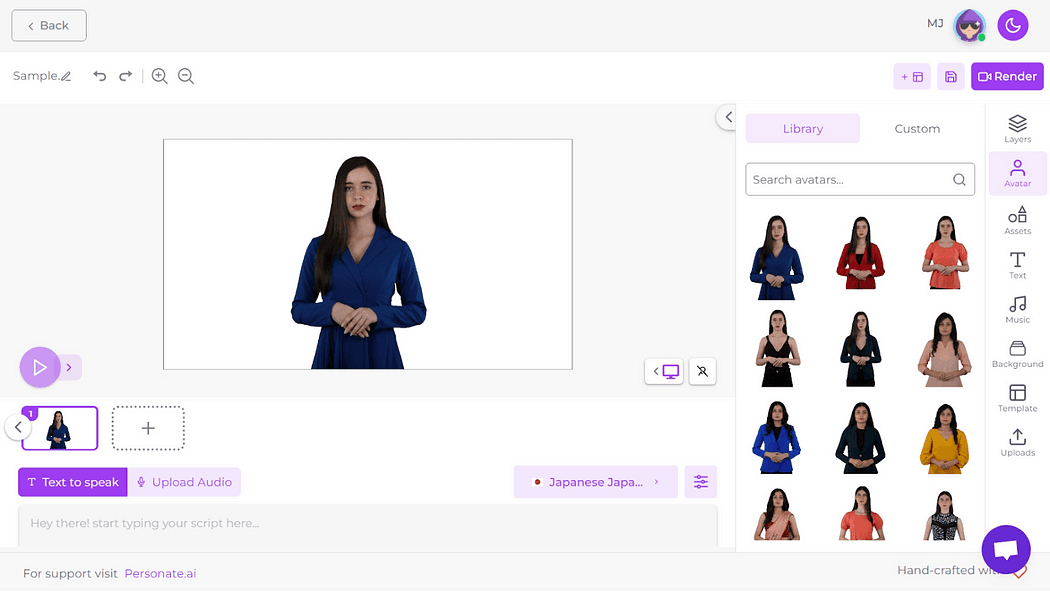
## Step 3: Write your script with the AI Scriptwriter
The AI Scriptwriter makes it easy to create engaging scripts.
- **Open the scriptwriter tool:** From the dashboard, click on the ‘GPT Script Generator’ tool to get started.
- **Enter key points:** Input the key points or topics you want your script to cover. The more specific you are, the better the AI can tailor the script to your needs.
- **Generate and edit:** Let the AI generate a draft script. Review and edit the script to ensure it matches your vision and tone. You can make as many changes as needed.
- **Upload your script:** If you have a pre-written script, you can input it directly. You also have the option to upload an audio version of your script to be used as is, or you can use the text-to-speech feature and later select an AI voice for the script.
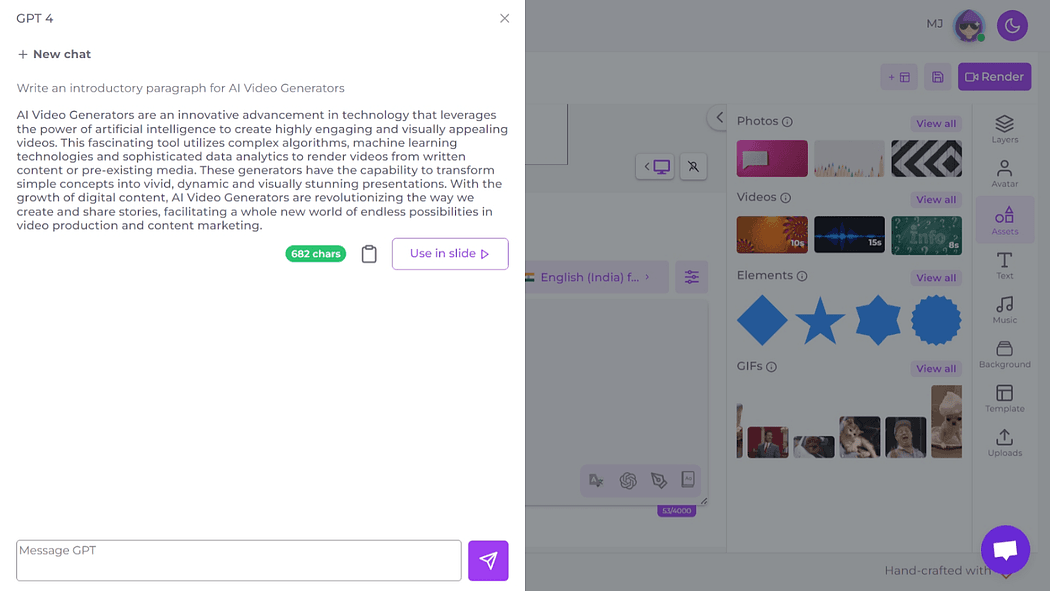
## Step 5: Translate your script with the AI Language Translator
Need your video in different languages? The AI Language Translator is here to help.
- **Input your script:** Enter your script into the AI Language Translator.
- **Select target language:** Choose the language you require for your video. The translator supports over 60 languages, and we frequently add new languages to the mix.
- **Review translations:** Carefully review the translated scripts to ensure accuracy and context. Make sure the translations convey the same message as the original script.
- **Multilingual support:** You can use different languages in one video, utilizing the language translator and multilingual support to add your script in multiple languages.
_Troubleshooting Tip: If the translation does not seem accurate, double-check the input language settings and make sure the original script is clear and free of idiomatic expressions that might confuse the AI._
## Step 4: Select a voice from the AI Voice Library
Personate AI Studio offers over 100 realistic AI voices in more than 60 languages. You can also upload your own audio clip if you prefer that over text-to-speech.
- **Explore voice options:** Navigate to the AI Voice Library and listen to samples of different voices. This helps you find the perfect match for your video’s tone and language.
- **Select a voice:** Pick a voice that fits your project. Consider the tone, pace, and language of your video when making your selection.
- **Apply across slides:** Choose “apply to all slides” to use the same voice throughout the video, or mix it up with different voices for different sections to add variety.
_Troubleshooting Tip: If the voice does not sound right, try adjusting the pitch and speed. Double-check your script for any strange formatting that might affect how it sounds._
## Step 6: Add backgrounds, supporting videos, music, GIFs, and more
Make your video stand out by adding multimedia elements.
- **Background images:** Choose or upload background images that match your theme. Backgrounds can set the scene and add depth to your video.
- **Supporting videos:** Integrate additional video clips to provide extra context or visual interest. This can help illustrate points or add a professional touch.
- **Music:** Select background music from the library to set the mood. Music can enhance the emotional impact and keep viewers engaged.
- **GIFs and animations:** Add GIFs or animations to make your video more dynamic and engaging. These elements can make your content lively and entertaining.
_Troubleshooting Tip: If your multimedia elements are not showing up right, check the file formats and sizes. Refreshing the page or re-uploading the files can also help._
## Step 7: Review, edit, and export
Before you finalize your video, give it a good review:
- **Preview your video:** Use the preview feature to listen to the audio from start to finish. This helps you catch any issues and see how everything fits together.
- **Make adjustments:** Edit any parts that need tweaking to ensure the audio, visuals, and text flow smoothly together. Pay attention to details to make your video polished and professional.
- **Render and export:** Once you are happy with your video, render it. You will receive an email notification once your video is ready for download.
Personate AI Studio makes video production easy and affordable for everyone. By following this beginner’s guide, you can create high-quality, engaging videos that connect with your audience. Embrace the future of video production with Personate AI Studio and transform your content strategy today.
* * *
## Personate 2.0 Update
Personate AI Studio is now part of Personate 2.0, with new ways to create personalized AI videos faster. You can clone your voice, instantly create an avatar from your photo or video, design an avatar from a written description, and use the AI video agent to turn an idea into a video.
For brands that need a more polished output, Personate now has studio-grade AI brand films delivered through Personate’s in-house team in a 72-hour production workflow.
Also read,
[Brand Video Production in 72 Hours: Inside Personate’s 6‑Step Process](https://personate.ai/blog/brand-video-production-in-72-hours-personate-6-step-process)
[How to Create a Digital Avatar Using 'Design with AI'](https://personate.ai/blog/how-to-create-a-digital-avatar-using-design-with-ai)
---
This blog is powered by Superblog. Visit https://superblog.ai to know more.
---