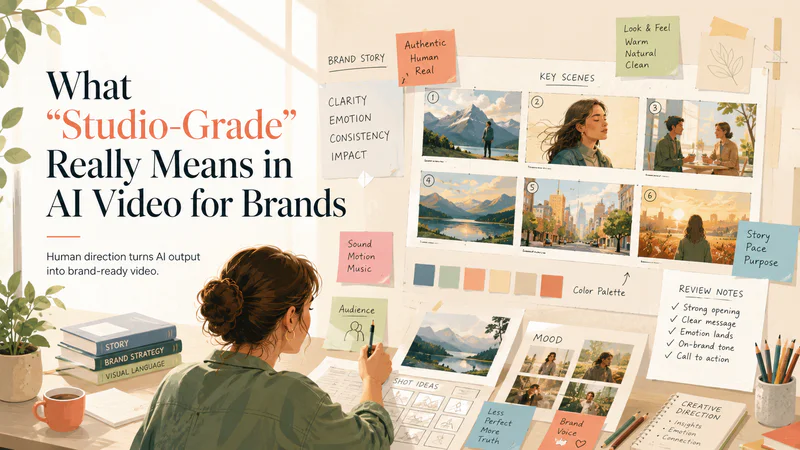
A great AI video should not feel like a prompt that got lucky. For brands, the bar is higher: the work has to feel intentional, polished, on-message, and produced with the same taste people expect from a studio. That only happens when AI is guided by human creative direction. In this article, we’ll define “studio-grade” AI video and show how to test whether it actually earns the label.
What Does “Studio-Grade” Mean in AI Video?
“Studio-grade” AI video is not just AI output that looks good enough for a brand. It is an AI output that has been shaped, constrained, and reviewed like production material. Two of the strongest signals are character consistency and lighting consistency: the same person should remain recognizable across the edit, and the lighting should feel like it belongs to one controlled visual world.
The deeper issue is that most AI video is still generated as a single flattened result: one prompt goes in, one polished-looking clip comes out. That may be fine for a social experiment, but it is not how professional video production works. Studio workflows depend on control layers: color data, depth, motion, masks, timing, metadata, review notes, and revision history.
This is where Personate’s workflow distinction matters: single-pass generation often limits the control a studio workflow needs. A final-looking AI clip can be hard to manipulate because the lighting, background, subject, depth of field, camera motion, and performance are all fused into one baked output. If a director wants to relight a face, adjust the pace, separate the subject from the background, or change depth of field, the system may have to regenerate the whole clip and risk losing the best parts of the original take.
So the real question is not: Did the AI generate something impressive? It is: Did the creative team get enough control to direct, revise, and finish the video?
For brands, this matters because “studio-grade” is ultimately about directability. The video should feel like the result of creative decisions: what the audience should notice, how the product should be framed, how the performance should land, how the same character should carry across scenes, how lighting should remain coherent, how color should support the brand, how movement should guide attention, and what can be changed after review.
Technically, that means studio-grade AI video needs more than a good RGB output. It benefits from production-aware structure: stable depth, usable masks or alpha channels, reliable motion information, predictable color behavior, and enough metadata for the asset to move through review and delivery. For AI video to fit a compositing workflow, it may need temporally stable depth maps, motion vectors, segmentation, and utility passes, not just a finished beauty pass.
That is the layer most people miss. Studio-grade is not only how good the video looks. It is how much creative control survives after the first generation.
Why “Studio-Grade” Should Be a Workflow Claim, Not a Visual Claim
By the time a video is exported, the important questions have already been answered: Was the brief translated clearly? Did the storyboard reduce ambiguity? Did the AI production layer stay aligned with the concept? Did human review catch issues before the brand saw them? Did revisions improve the draft without reopening the whole project? That is why “studio-grade” should describe the workflow behind the video, not just the polish of the final asset.
A studio-grade AI video process should make quality more predictable at every stage. The brief should define the creative target. The storyboard should structure the narrative. AI generation should accelerate asset creation. Human direction should refine pacing, realism, continuity, and brand fit. Review should catch issues early. Revisions should be specific enough to keep the project moving.
For brands, the real value is confidence: knowing that AI can compress production time without turning the final output into a gamble. Studio-grade means the video feels like it came from a professional creative process, even when AI helped produce it faster. For a closer look at how that process works step by step, read our breakdown of Personate’s 72-hour AI brand video production workflow.
Questions to Ask Before Calling AI Video “Studio-Grade”
For AI brand video, “studio-grade” should be proven through the production process, not claimed from the final render. The useful questions are the ones that reveal whether the asset was truly directed, technically stable, and ready for brand use.
1. How much control survives after generation?
Many AI clips arrive as flattened outputs: lighting, camera movement, subject, background, depth, and atmosphere are baked into one video. That limits what can be changed after review.
A stronger studio workflow preserves some form of control after generation: scene selection, edit timing, masks, depth cues, segmentation, motion consistency, or at minimum a clear revision path. The deeper issue is not whether the first output looks good. It is whether the team can keep shaping it without losing the shot.
2. Does the video separate image quality from motion quality?
A clip can look sharp when paused and unstable when played. That is why per-frame quality is not enough. Studio review should look for temporal defects: texture swimming, face drift, character identity drift, crawling backgrounds, inconsistent product edges, changing shadows, lighting jumps, and motion that feels detached from the scene. Traditional image-style metrics can miss temporal failure modes because they reward frame quality more than motion stability. For brand work, this matters most in slow shots: product reveals, app screens, packaging, founder videos, testimonials, and lifestyle scenes. These are harder to hide behind montage energy.
3. Is the color pipeline gradable or merely attractive?
A polished output can still have weak color latitude. If the look is baked into a fragile 8-bit-style render, even basic adjustments can expose banding, hue shifts, crushed shadows, or broken skin tones.
The deeper test is whether the video behaves predictably under a brand’s finishing process: LUTs, contrast curves, exposure changes, saturation, platform color transforms, and camera-matching. Studio-grade means the look can be finished, not just accepted as-is.
4. Are important regions weighted differently in review?
Not every pixel matters equally. A background wall and a product label should not carry the same review weight. The same goes for faces, logos, UI screens, packaging, subtitles, and hands. Evaluation should weight faces, titles, and brand assets more heavily than background detail because they carry more perceptual and commercial importance. That is a better brand-video standard than asking whether the whole frame looks “high quality.”
5. Was the asset tested in the delivery environment?
The clean render is only one version of the video. The campaign version may be resized, compressed, exported through a review tool, uploaded to a platform, or viewed on mobile. Studio-grade review should test the asset at the target delivery resolution and through expected transcode paths. Otherwise, teams can miss the moment where fine text breaks, faces soften, gradients band, or product details become unstable.
6. Does the lighting stay consistent across the video?
Lighting consistency is another major studio-grade signal. The direction, softness, contrast, shadow behavior, color temperature, and highlight levels should feel like they belong to the same scene or visual system. If a face is lit from the left in one shot and the shadows behave differently in the next, the video can feel synthetic even when each frame looks polished. For brand work, lighting also affects product perception. Skin, packaging, materials, and surfaces should respond predictably across the edit. A premium product should not look glossy in one shot, flat in the next, and overexposed after a transition. Studio-grade review should check whether the lighting supports continuity, realism, and brand tone across the full sequence.
7. Does the character stay consistent across scenes?
For brand videos with people, avatars, founders, creators, or spokespeople, character consistency is one of the clearest signs of production quality. The same person should remain recognizable across angles, expressions, gestures, wardrobe, and scene changes. Review should look for face drift, changing facial proportions, inconsistent hair, shifting age, altered clothing details, and expressions that no longer match the intended performance.
This matters most when the video depends on trust. A product demo, testimonial, founder story, or spokesperson-led ad can lose credibility if the character subtly changes from shot to shot. Studio-grade AI video should preserve identity across the full sequence.
8. Can review effort be measured?
Human review should not be vague. A production-ready AI workflow can track where time is spent: number of review cycles, defects caught before client delivery, time spent in QC per finished minute, recurring failure types, and revision success rate.
This turns “studio-grade” into an operational standard. The question becomes: how reliably can the system reach approval with minimal rework?
The Real Test: Would a Brand Publish It?
A lot of AI video can win attention in a feed. Fewer AI videos can pass the internal test that matters: would a brand actually publish this? That question forces a higher standard.
A publishable brand video needs to be clear, credible, on-message, visually stable, and appropriate for the channel. If the character changes between shots or the lighting feels inconsistent across the edit, the video can lose trust even when the individual frames look strong. The video has to survive stakeholder review, legal or brand checks, platform compression, and the practical reality of being seen by customers. The final asset has to feel intentional enough that a team is comfortable putting the brand’s name behind it.
Why Choose Personate for Studio-Grade AI Video?
Choose Personate when you need brand videos that move fast without feeling rushed. Its 72-hour workflow combines AI production with human creative direction, moving from brief to storyboard, generated scenes, polish, review, and focused revisions. The result is video that feels intentional, consistent, on-message, and ready to publish with the taste and control brands expect from a studio.
Conclusion
“Studio-grade” should be a standard a video earns through process, review, and delivery readiness. For AI brand video, the strongest results come from a human-directed workflow: a clear brief, structured storyboard, AI-assisted production, creative polish, measurable review, and focused revisions. The final asset should feel intentional enough for a brand to publish and reliable enough to survive the realities of campaign delivery. That is the real shift. AI makes video faster. Human direction makes it brand-ready.